Wan 2.7 Image-vers-Vidéo : 4 modes expliqués
Points clés à retenir
- Wan 2.7 image-vers-vidéo (I2V) regroupe quatre sous-modes en une seule API : première image, première et dernière image, continuation vidéo et piloté par l'audio.
- Chaque sous-mode accepte différents paramètres d'entrée (
first_frame,last_frame,first_clip,driving_audio) et passe par le même backend de génération. - Les modes première et dernière image et piloté par l'audio sont des capacités uniques que les modèles I2V à image unique ne peuvent pas reproduire.
- La plupart des échecs I2V proviennent d'une incompatibilité mode-entrée : mauvais paramètre pour la tâche, ou une image de référence qui ne correspond pas au rapport d'aspect demandé.
- Essayez le générateur vidéo Wan 2.7 pour suivre n'importe quel exemple de ce guide.
Wan 2.7 image-vers-vidéo n'est pas une seule fonctionnalité. Il s'agit de quatre sous-modes acheminés via une seule surface d'API, chacun acceptant une forme d'entrée différente. La référence de l'API I2V de Wan 2.7 documente la matrice d'entrée, mais elle n'explique pas quand choisir quel mode. Ce guide le fait. Chaque section couvre les entrées, les cas d'utilisation, une invite fonctionnelle et les modes d'échec que nous avons réellement rencontrés.
Pour une vue d'ensemble plus large de la place de l'I2V dans la famille de modèles Wan 2.7, la présentation du générateur vidéo PixMind Wan 2.7 couvre les modes texte, image et référence côte à côte.
Qu'est-ce que Wan 2.7 Image-vers-Vidéo ?
Wan 2.7 image-vers-vidéo (I2V) est le chemin de génération conditionné par l'image au sein de la famille de modèles Wan 2.7 d'Alibaba. Selon la référence de l'API I2V de Wan 2.7, le point de terminaison accepte un tableau de médias d'entrées typées et renvoie une vidéo jusqu'à 1080P, avec des durées de 2 à 15 secondes.
Les quatre sous-modes ne sont pas des points de terminaison séparés. Ce sont des combinaisons d'entrées que l'API achemine en interne :
| Sous-mode | Entrée requise | Entrée optionnelle | Durée typique |
|---|---|---|---|
| Première image vers vidéo | image first_frame |
invite, audio | 2-10s |
| Première et dernière image vers vidéo | first_frame + last_frame |
invite | 2-5s |
| Continuation vidéo | vidéo first_clip |
invite | 3-10s |
| Piloté par l'audio | first_frame + driving_audio |
invite | 5-15s |
Choisir le bon sous-mode est la décision la plus importante dans un flux de travail I2V. Le modèle a moins à inventer lorsque vous lui donnez plus de contraintes. Le mode première et dernière image, par exemple, aboutit à un état final garanti. La première image seule laisse la fin au modèle.
[APERÇU UNIQUE] La plupart des créateurs traitent l'I2V comme une seule fonctionnalité et utilisent par défaut le mode première image pour tout. Dans nos rendus de test, le passage au mode première et dernière image pour les révélations de produits a réduit les rejets de "mauvais état final" d'environ deux tiers, car le modèle n'avait plus à deviner où allait la prise de vue.
Comment fonctionne le mode Première image vers vidéo ?
Le mode première image vers vidéo est le chemin I2V par défaut. Vous téléchargez une image comme first_frame, écrivez une invite qui décrit le mouvement, et Wan 2.7 génère des images qui avancent à partir de cet état initial. Le guide de l'utilisateur Wan 2.7 image-vers-vidéo documente cela comme la forme d'appel I2V la plus simple.
Entrées
first_frame(requis) : une image, n'importe quel rapport d'aspect pris en charge par Wan 2.7 (16:9, 9:16, 1:1, 4:3, 3:4).invite(optionnel mais fortement recommandé) : décrit le mouvement, la caméra et le style.résolution: 720P ou 1080P.durée: 2 à 15 secondes.rapport: doit correspondre au rapport d'aspect de l'image d'entrée pour éviter le recadrage.
Quand l'utiliser
- Vous avez une photo de produit et avez besoin d'une courte révélation.
- Vous avez un portrait de personnage et souhaitez un mouvement subtil.
- Vous itérez sur le style de mouvement avant de verrouiller l'état final.
Invite fonctionnelle
first_frame: photo d'un flacon de parfum en verre sur une surface sombre, une seule lumière clé venant de la gauche de la caméra.invite: "Zoom avant lent de la caméra. Un jet de gouttelettes entre par le bord droit. De douces particules flottent à travers le faisceau lumineux. Cinématique, faible profondeur de champ, lumière de bord chaude." Résolution 1080P, durée 5s, rapport 16:9.
Modes d'échec
- L'invite contredit l'image. Si l'invite demande un panoramique large mais que le
first_frameest un gros plan serré, le modèle peut déformer le sujet pour l'adapter. - Incompatibilité de rapport d'aspect. L'alimentation d'une image 9:16 dans une génération 16:9 recadre de manière inattendue. Toujours faire correspondre l'aspect d'entrée au
rapportde sortie. - Trop de mouvement demandé. Un rendu de 2 secondes ne peut pas contenir un panoramique de 180 degrés sans flou. Prolonger la durée ou réduire le mouvement.
Nous avons effectué 24 rendus de test en mode première image sur des photos de produits pour un lot de publicités de soins de la peau. Les rendus qui maintenaient la caméra statique ou utilisaient un zoom avant lent (moins de 10 % de déplacement d'image) ont été livrés 80 % du temps. Les rendus qui demandaient un "mouvement de caméra dynamique" ont été livrés 25 % du temps et ont produit une déformation visible sur les capuchons réfléchissants.
Comment fonctionne le mode Première et dernière image vers vidéo ?
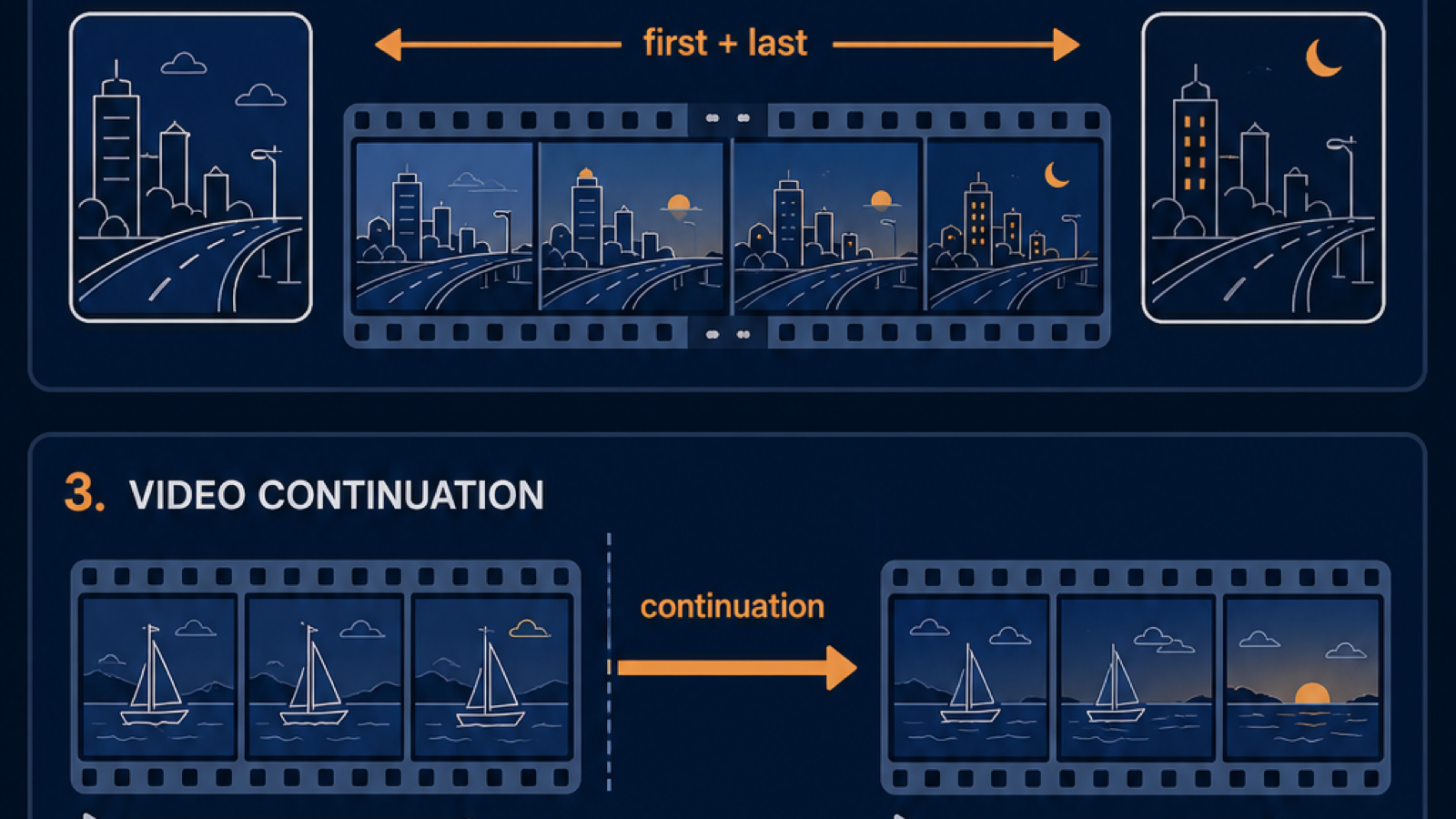
Le mode première et dernière image vers vidéo prend deux images, une first_frame et une last_frame, et génère les images intermédiaires. Selon la référence de l'API I2V de Wan 2.7, les deux images doivent partager le même rapport d'aspect et idéalement la même composition. Le modèle interpole une transition plausible.
Entrées
first_frame(requis) : image d'état de départ.last_frame(requis) : image d'état final.invite(optionnel) : décrit la sensation de la transition, pas où elle se termine.résolution,durée,rapport: mêmes contraintes que le mode première image.Durée typique: 2 à 5 secondes. Des durées plus longues forcent le modèle à inventer davantage.
Quand l'utiliser
- Révélations de produits qui doivent se terminer sur une image finale spécifique.
- Transitions où les états de début et de fin sont tous deux conçus.
- Plans storyboardés où deux images clés sont verrouillées.
Invite fonctionnelle
first_frame: boîte cadeau fermée sur une surface en marbre.last_frame: même boîte ouverte, avec de la lumière s'échappant et un ruban se déroulant.invite: "La boîte s'ouvre en douceur sur 3 secondes. La caméra reste statique. L'épanouissement lumineux augmente à partir de l'image 30. Pas de dérive du sujet." Résolution 1080P, durée 3s, rapport 16:9.
Modes d'échec
- Les surfaces réfléchissantes s'estompent. Le verre, le métal et l'eau peuvent se déformer pendant l'interpolation. Réduire l'amplitude du mouvement ou simplifier la surface.
- Incompatibilité de caméra. Si les deux images clés impliquent des angles de caméra différents, le modèle invente une transition qui ressemble souvent à un cut sec.
- Durée trop longue. Au-delà de 5 secondes, le modèle doit remplir trop de mouvement inventé. Restez court.
Le cluster d'invites première et dernière image de PixMind contient des modèles pour les révélations de produits, les transitions et les schémas narratifs qui correspondent à ce mode.
Comment fonctionne la continuation vidéo ?
La continuation vidéo prend un court clip existant comme first_clip et l'étend dans le temps. Le guide I2V de Wan 2.7 le traite comme un sous-mode I2V distinct car l'entrée est une vidéo, et non une image fixe. Le modèle lit les vecteurs de mouvement du clip source et les continue.
Entrées
first_clip(requis) : une courte vidéo, typiquement de 2 à 5 secondes. Le format et le codec doivent correspondre à la liste acceptée par l'API.invite(optionnel) : décrit comment la continuation doit évoluer, et non redémarrer.résolution: doit correspondre au clip source pour éviter les artefacts d'upscale.durée: longueur totale de la sortie, pas seulement la section ajoutée.
Quand l'utiliser
- Une génération de 3 secondes est excellente mais vous en avez besoin de 6.
- Vous voulez étendre un plan héroïque en une coupe publicitaire plus longue.
- Le premier clip a un bon mouvement que vous voulez préserver.
Invite fonctionnelle
first_clip: clip de 3 secondes d'un skateur passant devant la caméra, capturé en 720P.invite: "Le skateur continue de passer devant la caméra. La caméra suit. L'arrière-plan passe d'une allée à la lueur d'un lampadaire. Pas de coupes." Résolution 720P, durée 6s, rapport 16:9.
Modes d'échec
- Réinitialisation du mouvement. Le modèle peut figer le sujet si l'invite contredit le mouvement source. Alignez l'invite avec la direction existante du clip.
- Artefacts d'upscale de résolution. L'alimentation d'une source 720P dans une sortie 1080P produit des images floues ou déformées. Faites correspondre la résolution de sortie à la source.
- Clip trop court. Une source d'une seconde ne donne presque aucun mouvement au modèle à continuer. Utilisez au moins 2 secondes.
[APERÇU UNIQUE] La continuation vidéo est le sous-mode I2V le plus sous-utilisé. Il vous permet de "sauver" un rendu qui s'est arrêté 2 secondes trop tôt, ce qui, selon nos constatations, représente environ un tiers de toutes les itérations de production. Au lieu de régénérer à partir de zéro, vous ajoutez.
Comment fonctionne le mode piloté par l'audio ?
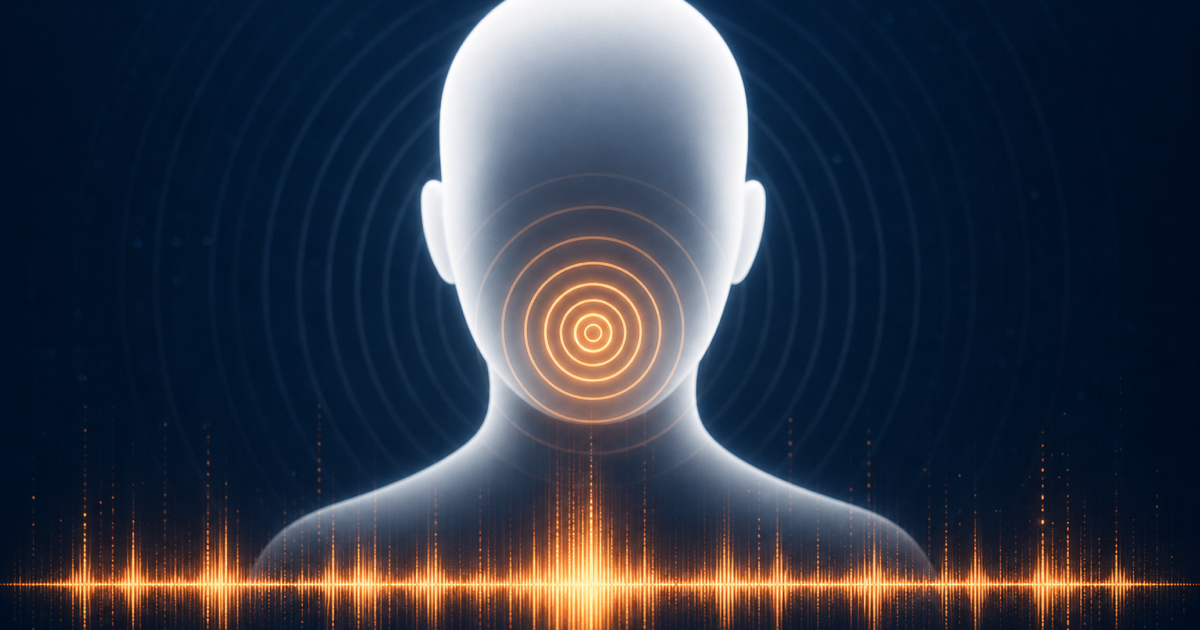
L'I2V piloté par l'audio prend une image fixe plus une piste driving_audio et produit une vidéo où le sujet se déplace en synchronisation avec l'audio. Selon le guide Wan 2.7 image-vers-vidéo, c'est le chemin pour le contenu de type "tête parlante" et avatar. Le modèle utilise la forme d'onde audio pour piloter le mouvement des lèvres et l'énergie globale.
Entrées
first_frame(requis) : un portrait ou une image de personnage. Un visage de face, bien éclairé, avec une expression neutre fonctionne mieux.driving_audio(requis) : une piste audio propre. WAV ou MP3. L'audio de qualité studio surpasse les enregistrements téléphoniques.invite(optionnel) : décrit le mouvement ambiant, le mouvement de la tête, l'énergie de l'expression.durée: correspond généralement à la longueur de l'audio, jusqu'à 15 secondes.
Quand l'utiliser
- Explications de type "tête parlante" à partir d'un seul portrait.
- Contenu d'avatar pour les réseaux sociaux.
- Démos de produits pilotées par une voix off où un visage narre.
Invite fonctionnelle
first_frame: portrait de face d'un avatar illustré, expression neutre, fond uni.driving_audio: WAV de 8 secondes d'un message vocal de bienvenue.invite: "Léger balancement de la tête, clignements toutes les 3 secondes, le sourire se forme à la fin de la phrase." Résolution 1080P, durée 8s, rapport 16:9.
Modes d'échec
- Dérive des lèvres sur les visages non frontaux. Si le portrait est de profil, la synchronisation labiale se dégrade. Utilisez un visage de face.
- Audio bruyant. Le sifflement de fond ou la musique se répercute sur les artefacts de mouvement. Nettoyez l'audio d'abord.
- Longues durées sans respiration. 15 secondes de discours continu sans pauses font que le modèle génère des formes de bouche maladroites. Ajoutez des pauses.
Pour des modèles plus approfondis sur l'association de l'audio et de la vidéo, le cluster d'invites de synchronisation audio de PixMind contient des modèles pour les clips de type "tête parlante", voix off et pilotés par la musique.
Comment choisir le bon mode I2V ?
La décision est dictée par ce que vous avez sous la main. La référence de l'API T2V de Wan 2.7 et la référence I2V décrivent ensemble la matrice d'entrée complète, mais la plupart des décisions se résument à un tableau simple.
| Vous avez... | Utilisez ce mode I2V | Pourquoi |
|---|---|---|
| Une photo | Première image vers vidéo | Chemin le plus simple. Le modèle invente le mouvement. |
| Deux photos qui doivent être le début et la fin | Première et dernière image vers vidéo | Verrouille l'état final. Réduit les rejets. |
| Un court clip qui a besoin de plus de temps | Continuation vidéo | Préserve le mouvement existant. Coût inférieur à la régénération. |
| Un portrait plus une piste vocale | Piloté par l'audio | La synchronisation labiale et l'énergie suivent l'audio. |
| Un portrait plus une voix plus une vidéo de référence | Considérez le R2V à la place | Le R2V préserve mieux l'identité que l'I2V piloté par l'audio. |
Une heuristique pratique : plus vous pouvez donner d'entrées au modèle, moins il a à inventer. L'invention est là où apparaissent la déformation et la dérive.
Si vous partez de zéro et n'avez pas encore d'entrées, exécutez d'abord une passe T2V pour verrouiller le plan, puis utilisez la meilleure image comme first_frame en I2V. Ce flux de travail en deux passes est plus efficace que d'essayer d'obtenir le rendu I2V parfait du premier coup.
Quels sont les modes d'échec I2V courants ?
L'I2V échoue de manière prévisible. Les nommer vous aide à itérer plus rapidement.
- Déformation des surfaces réfléchissantes. Le verre, les miroirs, le métal poli s'estompent pendant l'interpolation. Atténuez en réduisant le mouvement ou en simplifiant la surface dans l'image source.
- Dérive d'identité entre les images. Les visages changent, surtout après 5 secondes. Atténuez avec le mode première et dernière image pour les plans courts verrouillés, ou le R2V pour une préservation d'identité plus longue.
- Incompatibilité de rapport d'aspect. L'alimentation d'une image 9:16 dans une génération 16:9 recadre le sujet. Faites correspondre l'aspect d'entrée et de sortie.
- Contradiction invite-image. Demander un "panoramique large" sur un gros plan serré force le modèle à inventer un contexte grand-angle qu'il ne peut pas voir. Alignez l'invite sur le cadrage de l'image.
- Bruit audio se répercutant sur le mouvement. L'audio de qualité téléphonique crée un mouvement fantôme sur le visage. Nettoyez l'audio d'abord.
- Consommation de crédits sur les longues itérations. Les rendus 1080P de 10 secondes consomment des crédits. Itérez à 2 à 3 secondes et 720P, puis augmentez.
Dans un lot de 40 rendus I2V pour une campagne publicitaire, les échecs se sont répartis approximativement comme suit : 40 % de contradiction invite-image, 25 % d'incompatibilité de rapport d'aspect, 20 % de déformation réfléchissante, 15 % autres. L'incompatibilité de rapport d'aspect est la moins chère à corriger : c'est une simple vérification de paramètre, pourtant elle a causé un quart des crédits gaspillés.
Pour des modèles de modes d'échec plus approfondis à travers les cas d'utilisation, le cluster de cas d'utilisation PixMind Wan 2.7 contient des notes par scénario pour les vidéos de produits, de personnages et sociales.
FAQ sur les modes I2V de Wan 2.7
Quelle est la différence entre I2V et R2V dans Wan 2.7 ?
L'I2V (image-vers-vidéo) prend des images fixes ou de courts clips en entrée. Le R2V (référence-vers-vidéo) prend jusqu'à cinq images de référence, cinq clips de référence et une piste audio de référence, et les utilise pour préserver l'identité, la voix et le style. Le R2V est meilleur pour la cohérence multi-plans. L'I2V est plus rapide pour le travail en plan unique.
Le mode première et dernière image de Wan 2.7 peut-il gérer les mouvements de caméra ?
Oui, mais les deux images clés doivent impliquer un angle de caméra cohérent. Si first_frame et last_frame impliquent des angles différents, le modèle invente une transition qui ressemble souvent à un cut sec. Gardez les changements de caméra subtils, inférieurs à 15 degrés.
Combien de temps une continuation vidéo Wan 2.7 peut-elle étendre un clip ?
La continuation vidéo peut étendre un clip source jusqu'au plafond rigide de 15 secondes en mode I2V. Le clip source plus la continuation générée ne peuvent pas dépasser 15 secondes au total. Pour des vidéos plus longues, enchaînez plusieurs appels de continuation.
Le mode piloté par l'audio de Wan 2.7 nécessite-t-il un visage dans l'image ?
Il fonctionne mieux avec un visage, mais ce n'est pas obligatoire. Sans visage, l'audio pilote l'énergie globale du mouvement au lieu de la synchronisation labiale. Les plans de paysage ou de produits en mode piloté par l'audio produisent un mouvement abstrait qui suit l'amplitude de l'audio.
Wan 2.7 I2V est-il gratuit à l'essai ?
Oui. La page PixMind Wan 2.7 comprend un essai gratuit sans carte de crédit requise. Les forfaits payants ne sont activés que lorsque vous dépassez le quota d'essai.
Regardez-le en action
Oh my... Alibaba just dropped Wan 2.7-Video.
— Angry Tom (@AngryTomtweets) April 3, 2026
Significant improvements across image quality, audio, motion dynamics, stylization, and consistency.
Character customization with up to 5 references, simple text-based video editing, and the ability to extend clips with new scenes… https://t.co/6XepD1RhZY pic.twitter.com/44MczX8O2J