AI Apps
Guides for product images, virtual try-on, brand materials, storefront signs, marketing posters, packaging, culture walls, and product detail image sets.
AI Apps are PixMind's industry-focused applications, currently covering e-commerce and marketing scenarios. Each app is backed by a workflow that may take several steps to produce content, but it is stable and well suited for batch generation with fixed requirements.
This is a product usage guide. These steps apply to the PixMind web tool, not the API. Developers should read the API quickstart instead.
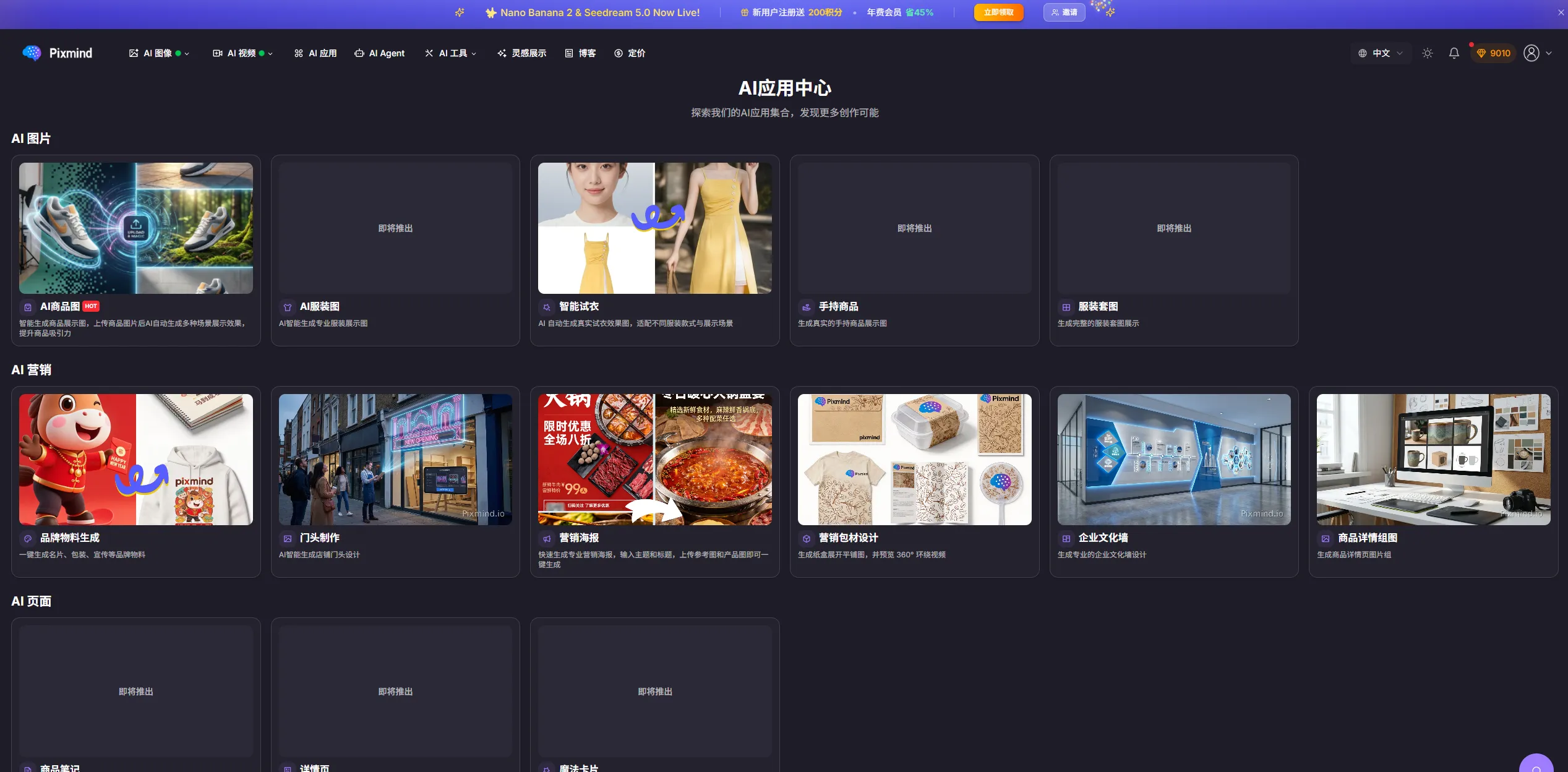
The App Center is organized into sections such as AI Images (e-commerce hero images, scene images, premium ad images, custom), AI Marketing (brand key visuals, store posters, marketing poster design, corporate visuals), and AI Pages (e-commerce detail pages).
New workflow guides
AI outfit generation
Upload one or several garments, choose a reference model, and set ratio, resolution, and count.
AI virtual try-on
Choose a garment mode and an official or custom model, then set pose and background for try-on.
Product image workflows
Choose a workflow for product backgrounds, lifestyle scenes, white-background images, listings, or in-hand displays.
Product images
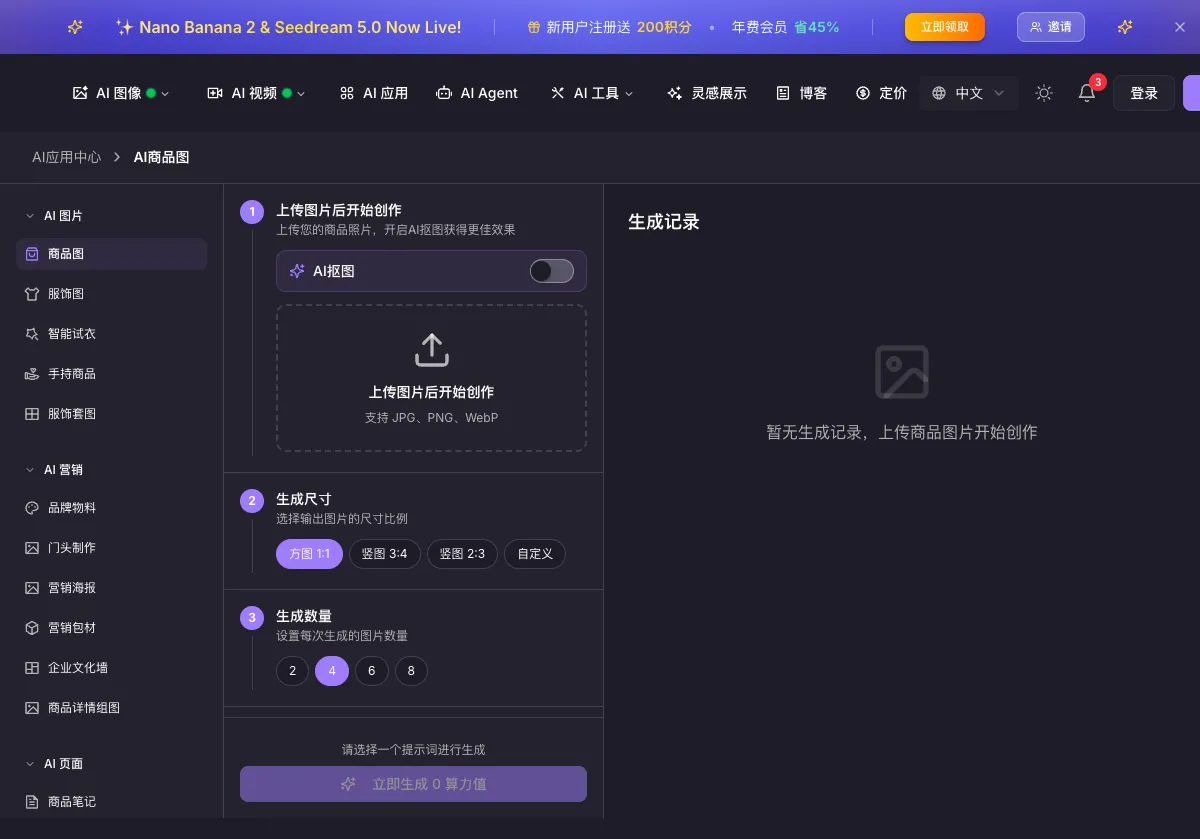
Product images generate e-commerce hero images, scene images, premium ad images, and custom results in one flow:
-
Upload the product image: JPG, PNG, and WebP are supported. Enable AI matting if you don't want the original background to affect the result; skip it for white-background images.
-
Set size and quantity: pick a common size or define a custom one; generate 2–8 images.
-
Visual analysis: the system analyzes the product and generates prompts automatically.
-
Edit prompts: edit, duplicate, or delete the generated prompts. The number of prompts you keep equals the number of images generated.
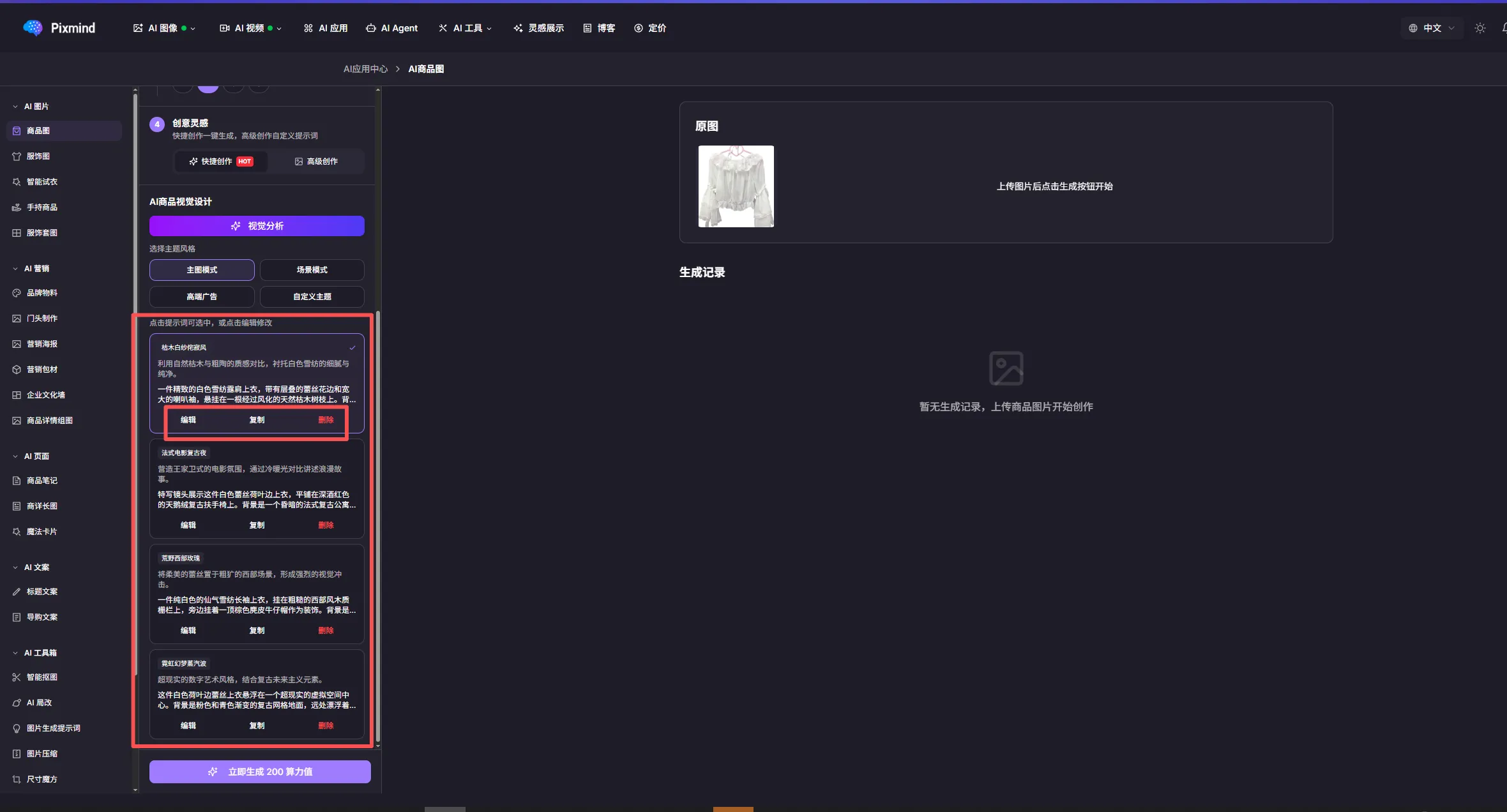
-
Generate: start generation and review results under generation history.
Virtual try-on
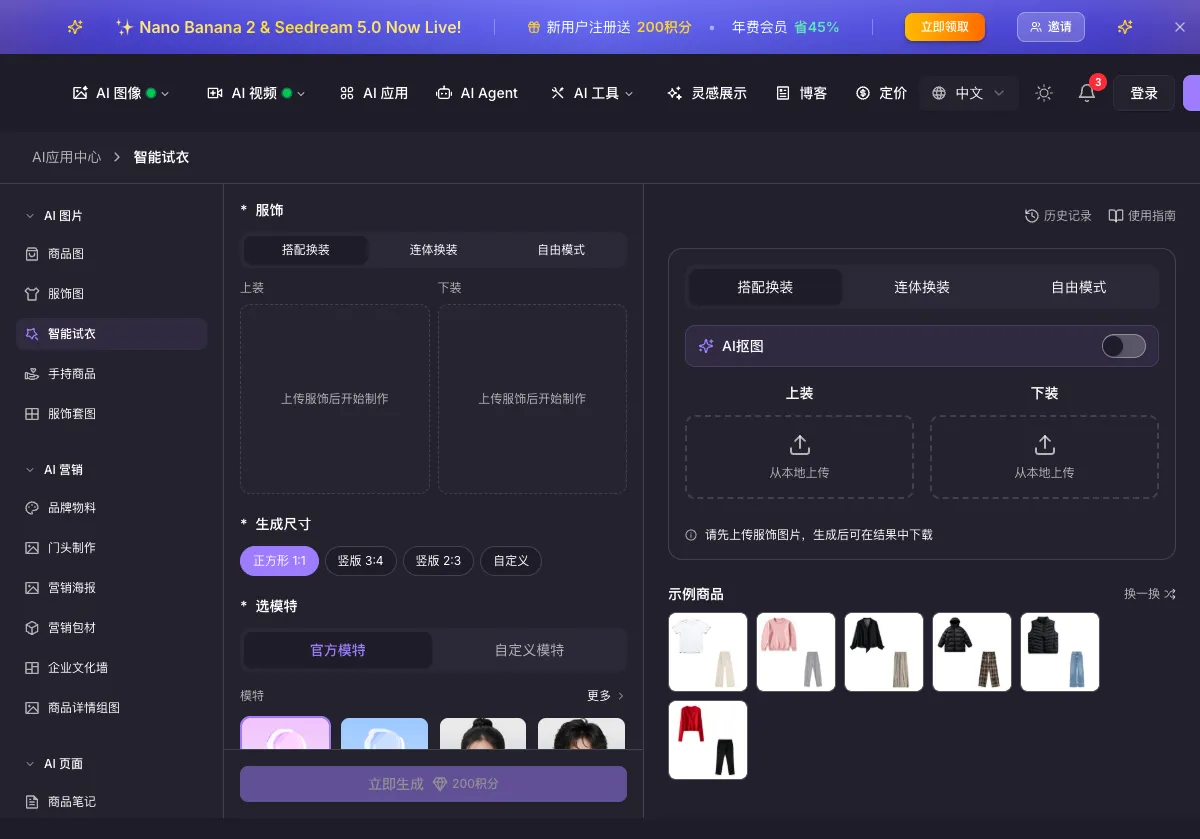
Virtual try-on quickly produces photos of models wearing your garments — ideal for fashion e-commerce.
Three modes
| Mode | Best for | Input |
|---|---|---|
| Outfit pairing | Separates (top + pants/skirt) | Upload top and bottom images; the system composes a full look |
| One-piece | Dresses, jumpsuits | Upload a single complete garment image |
| Free mode | Single items and special requirements | Upload as needed with flexible parameters |
Steps
- Pick a mode and upload garments: use clear flat-lay or mannequin photos with a clean background; enable AI matting to remove background interference.
- Set the output size: 1:1 for social media, 3:4 for detail pages, 2:3 for posters, or custom.
- Choose a model: the official model library covers different genders, ages, and styles — click "More" to browse. You can also upload your own model photo (a clear front-facing shot) for brand-exclusive models.
- Model traits (optional): set hairstyle, skin tone, body type, and other traits.
- Accessory management (optional): add accessories and shoes for a complete look.
- Pose and background: describe the expected result (for example, "standing pose, simple indoor background, natural light"), or use a recommended background template such as studio, outdoor, casual snap, solid color, cozy room, elegant boudoir, or warm-toned room.
- Generate and download: check the current credit estimate and click generate, then review, download, or adjust and regenerate.
Best practices
- Garment photos: clear, well-lit flat lays; complete garment without occlusion; clean background; AI matting on.
- Model choice: match your target customers and garment style; use a fixed model for brand consistency.
- Backgrounds: coordinate with the garment style and keep them from stealing focus.
FAQ
- Results look unnatural? Check the garment photo quality, adjust the pose description, or try a different model.
- Batch generation? Upload different garments repeatedly — previous settings are kept for fast runs.
- Credit cost? Use the current estimate on the generation button and confirm clothing, model, pose, and background before generating.
- Commercial use? Fine for commercial display; see the platform terms for scope.
Brand materials
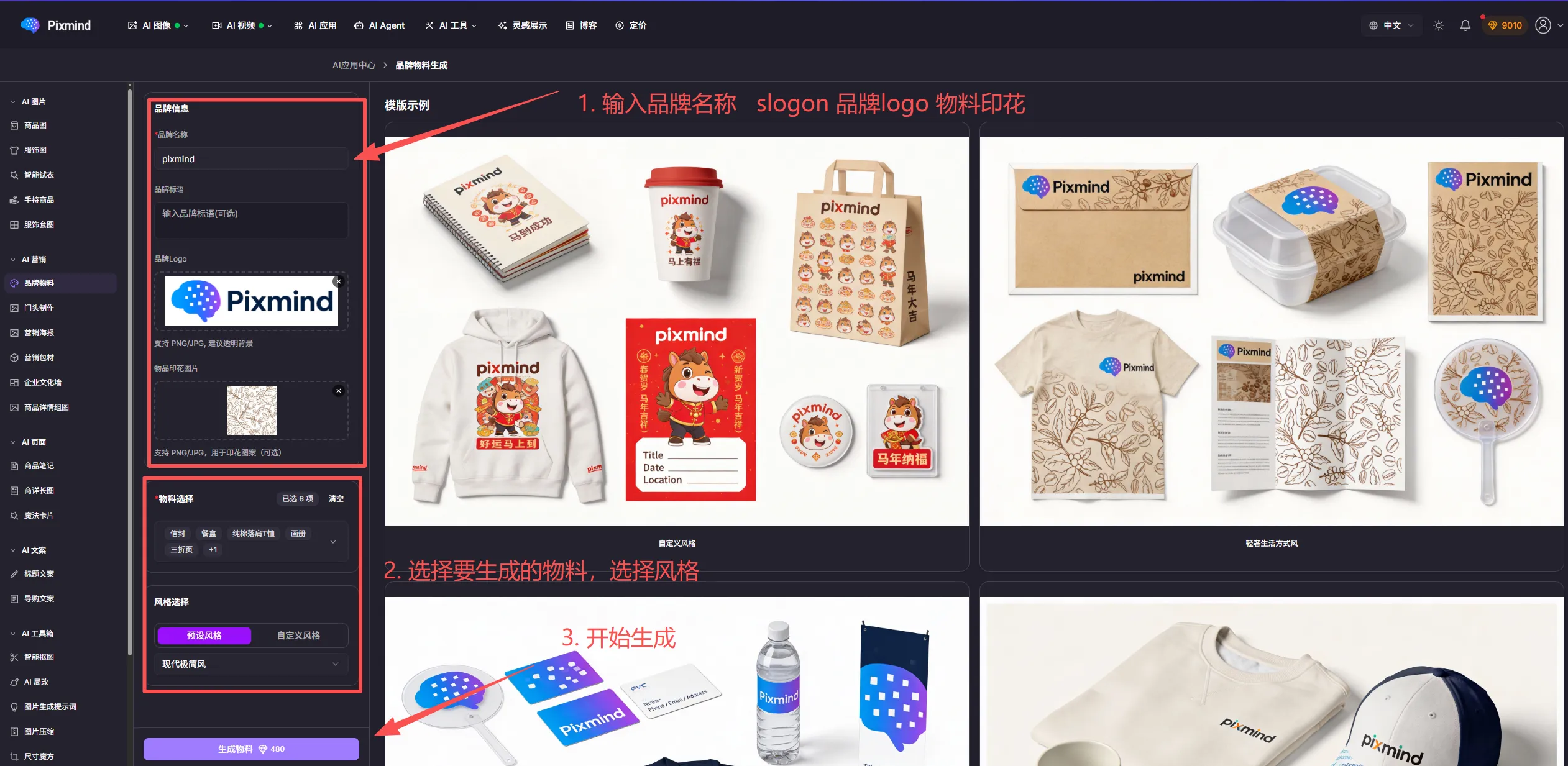
Brand materials quickly generate marketing collateral carrying your logo and design elements — boxes, tote bags, business cards, envelopes, and more.
Highlights: AI-matched brand styling, 20+ material types, editable colors/fonts/layout, print-ready high resolution.
Supported types:
- Packaging: boxes, gift bags, paper bags, wrapping paper
- Office: business cards, envelopes, letterheads, folders
- Marketing: flyers, posters, roll-up banners, display stands
- Merchandise: T-shirts, mugs, notebooks, umbrellas
Steps:
- Upload brand elements: logo (transparent PNG recommended), brand primary and secondary colors, brand name, and slogan.
- Pick a template: browse material types, choose a style, preview the result.
- Edit: adjust logo size and position, edit text, swap color schemes, add decorations.
- Generate and download: preview, choose the output size, and download.
Storefront signs
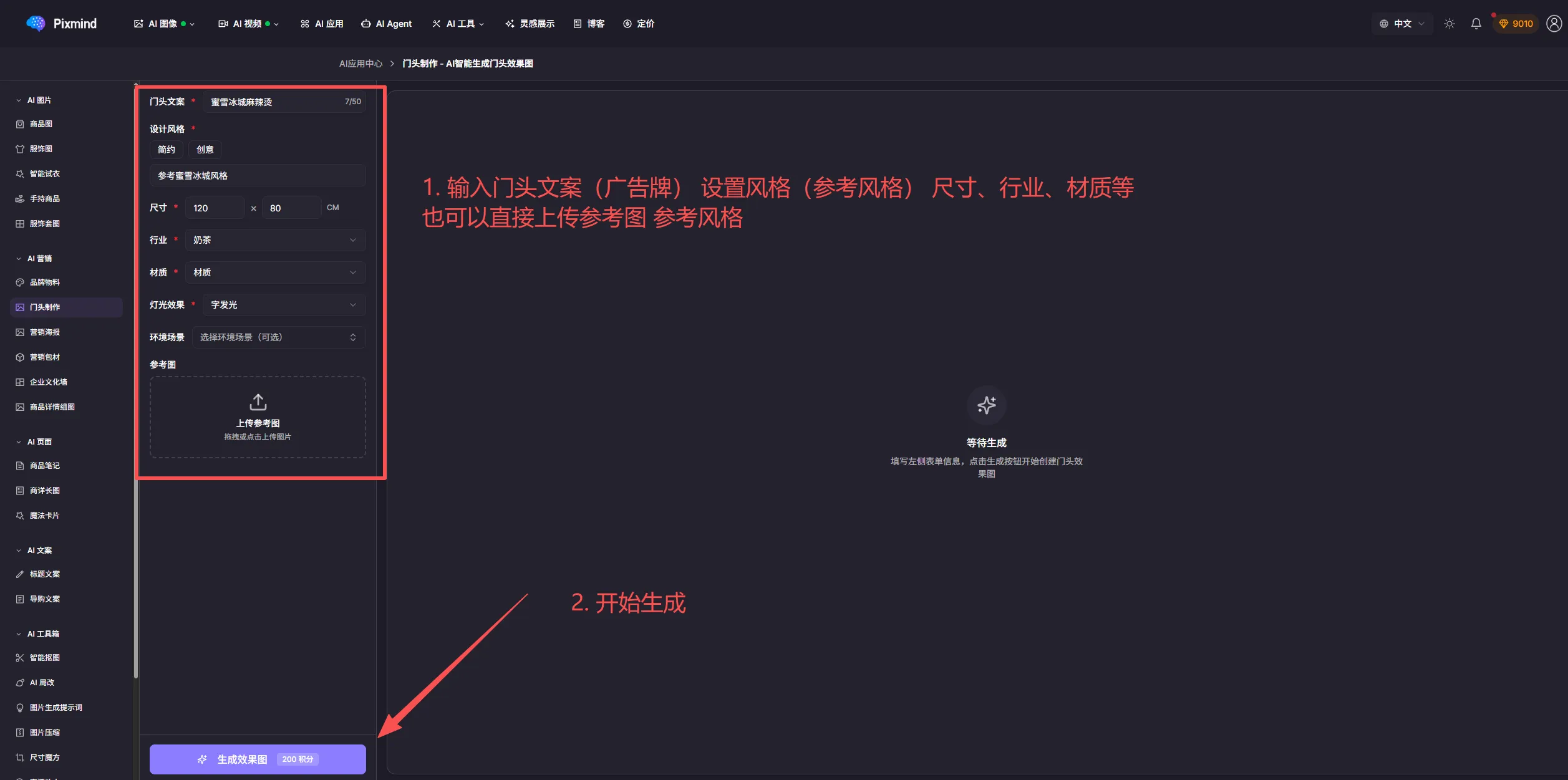
Storefront sign design serves brick-and-mortar shops, generating sign mockups in various styles.
Highlights: industry-optimized templates, diverse styles (modern, classic, trendy), custom sign sizes, realistic material rendering.
Use cases: restaurants, retail stores, salons, education and training, and other service shops.
Workflow:
- Enter shop info: name, industry, and selling points (optional).
- Pick a style: modern minimal, traditional Chinese, European classic, trendy, futuristic, and more.
- Set parameters: sign size (width × height), primary color, and material (acrylic, metal, wood); a reference image is optional.
- Generate: review multiple proposals, refine details, and download.
Marketing posters
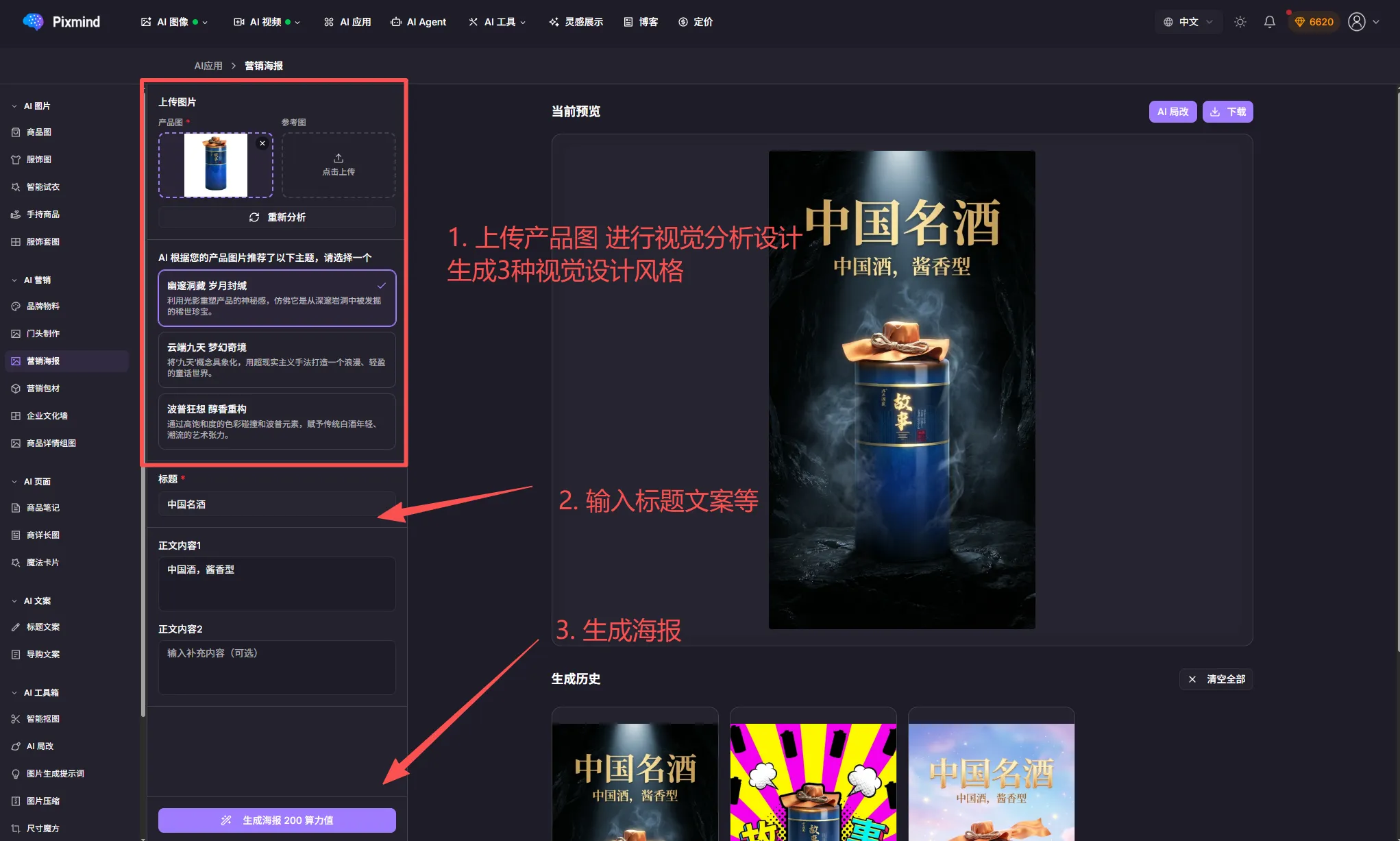
Marketing posters generate campaign posters — promotions, seasonal events, and product launches.
Poster types: seasonal promotions (Spring Festival, Double 11, 618), product launches, flash sales, brand campaigns, and event recruitment.
Steps:
- Choose a poster type from templates or start custom.
- Fill in content: main title, subtitle/selling points, event time, pricing, QR code (optional).
- Design adjustments: color scheme, layout, decorations, product images.
- Export: preview, refine, and export in high resolution.
Marketing packaging
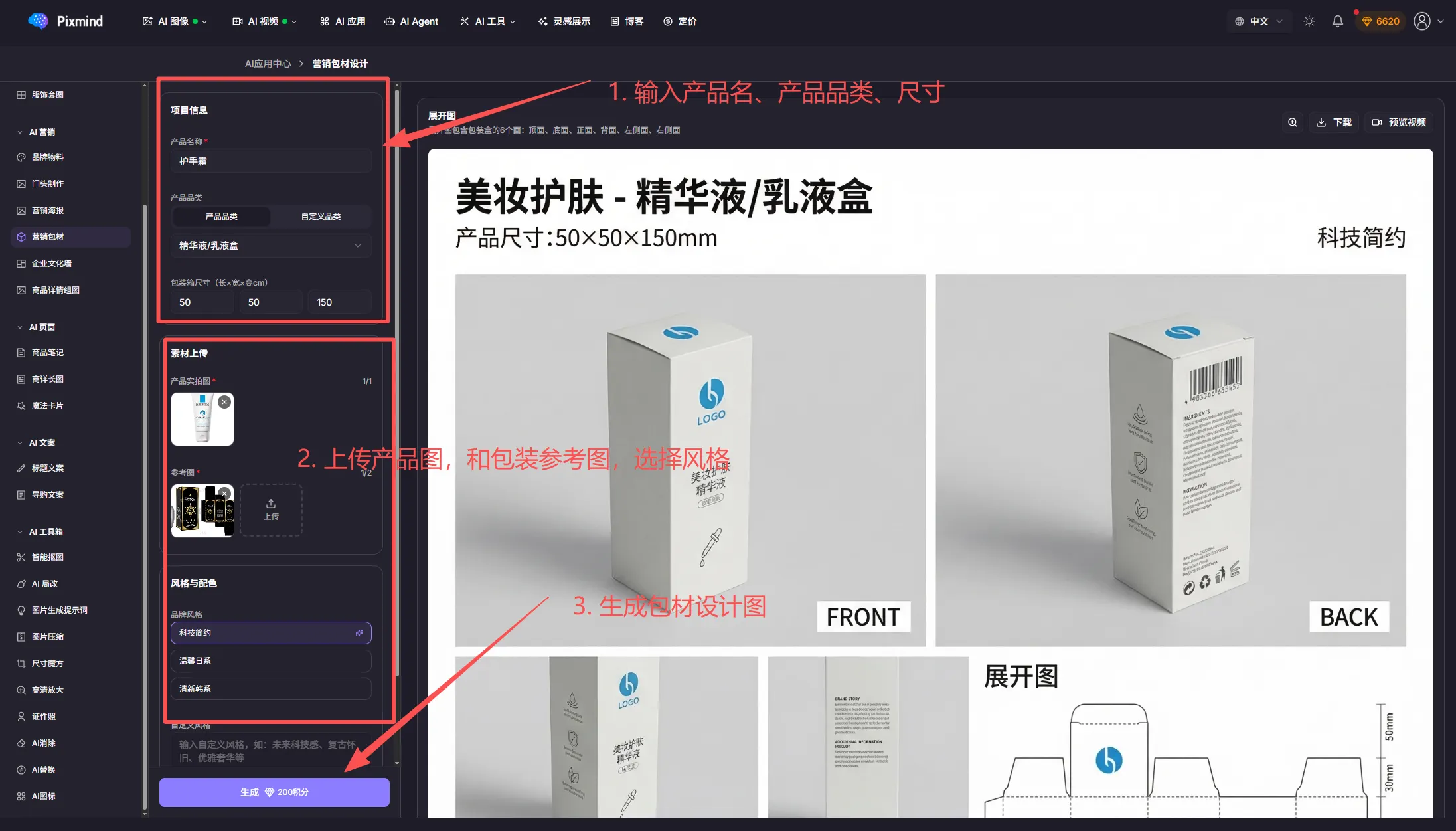
Marketing packaging designs packaging materials to elevate brand image and unboxing experience.
Types: shipping boxes/bags, gift boxes, product manuals, labels/hang tags, warranty and membership cards.
Workflow:
- Choose the packaging type.
- Upload product images and packaging references.
- Enter the product name and category, and set the size.
- Pick a design style.
- Add text.
- Generate and download.
Culture walls
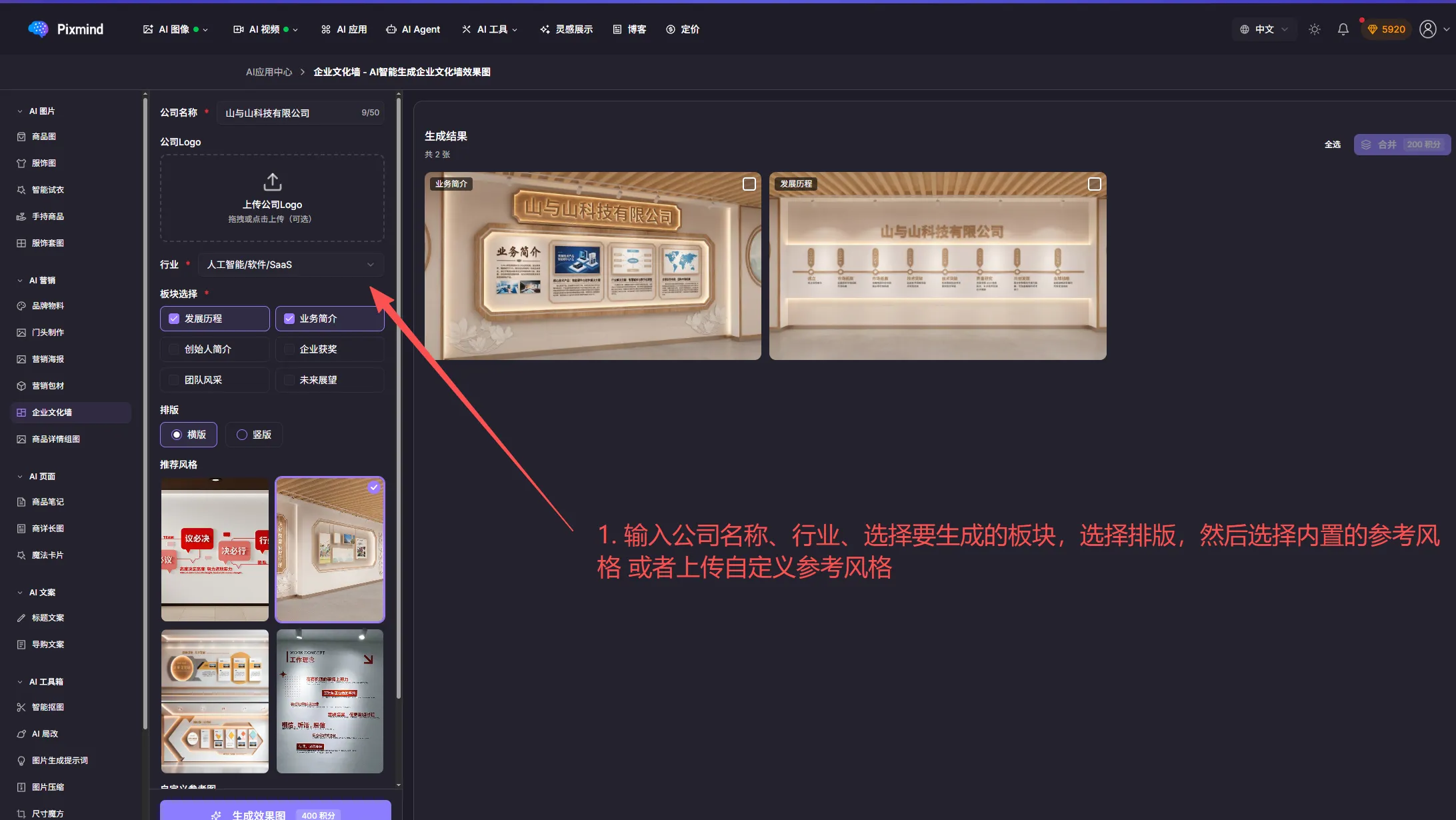
Culture walls design interior display walls — culture walls, honor walls, and company timeline walls.
Use cases: reception culture walls, corridor displays, meeting room backdrops, staff showcases, honor walls.
Design points: reflect company values, show the growth journey, highlight the team, incorporate brand elements.
Workflow: enter the company name and industry, choose the sections and layout, pick a built-in reference style or upload your own, then generate.
Product detail image sets
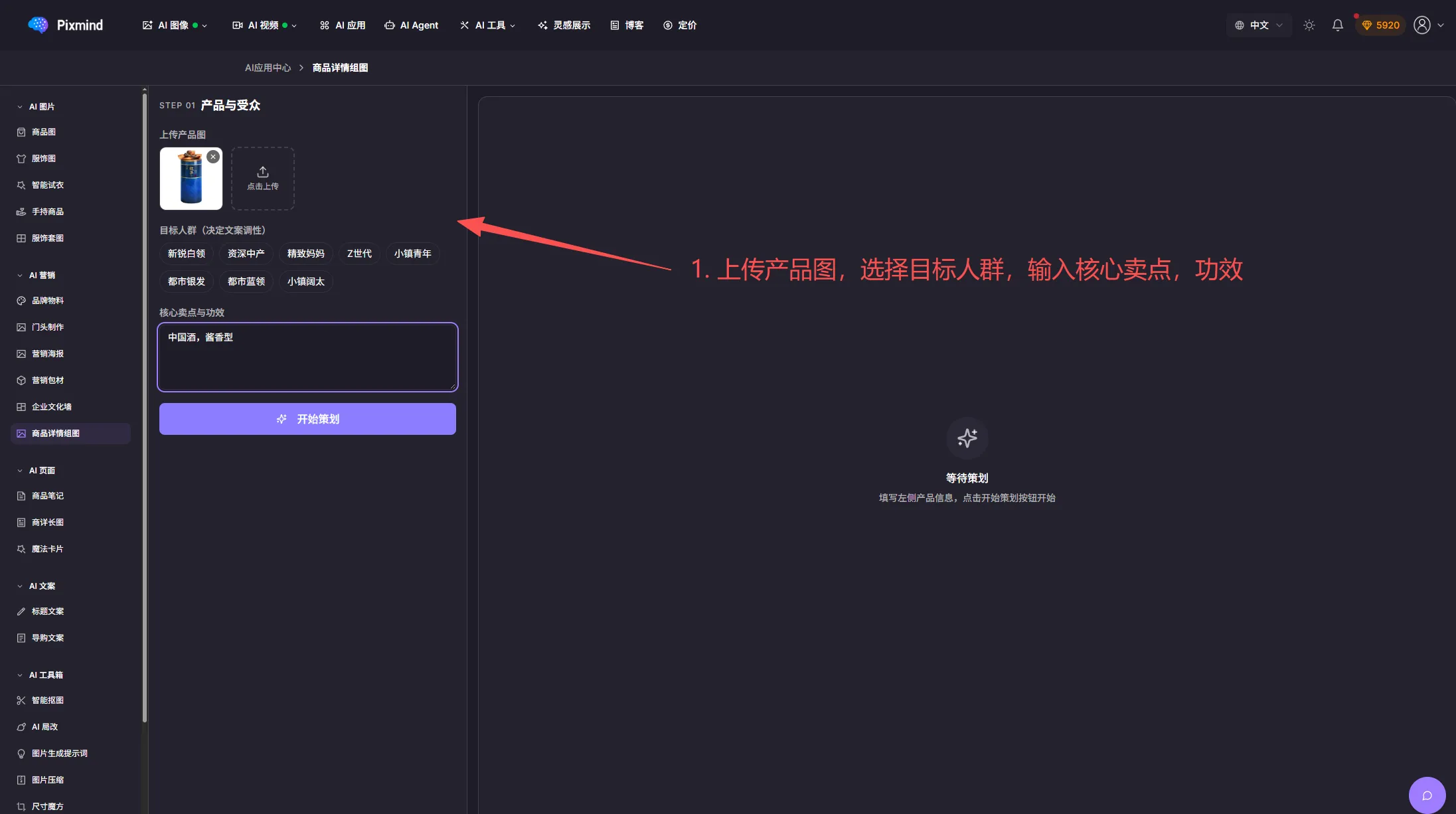
Product detail image sets generate all the images an e-commerce detail page needs in one run.
Image types: hero images (5), selling-point images (3–5), size reference, scene images, and detail close-ups.
Highlights: batch generation saves time, consistent and professional styling, platform-compliant sizes, lower production cost.
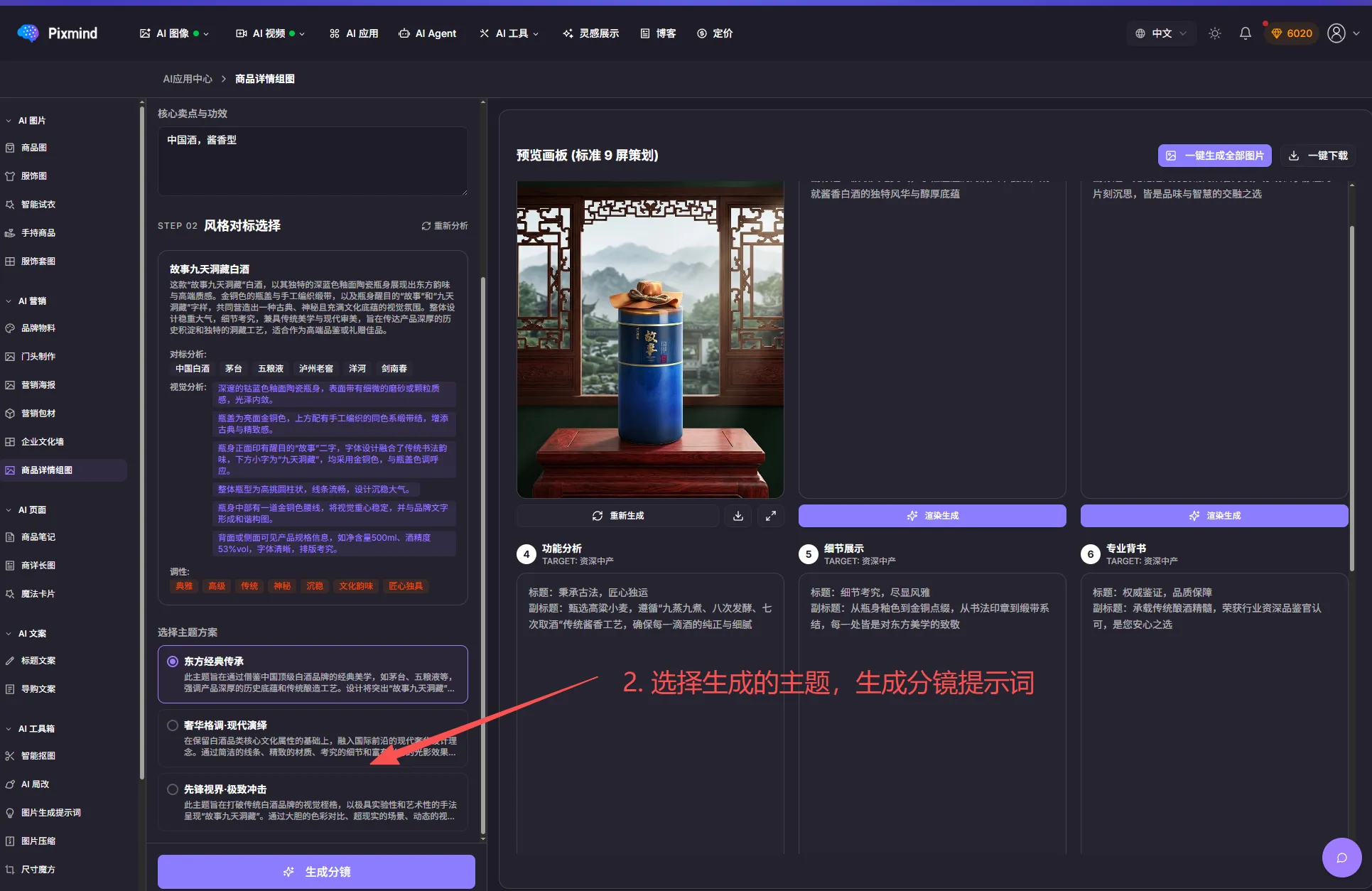
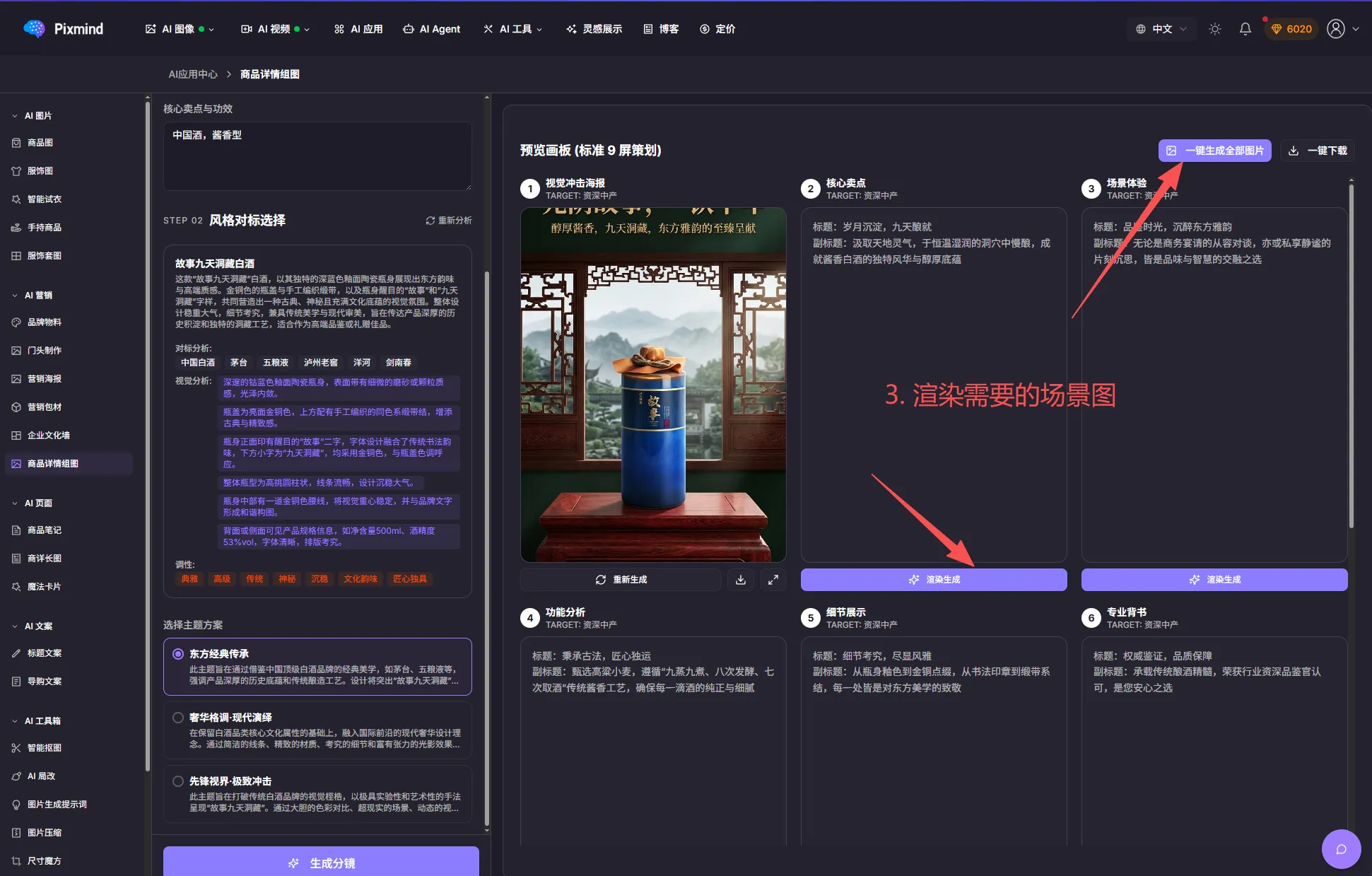
Workflow: upload the product image, choose the target audience, enter core selling points and benefits, pick topics to generate storyboard prompts, then render the scene images.