Video Creation
Generate videos in PixMind with text-to-video and image-to-video — prompts, reference images, first/last frames, and parameters.
PixMind supports both text-to-video and image-to-video. The generation interface includes a video prompt input, a model selector, and settings for clarity, resolution, frame rate, and duration.
This is a product usage guide. These steps apply to the PixMind web tool, not the API. Developers should read the API quickstart instead.
Open video generation
Go to the PixMind video generation page and start creating.
Models
Compare available image and video models.
Text-to-video
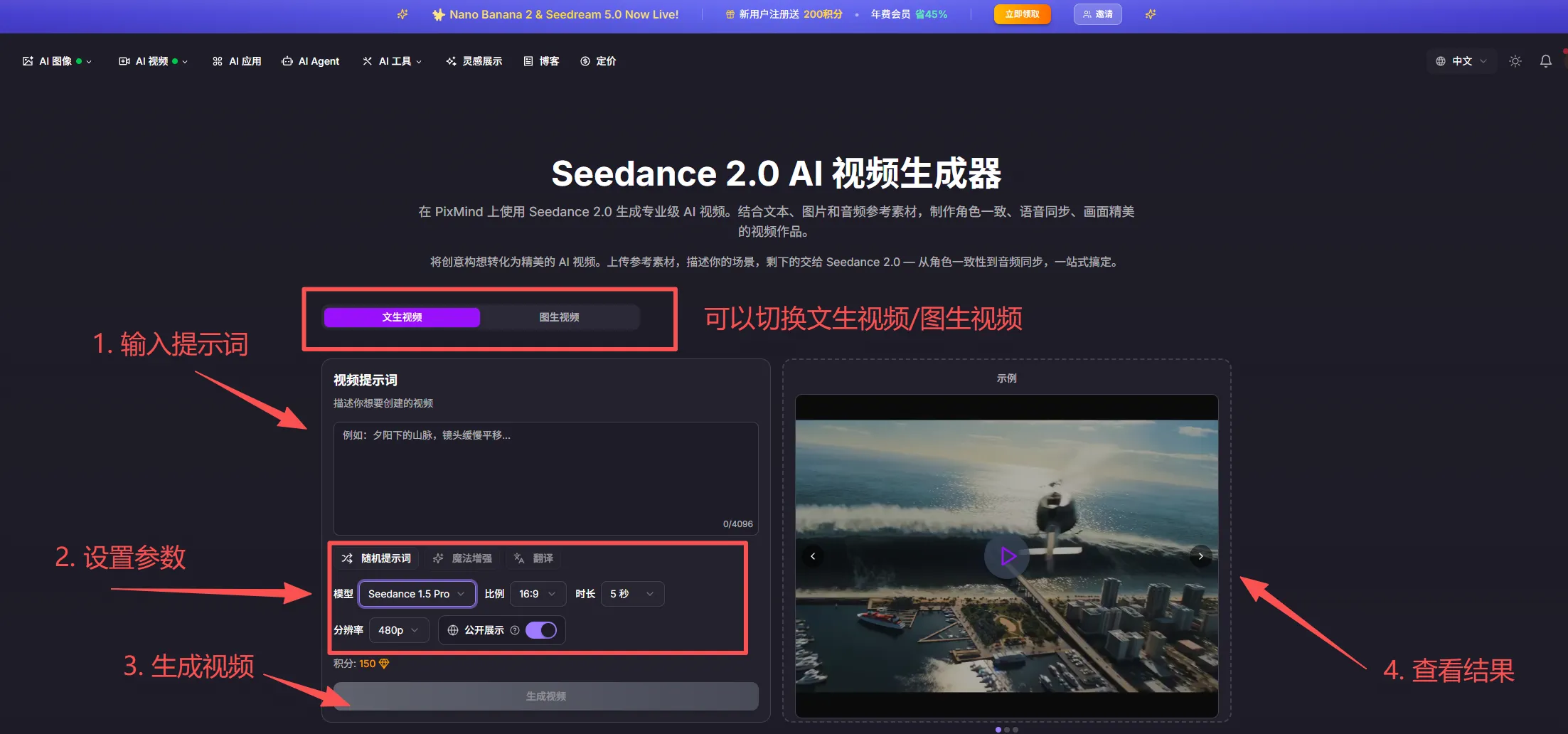
Text-to-video generates videos from a text description:
- Enter a video prompt: describe the subject, scene, and action — for example, "a city at sunset with tall buildings and a plane crossing the sky."
- Set parameters: choose the model, clarity, resolution, frame rate, and duration.
- Generate: start the task and preview the result when it completes.
Image-to-video
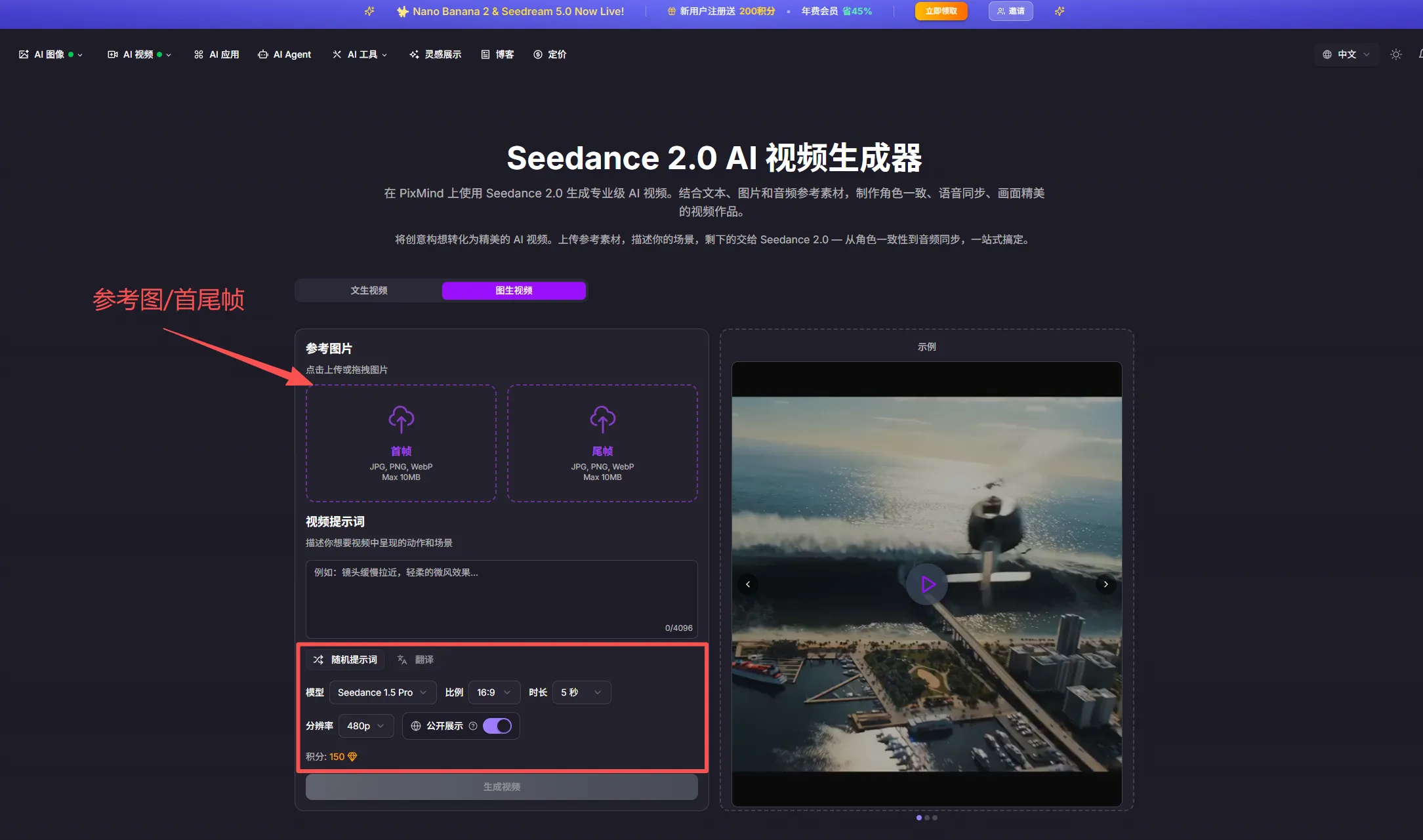
Image-to-video animates a reference image — useful for bringing static photos to life or controlling the first frame.
Steps:
- Upload a reference image in the reference / first-last frame area.
- Enter a prompt describing the camera movement and scene changes you expect.
- Set parameters and generate: choose model, duration, resolution, and frame rate.
First and last frame rules
- Some models support first-and-last-frame references: the video's first frame follows the first reference image, and the last frame follows the second.
- If a model only accepts one image, it is a first-frame reference — the video starts from that image.
How many reference images a model accepts is shown on the model's input options.
FAQ
How long does generation take?
Usually a few minutes. Longer durations and higher resolutions take more time. Keep the page open while generating.
What if the result isn't good?
Make the prompt more specific about camera movement and action, or try a different model and adjust duration and resolution.
Any requirements for reference images?
Use clear images with an obvious subject. For first/last frame references, the more consistent the two images are in composition and subject, the smoother the transition.