Text or image
Start with a shot brief or use an approved visual anchor for subject and composition.

Rapid direction testing
Use Seedance 2.0 Fast to compare storyboard beats, camera directions, social hooks, and audio rhythm before committing a selected direction to the quality route.
Exact route workspace
Current controls and charged credits come from the live generator. Confirm them before submitting.
Current PixMind inputs
These modes come from the connected PixMind route verified on July 13, 2026. Available controls can change, and the live generator is final.
Start with a shot brief or use an approved visual anchor for subject and composition.
Define both endpoints, then describe only the physical motion and camera path between them.
Assign identity, setting, motion, and sound to separate image, video, and audio references.
Iteration route
Fast is an iteration route, not a promise of a fixed completion time. Keep the subject, action, setting, and delivery format constant so each result answers one production question.
01
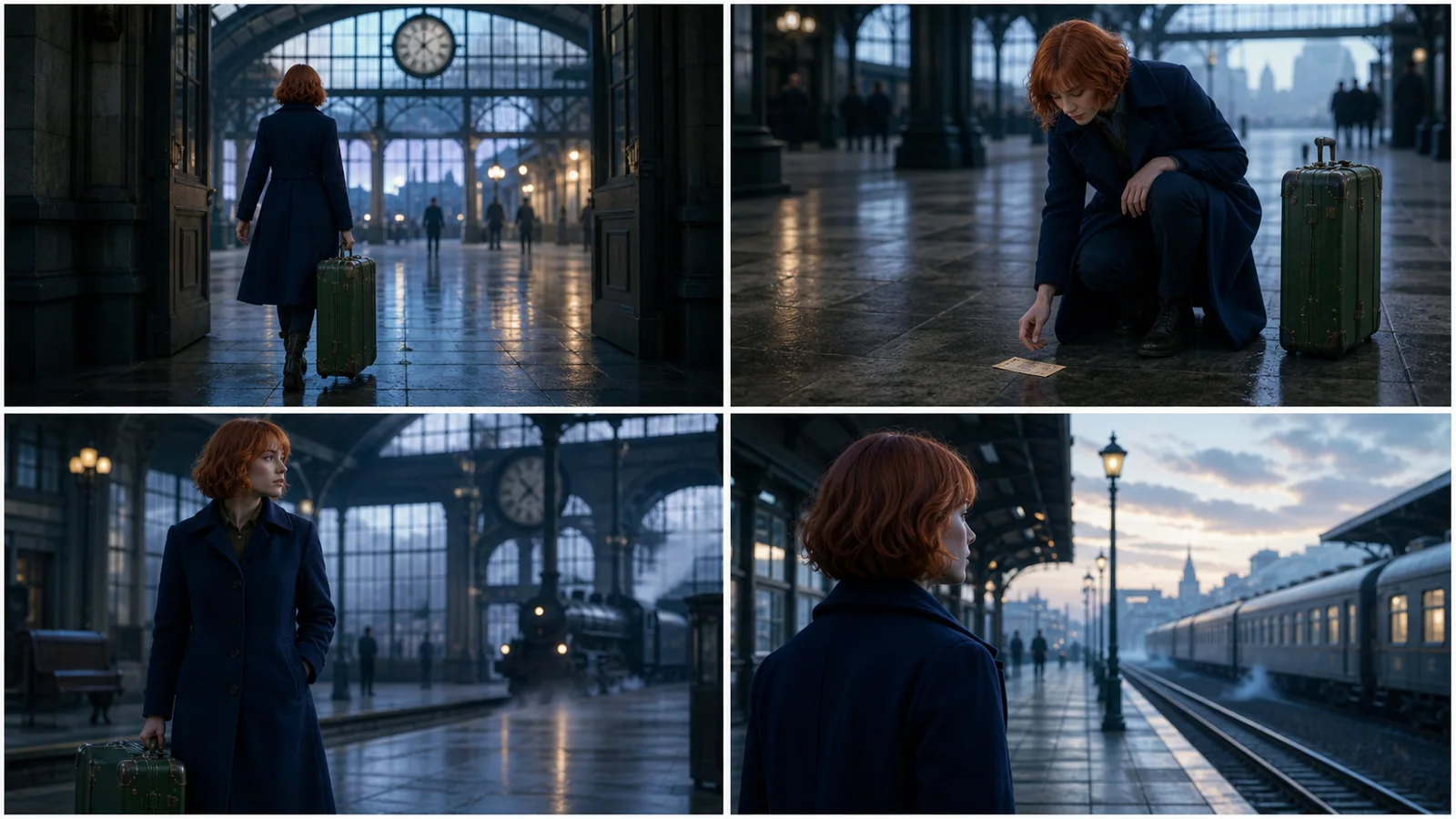
Turn one storyboard beat into a motion draft and check whether the staging reads before final rendering.
02
Keep the action fixed while comparing a locked frame, lateral track, push-in, or another single camera change.
03
Test several opening beats while preserving the same product, palette, duration, and final packshot.
Map one visible action to each important beat or sound cue, then review timing and distortion.
Route comparison
The table separates the current PixMind route snapshot from ByteDance family-level claims. Credits and exposed controls should be rechecked in the generator.
| Version | Best for | Inputs | Duration | Resolution | Audio | Credit snapshot |
|---|---|---|---|---|---|---|
| Seedance 2.0 Pro | Complex multimodal references and selected final takes | Text, image, video, and audio references | 5, 10, or 15 seconds | 480p, 720p, 1080p; 4K requires live verification | Audio-capable route | Read from the live generator |
| Seedance 2.0 FastCurrent | Storyboard beats, camera A/B tests, and social hooks | Text, image, video, and audio references | 5, 10, or 15 seconds | 480p or 720p | Audio-capable route | Read from the live generator |
| Seedance 2.0 Mini | Testing reference fit, composition, and prompt conflicts | Text, image, video, and audio references | 5, 10, or 15 seconds | 480p or 720p | Audio-capable route | Read from the live generator |
| Seedance 1.5 Pro | Existing image-led prompts and controlled migration tests | Text or up to two images in the current response | Live generator is final; API fields conflict | 480p, 720p, or 1080p | Audio-capable route | 40-point API snapshot; confirm live |
The 1.5 Pro response reports 40 points, but its duration fields conflict. Pro, Fast, and Mini do not expose a stable points field in the verified endpoint snapshot.
What to watch after testing
Keep the source, action, duration, and ending fixed when comparing camera or hook directions.
Use only the assets required by the current A/B question; unrelated references make results harder to compare.
Provider queues still affect delivery time, so record measured waits instead of promising a fixed speed.
How to use this version
Fix the subject, action, references, aspect ratio, duration, and ending composition.
Vary only the camera, opening hook, staging, or sound rhythm in each test.
Save the model ID, prompt, settings, charged credits, wait time, and why the take passed or failed.
Move the selected direction and cleaned reference set to Seedance 2.0 Pro for the final candidate.
Version-specific prompts
Prompt 01
Compare camera motion without changing the performance.
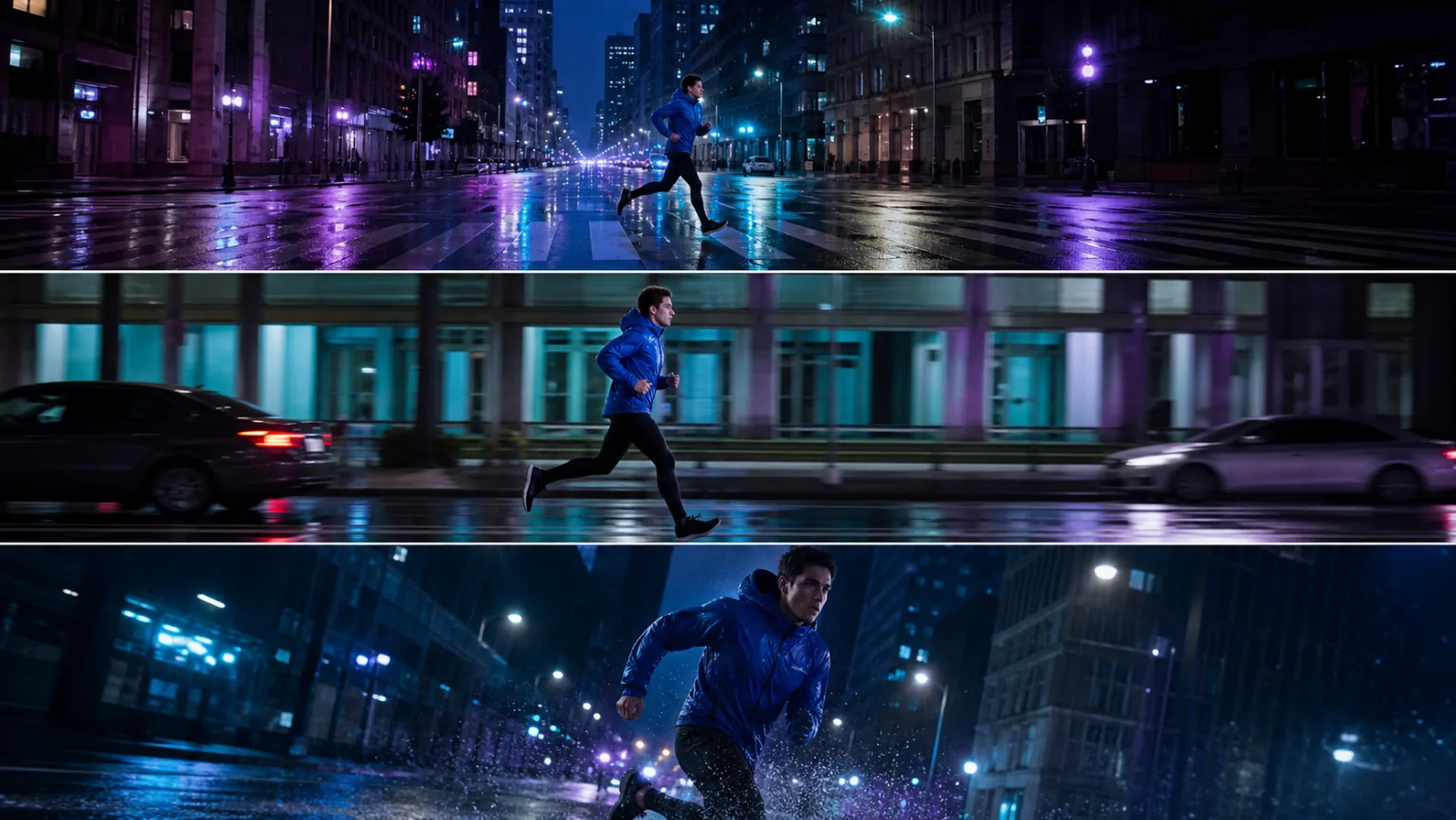
Keep the runner, street, timing, wardrobe, and action unchanged. Version A: locked wide frame. Version B: lateral tracking at waist height. Version C: low-angle push-in ending as the runner clears the crossing.
Prompt 02
Test only the first visual beat.
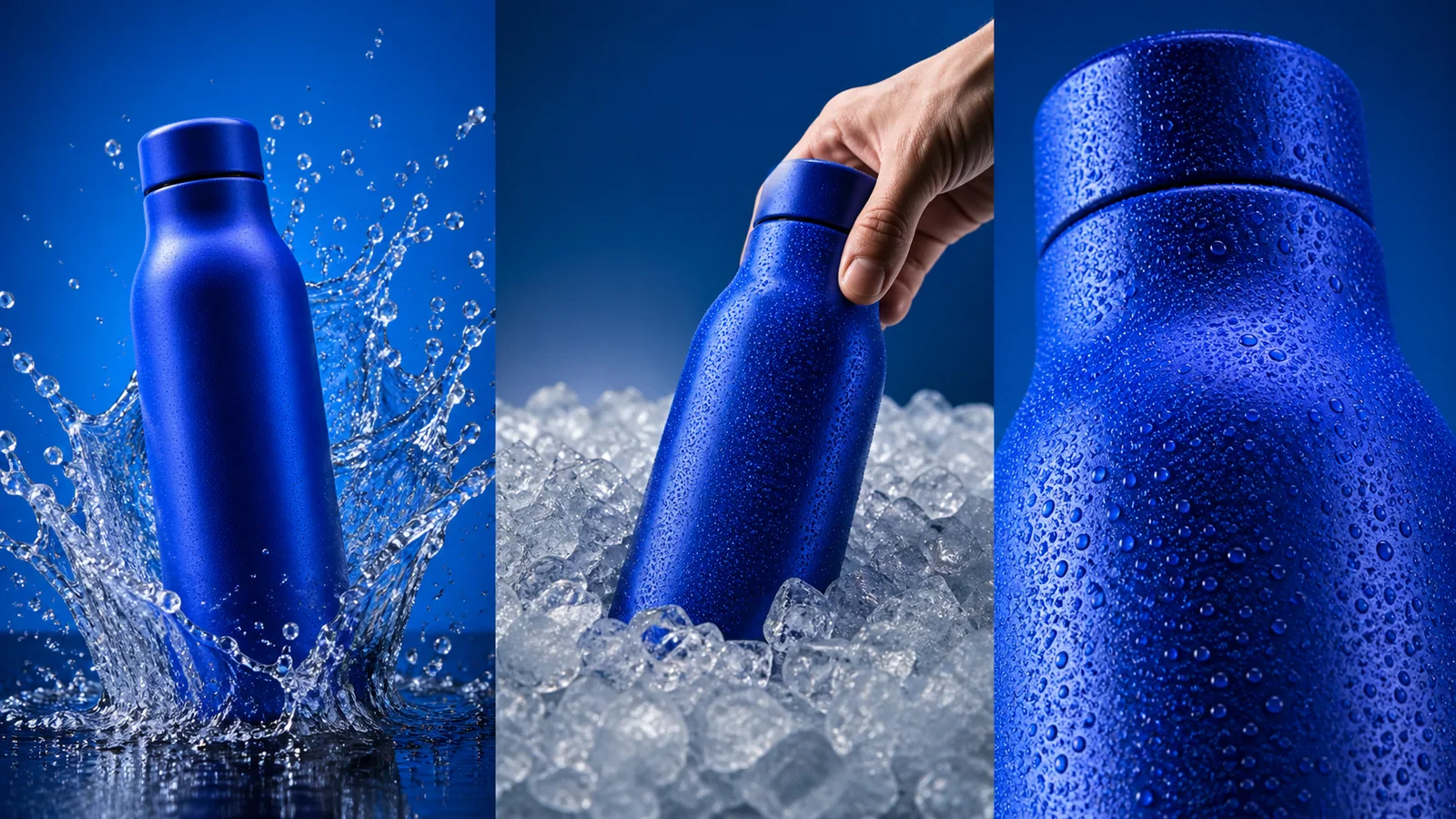
Create three separate vertical hook tests for the same unbranded citrus drink. Keep bottle shape, orange-sage palette, daylight, duration, and final packshot constant. A: instant color splash. B: hand places bottle into crushed ice. C: macro condensation reveal.
Prompt 03
Check staging before a quality render.
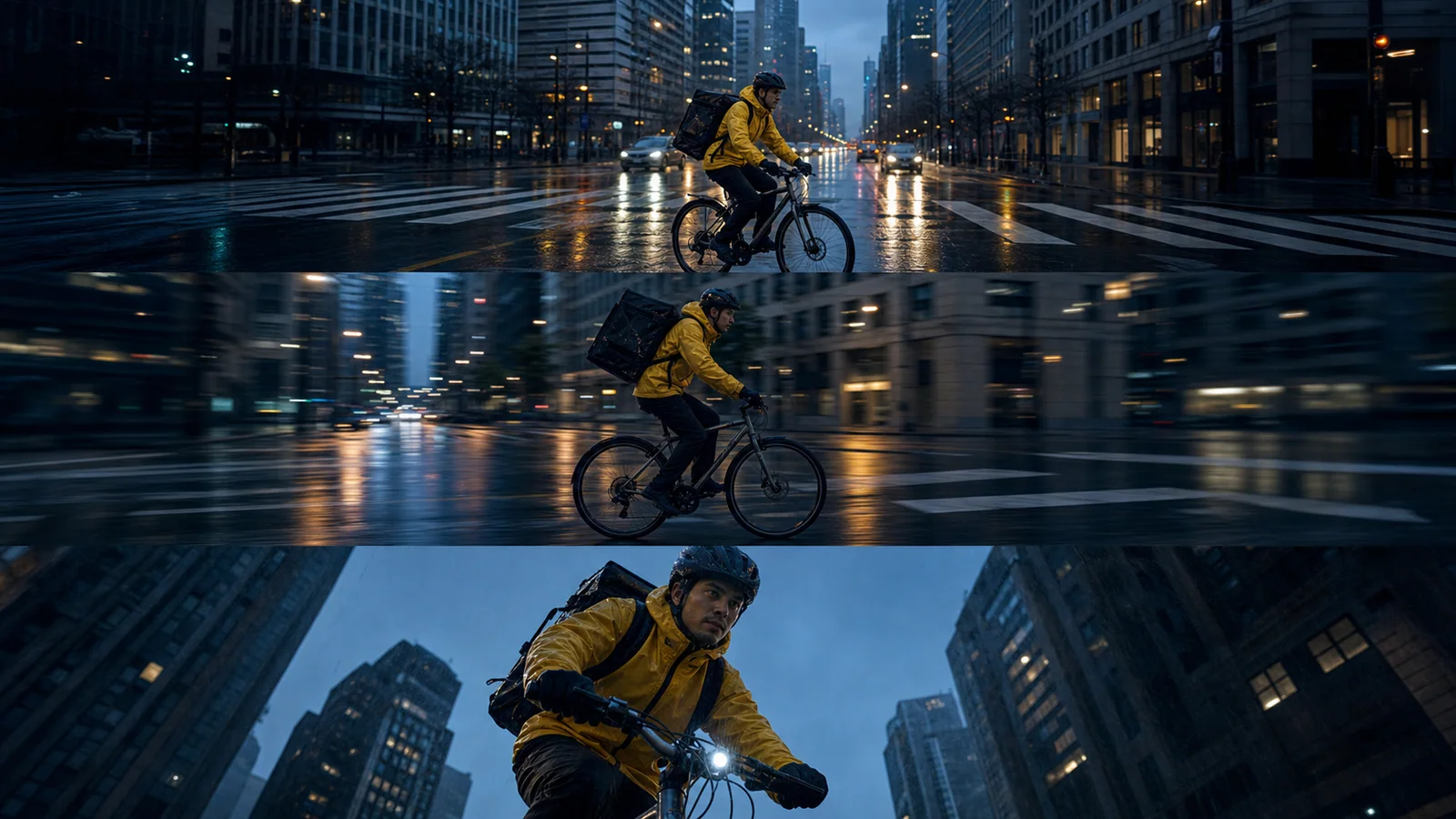
Storyboard shot 04 only. The courier enters from frame left, notices the paper crane, stops beside the bicycle, and looks toward the station. One readable action beat, restrained camera movement, clear ending pose for the next edit.
Pro
The quality-first Seedance 2.0 option for multimodal references, shot continuity, and audio-aware video creation.
View versionFast
The faster Seedance 2.0 route for iteration-heavy social, campaign, and previsualization workflows.
Mini
A lighter Seedance 2.0 option for testing multimodal ideas before committing to a quality-first render.
View versionPro
A proven image-to-video option with broad aspect ratios and resolution control for straightforward reference-led shots.
View versionNo. Fast describes the route's production role; queue conditions and provider availability still affect total wait time.
Switch when the camera, staging, hook, and reference set are decided. Pro is for the selected final direction, not for exploring every option.
The connected Fast route currently exposes text or image generation, first and last frame control, and multimodal reference mode with image, video, and audio inputs.
The verified route response lists 5, 10, or 15 seconds and 480p or 720p. Confirm the options shown by the live generator before submitting.
Lock the subject, action, references, aspect ratio, duration, and ending. Change only one camera move, opening beat, staging choice, or sound cue per run so the result answers one question.
The connected route reports audio capability and accepts audio in multimodal reference mode. Use Fast to test rhythm, then review speech, distortion, source matching, and timing in every output.
The verified endpoint snapshot does not expose a stable Fast credit field. Read the live generator before each batch and record the actual charge with the test settings.
Save the exact model ID, winning prompt, reference assignments, settings, charged credits, wait time, and the reason the take passed. Transfer only those proven inputs to Pro.
Sources verified July 13, 2026
ByteDance Seedance 2.0 official launchSeedance 1.5 Pro technical reportNext production step
Carry over the winning prompt, settings, and only the references that proved useful. Do not add new creative variables during the final pass.