Verwandeln Sie einen Referenzclip in einen klaren kreativen Prompt
Beschreiben Sie die visuellen Entscheidungen eines Videos: wer in der Szene ist, wie sich die Kamera bewegt und wie das Licht das Bild formt. Nutzen Sie das Ergebnis, um eine neue Kreation zu briefen.
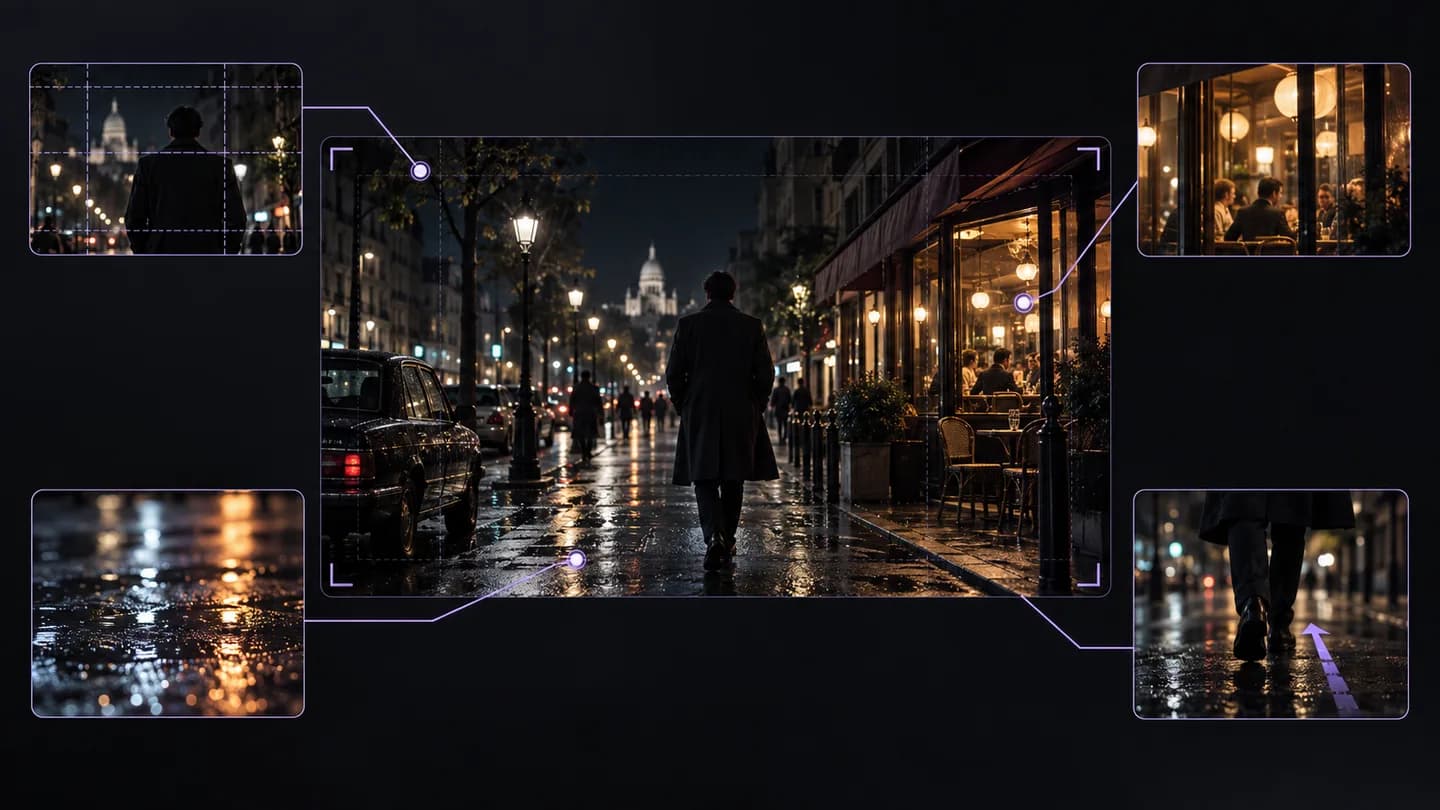
Illustrierendes Workflow-Beispiel · Von der regnerischen Straße zum filmischen Briefing
Video hinzufügen
Ihr Video wird verarbeitet
Von der regnerischen Straße zum filmischen Briefing
Übersetzen Sie die visuelle Sprache, nicht nur den Dialog
Der Analyse-Arbeitsbereich untersucht das Video auf Szenenstruktur und visuelle Hinweise. Er ergänzt die Transkription mit Fokus auf Bildausschnitt, Motivhandlung, Licht und Bewegung, die Untertitel nicht beschreiben.
Visuelle Prompts, Szenenstruktur und Kamera-Hinweise
Zerlegen Sie eine Nachtszene in Bildausschnitt, nasse Reflexionen, warmes Schaufensterlicht und einen Kamerabewegungs-Hinweis. Behalten Sie die Gestaltung, während Sie Ort, Motiv und Geschichte ändern.
Den Prompt anpassen und in einen Generierungs-Workflow einsteigen
Vom Quellvideo zum nützlichen Ergebnis
01
Link einfügen oder hochladen
Verwenden Sie eine unterstützte Video-URL oder wählen Sie eine Video- oder Audiodatei von Ihrem Gerät.
02
Ergebnis wählen
Wählen Sie die Quellsprache sowie die Transkription, Zusammenfassung oder visuelle Analyse, die Sie benötigen.
03
Mit dem Ergebnis weiterarbeiten
Kopieren oder exportieren Sie das Ergebnis, stellen Sie eine Nachfrage oder bereiten Sie Ihr nächstes kreative Briefing vor.
Transkript mit Zeitstempeln und TXT/SRT/VTT-Exporte
Untertitel bearbeiten, Zitate sammeln oder zum Transkript Fragen stellen
Fragen vor dem Start
Was ist ein Video-zu-Prompt-Tool?
Es analysiert einen Referenzclip und beschreibt seine sichtbaren Szenen und Stilentscheidungen als Prompts oder Storyboard-Informationen, die Sie für eine neue kreative Aufgabe anpassen können.
Kann ich einen Link nutzen oder brauche ich eine Datei?
Beide Eingaben sind verfügbar. Nutzen Sie eine unterstützte, zugängliche Video-URL oder laden Sie einen Clip über den eingebetteten Arbeitsbereich hoch.
Braucht es die Untertitel des Videos?
Die Extraktion visueller Prompts hängt nicht allein von Untertiteln ab. Sie analysiert das Video, während die Sprachtranskription ein separater Workflow für den exakten gesprochenen Text ist.
Welche Details soll ich im finalen Prompt behalten?
Behalten Sie Motiv, Handlung, Umgebung, Bildausschnitt, Kamerabewegung und Licht, die für Ihre Idee wichtig sind. Entfernen Sie widersprüchliche oder unnötige Details vor der Generierung.
Wird der Prompt das Original exakt reproduzieren?
Nein. Ein Prompt ist eine Beschreibung, und ein neues Modell erzeugt seine eigene Ausgabe. Nutzen Sie ihn als kreativen Ausgangspunkt und iterieren Sie über das Ergebnis.
Wie passe ich den Stil an mein eigenes Motiv an?
Ersetzen Sie Motiv und Setting und behalten Sie nur die gewünschten visuellen Entscheidungen, etwa Untersicht oder warmes Gegenlicht. Prüfen Sie, dass die Handlung noch zur neuen Szene passt.
Was tun, wenn die URL-Analyse scheitert?
Prüfen Sie, dass die URL auf ein Video zeigt, und versuchen Sie dann eine hochgeladene Datei, wenn die Plattform den Zugriff blockiert. Die Quelle muss verfügbar sein, bevor die visuelle Analyse beginnen kann.
Kann ich eine TikTok-Referenz analysieren?
Nutzen Sie hier einen unterstützten TikTok-Videolink oder die dedizierte Seite TikTok Video zu Prompt. Die dedizierte Seite erklärt Bildausschnitt und Timing des Kurzformats mit demselben Analyse-Arbeitsbereich.
Bringen Sie die Quelle mit. Gehen Sie mit einem Ausgangspunkt.
Fügen Sie einen Videolink hinzu oder laden Sie eine Datei hoch, wählen Sie das Ergebnis und arbeiten Sie damit weiter.
Ziehen oder Klicken zum Video-HochladenMP4, MOV oder WebM · bis zu 200MB und 2 MinutenGast: Max. 10MB, 2 Minuten
1 kostenlose Testversion
60 Credits / 30 Sek.MP4, MOV, WEBM
Generiertes Ergebnis
Video hochladen und Storyboard-Prompts generieren
Videobeschreibung
A fast-paced, close-up cooking video showcasing the preparation of gourmet beef and mushroom crostini, ending with a cute dog looking at the finished dish. The visual style is moody and cinematic with dark backgrounds and warm lighting.
Videozusammenfassung
A step-by-step culinary video demonstrating how to make beef crostini with a creamy mushroom sauce, toasted baguette, and burrata cheese, featuring a dog at the end.
Video-Prompt
Cinematic cooking video, close-up shots, dark moody lighting, preparing beef crostini, searing meat, making creamy mushroom sauce, slicing baguette, assembling with burrata, warm color grading, ending with a dog looking at the food.
Vollständiger Storyboard-Prompt
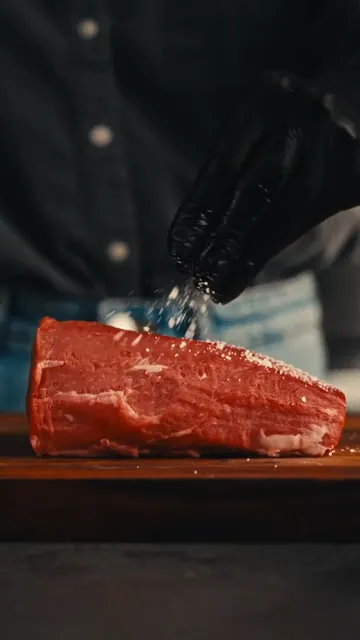
【No. 1 | Dauer: 1s】
Einstellungsart: Close-up
Szene: Kitchen
Kamera: Static close-up
Farbton: Dark, warm, moody
Bild: A person in black gloves sprinkles salt onto a raw piece of beef on a wooden board.
Soundeffekt: Soft music playing
Uebergang: Cut
Prompt: Close-up of gloved hands seasoning a raw beef tenderloin with salt on a wooden cutting board, dark background, warm lighting.

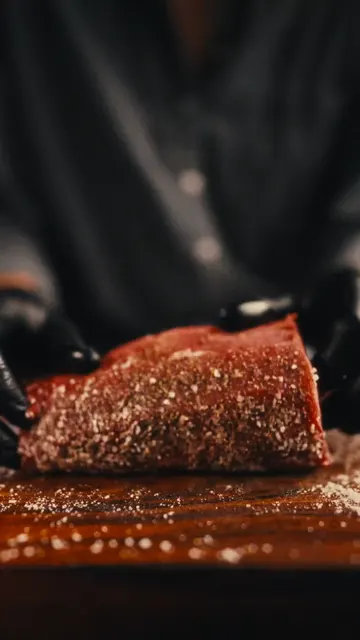
【No. 2 | Dauer: 1s】
Einstellungsart: Close-up
Szene: Kitchen
Kamera: Static close-up
Farbton: Dark, warm, moody
Bild: Gloved hands flip the seasoned beef, showing pepper and spices on the other side.
Soundeffekt: Sizzling sound
Uebergang: Cut
Prompt: Close-up of hands flipping a seasoned piece of beef on a wooden board, showing spices.

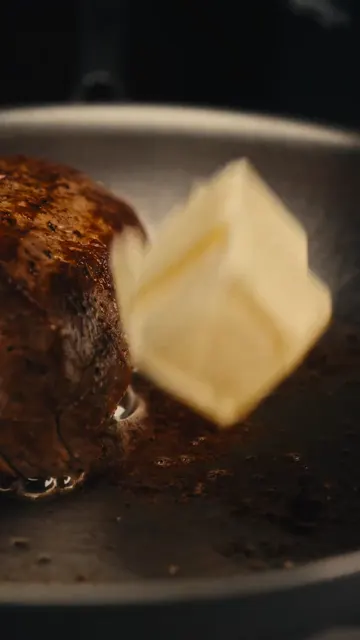
【No. 3 | Dauer: 1s】
Einstellungsart: Close-up
Szene: Kitchen
Kamera: Macro shot
Farbton: Warm, golden
Bild: A pat of butter is dropped into a hot pan next to the searing beef.
Soundeffekt: Loud sizzling
Uebergang: Cut
Prompt: Macro shot of a block of butter falling into a hot stainless steel pan next to searing meat.

【No. 4 | Dauer: 2s】
Einstellungsart: Close-up
Szene: Kitchen
Kamera: Close-up, slight pan
Farbton: Warm, golden
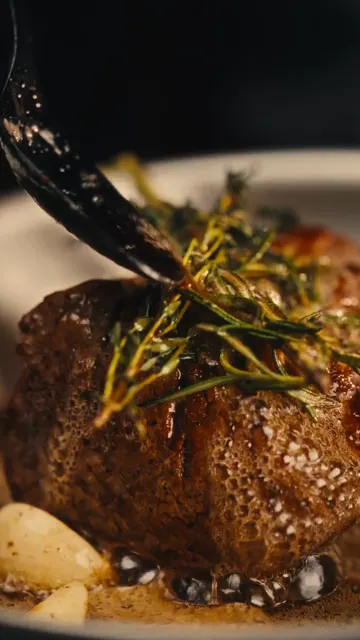
Bild: Using tongs, the chef sears the sides of the beef in the pan with herbs.
Soundeffekt: Sizzling
Uebergang: Cut
Prompt: Close-up of tongs holding a thick piece of beef, searing it on its side in a pan with butter and rosemary.

【No. 5 | Dauer: 1s】
Einstellungsart: Close-up
Szene: Kitchen
Kamera: Static close-up
Farbton: Dark, moody
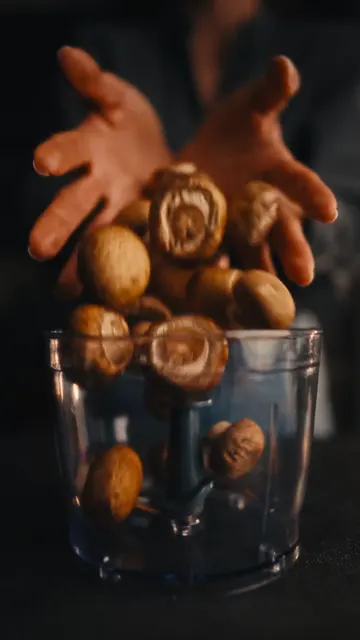
Bild: Whole brown mushrooms are dropped into a food processor bowl.
Soundeffekt: Thudding of mushrooms
Uebergang: Cut
Prompt: Close-up of whole brown mushrooms falling into a clear food processor container.

【No. 6 | Dauer: 1s】
Einstellungsart: Close-up
Szene: Kitchen
Kamera: Static close-up
Farbton: Warm, bright
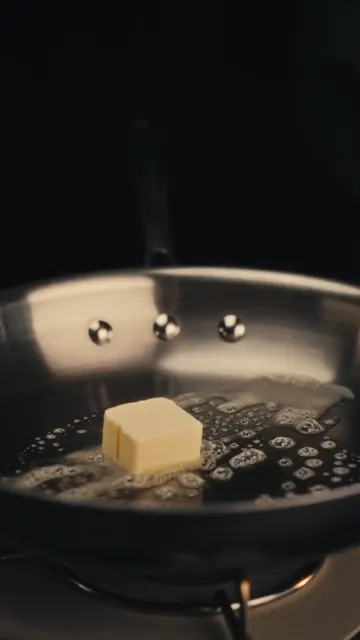
Bild: A pat of butter melts and foams in a hot pan.
Soundeffekt: Sizzling butter
Uebergang: Cut
Prompt: Close-up of butter melting and bubbling in a hot stainless steel pan.

【No. 7 | Dauer: 1s】
Einstellungsart: Close-up
Szene: Kitchen
Kamera: Static close-up
Farbton: Warm, dark
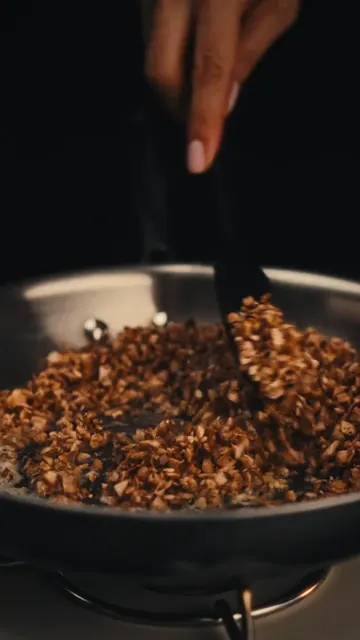
Bild: Finely chopped mushrooms are sautéed in a pan with a spatula.
Soundeffekt: Sizzling
Uebergang: Cut
Prompt: Close-up of minced mushrooms being stirred and sautéed in a pan.

【No. 8 | Dauer: 1s】
Einstellungsart: Macro
Szene: Kitchen
Kamera: Macro shot
Farbton: Dark, high contrast
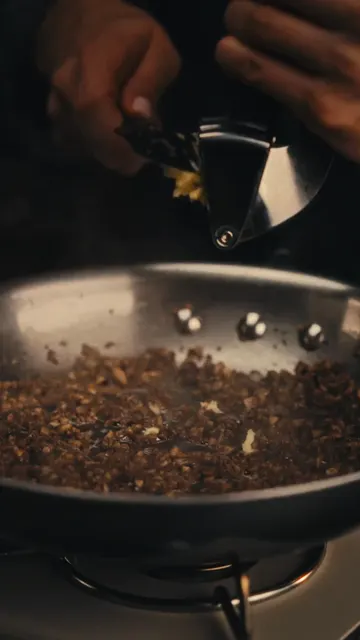
Bild: Minced garlic is pressed through a garlic press.
Soundeffekt: Squeezing sound
Uebergang: Cut
Prompt: Macro shot of garlic being squeezed through a metal garlic press.

【No. 9 | Dauer: 1s】
Einstellungsart: Close-up
Szene: Kitchen
Kamera: Static close-up
Farbton: Warm, creamy
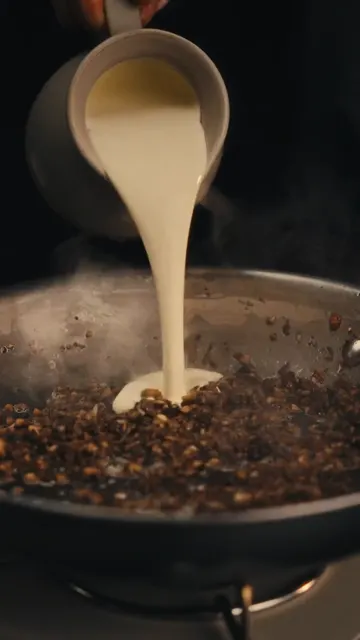
Bild: Heavy cream is poured from a small pitcher into the sautéed mushrooms.
Soundeffekt: Pouring liquid
Uebergang: Cut
Prompt: Close-up of white cream being poured into a pan of cooked mushrooms, steam rising.

【No. 10 | Dauer: 1s】
Einstellungsart: Close-up
Szene: Kitchen
Kamera: Static close-up
Farbton: Warm, golden
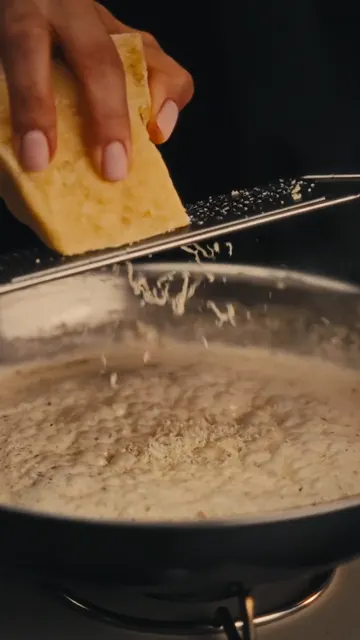
Bild: Cheese is grated over the bubbling cream and mushroom sauce.
Soundeffekt: Grating sound
Uebergang: Cut
Prompt: Close-up of hard cheese being grated over a simmering, bubbling white sauce in a pan.

【No. 11 | Dauer: 1s】
Einstellungsart: Close-up
Szene: Kitchen
Kamera: Static close-up
Farbton: Warm, vibrant
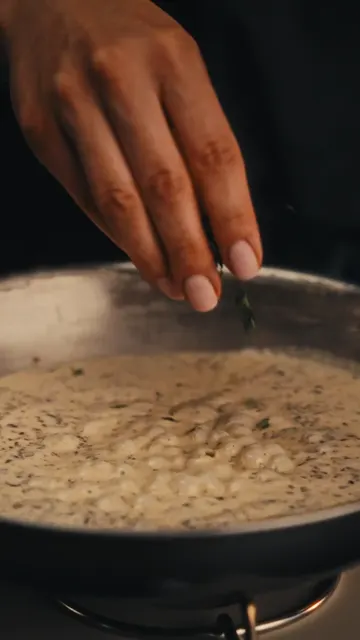
Bild: Fresh green herbs are sprinkled into the simmering sauce.
Soundeffekt: Bubbling
Uebergang: Cut
Prompt: Close-up of fingers sprinkling green herbs into a bubbling creamy sauce.

【No. 12 | Dauer: 1s】
Einstellungsart: Medium close-up
Szene: Kitchen
Kamera: Static medium close-up
Farbton: Warm, rustic
Bild: A fresh baguette is pulled out of a brown paper bag onto a wooden board.
Soundeffekt: Paper rustling
Uebergang: Cut
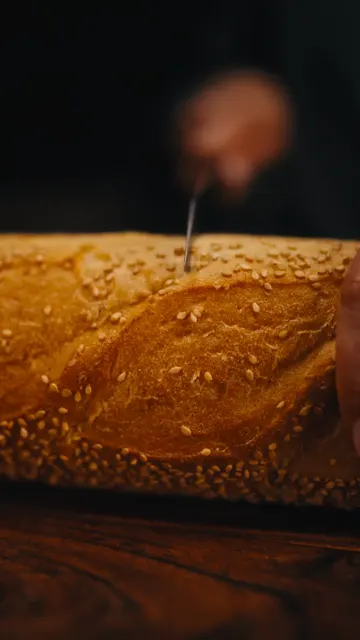
Prompt: Medium close-up of a sesame baguette being pulled out of a paper sleeve onto a wooden table.

【No. 13 | Dauer: 1s】
Einstellungsart: Close-up
Szene: Kitchen
Kamera: Static close-up
Farbton: Warm, rustic
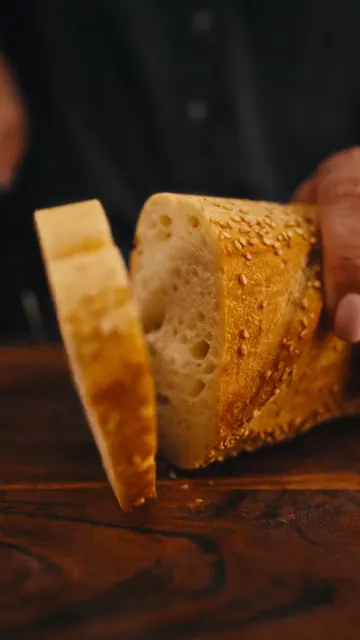
Bild: A slice of baguette is cut on a wooden cutting board.
Soundeffekt: Crunchy bread cutting
Uebergang: Cut
Prompt: Close-up of a knife slicing a crusty sesame baguette on a wooden board.

【No. 14 | Dauer: 1s】
Einstellungsart: Close-up
Szene: Kitchen
Kamera: Static close-up
Farbton: Warm, golden
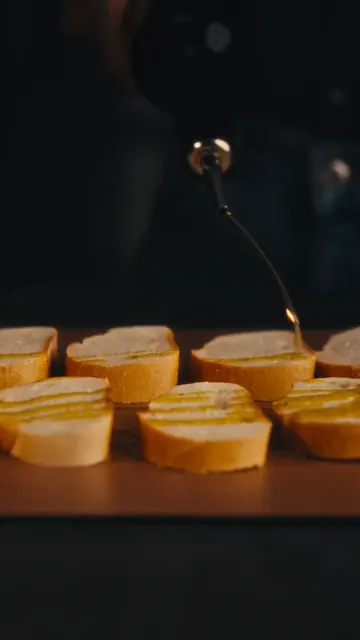
Bild: Olive oil is drizzled over several slices of baguette.
Soundeffekt: Drizzling oil
Uebergang: Cut
Prompt: Close-up of olive oil being drizzled over neat rows of sliced baguette.

【No. 15 | Dauer: 1s】
Einstellungsart: Close-up
Szene: Kitchen
Kamera: Static close-up
Farbton: Dark, warm
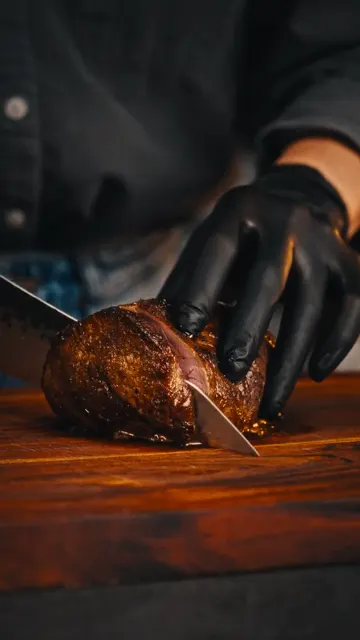
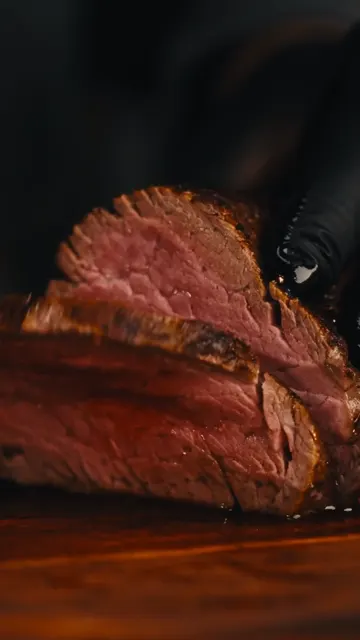
Bild: The cooked beef is sliced on a wooden board with a sharp knife.
Soundeffekt: Slicing meat
Uebergang: Cut
Prompt: Close-up of a gloved hand slicing a cooked beef roast on a wooden board.

【No. 16 | Dauer: 1s】
Einstellungsart: Close-up
Szene: Kitchen
Kamera: Static close-up
Farbton: Vibrant pink, warm
Bild: The sliced beef is opened to reveal a perfect medium-rare pink center.
Soundeffekt: Soft music
Uebergang: Cut
Prompt: Close-up of a juicy medium-rare beef slice being separated to show the pink interior.

【No. 17 | Dauer: 1s】
Einstellungsart: Close-up
Szene: Kitchen
Kamera: Static close-up
Farbton: Bright white, warm
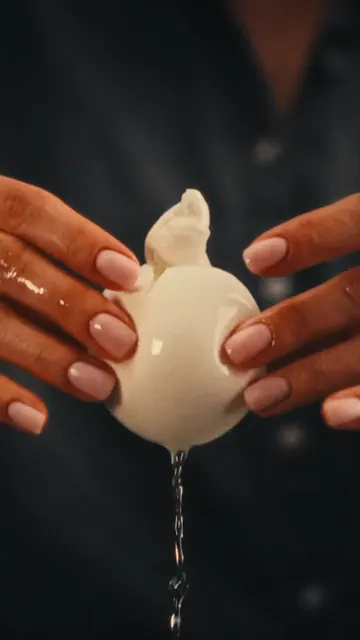
Bild: A fresh ball of burrata cheese is torn open, releasing creamy filling.
Soundeffekt: Squishing sound
Uebergang: Cut
Prompt: Close-up of hands tearing open a fresh burrata cheese ball, cream dripping down.

【No. 18 | Dauer: 1s】
Einstellungsart: Medium close-up
Szene: Kitchen
Kamera: Static medium close-up
Farbton: Warm, glowing oven light
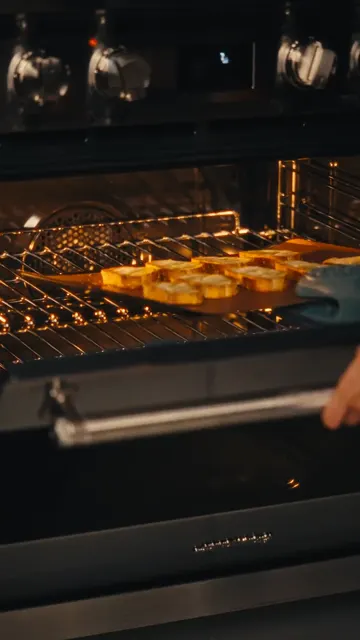
Bild: A tray of baguette slices is placed into a hot oven.
Soundeffekt: Oven door closing
Uebergang: Cut
Prompt: Medium close-up of putting a baking sheet of bread slices into a glowing oven.

【No. 19 | Dauer: 1s】
Einstellungsart: Close-up
Szene: Kitchen
Kamera: Static close-up
Farbton: Warm, rustic
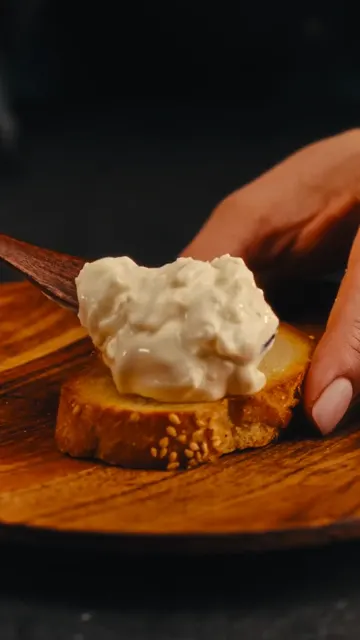
Bild: A spoonful of creamy cheese mixture is spread onto a toasted baguette slice.
Soundeffekt: Spreading sound
Uebergang: Cut
Prompt: Close-up of spreading a thick, creamy cheese mixture onto a toasted baguette slice.

【No. 20 | Dauer: 1s】
Einstellungsart: Close-up
Szene: Kitchen
Kamera: Static close-up
Farbton: Warm, rich
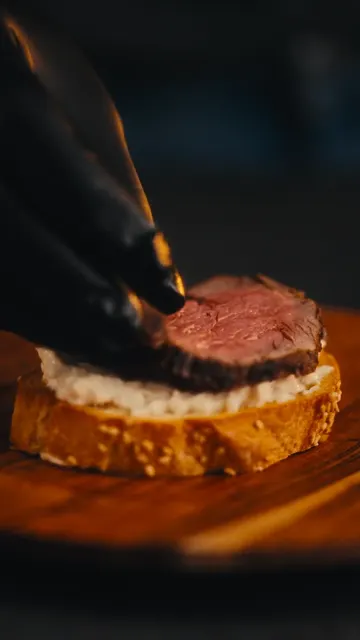
Bild: A slice of medium-rare beef is placed on top of the cheese-spread baguette.
Soundeffekt: Soft music
Uebergang: Cut
Prompt: Close-up of a gloved hand placing a tender slice of pink beef onto the prepared crostini.

【No. 21 | Dauer: 1s】
Einstellungsart: Close-up
Szene: Kitchen
Kamera: Static close-up
Farbton: Warm, detailed
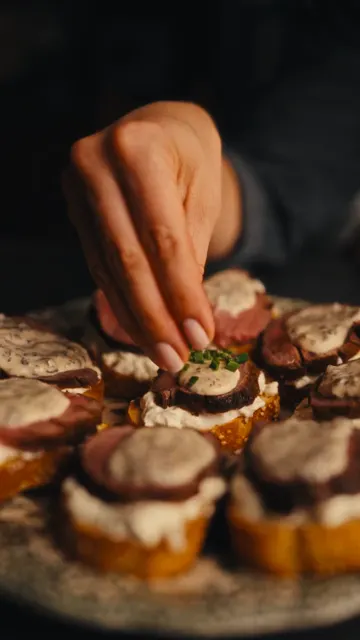
Bild: The crostini are topped with mushroom sauce and garnished with chopped chives.
Soundeffekt: Soft music
Uebergang: Cut
Prompt: Close-up of garnishing beef crostini with creamy mushroom sauce and fresh green chives.

【No. 22 | Dauer: 2s】
Einstellungsart: Close-up
Szene: Kitchen
Kamera: Static close-up
Farbton: Dark, moody, smoky
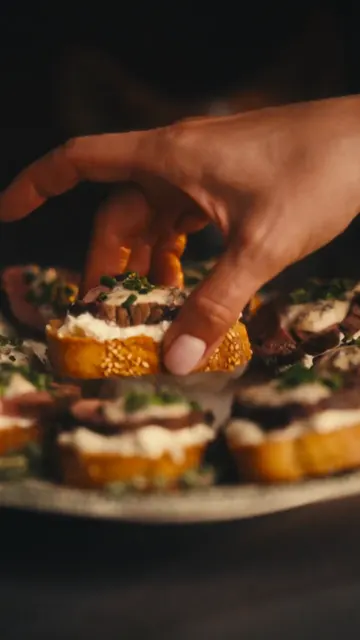
Bild: A hand picks up one finished crostini from a platter with dramatic smoke rising around it.
Soundeffekt: Whoosh sound
Uebergang: Cut
Prompt: Close-up of a hand lifting a gourmet beef crostini from a plate surrounded by swirling white smoke.

【No. 23 | Dauer: 2s】
Einstellungsart: Medium close-up
Szene: Kitchen
Kamera: Static medium close-up
Farbton: Dark, warm
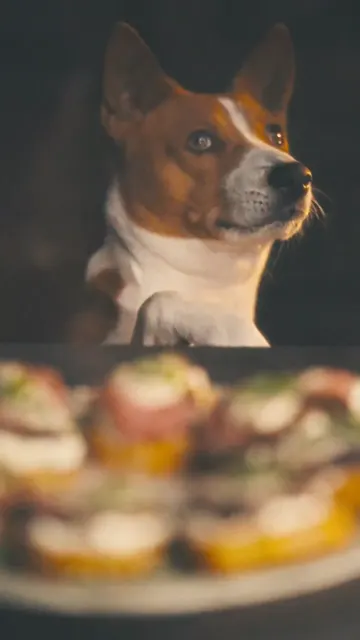
Bild: A brown and white Basenji dog looks up eagerly at the food with its paw on the table edge.
Soundeffekt: Soft music fades
Uebergang: Fade out
Prompt: Medium close-up of a cute brown and white dog looking up expectantly at the camera, dark background.
No.
Reference
Dauer
Einstellungsart
Skript
Beschreibung
Video-Prompt
1
1s
Close-up
Kitchen
A person in black gloves sprinkles salt onto a raw piece of beef on a wooden board.
Close-up of gloved hands seasoning a raw beef tenderloin with salt on a wooden cutting board, dark background, warm lighting.
2
1s
Close-up
Kitchen
Gloved hands flip the seasoned beef, showing pepper and spices on the other side.
Close-up of hands flipping a seasoned piece of beef on a wooden board, showing spices.
3
1s
Close-up
Kitchen
A pat of butter is dropped into a hot pan next to the searing beef.
Macro shot of a block of butter falling into a hot stainless steel pan next to searing meat.
4
2s
Close-up
Kitchen
Using tongs, the chef sears the sides of the beef in the pan with herbs.
Close-up of tongs holding a thick piece of beef, searing it on its side in a pan with butter and rosemary.
5
1s
Close-up
Kitchen
Whole brown mushrooms are dropped into a food processor bowl.
Close-up of whole brown mushrooms falling into a clear food processor container.
6
1s
Close-up
Kitchen
A pat of butter melts and foams in a hot pan.
Close-up of butter melting and bubbling in a hot stainless steel pan.
7
1s
Close-up
Kitchen
Finely chopped mushrooms are sautéed in a pan with a spatula.
Close-up of minced mushrooms being stirred and sautéed in a pan.
8
1s
Macro
Kitchen
Minced garlic is pressed through a garlic press.
Macro shot of garlic being squeezed through a metal garlic press.
9
1s
Close-up
Kitchen
Heavy cream is poured from a small pitcher into the sautéed mushrooms.
Close-up of white cream being poured into a pan of cooked mushrooms, steam rising.
10
1s
Close-up
Kitchen
Cheese is grated over the bubbling cream and mushroom sauce.
Close-up of hard cheese being grated over a simmering, bubbling white sauce in a pan.
11
1s
Close-up
Kitchen
Fresh green herbs are sprinkled into the simmering sauce.
Close-up of fingers sprinkling green herbs into a bubbling creamy sauce.
12
1s
Medium close-up
Kitchen
A fresh baguette is pulled out of a brown paper bag onto a wooden board.
Medium close-up of a sesame baguette being pulled out of a paper sleeve onto a wooden table.
13
1s
Close-up
Kitchen
A slice of baguette is cut on a wooden cutting board.
Close-up of a knife slicing a crusty sesame baguette on a wooden board.
14
1s
Close-up
Kitchen
Olive oil is drizzled over several slices of baguette.
Close-up of olive oil being drizzled over neat rows of sliced baguette.
15
1s
Close-up
Kitchen
The cooked beef is sliced on a wooden board with a sharp knife.
Close-up of a gloved hand slicing a cooked beef roast on a wooden board.
16
1s
Close-up
Kitchen
The sliced beef is opened to reveal a perfect medium-rare pink center.
Close-up of a juicy medium-rare beef slice being separated to show the pink interior.
17
1s
Close-up
Kitchen
A fresh ball of burrata cheese is torn open, releasing creamy filling.
Close-up of hands tearing open a fresh burrata cheese ball, cream dripping down.
18
1s
Medium close-up
Kitchen
A tray of baguette slices is placed into a hot oven.
Medium close-up of putting a baking sheet of bread slices into a glowing oven.
19
1s
Close-up
Kitchen
A spoonful of creamy cheese mixture is spread onto a toasted baguette slice.
Close-up of spreading a thick, creamy cheese mixture onto a toasted baguette slice.
20
1s
Close-up
Kitchen
A slice of medium-rare beef is placed on top of the cheese-spread baguette.
Close-up of a gloved hand placing a tender slice of pink beef onto the prepared crostini.
21
1s
Close-up
Kitchen
The crostini are topped with mushroom sauce and garnished with chopped chives.
Close-up of garnishing beef crostini with creamy mushroom sauce and fresh green chives.
22
2s
Close-up
Kitchen
A hand picks up one finished crostini from a platter with dramatic smoke rising around it.
Close-up of a hand lifting a gourmet beef crostini from a plate surrounded by swirling white smoke.
23
2s
Medium close-up
Kitchen
A brown and white Basenji dog looks up eagerly at the food with its paw on the table edge.
Medium close-up of a cute brown and white dog looking up expectantly at the camera, dark background.