Keep the original storefront visible
Use a frontal photograph so the proposed sign can be judged against the actual doors, windows, fascia, pavement, and neighboring context.

Upload a clear shop-front photo, preserve the building geometry, and visualize replacement wording, sign materials, lighting, or a broader facade refresh.
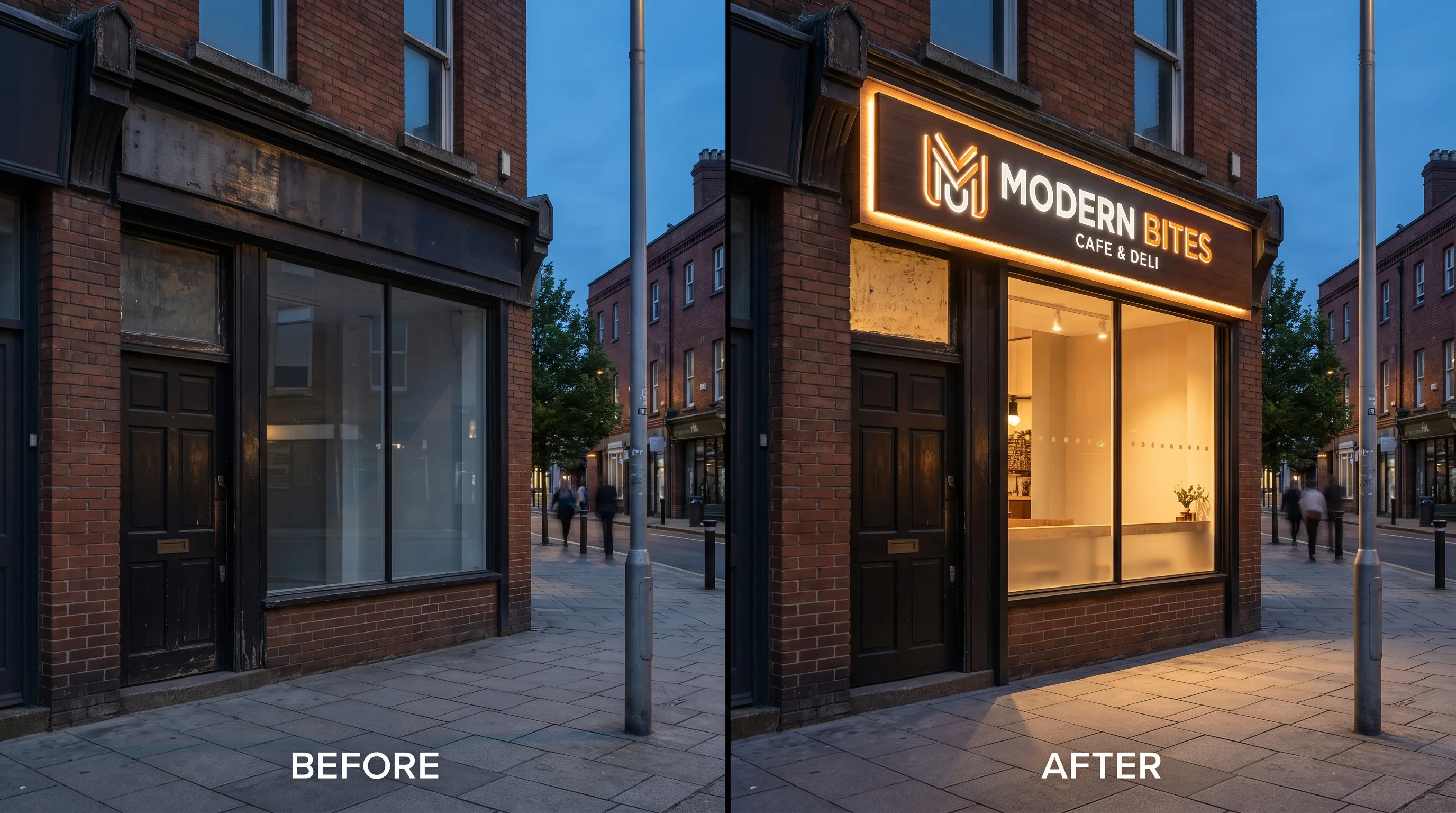 Replace only the fascia sign
Use a frontal photograph so the proposed sign can be judged against the actual doors, windows, fascia, pavement, and neighboring context.
Limit generation to the existing signboard area or allow coordinated changes to non-structural facade finishes.
Preserve existing text or enter replacement wording, then describe halo light, front light, no light, or another realistic treatment.
Use the highest-resolution image available, with the sign area, entrance, windows, and facade edges visible and minimal perspective distortion.
Decide whether to preserve existing wording, replace it exactly, edit only the sign, or include facade finishes.
Compare openings, perspective, sign scale, spelling, materials, shadows, and light spill before using the image in a design discussion.
Keep edit instructions concrete and state what must remain unchanged.
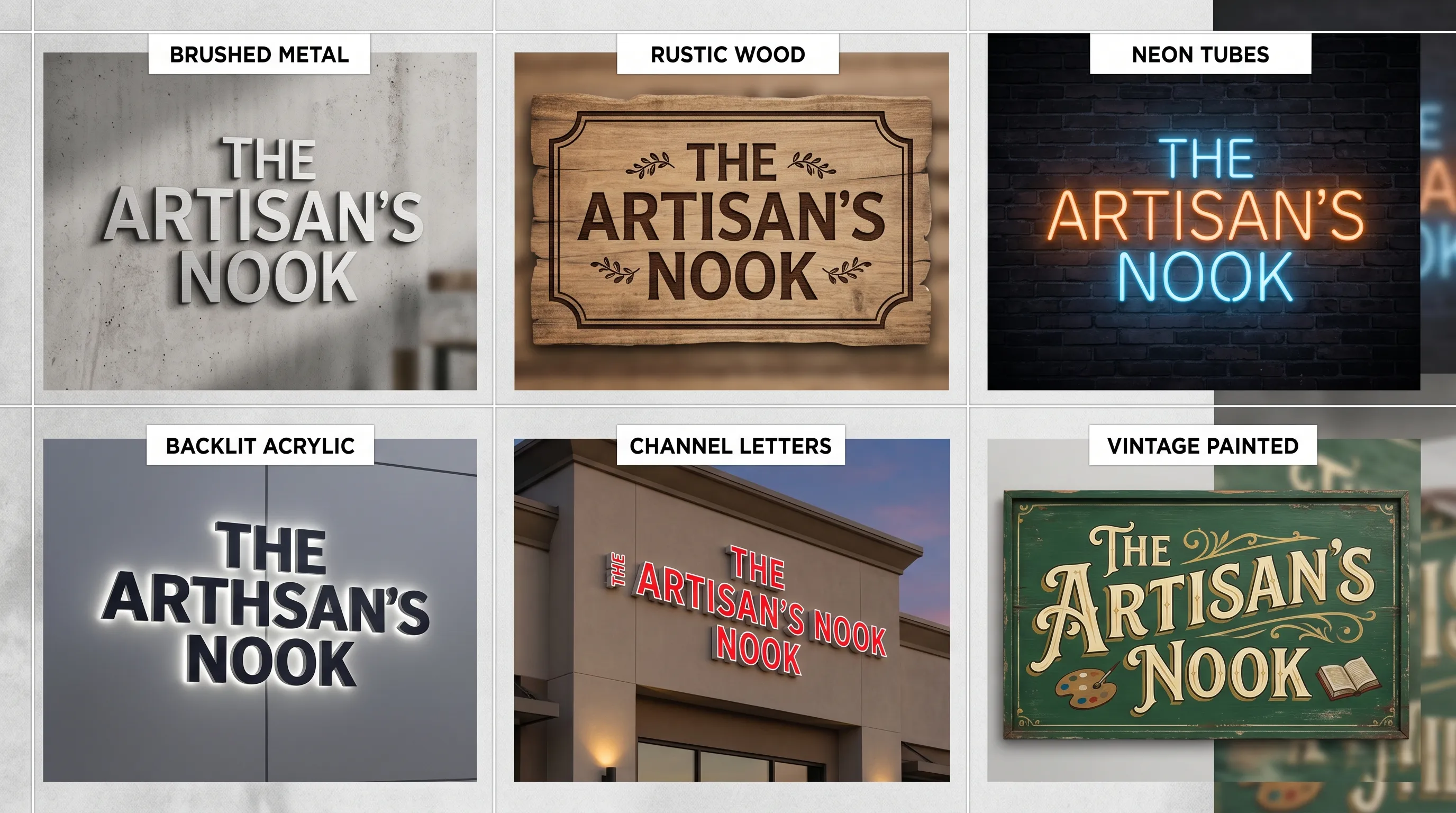
Coordinate a new sign with paint, cladding, and entrance lighting while keeping structural openings.
Prompt starter
Redesign the signboard and non-structural facade finishes for 'RIVER CAFE'. Keep the original doors, windows, columns, building envelope, perspective, and surroundings. Add warm timber, textured plaster, and restrained entrance lighting.
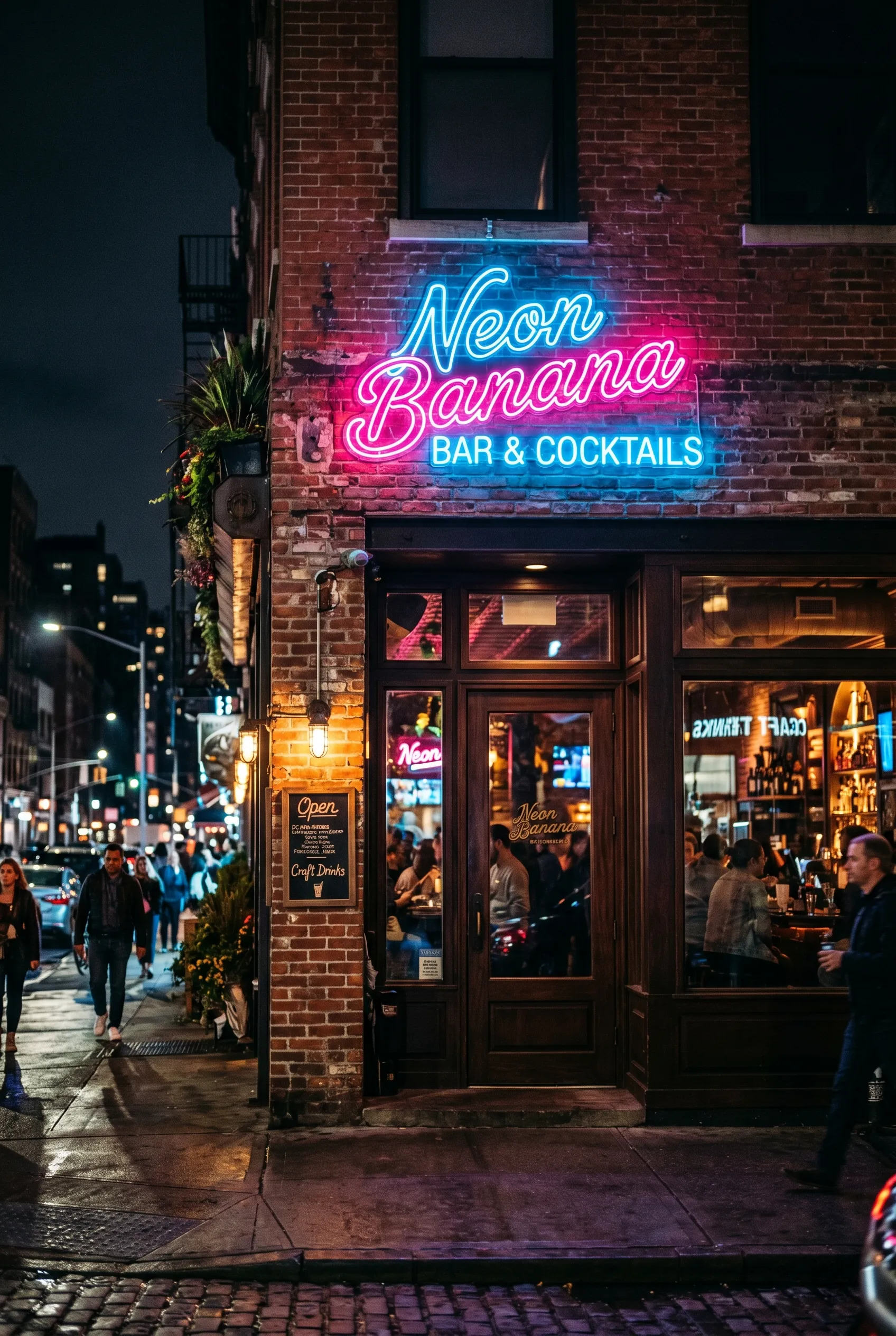
Evaluate visibility after dark without turning the entire facade into a glowing object.
Prompt starter
Edit this storefront into a realistic early-evening view. Preserve all geometry. Add a legible warm-white halo-lit wordmark and subtle downlights under the fascia; keep windows, entrance, street, and neighboring context unchanged.
A standalone sign design does not show whether the scale, placement, light, and color work with the actual facade. Photo Redesign starts from your storefront image and instructs the model to keep the original camera angle, openings, building outline, and surrounding scene. Choose sign-only scope for a focused replacement or facade scope when finishes and entrance treatment also need exploration.
Use a sharp, well-lit, near-frontal image that shows the complete sign area and enough surrounding architecture to understand scale.
Yes. Select Preserve Existing Text. Because AI can still change characters, compare the result carefully with the source.
Yes. Signboard Only tells the model to leave facade finishes, doors, windows, pavement, neighbors, and surroundings unchanged.
No. Optional dimensions guide proportions, but the generated image is not a measured drawing and cannot replace a site survey.
Daylight usually gives the clearest facade edges and material information. An evenly exposed dusk photo is useful when the main goal is evaluating illumination.
Use a near-frontal photo, choose sign-only scope, and state that the camera angle, doors, windows, columns, roofline, pavement, and neighboring storefronts must remain unchanged.
Yes. Keep the source photo and wording fixed, then run separate directions for metal letters, acrylic, lightbox, painted graphics, or another material.
Image models can alter lettering during scene generation. Keep the requested wording short, place it in quotation marks, and treat the final vector wordmark as a later production step.
Use the same source photo, wording, edit scope, camera view, and time of day; change only the material, lighting, color, or sign type you want to evaluate.
Open Photo Redesign and upload a clear front-facing image of the location.
Upload a storefront photoFeature snapshot verified July 18, 2026: three creation modes and one to four outputs per run.