Timestamped transcript and TXT/SRT/VTT exports
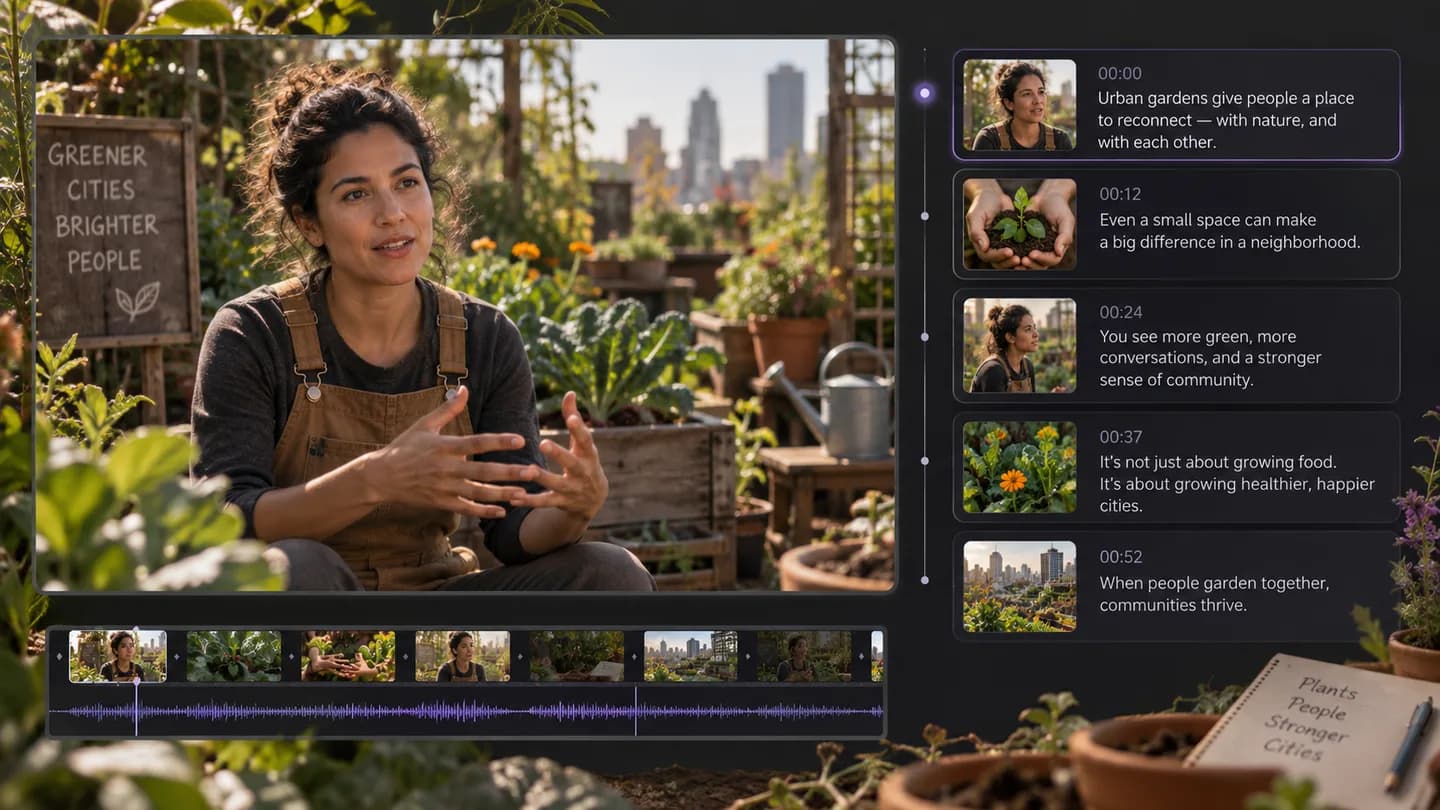
An interview about an urban garden becomes timestamped text. Use TXT for notes and SRT or VTT when you need timed captions in an editor.
Edit captions, collect quotes or ask about the transcript

VIDEO IN. IDEAS OUT.
Find a quote, prepare captions or reuse an interview without typing every sentence. Add a video URL or file and get a timestamped transcript.
Video URL or file upload
Processing your video
Interview to editable transcript
Read the text beside its timestamps so a sentence remains traceable to the source. When accessible platform captions are available, the workflow can use them; otherwise it transcribes the audio. The result identifies the source used.
An interview about an urban garden becomes timestamped text. Use TXT for notes and SRT or VTT when you need timed captions in an editor.
Edit captions, collect quotes or ask about the transcript
Use a supported video URL or choose a video or audio file from your device.
Select the source language and the transcript, summary or visual analysis you need.
Copy or export the output, ask a follow-up question, or prepare your next creative brief.
| Tool | Output | Your next step |
|---|---|---|
| Video to Text — Transcribe Video with Timestamps | Timestamped transcript and TXT/SRT/VTT exports | Edit captions, collect quotes or ask about the transcript |
| Video Summarizer — Key Points and Chapters Online | Overview, key points and timestamped chapters | Check details or turn the ideas into a new script |
| Video to Script — Extract a Scene-by-Scene Storyboard | Scene-by-scene script and visual production cues | Refine the storyboard and create your next video |
Paste a supported video link or upload a file, select the spoken language and request a transcript. Once processing finishes, review the timestamped text and choose an export format.
Yes. The same workspace accepts video and audio uploads. The upload control shows the file limits for your account before submission.
It first looks for supported, accessible platform captions. If no usable caption track is available, it prepares the audio for speech transcription. Check the source label on the result.
TXT works for notes, search and rewriting. SRT and VTT retain start and end timestamps for subtitle workflows. Review timing before publishing captions.
A speech transcript needs spoken content or accessible captions. For a silent clip, use Video to Prompt to analyze visible scenes, composition and camera movement.
Use the share link for a specific video rather than a profile or homepage. If the source is unavailable or blocks access, upload a file you are able to use.
Only when summary is selected. You can also ask questions about a completed transcript in the result panel without submitting the video for transcription again.
Upload limits and account access apply to the task. Transcription and follow-up chat have their own billing rules; check the workspace and account balance rather than assuming every operation is free.
Add a video link or upload a file, choose the output, and continue working with the result.
Analyze your video1 free trial per day (2 after sign-in) · Free uses cover videos up to 10 minutes; credits unlock up to 2 hours