
🔥Minimax H3 is live — save 45% on annual membershipGet 45% Off
Pixmind
AI Signboard Generator

Turn a Business Name into a Storefront Sign Concept

Describe the brand, choose an industry when useful, and generate complete storefront ideas with coordinated signage, materials, lighting, entrance, and facade details.

Text-to-sign conceptsThree creation modes1–4 outputs per run

An AI signboard workflow for early design exploration

Use PixMind to explore how a business name could appear on a real storefront before commissioning production artwork. Inspiration mode gives the model room to develop a concept, Photo Redesign applies a new direction to an uploaded storefront, and Professional Design exposes industry, material, lighting, size, and environment controls. The result is a visualization for comparing directions—not a fabrication drawing or a guarantee that generated lettering is production-ready.

Signboard ideas for different business identities

Use concrete brand, material, lighting, and setting details instead of relying on one-word style labels.

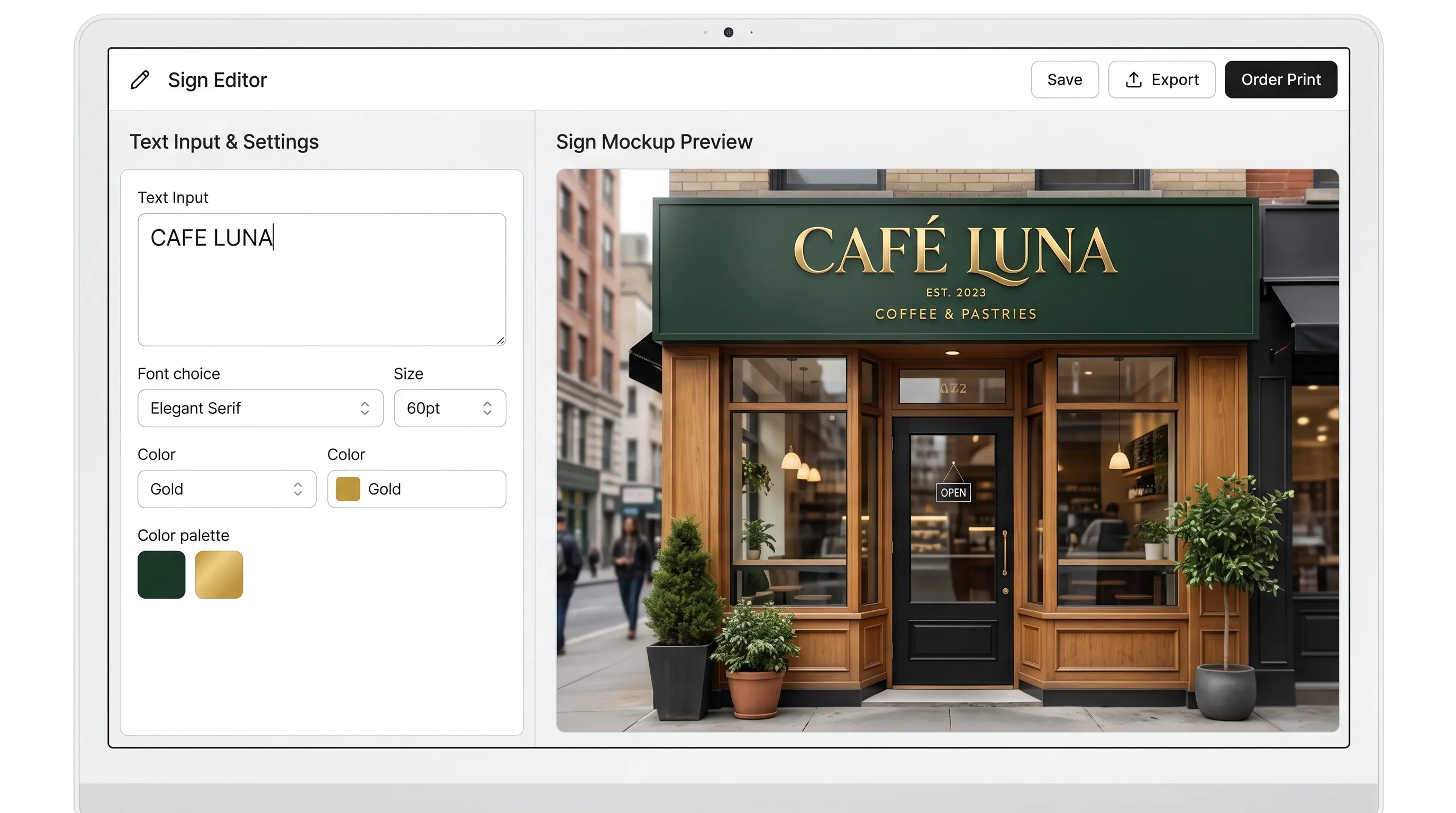
From name to storefront

From name to storefront

A concise name and brand brief become a complete street-level direction.

Prompt starter

Storefront for 'FIELD NOTE COFFEE', warm contemporary cafe, custom serif wordmark, dark bronze letters, natural oak and textured plaster, soft morning light, realistic street photography.
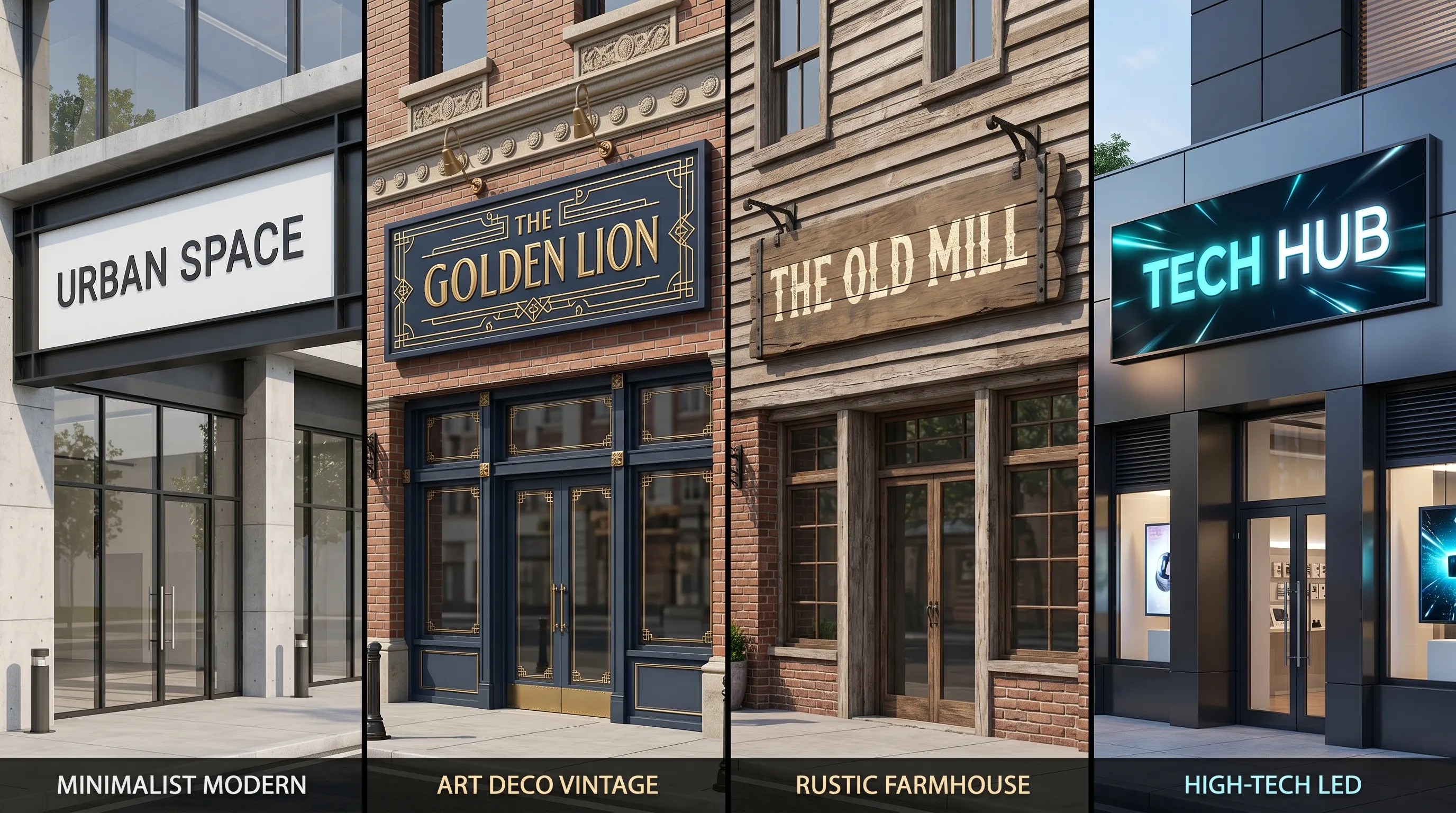
Compare distinct visual systems

Compare distinct visual systems

Material, typography, architecture, and lighting change together instead of only swapping colors.

Prompt starter

Create four clearly differentiated but buildable signboard directions for one retail brand: minimalist metal, crafted heritage, warm natural, and controlled illuminated signage.

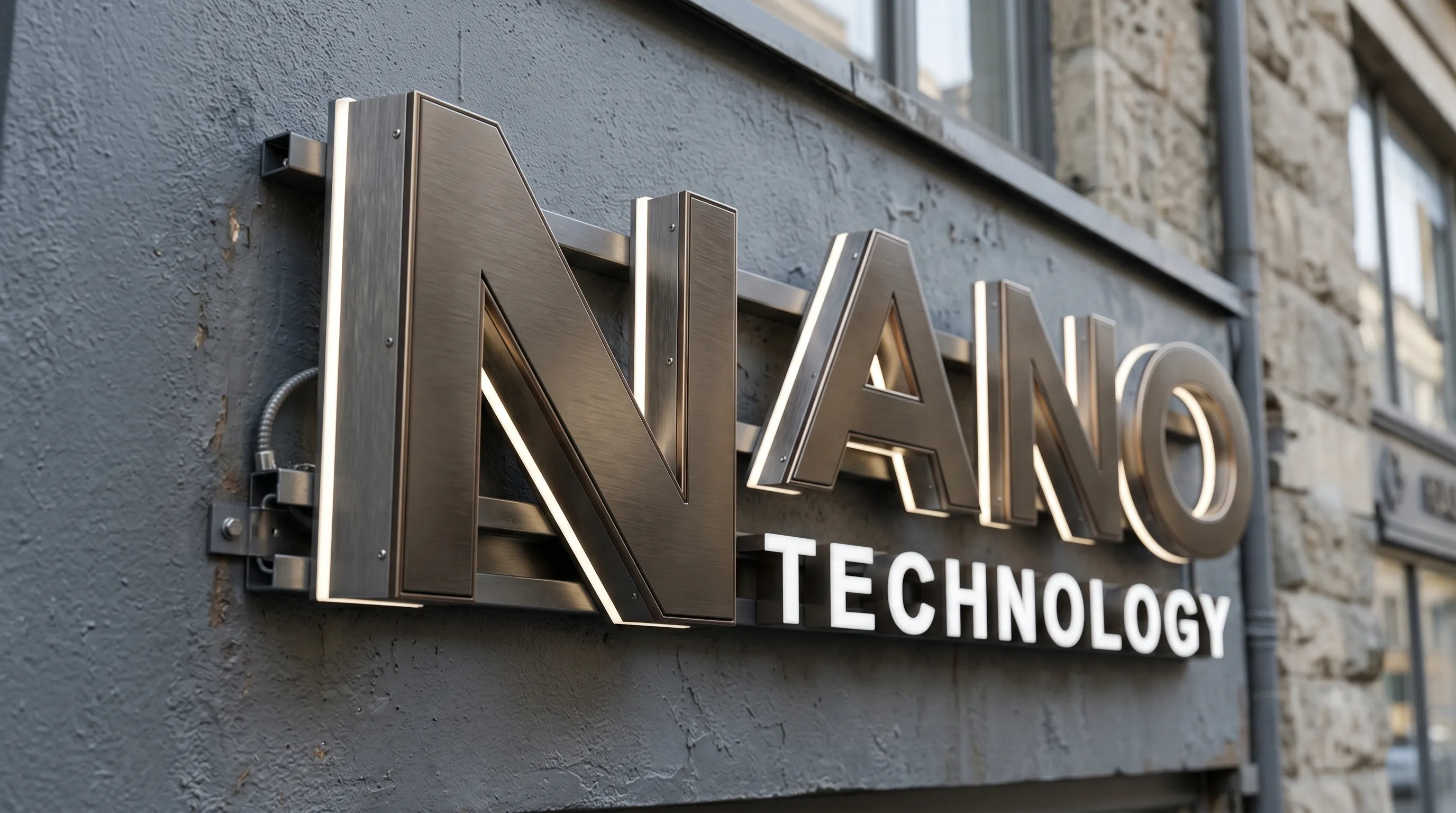
Inspect sign construction cues

Inspect sign construction cues

Close views help compare letter depth, returns, mounting, edge light, and facade contact.

Prompt starter

Close architectural photograph of dimensional channel letters, brushed dark metal returns, controlled warm halo light, believable wall mounting and cable concealment, no floating letters.

Explore the whole storefront, not just floating text

01

Develop a brand direction

Combine the requested name with typography, palette, materials, facade rhythm, entrance treatment, and lighting.

02

Compare visual options

Generate up to four results in one run to compare different compositions before choosing a direction to refine.

03

Move from concept to mockup

Start from text, then use a real storefront photograph when you need to judge scale, placement, and surrounding architecture.

How to generate a signboard concept

1

Enter the exact sign wording

Keep the main name concise and put additional brand context in the design brief rather than asking the image to render long copy.

2

Choose the right creation mode

Use Inspiration for open concepts, Photo Redesign for an existing storefront, or Professional Design for explicit materials and lighting.

3

Generate, compare, and verify

Inspect spelling, logo fidelity, scale, materials, access, and architectural feasibility before refining or sharing the concept.

AI signboard generator FAQ

Can AI spell my business name correctly?

The prompt locks the requested wording, but image models can still distort characters. Review every result and prepare final production lettering as vector artwork.

Can I upload my storefront photo?

Yes. Photo Redesign uses the uploaded storefront as the base and can limit the change to the sign area or include facade finishes.

Can I choose materials and lighting?

Professional Design includes sign material, lighting, environment, aspect ratio, and optional physical dimensions.

Is the result ready for fabrication?

No. It is a visual concept. A fabricator still needs verified dimensions, vector artwork, material specifications, structural details, electrical plans, and permit checks.

Which creation mode should I start with?

Use Inspiration when you only have a name, Photo Redesign when you have a storefront photo, and Professional Design when materials, lighting, dimensions, or industry requirements are already defined.

How much detail should the first prompt include?

Give the exact sign wording, business type, audience, price position, preferred atmosphere, and any material or lighting direction. Keep the main name short.

Can I generate several signboard directions at once?

Yes. Choose one to four outputs per run so you can compare composition and material directions from the same brief.

Why does a result look generic?

Add the business category, customer profile, facade context, material contrast, lighting condition, and one or two brand cues instead of relying on labels such as modern or premium alone.

What should I check before sharing a concept?

Check the exact wording, logo details, viewing distance, sign scale, entrance visibility, material logic, mounting space, and whether the facade still matches the real location.

Create your first storefront sign direction

Open Inspiration mode with your business name and a short brand brief.

Generate a signboard

Feature snapshot verified July 18, 2026: three creation modes and one to four outputs per run.