Match the business category
Choose retail, coffee, tea, beauty, clothing, education, medical, convenience, hair salon, or a custom industry.

AI Shop Sign Design
Turn a store name and business category into practical visual directions for fascia signs, dimensional letters, illuminated signs, and coordinated shop fronts.

Choose an industry direction
Industry context changes the lettering, material, visibility, and surrounding facade rather than applying one generic style.
Choose retail, coffee, tea, beauty, clothing, education, medical, convenience, hair salon, or a custom industry.
Compare metal, acrylic, stainless steel, PVC, printed graphics, vacuum-formed elements, or LED treatments as visual directions.
Place the concept on a commercial street, in a mall, near a campus, in a neighborhood, or in another relevant environment.
Change the category, audience, materials, and viewing context—not only the color.
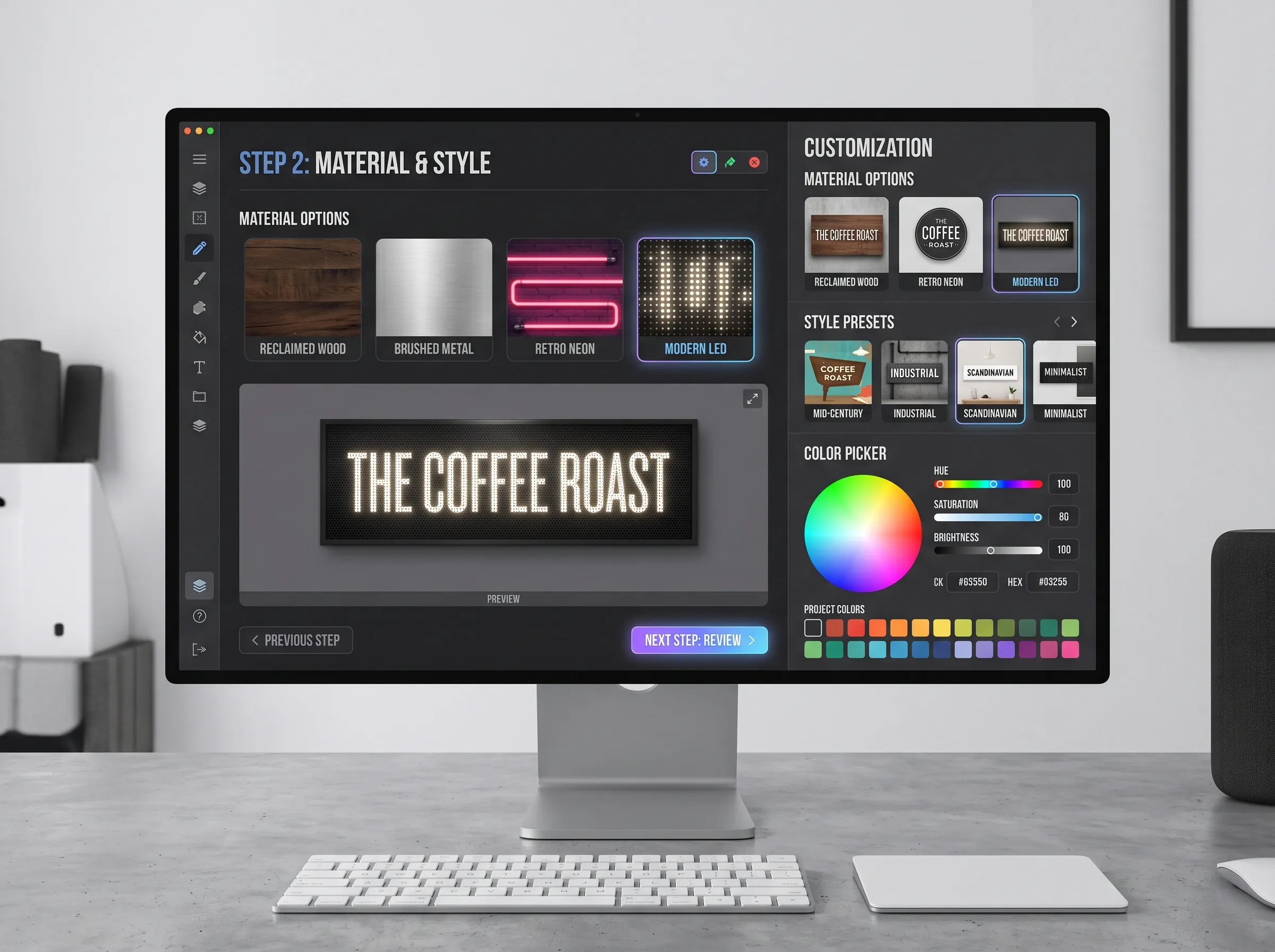
Structured controls make metal, acrylic, timber, lightbox, halo-light, and unlit options easier to compare.
Prompt starter
Shop sign material study with brushed metal, warm timber, acrylic face, and controlled LED treatments; realistic mounting, readable scale, commercial street context.
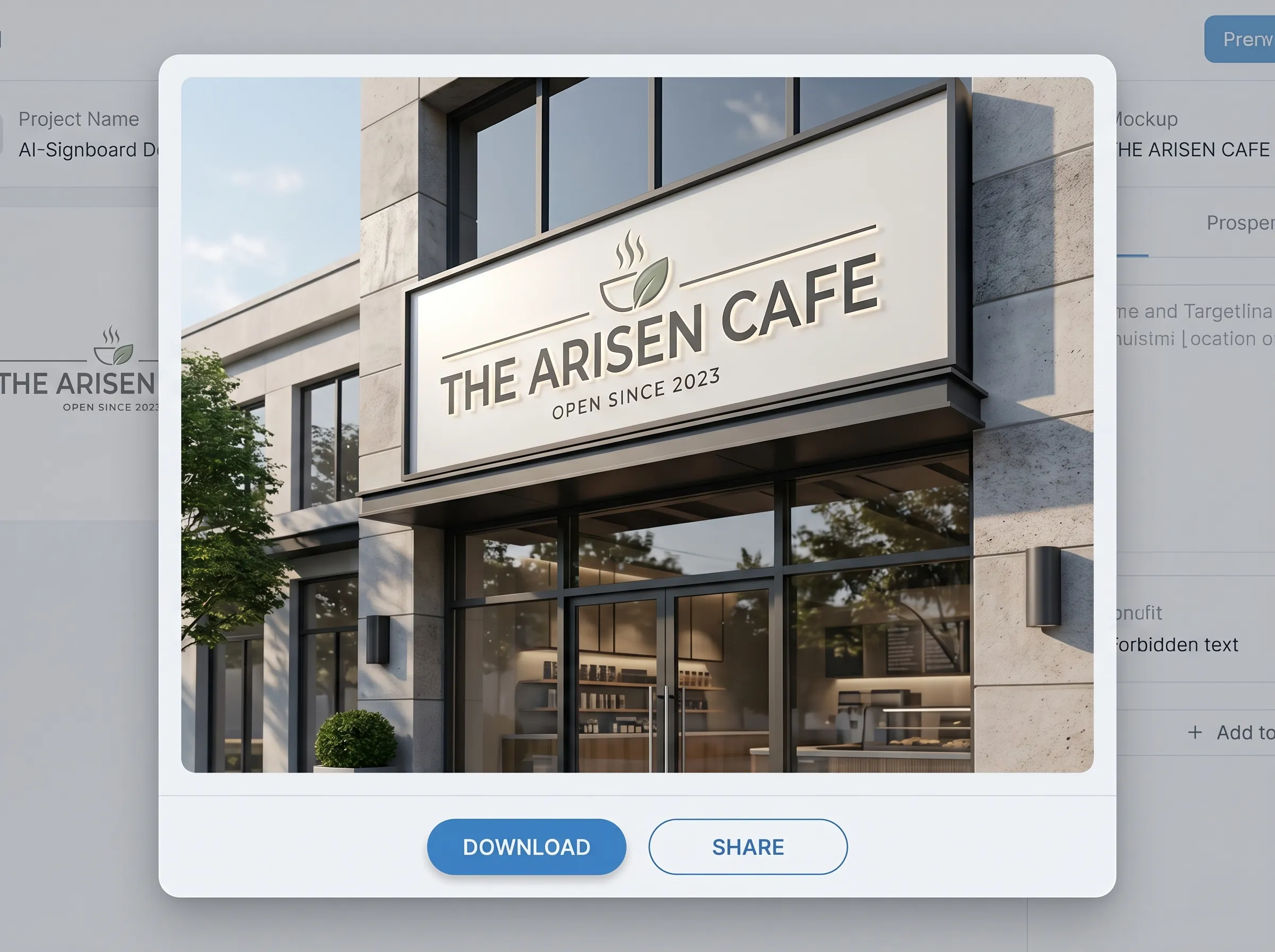
Use a larger storefront view to judge recognition, proportion, entrance visibility, and facade fit.
Prompt starter
Final shop sign presentation on a real storefront, concise wordmark, clear pedestrian visibility, believable mounting and shadows, coordinated entrance and facade materials.
A useful shop sign should communicate the name quickly, match the type and price position of the business, remain readable at the expected viewing distance, and fit the available fascia or facade. Professional Design lets you specify industry, visual style, materials, illumination, environment, proportions, and additional constraints so the generated concept responds to a practical retail brief rather than a generic logo prompt.
Use the wording that should appear most prominently and keep taglines out unless they are essential.
Choose the business type, style, preferred material, lighting, environment, aspect ratio, and optional real-world sign dimensions.
Check spelling, letter spacing, contrast, viewing distance, mounting, facade fit, access, and whether a fabricator can reproduce the intended effect.
You can start with presets for food, drink, beauty, clothing, retail, education, healthcare, convenience, hair salons, and more, or enter a custom industry.
Yes. Optional width and height help the prompt describe realistic proportions, but they do not turn the image into a scaled technical drawing.
Yes. Choose between one and four outputs per generation and compare the resulting directions.
Use it as a visual brief. A sign company still needs accurate vector files, measurements, materials, lighting specifications, mounting details, and site approval.
Start with concise fascia lettering or a compact projecting blade sign. Give the available width and viewing direction so the concept does not rely on an oversized panel.
Use controlled spacing, fewer materials, a restrained color palette, clear window visibility, and one deliberate lighting treatment rather than adding more decorative effects.
Keep the primary name dominant, move descriptors to a smaller secondary line, and test the result at the expected viewing distance.
Keep the sign shape, wording, facade, and camera view fixed, then generate separate front-lit, halo-lit, and unlit versions for a fair comparison.
Photo Redesign can use a storefront reference, while the brief can describe the logo direction. Always compare the generated mark with the original and restore exact vector artwork before production.
Open Professional Design and define the industry, material, lighting, and setting.
Design a shop signFeature snapshot verified July 18, 2026: three creation modes and one to four outputs per run.