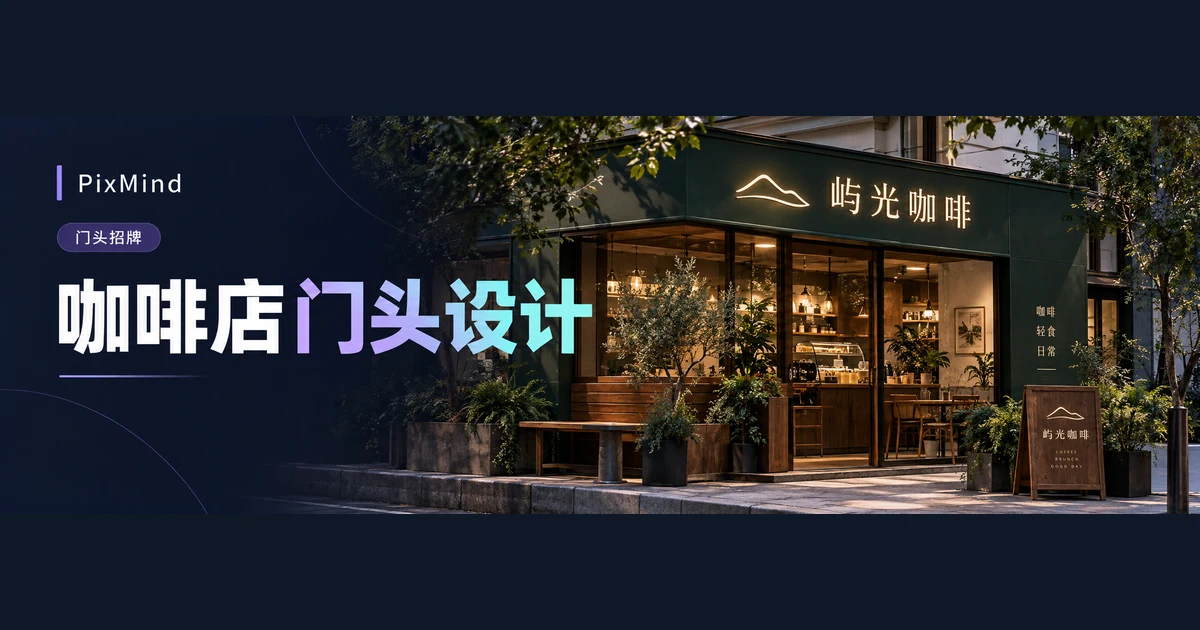
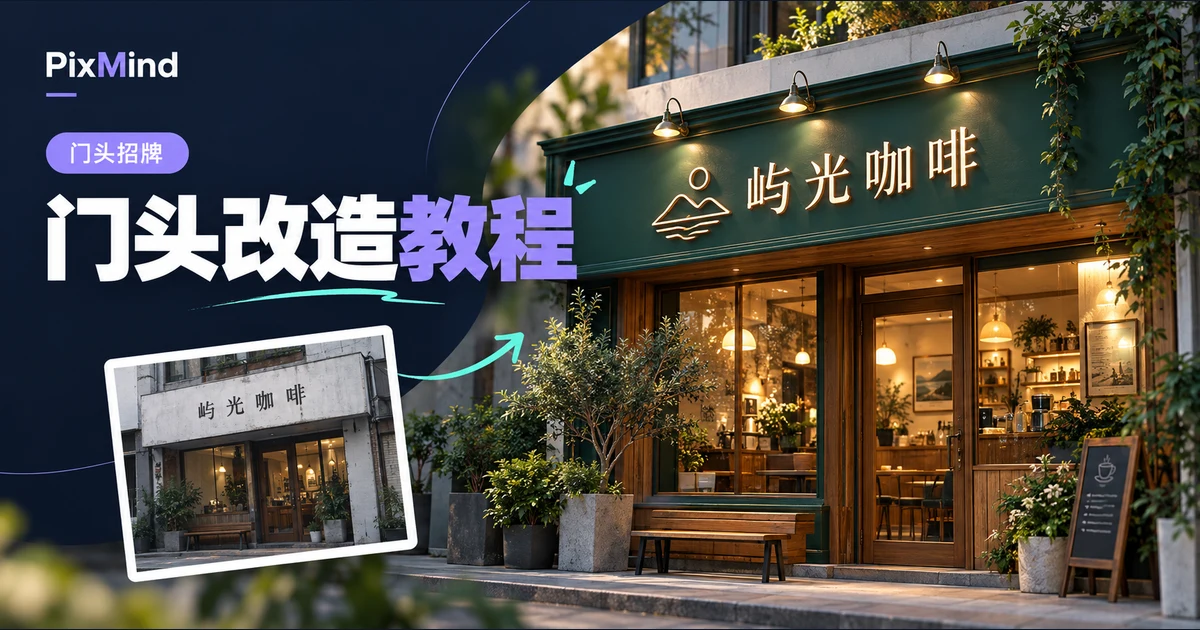
When you generate storefront sign mockups with AI, the most common failure is "it drew the wrong thing": the store name is missing a character, the backing panel material changes at random, or the windows and door get redrawn in a different style. The problem usually lies in the brief: you typed only a store name and left the model to guess everything else.
A complete brief needs only six fields: store name, industry, redesign scope, style, materials and lighting, and must-keep items. Open AI Storefront Sign Design, pick one of the ten industry templates, swap in your [store name], and you are ready to start.
Key takeaways
- Briefs go off track mainly because fields are missing: an incomplete store name, no material specified, no must-keep list—and the model can only fill the gaps at random.
- Write styles as "Creative, Minimal, Luxury, Retro, Neon, Minimalist" and materials and lighting exactly as they appear in the tool's option names; consistent wording brings results closer to expectations.
- The ten templates are grouped by industry; swap in your [store name] and use them as-is—no real brands involved.
- Iterating doesn't mean rewriting the whole brief: change a single variable when regenerating the full image, and hand single-point issues to AI local edit by boxing the area and submitting one instruction.
Break the Sign Brief into Six Fields
Nearly every miss maps to a field left blank: no material means a random backing panel; no must-keep list means the windows and door get altered; no industry means the look misses the category's vibe.
| Field | What to write | Where it goes in the form |
|---|---|---|
| Store name | Full name as it appears on the sign | "Sign copy" input, 50-character limit; in photo redesign, choosing "Keep original text" reuses the existing lettering |
| Industry | Type of business | Industry selection (required in Professional Design, optional in Inspiration); in photo redesign, write it into the one-line brief |
| Redesign scope | Sign only / sign plus facade | Pick one of the two options under "Redesign scope" in photo redesign |
| Style | Creative, Minimal, Luxury, Retro, Neon, Minimalist | "Design style" in Professional Design; in photo redesign, write it into the one-line brief |
| Materials and lighting | One of nine materials, one of six lighting effects | "Material" and "Lighting effect" dropdowns in Professional Design; in photo redesign, write them into the one-line brief |
| Must-keep items | Windows, entrance, display windows, and anything else that must not move | Photo redesign keeps windows and the entrance by default; add extras in the one-line brief or "Additional requirements" |
Write materials as "PVC, acrylic, metal letters, stainless steel, titanium, tin plate, vacuum-formed, printed, LED lightbox" and lighting as "backlit, illuminated letters, spotlights, cool light, warm light, no lighting". In Professional Design mode these are form options; photo redesign has no dropdowns for them, so fold them into the "one-line brief" (300-character limit).
There are eleven industry presets: Dining, Beauty, Tea drinks, Bubble tea, Retail, Education, Healthcare, Hair salon, Convenience store, Coffee shop, Clothing store. For an unlisted industry, use the custom input (30-character limit).
Two optional items are handled separately: a brand logo is uploaded in photo redesign and submitted as a reference image alongside the store photo; the sign's real dimensions are entered in centimeters under Advanced settings in Professional Design. For a screen-by-screen walkthrough of photo redesign, see From Store Photo to Sign Mockup: A Complete AI Sign Redesign Tutorial.
Five Brief Templates for Food, Beverage, and Retail
These five templates cover the most common food, beverage, and retail storefronts. Each notes the storefront conditions it suits; swap in your [store name] and use them as-is.
Coffee shop
Suits a small street-facing frontage that relies on passersby spotting the shop.
Store name: [store name]
Industry: Coffee shop (preset)
Redesign scope: Sign only
Style: Minimal | Material: Acrylic | Lighting: Warm light
Must keep: Windows and entrance unchanged
One-line brief: Large white acrylic letters on a deep gray backing panel, legible from a distance
For a full comparison of the wood-tone community direction and the night-lighting direction, see How to Design a Coffee Shop Sign: Comparing Three Styles on the Same Storefront.
Bubble tea shop
Suits mall-front units or pedestrian streets that stay open at night.
Store name: [store name]
Industry: Bubble tea (preset)
Redesign scope: Sign only
Style: Neon | Material: LED lightbox | Lighting: Backlit
Must keep: Entrance and floor-to-ceiling glass unchanged
One-line brief: [brand color] lightbox backing, bold illuminated store name, clearly readable at night
Bakery
Suits a neighborhood corner or a spot beside a market, built on regular customers.
Store name: [store name]
Industry: Custom "bakery" (or the "Dining" preset)
Redesign scope: Sign only
Style: Retro | Material: Vacuum-formed | Lighting: Warm light
Must keep: Display window left unobstructed
One-line brief: Cream-white vacuum-formed letters with warm lighting, above the horizontal display window, highlighting baked-fresh-today
Restaurant
Suits wide frontages where the store name includes a category word.
Store name: [store name, including the category word]
Industry: Dining (preset)
Redesign scope: Sign only
Style: Creative | Material: Metal letters | Lighting: Spotlights
Must keep: Entrance steps and both side columns unchanged
One-line brief: Dark backing panel with gold metal letters, store name large, category word one size smaller
Convenience store
Suits corner locations or late-night hours that need consistent visibility day and night.
Store name: [store name]
Industry: Convenience store (preset)
Redesign scope: Sign only
Style: Minimalist | Material: LED lightbox | Lighting: Illuminated letters
Must keep: Automatic door and indoor-outdoor footpaths unchanged
One-line brief: White lightbox backing with the brand-color store name, same brightness day and night
Five Brief Templates for Service Businesses
A service shop's sign has to deliver a readable name and a feel that matches the service's positioning at the same time; each of these five templates leans one notch toward its industry's vibe.
Hair salon
An upright store name with a crisp, professional feel; suits ground-floor units beneath office buildings.
Store name: [store name]
Industry: Hair salon (preset)
Redesign scope: Sign only
Style: Luxury | Material: Stainless steel | Lighting: Cool light
Must keep: Glass curtain wall and entrance unchanged
One-line brief: Black backing panel with mirror-finish stainless steel letters, cool-light edge glow, no posters of people
Nail salon
A fine, clear store name with a refined feel; suits small frontages or interior units.
Store name: [store name]
Industry: Custom "nails and lashes" (or the "Beauty" preset)
Redesign scope: Sign only
Style: Minimal | Material: Acrylic | Lighting: Warm light
Must keep: Entrance display spot, windows, and door unchanged
One-line brief: Cream-white backing panel with a thin acrylic store name, warm lighting, soft and clean overall
Pet store
A friendly, easy-to-read name with an optional small graphic; suits interior neighborhood streets.
Store name: [store name]
Industry: Custom "pet services"
Redesign scope: Sign only
Style: Creative | Material: Printed | Lighting: Warm light
Must keep: Accessible ramp and glass door at the entrance
One-line brief: Beige backing panel with a small paw-print printed graphic beside the store name, graphic small, name large
Flower shop
A natural, fresh name with naturally textured materials; suits small street-facing shops.
Store name: [store name]
Industry: Custom "flower shop" (or the "Retail" preset)
Redesign scope: Sign only
Style: Retro | Material: Tin plate | Lighting: Warm light
Must keep: Display rack position by the door and the entrance
One-line brief: Dark-green tin sign with a white hand-lettered store name, warm light with an aged finish
Studio
Appointment-based shops don't rely on walk-up traffic; keep the name restrained and the information minimal.
Store name: [store name]
Industry: Custom (state the type, e.g. "photography studio")
Redesign scope: Sign only
Style: Minimalist | Material: Metal letters | Lighting: Spotlights
Must keep: House number and entrance door unchanged
One-line brief: Cement-gray backing panel with a thin metal-letter store name, no decoration, lit by spotlights
Make the Exact Text and Keep-Out Areas Explicit
First comparison pair, with style and material both left for the model to guess:
Vague: Make me a nicer-looking coffee shop sign.
Rewritten: Store name "[store name]", deep gray backing panel with large white acrylic letters, warm lighting, sign only—keep the windows and entrance exactly as in the photo.
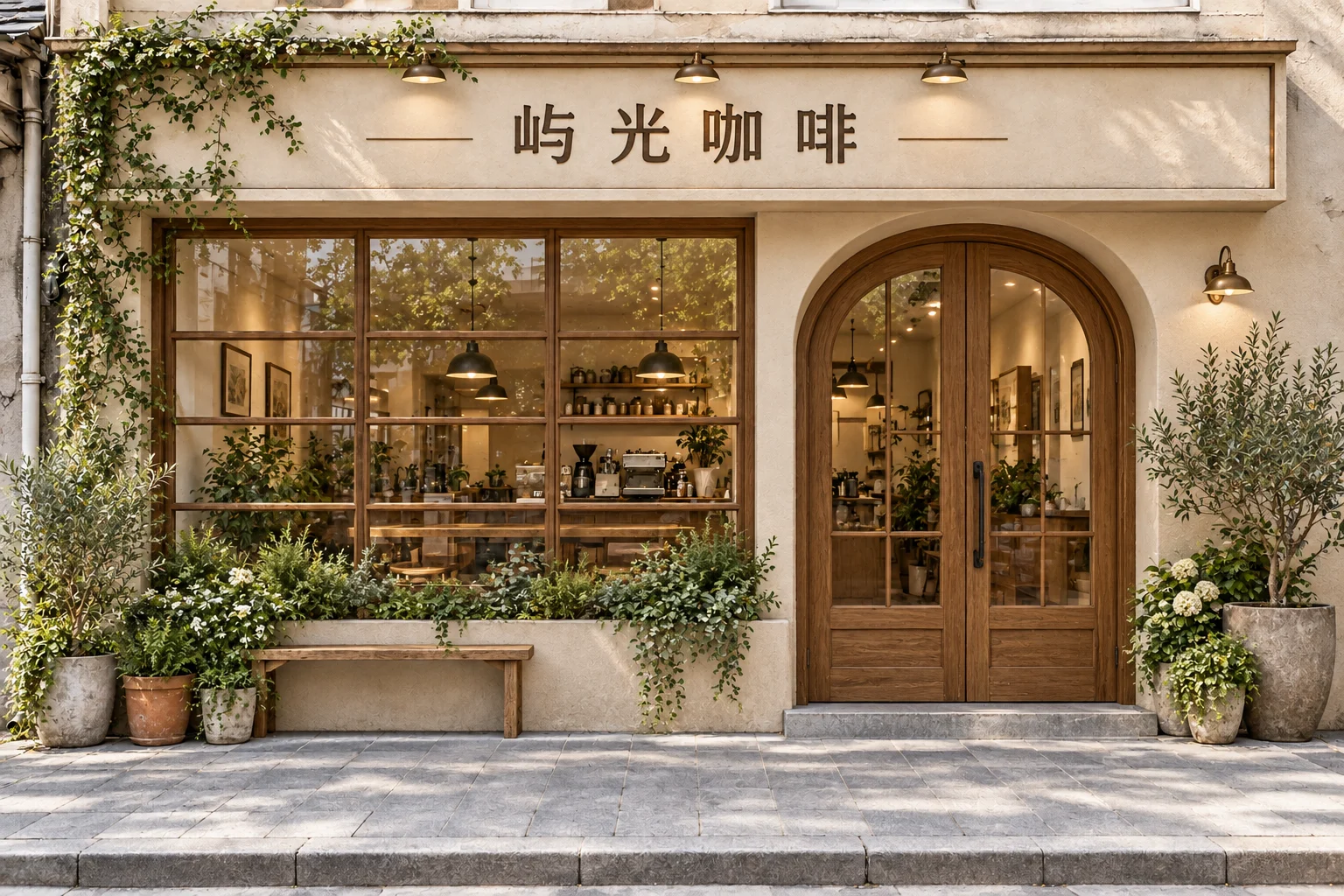
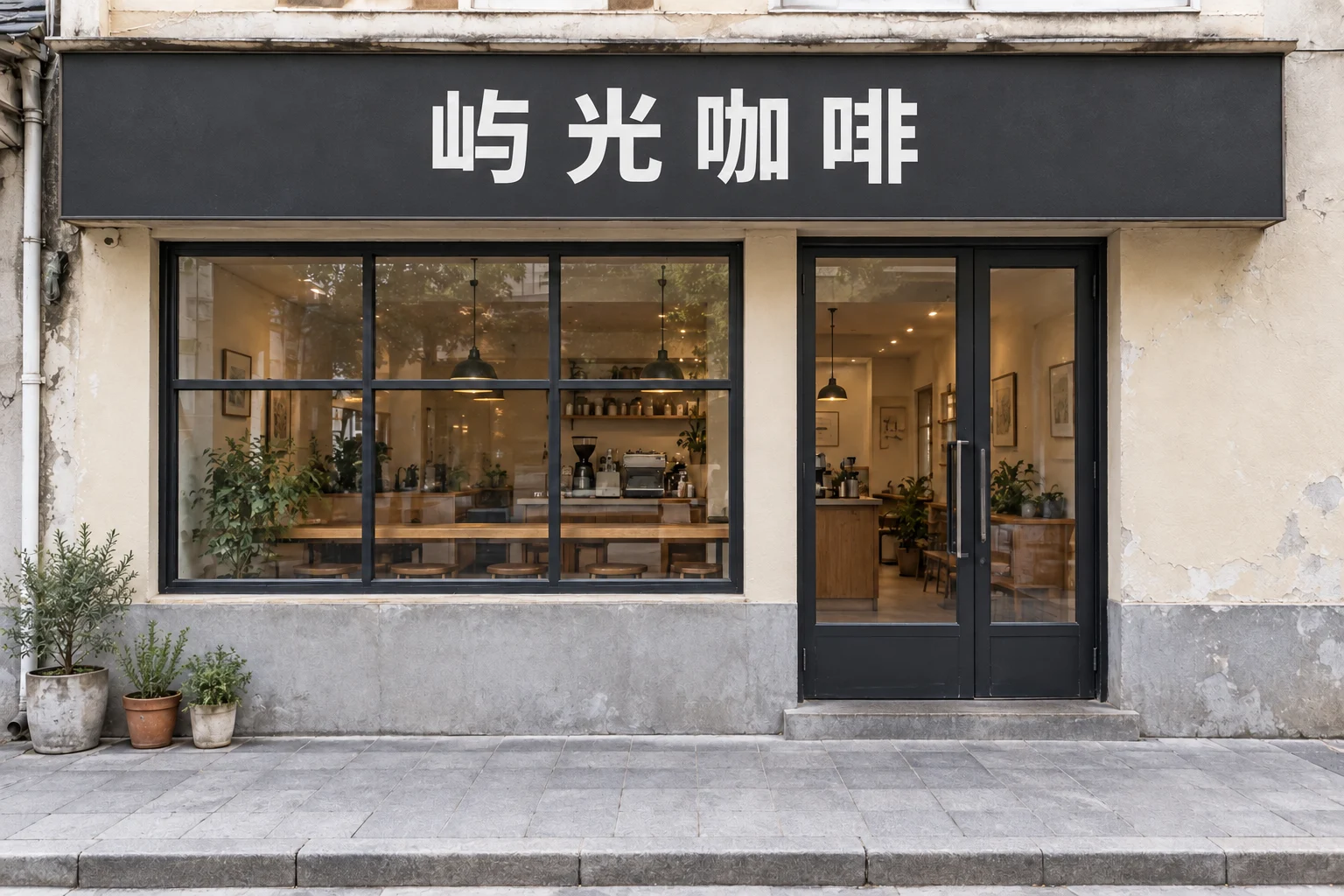
Second pair, with no must-keep list and the facade getting refreshed along the way:
Vague: Freshen the whole thing up so it looks newer.
Rewritten: Sign only—white acrylic letters on a deep gray backing panel; keep the windows, entrance, and both side walls exactly as in the photo.
Photo redesign builds on your photo, with the AI preserving the original building outline, entrance, windows, and surroundings. The photo answers "where to change," the text answers "what to change it into," and the logo answers "what the lettering should look like." Upload a photo with no brief and the style is random; write a brief without a photo and the window and door structures are left to the model's imagination.
Keep Iterating with Short Edit Instructions
First-round designs are rarely final, and iterating doesn't require rewriting the whole brief. To regenerate the full image, change just one variable in the one-line brief:
- Color only: switch the backing panel to brand dark green, everything else unchanged.
- Smaller name: drop the store name one size and leave side margins.
Hand single-point issues to AI local edit: box the area to change and write the edit request as a single instruction (500-character limit). Original text is kept by default, and the new result appears at the top of the list.
- Swap the material: box the entire sign and write "change the backing panel to stainless steel."
- Restore the door and windows: box the mistakenly altered entrance and write "restore the glass door and frame from the photo."
Change one spot at a time. When something goes wrong you can immediately trace which instruction introduced it; with only one variable differing between two rounds, the comparison has a basis.
FAQ
Is a store name alone enough?
No. A store name only answers "what the sign says." Leave style, material, lighting, and must-keep items unwritten and the model fills them in at random. At minimum add the industry and redesign scope, then borrow a material-and-lighting combination from one of the templates.
What should I still write if I have a reference image?
Reference images convey "what it should look like," while hard constraints still need to be written out: the exact store name, the option wording for materials and lighting, and which structures must not move. Details the reference can't pin down are where generation will improvise.
How do I avoid changing so much at once that the style shifts?
Change one variable at a time, and prefer local edits for single-point issues: box the area to change and submit a single instruction. When regenerating the whole image, keep the fields that worked and replace only the word that caused the problem.
Pick a Template and Make It Yours
Pick the template closest to your business, swap [store name] for the full name on your sign, upload a store photo taken head-on, and generate a first version where all six fields are right—then get into style fine-tuning.