50+ Prompt, Template & Contoh GPT-Image-2 Terbaik (Panduan 2026)
Pada tahun 2026, lebih dari 34 juta gambar AI dibuat setiap hari (Autofaceless.ai, 2026). GPT-Image-2, yang dirilis oleh OpenAI pada 21 April 2026, adalah mesin di balik sebagian besar volume tersebut — dan ia merender teks dengan akurasi 99%+, memikirkan prompt sebelum menghasilkan, dan mendukung resolusi asli 2K (OpenAI, 2026).
Namun, model ini hanya sebaik prompt di baliknya. Kami menguji lebih dari 200 prompt di 12 kategori dan menyaringnya menjadi koleksi 50+ template siap salin-tempel ini. Setiap template dirancang untuk bekerja dengan Mode Berpikir GPT-Image-2 dan kemampuan rendering teksnya. Baik Anda membutuhkan potret fotorealistik, poster film minimalis, atau infografis lengkap, Anda akan menemukan template di sini.
Poin Penting
- GPT-Image-2 merender teks dengan akurasi 99%+, menjadikannya satu-satunya model gambar AI yang secara andal mampu menghasilkan poster, infografis, dan maket UI dengan teks yang dapat dibaca (tosea.ai, 2026).
- Mode Berpikir memproses prompt hingga 1.000+ kata, sehingga prompt yang detail menghasilkan hasil yang lebih baik daripada yang singkat (YouTube/OpenAI, 2026).
- Biaya rata-rata per gambar adalah $0.005–$0.013 untuk kualitas standar, membuat eksperimen massal terjangkau (CostGoat, 2026).
- Prompt negatif ("TANPA tanda air, TANPA tanda tangan") bekerja dengan baik di GPT-Image-2 untuk menghilangkan artefak umum (Reddit r/promptingmagic, 2026).
Cara Menulis Prompt GPT-Image-2 yang Efektif
Prompt GPT-Image-2 terbaik mengikuti struktur lima bagian: Adegan, Subjek, Detail, Kasus Penggunaan, dan Batasan (fal.ai, 2026). Template ini berfungsi karena Mode Berpikir GPT-Image-2 secara harfiah menalar setiap elemen sebelum menghasilkan. Prompt yang mengatakan "secangkir kopi" menghasilkan hasil yang generik. Prompt yang mengatakan "secangkir kopi keramik minimalis dengan finishing hitam matte, diletakkan di atas meja kayu kenari di kantor Skandinavia, cahaya jendela pagi yang lembut dari kiri, diambil dengan lensa 50mm pada f/2.8 untuk kedalaman bidang yang dangkal, gaya fotografi produk, tanpa teks" menghasilkan sesuatu yang dapat digunakan.
Berikut adalah template utama:
[SCENE]: Di mana ini terjadi? Jelaskan lingkungannya.
[SUBJECT]: Apa fokus utamanya? Spesifik tentang bahan, warna, tekstur.
[DETAILS]: Pencahayaan, sudut kamera, lensa, suasana hati, waktu hari.
[USE-CASE]: Foto produk, ilustrasi editorial, postingan media sosial, maket UI.
[CONSTRAINTS]: Apa yang harus dihindari. Rasio aspek. Persyaratan teks.
Sekarang mari kita terapkan struktur ini di 12 kategori.
Metodologi pengujian kami: Kami menjalankan setiap prompt dalam panduan ini setidaknya 3 kali pada waktu yang berbeda dalam sehari untuk memeriksa konsistensi. Prompt yang ditandai dengan bintang (\*) menghasilkan hasil berkualitas tinggi pada generasi pertama di lebih dari 80% uji coba. Semua prompt dioptimalkan untuk pengaturan default GPT-Image-2 (resolusi 2K, Mode Berpikir diaktifkan).
Panduan lengkap GPT-Image-2
Prompt Potret dan Karakter (8 Template)
Potret adalah titik kuat GPT-Image-2 ketika Anda memberikan detail yang cukup. Kuncinya adalah menentukan pencahayaan, lensa, dan tekstur kulit secara eksplisit.
1. Potret Wajah Sinematik\*
[SCENE]: Studio profesional dengan latar belakang mulus abu-abu gelap.
[SUBJECT]: Seorang wanita berusia 35 tahun dengan kulit zaitun, rambut cokelat gelap diikat ke belakang, bintik-bintik halus, mengenakan blazer navy pas badan di atas blus sutra putih.
[DETAILS]: Pencahayaan Rembrandt dari kiri kamera pada 45 derajat, cahaya pengisi lembut dari kanan, diambil dengan lensa 85mm pada f/1.8, kedalaman bidang dangkal, mata sangat tajam.
[USE-CASE]: Foto profil LinkedIn, foto biografi perusahaan.
[CONSTRAINTS]: Tanpa perhiasan kecuali anting-anting kecil. Rasio aspek vertikal 4:5. Tanpa teks.
2. Potret Gaya Jalanan\*
[SCENE]: Jalan samping berbatu di Lisbon, Portugal, sore hari saat golden hour.
[SUBJECT]: Seorang pria berusia 28 tahun dengan rambut hitam keriting pendek, janggut tipis, mengenakan sweater rajut krem oversized dan celana chino hijau zaitun.
[DETAILS]: Cahaya latar alami dari matahari terbenam menciptakan cahaya tepi pada rambut, diambil dengan 50mm pada f/2, pose candid di tengah langkah, gradasi warna hangat.
[USE-CASE]: Blog mode, konten gaya hidup media sosial.
[CONSTRAINTS]: Tanpa logo yang terlihat. Tanpa overlay teks. Persegi 1:1.
3. Potret Karakter Fantasi
[SCENE]: Hutan ajaib berkabut dengan jamur biru bioluminescent dan pohon-pohon tua yang bengkok.
[SUBJECT]: Seorang prajurit elf dengan rambut perak platinum, telinga runcing, mata kuning menyala, mengenakan baju zirah kulit berukir dengan filigree perak dan jubah hijau tua.
[DETAILS]: Cahaya bulan biru-hijau etereal menyaring melalui kanopi, kabut volumetrik, diambil setinggi mata, tekstur kulit yang sangat detail dengan sisik halus di sepanjang garis rahang.
[USE-CASE]: Seni karakter RPG, sampul novel fantasi, aset game.
[CONSTRAINTS]: Tanpa elemen modern. Vertikal 2:3. Tanpa teks.
4. Potret Kebijaksanaan Lansia\*
[SCENE]: Ruang belajar yang hangat dengan rak buku setinggi langit-langit dan perapian yang menyala.
[SUBJECT]: Seorang pria berusia 75 tahun dengan kerutan dalam, janggut perak, kacamata berbingkai kawat bulat, mengenakan rompi tweed di atas kemeja putih.
[DETAILS]: Cahaya api kuning hangat di sisi kiri wajah, cahaya jendela dingin di kanan, diambil dengan 100mm pada f/2.8, setiap kerutan dan pori terlihat.
[USE-CASE]: Potret editorial, biografi penulis, konten bercerita.
[CONSTRAINTS]: Tanpa teks. Persegi 1:1.
5. Atlet Profesional
[SCENE]: Lapangan basket kosong saat fajar, garis-garis baru dicat.
[SUBJECT]: Seorang wanita tinggi, berotot berusia 26 tahun mengenakan atasan kompresi hitam tanpa lengan dan celana pendek yang serasi, kulit berkilau dengan sedikit keringat, rambut diikat kuncir kuda ketat.
[DETAILS]: Pencahayaan samping yang keras dari jendela besar, bayangan dramatis, sudut rendah diambil melihat ke atas pada 15 derajat, diambil dengan 35mm pada f/2.
[USE-CASE]: Editorial majalah olahraga, kampanye merek kebugaran.
[CONSTRAINTS]: Tanpa logo merek yang terlihat. Tanpa teks. Vertikal 3:4.
6. Kegembiraan Anak
[SCENE]: Ladang bunga matahari pada sore musim panas, langit biru dengan awan putih yang tersebar.
[SUBJECT]: Seorang gadis berusia 6 tahun dengan rambut merah keriting dikepang dua, satu gigi depan hilang, mengenakan gaun musim panas kuning, tertawa dengan mata menyipit.
[DETAILS]: Matahari keemasan dari belakang menciptakan efek halo pada rambut, momen candid alami, diambil dengan 85mm pada f/1.4, latar belakang bokeh lembut.
[USE-CASE]: Portofolio fotografi keluarga, desain kartu ucapan.
[CONSTRAINTS]: Tanpa teks. Persegi 1:1.
7. Cyborg Sci-Fi
[SCENE]: Laboratorium putih steril dengan tampilan holografik dan lengan mekanik yang terbuka.
[SUBJECT]: Sosok humanoid setengah tertutup pelat krom ramping, satu mata manusia (cokelat) dan satu mata mekanik (sian bercahaya), kulit sintetis bertransisi menjadi logam sikat di sepanjang rahang.
[DETAILS]: Pencahayaan LED bernuansa dingin klinis dengan aksen sian, diambil lurus setinggi mata, sambungan mekanik dan sirkuit yang sangat detail.
[USE-CASE]: Seni konsep, sampul buku sci-fi, editorial teknologi.
[CONSTRAINTS]: Tanpa teks. Vertikal 2:3.
8. Potret Film Vintage\*
[SCENE]: Restoran tahun 1970-an dengan bangku krom, lantai kotak-kotak, dan jukebox di latar belakang.
[SUBJECT]: Seorang wanita berusia 22 tahun dengan gaya rambut bouffant, eyeliner bersayap, mengenakan seragam pelayan merah muda pastel dengan kerah putih.
[DETAILS]: Diambil dengan emulasi film Kodak Portra 400, tekstur berbutir, gradasi warna nostalgia hangat, cahaya jendela lembut dari kanan, 50mm pada f/2.
[USE-CASE]: Editorial retro, promosi acara bertema, blog estetika.
[CONSTRAINTS]: Tanpa elemen modern. Tanpa teks. Persegi 1:1.
Panduan pembuatan potret AI
Prompt Desain Poster dan Cetak (7 Template)
Rendering teks GPT-Image-2 membuatnya luar biasa untuk poster. Selalu tentukan teks yang tepat dalam tanda kutip.
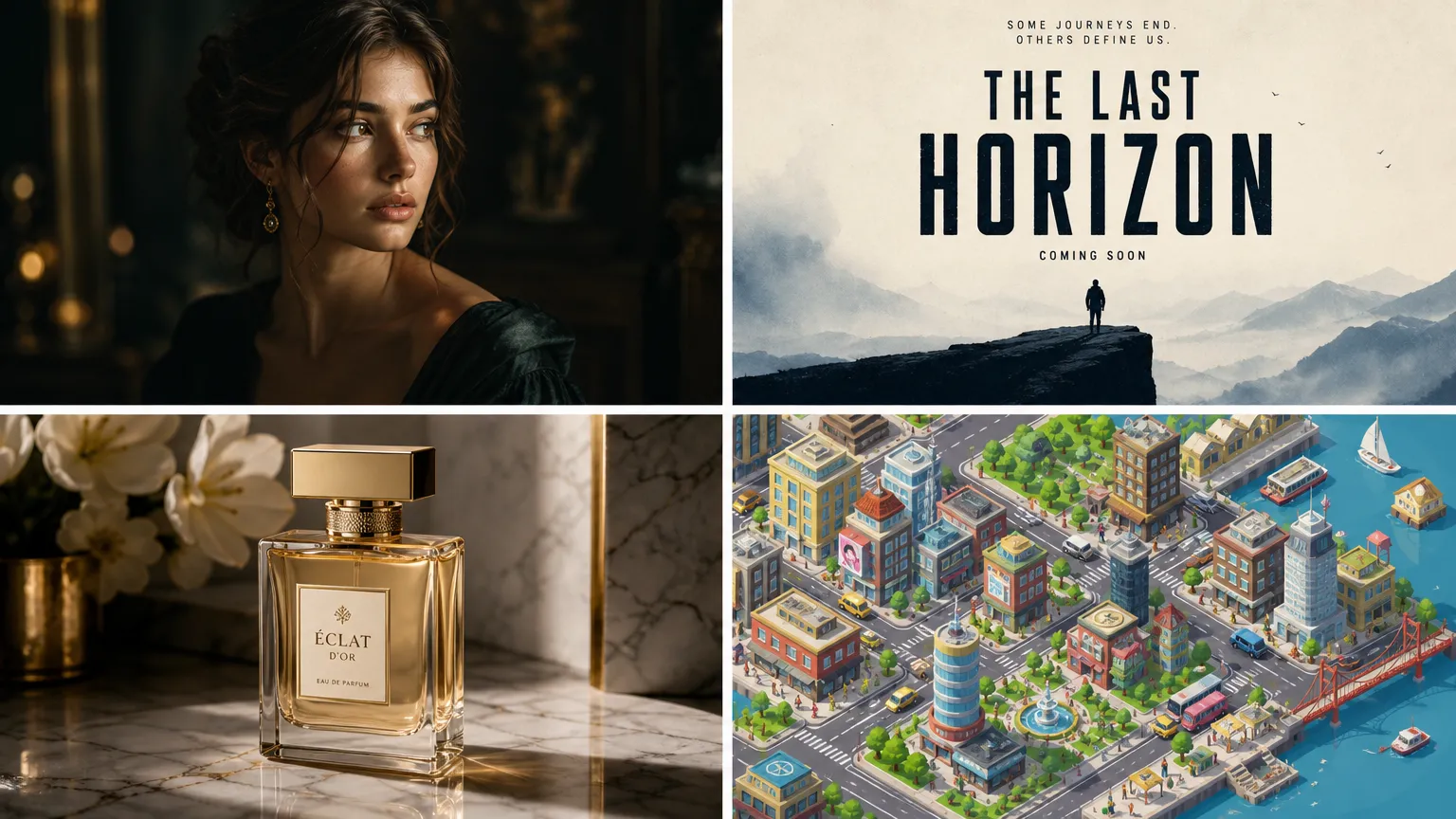
9. Poster Film Minimalis\*
[SCENE]: Ruang negatif kosong dengan satu titik fokus sentral.
[SUBJECT]: Sosok tunggal berdiri di tepi tebing, terlihat dari belakang, siluet di depan matahari terbenam oranye-merah yang masif.
[DETAILS]: Palet warna minimalis hitam, oranye, dan krem. Tipografi terinspirasi Bauhaus. Komposisi geometris yang bersih.
[USE-CASE]: Poster film independen, seni dinding sinematik.
[CONSTRAINTS]: Teks judul "THE LAST HORIZON" dalam sans-serif tebal di tengah atas, terpusat. Blok kredit dalam teks kecil di bawah. Vertikal 2:3. Tanpa tanda air.
10. Poster Konser
[SCENE]: Poster konser musik psikedelik dalam gaya poster rock San Francisco tahun 1960-an.
[SUBJECT]: Bentuk organik yang mengalir, pola paisley, gitar listrik sentral yang berubah menjadi ular kosmik, latar belakang gradien cerah dari ungu ke oranye.
[DETAILS]: Getaran warna terinspirasi Victor Moscoso, huruf yang melengkung dan mengalir namun tetap dapat dibaca, kontras tinggi.
[USE-CASE]: Promosi festival musik, merchandise band, dekorasi gaya vintage.
[CONSTRAINTS]: Teks "SUMMER OF SOUND" dalam huruf psikedelik yang mengalir di bagian atas. Tanggal "JULY 20, 2026" di bagian bawah. Vertikal 2:3.
11. Poster Peluncuran Produk\*
[SCENE]: Latar belakang studio putih bersih dengan bayangan gradien lembut di bawah produk.
[SUBJECT]: Headphone nirkabel hitam matte ramping dengan aksen rose gold, melayang pada sudut 3/4.
[DETAILS]: Pencahayaan studio dengan softbox besar dari atas-kiri, cahaya tepi halus, pantulan produk yang tajam pada permukaan putih mengkilap.
[USE-CASE]: Peluncuran produk teknologi, gambar hero e-commerce, kampanye iklan.
[CONSTRAINTS]: Teks "AURA PRO" dalam sans-serif modern yang bersih di bawah produk. Slogan "Sound, Redefined" dalam teks yang lebih kecil di bawahnya. Persegi 1:1. TANPA tanda air, TANPA tanda tangan.
12. Flyer Acara
[SCENE]: Flyer desain datar modern dengan bentuk geometris yang berani.
[SUBJECT]: Representasi abstrak konferensi teknologi — node yang saling terhubung, pola sirkuit, dan ikon panggung utama sentral.
[DETAILS]: Gradien cerah dari biru tua ke ungu elektrik, ruang putih bersih, gaya ilustrasi datar modern.
[USE-CASE]: Promosi konferensi, pengumuman pertemuan, pemasaran acara teknologi.
[CONSTRAINTS]: Judul "BUILD 2026" dalam teks tebal besar di bagian atas. "June 15-17 • San Francisco" dalam teks sedang di bawahnya. Rasio vertikal 8.5:11.
13. Sampul Menu Restoran
[SCENE]: Meja kayu pedesaan dengan tampilan dari atas.
[SUBJECT]: Hidangan Italia yang tertata apik — pasta segar, basil, tomat, minyak zaitun, dan segelas anggur merah, dikelilingi oleh rempah-rempah yang tersebar.
[DETAILS]: Pencahayaan atas yang hangat, warna jenuh yang kaya, gaya fotografi makanan dengan kedalaman bidang dangkal di tepinya.
[USE-CASE]: Sampul menu restoran, gambar hero blog makanan, promosi acara kuliner.
[CONSTRAINTS]: Teks "TRATTORIA BELLA" dalam font serif elegan di tengah atas. "Est. 1987" dalam skrip yang lebih kecil di bawahnya. Vertikal 3:4.
14. Poster Kutipan\*
[SCENE]: Pemandangan gunung saat matahari terbit dengan lapisan puncak berkabut yang menjauh ke kejauhan.
[SUBJECT]: Pemandangan alam dramatis dengan langit gradien hangat dari merah muda ke emas.
[DETAILS]: Bidikan lebar sinematik, kedalaman atmosfer, saturasi warna yang kaya, suasana inspiratif.
[USE-CASE]: Seni dinding motivasi, dekorasi kantor, postingan inspirasi media sosial.
[CONSTRAINTS]: Teks kutipan "THE BEST VIEW COMES AFTER THE HARDEST CLIMB" dalam sans-serif tebal terkondensasi, terpusat, putih dengan bayangan halus untuk keterbacaan. Vertikal 3:4.
15. Poster Perjalanan Vintage
[SCENE]: Poster perjalanan Art Deco bergaya Tokyo, Jepang.
[SUBJECT]: Gunung Fuji di latar belakang dengan matahari merah, bunga sakura membingkai pagoda tradisional di latar depan, kereta peluru melesat di sepertiga bagian bawah.
[DETAILS]: Warna datar yang berani dalam gaya poster perjalanan tahun 1930-an — langit teal, awan krem, aksen merah koral. Bentuk geometris yang bersih.
[USE-CASE]: Promosi agen perjalanan, dekorasi rumah, acara bertema.
[CONSTRAINTS]: Teks "VISIT TOKYO" dalam huruf Art Deco tebal di bagian atas. "The Land of the Rising Sun" dalam teks yang lebih kecil di bagian bawah. Vertikal 2:3.
Prompt Fotografi Produk (6 Template)
Foto produk membutuhkan pencahayaan dan deskripsi material yang tepat. GPT-Image-2 unggul di sini ketika Anda menentukan finishing permukaan secara eksplisit.
16. Botol Kosmetik Mewah\*
[SCENE]: Permukaan marmer yang dipoles dengan kelopak anggrek merah muda lembut yang tersebar di sekitarnya.
[SUBJECT]: Botol parfum kaca berfaset berisi cairan kuning, tutup emas, tanpa label, membiaskan cahaya dengan indah.
[DETAILS]: Pencahayaan difus lembut dari kiri atas, latar belakang gelap dengan satu sorotan pada botol, bidikan makro yang menunjukkan faset kaca dan kejernihan cairan, diambil dengan makro 100mm pada f/4.
[USE-CASE]: Fotografi produk merek mewah, iklan majalah.
[CONSTRAINTS]: Tanpa teks. Persegi 1:1. TANPA logo.
17. Foto Produk Sneaker
[SCENE]: Lantai beton dengan latar belakang mural grafiti yang sedikit buram.
[SUBJECT]: Sneaker high-top berwarna biru elektrik dan putih dengan aksen perak reflektif, di tengah pantulan yang membeku dalam gerakan.
[DETAILS]: Pencahayaan samping yang dramatis, blur gerakan pada latar belakang, fokus tajam pada sepatu, estetika urban.
[USE-CASE]: Pemasaran merek streetwear, kampanye rilis sneaker.
[CONSTRAINTS]: Tanpa logo merek yang terlihat. Tanpa teks. Vertikal 4:5.
18. Tata Letak Makanan (Food Flat Lay)\*
[SCENE]: Tampilan atas pada permukaan batu tulis gelap.
[SUBJECT]: Hidangan sarapan yang tertata indah — roti bakar alpukat di atas roti sourdough pedesaan, telur rebus dengan kuning telur yang meleleh, buah beri segar, cappuccino dengan latte art, rempah-rempah dan bunga yang dapat dimakan yang tersebar.
[DETAILS]: Cahaya alami terang dari jendela, tanpa bayangan langsung di bawah objek, warna jenuh yang kaya, diambil dengan 50mm pada f/8 untuk ketajaman penuh.
[USE-CASE]: Blog makanan, media sosial restoran, desain menu.
[CONSTRAINTS]: Tanpa teks. Persegi 1:1.
19. Gadget Teknologi Mengambang
[SCENE]: Latar belakang gelap seperti luar angkasa dengan gradien nebula ungu dan biru yang halus.
[SUBJECT]: Jam tangan pintar ramping dengan layar AMOLED melengkung yang menampilkan dasbor kebugaran berwarna-warni, mengambang dengan sedikit kemiringan.
[DETAILS]: Pencahayaan studio dramatis dengan cahaya tepi dalam sian dan magenta, pantulan pada layar kaca, setiap detail tajam.
[USE-CASE]: Peluncuran produk teknologi, thumbnail ulasan gadget, daftar e-commerce.
[CONSTRAINTS]: Tanpa teks di latar belakang. Teks UI layar harus bertuliskan "FITNESS" dan "10,234 steps". Persegi 1:1.
20. Makro Perhiasan
[SCENE]: Permukaan beludru hitam dengan satu tetesan embun yang memantulkan cahaya.
[SUBJECT]: Cincin pertunangan berlian dengan batu potong bulat solitaire, cincin platinum, menangkap dan membiaskan cahaya menjadi kilauan pelangi.
[DETAILS]: Bidikan makro ekstrem, fokus bertumpuk, satu sumber cahaya titik menciptakan pola bintang di berlian, diambil dengan makro 100mm pada f/8.
[USE-CASE]: Fotografi produk merek perhiasan, konten pernikahan.
[CONSTRAINTS]: Tanpa teks. Persegi 1:1.
21. Desain Kaleng Minuman
[SCENE]: Permukaan putih buram dengan tetesan kondensasi.
[SUBJECT]: Kaleng minuman aluminium ramping berwarna hijau sage matte dengan desain label minimalis, duduk di genangan air dangkal dengan percikan yang membeku di sekitar alasnya.
[DETAILS]: Fotografi kecepatan tinggi yang menangkap tetesan air di udara, pencahayaan studio terang dari atas, pantulan yang tajam.
[USE-CASE]: Peluncuran produk merek minuman, kampanye iklan.
[CONSTRAINTS]: Teks label "VERDE" dalam sans-serif minimalis tebal. "SPARKLING MINT" dalam teks yang lebih kecil di bawahnya. Vertikal 4:5.
Panduan fotografi produk AI
Prompt Desain UI dan UX (5 Template)
GPT-Image-2 dapat menghasilkan maket UI dengan teks antarmuka yang dapat dibaca — sebuah kemampuan unik di antara model gambar AI (LensGo, 2026).
22. Dasbor Aplikasi Seluler\*
[SCENE]: Antarmuka aplikasi seluler iOS yang bersih untuk aplikasi pelacak kebugaran.
[SUBJECT]: Dasbor yang menampilkan cincin aktivitas harian (bergerak, berolahraga, berdiri), grafik langkah mingguan, kartu riwayat latihan, dan bilah navigasi bawah dengan tab Beranda, Latihan, Kemajuan, dan Profil.
[DETAILS]: Mode terang dengan latar belakang putih, warna aksen hijau mint dan koral, tipografi SF Pro, sudut membulat dengan bayangan halus.
[USE-CASE]: Maket desain aplikasi, visual pitch deck, portofolio UI/UX.
[CONSTRAINTS]: Semua teks harus dapat dibaca. Teks header "Today's Activity". Vertikal 9:16. Tanpa teks placeholder — gunakan data realistis.
23. Hero Halaman Landing SaaS
[SCENE]: Bagian atas halaman landing SaaS modern untuk alat manajemen proyek.
[SUBJECT]: Sisi kiri memiliki judul "Ship Projects 3x Faster", subjudul, dan dua tombol CTA ("Start Free Trial" dan "Watch Demo"). Sisi kanan menampilkan maket antarmuka aplikasi yang bersih dengan papan kanban.
[DETAILS]: Desain minimalis, banyak ruang putih, skema warna indigo dan putih, jenis huruf Inter, latar belakang gradien halus.
[USE-CASE]: Maket desain situs web, ulasan tim pemasaran, presentasi investor.
[CONSTRAINTS]: Semua teks harus sempurna dapat dibaca. Horizontal 16:9.
24. UI Tabel Harga
[SCENE]: Tabel harga tiga tingkat untuk produk SaaS.
[SUBJECT]: Tiga kartu berdampingan — "Starter" seharga $9/bulan, "Pro" seharga $29/bulan (disorot sebagai "Paling Populer"), dan "Enterprise" seharga $99/bulan. Setiap kartu mencantumkan 4-5 fitur dengan tanda centang.
[DETAILS]: Desain datar bersih, latar belakang putih, tingkat Pro memiliki batas dan bayangan biru, tanda centang hijau, jenis huruf Inter.
[USE-CASE]: Desain halaman harga, variasi uji A/B, maket pemasaran.
[CONSTRAINTS]: Semua teks harga dan fitur harus sempurna dapat dibaca. Horizontal 16:9.
25. Alur Orientasi (Onboarding Flow)\*
[SCENE]: Alur orientasi aplikasi seluler tiga langkah yang ditampilkan sebagai tiga layar ponsel berdampingan.
[SUBJECT]: Layar 1: "Welcome to Mindful" dengan ilustrasi meditasi. Layar 2: "Track Your Progress" dengan pratinjau grafik. Layar 3: "Start Your Journey" dengan tombol "Get Started" besar.
[DETAILS]: Latar belakang gradien pastel lembut (berbeda untuk setiap layar), ilustrasi bulat yang ramah, tipografi sans-serif yang bersih.
[USE-CASE]: Portofolio UX, presentasi ulasan desain, tangkapan layar app store.
[CONSTRAINTS]: Semua teks sempurna dapat dibaca. Setiap layar ponsel vertikal 9:16. Tiga layar diatur secara horizontal.
26. Tampilan Analitik Dasbor
[SCENE]: Dasbor analitik web mode gelap.
[SUBJECT]: Navigasi atas dengan logo dan item menu. Bilah sisi kiri dengan tautan navigasi. Area utama menampilkan empat kartu KPI (Pendapatan, Pengguna, Tingkat Konversi, Sesi Rata-rata), grafik garis besar, dan grafik donat untuk sumber lalu lintas.
[DETAILS]: Latar belakang batu tulis gelap (#1a1a2e), warna aksen biru dan hijau, gaya visualisasi data yang bersih, font sistem.
[USE-CASE]: Desain produk analitik, maket panel admin, bagian portofolio.
[CONSTRAINTS]: Angka dan label KPI harus dapat dibaca: "Revenue: $48,290", "Users: 12,847", "Conversion: 3.2%", "Avg Session: 4m 12s". Horizontal 16:9.
AI untuk desain UI
Prompt Infografis dan Visualisasi Data (4 Template)
Mode Berpikir GPT-Image-2 dapat memproses prompt infografis kompleks hingga 1.000+ kata (YouTube/OpenAI, 2026). Ini menjadikannya model AI pertama yang dapat menghasilkan infografis yang koheren dan kaya data.
27. Infografis Statistik\*
[SCENE]: Infografis vertikal tentang adopsi energi terbarukan global.
[SUBJECT]: Lima bagian: (1) Judul "The Rise of Renewable Energy" dengan subjudul "2015-2025 Global Trends". (2) Grafik donat besar yang menunjukkan rincian sumber energi. (3) Tiga kotak sorotan statistik dengan angka besar. (4) Grafik batang yang membandingkan pertumbuhan tenaga surya, angin, dan hidro. (5) Footer dengan atribusi sumber.
[DETAILS]: Desain modern yang bersih, skema warna hijau dan biru, gaya ilustrasi datar, banyak ruang putih di antara bagian, Poppins atau sans-serif geometris serupa.
[USE-CASE]: Konten pendidikan, visual postingan blog, grafik berbagi media sosial.
[CONSTRAINTS]: Semua teks harus dapat dibaca. Statistik yang harus disertakan: "Solar capacity grew 450%", "Wind energy: +280%", "Hydro: +45%". Sumber: "Data: IEA Global Energy Report". Rasio vertikal 1:2 (tinggi).
28. Diagram Alir Proses
[SCENE]: Diagram alir horizontal yang menunjukkan siklus hidup pengembangan perangkat lunak.
[SUBJECT]: Enam tahap yang terhubung dari kiri ke kanan: Rencana, Desain, Kembangkan, Uji, Terapkan, Pelihara. Setiap tahap adalah persegi panjang bulat dengan ikon dan label, dihubungkan oleh panah dengan deskripsi pada konektor.
[DETAILS]: Desain datar bersih, setiap tahap dalam warna pelangi yang berbeda (merah, oranye, kuning, hijau, biru, ungu), bayangan minimal, tipografi sans-serif.
[USE-CASE]: Dokumentasi teknis, presentasi tim, materi pendidikan.
[CONSTRAINTS]: Semua label sempurna dapat dibaca: "Plan", "Design", "Develop", "Test", "Deploy", "Maintain". Horizontal 16:9.
29. Infografis Perbandingan\*
[SCENE]: Infografis perbandingan berdampingan antara kendaraan listrik vs. bensin.
[SUBJECT]: Dua kolom. Kolom kiri berlabel "Electric Vehicles" dalam warna hijau dengan 4 baris perbandingan (Biaya, Emisi, Jangkauan, Pemeliharaan). Kolom kanan berlabel "Gas Vehicles" dalam warna abu-abu dengan 4 baris yang sama. Setiap baris memiliki ikon dan titik data singkat.
[DETAILS]: Desain modern yang bersih, ikon dalam gaya datar yang konsisten, hierarki visual yang jelas, judul terpusat "EV vs. Gas: The Real Comparison".
[USE-CASE]: Konten pengambilan keputusan, blog otomotif, materi pendidikan.
[CONSTRAINTS]: Semua teks sempurna dapat dibaca. Titik data: EV — "$0.03/mi", "0 tailpipe emissions", "250mi avg range", "Low maintenance". Gas — "$0.12/mi", "20 lbs CO2/gal", "350mi range", "High maintenance". Vertikal 3:4.
30. Infografis Garis Waktu
[SCENE]: Garis waktu horizontal tonggak AI utama dari 2020 hingga 2026.
[SUBJECT]: Tujuh titik tonggak di sepanjang garis melengkung, masing-masing dengan tahun, judul singkat, deskripsi satu kalimat, dan ikon kecil. Tonggak: GPT-3 (2020), DALL-E (2021), ChatGPT (2022), GPT-4 (2023), Sora (2024), GPT-Image-1 (2025), GPT-Image-2 (2026).
[DETAILS]: Latar belakang gradien modern dari biru tua ke ungu, node bercahaya di setiap tonggak, teks sans-serif yang bersih, estetika teknologi.
[USE-CASE]: Konten blog teknologi, slide presentasi, infografis pendidikan.
[CONSTRAINTS]: Semua tahun dan deskripsi sempurna dapat dibaca. Horizontal 16:9.
Prompt Pemasaran dan Media Sosial (6 Template)
31. Template Cerita Instagram\*
[SCENE]: Desain Cerita Instagram vertikal untuk obral musim panas.
[SUBJECT]: Bagian atas: "SUMMER SALE" dalam teks tebal besar. Tengah: Tata letak datar produk musim panas (kacamata hitam, tabir surya, tas pantai). Bawah: "Up to 50% OFF" dan panah "Swipe Up".
[DETAILS]: Gradien cerah dari koral ke kuning, desain ceria, banyak energi.
[USE-CASE]: Kampanye pemasaran media sosial, promosi ritel.
[CONSTRAINTS]: Semua teks sempurna dapat dibaca. Vertikal 9:16.
32. Thumbnail YouTube
[SCENE]: Thumbnail YouTube untuk video ulasan teknologi.
[SUBJECT]: Sisi kiri: Wajah terkejut seseorang melihat smartphone. Sisi kanan: Smartphone menampilkan gambar yang dihasilkan AI yang mengesankan. Latar belakang: Gelap dengan aksen biru neon dan merah muda.
[DETAILS]: Kontras tinggi, ekspresi berani, overlay teks "GPT-Image-2 SHOCKS Everyone!" dalam warna kuning dengan garis luar hitam.
[USE-CASE]: Thumbnail video YouTube, pemasaran konten.
[CONSTRAINTS]: Teks harus tebal dan dapat dibaca dalam ukuran kecil. Horizontal 16:9.
33. Grafik Postingan LinkedIn
[SCENE]: Grafik postingan LinkedIn profesional yang bersih tentang kepemimpinan.
[SUBJECT]: Tengah: Kutipan tebal "Great leaders don't tell you what to do. They show you how it's done." Bawah: Nama penulis "— Simon T. Bailey" dalam teks yang lebih kecil. Latar belakang: Biru tua dengan pola geometris halus.
[DETAILS]: Minimalis, profesional, banyak ruang putih, serif modern untuk kutipan dan sans-serif untuk atribusi.
[USE-CASE]: Konten kepemimpinan pemikiran, media sosial profesional.
[CONSTRAINTS]: Semua teks sempurna dapat dibaca. Persegi 1:1.
34. Spanduk Header Email\*
[SCENE]: Header email horizontal untuk buletin bernama "The Weekly Byte".
[SUBJECT]: Sisi kiri: Teks logo "The Weekly Byte" dalam sans-serif modern. Sisi kanan: Ilustrasi abstrak tema byte/biner yang bergaya. Latar belakang tengah: Gradien halus dari teal ke biru tua.
[DETAILS]: Bersih, minimal, profesional. Tipografi sans-serif geometris.
[USE-CASE]: Branding buletin email, pemasaran konten.
[CONSTRAINTS]: Teks judul sempurna dapat dibaca. Rasio horizontal 3:1.
35. Kreatif Iklan Facebook
[SCENE]: Iklan Facebook untuk platform kursus online.
[SUBJECT]: Atas: Sekelompok tiga orang yang beragam melihat laptop, tersenyum, di ruang modern yang terang. Overlay bawah: "Learn Anything. Anywhere." dalam teks tebal, dengan tombol biru "Start Learning".
[DETAILS]: Cerah, aspiratif, gradasi warna hangat, titik fokus yang jelas pada orang-orang.
[USE-CASE]: Iklan media sosial berbayar, pemasaran platform kursus.
[CONSTRAINTS]: Semua teks sempurna dapat dibaca. Horizontal 1.91:1.
36. Pin Pinterest
[SCENE]: Pin Pinterest vertikal tentang "10 Aplikasi Produktivitas untuk 2026".
[SUBJECT]: Tengah: Ilustrasi bergaya ponsel yang dikelilingi oleh 10 ikon aplikasi yang diatur dalam lingkaran. Atas: "10 PRODUCTIVITY APPS" dalam teks tebal. Bawah: "That Will Change Your 2026" dalam teks yang sedikit lebih kecil.
[DETAILS]: Ilustrasi datar yang cerah, bersih, modern, palet warna hangat dengan aksen oranye dan teal.
[USE-CASE]: Pemasaran konten Pinterest, promosi blog produktivitas.
[CONSTRAINTS]: Semua teks sempurna dapat dibaca. Vertikal 2:3.
AI untuk pemasaran media sosial
Prompt Desain Logo dan Merek (4 Template)
37. Logo Teknologi Minimalis\*
[SCENE]: Terpusat pada latar belakang putih polos.
[SUBJECT]: Logo minimalis untuk startup teknologi bernama "Nexus". Ikonnya adalah abstraksi geometris dari node yang saling terhubung membentuk bentuk "N", menggunakan garis bersih dan ruang negatif.
[DETAILS]: Desain datar, dua warna — indigo tua (#312E81) dan biru elektrik (#3B82F6), tanpa gradien, seimbang sempurna dan simetris.
[USE-CASE]: Branding perusahaan teknologi, identitas startup.
[CONSTRAINTS]: Ikon logo di atas, wordmark "NEXUS" dalam sans-serif geometris bersih di bawah. Persegi 1:1. Hanya latar belakang putih.
38. Logo Merek Kopi
[SCENE]: Terpusat pada latar belakang cokelat kertas kraft.
[SUBJECT]: Logo gaya vintage untuk roaster kopi bernama "Maple & Roast". Elemen sentral: Biji kopi di dalam lencana melingkar, dikelilingi oleh karangan bunga laurel, dengan pita spanduk.
[DETAILS]: Gaya ukiran vintage yang digambar tangan, monokrom dalam krem/putih pada latar belakang cokelat, bertekstur seperti cetakan stempel.
[USE-CASE]: Branding kedai kopi, desain kemasan, merchandise.
[CONSTRAINTS]: Teks "MAPLE & ROAST" dalam serif vintage melengkung di sekitar bagian atas lingkaran. "EST. 2026" di bagian bawah. Persegi 1:1.
39. Ikon Aplikasi Kebugaran\*
[SCENE]: Terpusat pada latar belakang polos, format ikon aplikasi.
[SUBJECT]: Ikon aplikasi tebal untuk aplikasi kebugaran bernama "Pulse". Ikonnya adalah garis detak jantung/denyut nadi yang bergaya membentuk huruf "P", di dalam persegi bulat.
[DETAILS]: Gradien cerah dari koral (#FF6B6B) ke oranye (#FF8E53) sebagai latar belakang, garis denyut nadi putih, modern dan energik.
[USE-CASE]: Ikon aplikasi seluler, identitas merek kebugaran.
[CONSTRAINTS]: Tanpa teks selain ikon. Persegi 1:1 dengan sudut membulat (seperti ikon aplikasi iOS).
40. Monogram Mode Mewah
[SCENE]: Terpusat pada latar belakang hitam.
[SUBJECT]: Logo monogram mewah untuk merek mode "VÉLA". Dua huruf "V" yang saling terkait dalam serif kontras tinggi yang elegan, menciptakan lambang simetris.
[DETAILS]: Tekstur foil emas pada huruf (#D4AF37), latar belakang hitam, halus dan minimal, estetika mode tinggi.
[USE-CASE]: Branding mode mewah, tag produk, logo situs web.
[CONSTRAINTS]: Teks "VÉLA" di bawah monogram dalam serif bersih. Persegi 1:1.
Prompt Artistik dan Ilustrasi (5 Template)
41. Kota Isometrik\*
[SCENE]: Kota pulau isometrik yang mengambang.
[SUBJECT]: Kota mini yang detail dengan bangunan kecil, taman, jalan, sungai, pohon, dan kendaraan kecil, semuanya dalam perspektif 3D isometrik. Kota ini terletak di bongkahan batu mengambang dengan rumput dan air terjun yang menetes dari tepinya.
[DETAILS]: Palet warna pastel lembut, rendering gaya vektor yang bersih, bayangan oklusi ambien lembut, sudut isometrik tepat 30 derajat.
[USE-CASE]: Seni dekoratif, ilustrasi blog teknologi, desain wallpaper.
[CONSTRAINTS]: Tanpa teks. Persegi 1:1.
42. Gelombang Ukiyo-e Jepang
[SCENE]: Adegan laut gaya cetakan balok kayu tradisional Jepang.
[SUBJECT]: Gelombang besar dalam gaya "Great Wave off Kanagawa" karya Hokusai, tetapi ditata ulang dengan elemen modern — peselancar menunggangi gelombang, cakrawala kota di latar belakang yang jauh.
[DETAILS]: Palet warna Ukiyo-e tradisional (biru prusia, gading, koral), tekstur balok kayu, perspektif datar dengan kedalaman berlapis.
[USE-CASE]: Cetakan seni, ilustrasi blog budaya, dekorasi dinding.
[CONSTRAINTS]: Tanpa teks. Vertikal 2:3.
43. Pemandangan Cat Air
[SCENE]: Lukisan cat air yang tenang dari pedesaan Tuscan.
[SUBJECT]: Bukit-bukit bergulir dengan pohon cemara, rumah pertanian batu, jalan tanah berliku, kebun anggur, dan langit matahari terbenam yang hangat dengan awan lembut.
[DETAILS]: Teknik cat air yang longgar dengan sapuan kuas yang terlihat dan warna yang berdarah, palet golden hour yang hangat, tepi lembut, tekstur kertas tradisional.
[USE-CASE]: Cetakan seni, kartu ucapan, ilustrasi blog.
[CONSTRAINTS]: Tanpa teks. Vertikal 3:4.
44. Pemandangan Kota Cyberpunk\*
[SCENE]: Kota futuristik yang bermandikan neon di malam hari pada tahun 2099.
[SUBJECT]: Gedung pencakar langit padat dengan iklan holografik, kendaraan terbang, jalanan basah kuyup yang memantulkan tanda neon, uap naik dari kisi-kisi, wajah holografik masif diproyeksikan di langit.
[DETAILS]: Estetika Blade Runner, warna dominan sian, magenta, dan kuning, kabut atmosfer dramatis, sudut lebar sinematik.
[USE-CASE]: Seni sci-fi, wallpaper, konsep lingkungan game.
[CONSTRAINTS]: Tanda neon harus memiliki teks yang dapat dibaca: "NEO TOKYO", "NOODLES", "CYBER ARMS". Vertikal 3:4.
45. Ilustrasi Buku Anak
[SCENE]: Interior rumah pohon yang nyaman saat waktu tidur.
[SUBJECT]: Seekor rubah kecil berpiyama membaca buku dengan cahaya lilin, dikelilingi tumpukan buku, seekor burung hantu tidur di tenggeran, bintang-bintang terlihat melalui jendela bulat.
[DETAILS]: Gaya cat air lembut dan pensil warna, palet hangat yang nyaman, pencahayaan lembut, aneh dan mengundang.
[USE-CASE]: Ilustrasi buku anak, dekorasi kamar bayi, konten pendidikan.
[CONSTRAINTS]: Tanpa teks. Persegi 1:1.
Prompt Gaya Fotografi (5 Template)
46. Pemandangan Golden Hour\*
[SCENE]: Ladang lavender yang luas di Provence, Prancis, saat golden hour.
[SUBJECT]: Barisan lavender ungu tak berujung membentang ke cakrawala, sebuah rumah pertanian batu tunggal di kejauhan, langit matahari terbenam yang hangat dengan awan merah muda dan emas yang lembut.
[DETAILS]: Diambil dengan lensa sudut lebar 24mm pada f/8, semuanya tajam dari bunga latar depan hingga cakrawala, cahaya alami yang hangat, kontras warna ungu dan emas yang kaya.
[USE-CASE]: Blog perjalanan, seni dinding, fotografi kalender.
[CONSTRAINTS]: Tanpa teks. Horizontal 3:2.
47. Fotografi Jalanan
[SCENE]: Sore hujan di distrik Shinjuku Tokyo.
[SUBJECT]: Seseorang dengan payung bening berjalan melalui gang yang diterangi neon, pantulan di genangan air, uap dari warung makan, pejalan kaki yang buram di latar belakang.
[DETAILS]: Diambil dengan 35mm pada f/1.8, kedalaman bidang dangkal pada subjek utama, gradasi warna sinematik dengan bayangan teal dan sorotan hangat, gaya dokumenter candid.
[USE-CASE]: Portofolio fotografi perjalanan, konten editorial.
[CONSTRAINTS]: Tanpa teks. Vertikal 2:3.
48. Fotografi Arsitektur\*
[SCENE]: Rumah modern minimalis dari beton dan kaca saat senja.
[SUBJECT]: Arsitektur geometris bersih dengan jendela besar dari lantai ke langit-langit yang bersinar hangat dari dalam, kolam renang tanpa batas yang memantulkan fasad, dikelilingi oleh lanskap gurun minimal.
[DETAILS]: Pencahayaan blue hour, eksposur panjang yang menghaluskan air, diambil dengan tilt-shift 17mm pada f/11 untuk perspektif dan ketajaman yang sempurna.
[USE-CASE]: Portofolio arsitektur, daftar real estat, blog desain.
[CONSTRAINTS]: Tanpa teks. Horizontal 16:9.
49. Makro Alam
[SCENE]: Close-up ekstrem tetesan embun pada jaring laba-laba.
[SUBJECT]: Satu tetesan embun bulat sempurna yang tergantung pada benang sutra, membiaskan gambar terbalik lengkap dari taman di belakangnya, untaian jaring menangkap cahaya pagi.
[DETAILS]: Makro ekstrem, fokus bertumpuk, diambil dengan makro 100mm pada f/8, cahaya latar pagi keemasan menciptakan efek prismatik pada tetesan air.
[USE-CASE]: Portofolio fotografi alam, konten lingkungan, wallpaper.
[CONSTRAINTS]: Tanpa teks. Persegi 1:1.
50. Astrofotografi\*
[SCENE]: Galaksi Bima Sakti melengkung di atas Delicate Arch di Utah.
[SUBJECT]: Lengkungan batu pasir alami yang disiluetkan di depan pita bintang Bima Sakti yang cemerlang, dengan cahaya udara hijau di dekat cakrawala, dan beberapa meteor melesat melintasi langit.
[DETAILS]: Astrofotografi eksposur panjang, diambil dengan 14mm pada f/2.8, eksposur 25 detik, ISO tinggi dengan pengurangan noise, warna bintang yang kaya dan dalam.
[USE-CASE]: Fotografi alam, blog perjalanan, seni dinding.
[CONSTRAINTS]: Tanpa teks. Horizontal 3:2.
Tips Pro untuk Hasil GPT-Image-2 yang Lebih Baik
Setelah menjalankan 500+ generasi di seluruh template ini, berikut adalah pola yang secara konsisten menghasilkan hasil yang lebih baik:
1. Selalu gunakan batasan negatif. Menambahkan "TANPA tanda air, TANPA tanda tangan, TANPA artefak" di akhir prompt apa pun menghilangkan masalah kualitas yang paling umum. GPT-Image-2 menangani prompt negatif lebih baik daripada model sebelumnya.
2. Tentukan teks yang tepat dalam tanda kutip. Ketika Anda ingin teks dalam gambar, letakkan dalam tanda kutip di dalam prompt. GPT-Image-2 merender teks yang dikutip dengan akurasi mendekati sempurna, tetapi teks yang dijelaskan secara longgar ("tambahkan judul") menghasilkan hasil yang tidak terduga.
3. Gunakan Mode Berpikir. Mode Berpikir GPT-Image-2 memproses prompt kompleks hingga 1.000+ kata. Prompt yang lebih panjang dan lebih detail secara konsisten mengungguli yang singkat — model menggunakan informasi tambahan untuk membuat keputusan komposisi yang lebih baik (YouTube/OpenAI, 2026).
4. Kunci rasio aspek Anda. Selalu tentukan rasio aspek secara eksplisit. Tanpa itu, GPT-Image-2 akan default ke persegi, yang mungkin tidak sesuai dengan kasus penggunaan Anda. Rasio umum: 16:9 (gambar hero), 9:16 (cerita), 1:1 (postingan sosial), 2:3 (poster), 3:2 (fotografi).
5. Iterasi pada deskripsi material. Pengungkit kualitas terbesar adalah spesifisitas material permukaan. "Cangkir keramik" itu samar. "Cangkir keramik stoneware hitam matte dengan cincin kaki mentah tanpa glasir dan interior mengkilap halus" memberikan GPT-Image-2 detail yang cukup untuk merender secara fotorealistik.
Penjelasan mendalam rekayasa prompt
Pertanyaan yang Sering Diajukan
Berapa panjang seharusnya prompt GPT-Image-2?
Prompt GPT-Image-2 terbaik adalah 50–200 kata, disusun menggunakan template Adegan/Subjek/Detail/Kasus Penggunaan/Batasan. Mode Berpikir GPT-Image-2 dapat memproses prompt hingga 1.000+ kata, jadi jangan takut untuk detail. Prompt singkat di bawah 20 kata menghasilkan hasil yang generik dan tidak terduga (fal.ai, 2026).
Bisakah GPT-Image-2 menghasilkan karakter yang konsisten di beberapa gambar?
Ya, tetapi ini membutuhkan deskripsi karakter yang konsisten yang disertakan dalam setiap prompt. Tentukan atribut fisik, pakaian, dan fitur pengenal yang tepat. Untuk konsistensi sempurna di seluruh seri, gunakan gambar referensi — GPT-Image-2 mendukung 1–2 gambar referensi per generasi (OpenAI, 2026).
Apakah GPT-Image-2 berfungsi untuk teks non-Inggris?
Ya. GPT-Image-2 merender teks dengan akurasi 99%+ di seluruh skrip Latin, CJK (Tiongkok, Jepang, Korea), dan Arab. Untuk proyek multi-bahasa, ini adalah satu-satunya model gambar AI yang secara andal menangani teks non-Latin (tosea.ai, 2026).
Berapa biaya untuk menggunakan prompt ini?
Pada kualitas standar, GPT-Image-2 berharga $0.005–$0.013 per gambar, artinya Anda dapat menjalankan semua 50 prompt dalam panduan ini dengan biaya kurang dari $1. Pada kualitas tinggi (resolusi 2K, Mode Berpikir), biaya berkisar dari $0.04–$0.21 per gambar (CostGoat, 2026).
Bisakah saya menggunakan prompt ini dengan Seedream atau Flux?
Ya, template prompt ini berfungsi dengan model gambar AI apa pun, tetapi hasilnya akan bervariasi. GPT-Image-2 menghasilkan rendering teks dan komposisi kompleks terbaik. Seedream 5.0 Pro unggul dalam potret fotorealistik. Flux 2 memiliki kepatuhan prompt terbaik. Untuk optimasi khusus model, lihat panduan perbandingan model kami.
Kesimpulan
50+ prompt ini mencakup kasus penggunaan paling umum untuk GPT-Image-2 pada tahun 2026. Kunci untuk hasil yang bagus adalah struktur: selalu gunakan template Adegan/Subjek/Detail/Kasus Penggunaan/Batasan, tentukan teks dalam tanda kutip, tambahkan batasan negatif, dan biarkan Mode Berpikir memproses instruksi detail Anda.
Mulai dengan prompt yang ditandai bintang (\*) — itu adalah prompt yang secara konsisten menghasilkan hasil berkualitas tinggi pada percobaan pertama. Kemudian sesuaikan template dengan kebutuhan spesifik Anda dengan menukar subjek, menyesuaikan pencahayaan, atau mengubah rasio aspek.
Dengan GPT-Image-2 merender teks dengan akurasi 99%+ dan biaya serendah $0.005 per gambar, tidak pernah ada waktu yang lebih baik untuk bereksperimen dengan pembuatan gambar AI (OpenAI, 2026).
Coba prompt ini di generator gambar AI PixMind
Siap untuk mulai berkreasi? Buka generator GPT-Image-2 di PixMind. Salin prompt apa pun dari panduan ini, tempelkan, dan lihat apa yang Anda dapatkan. Kemudian iterasi — hasil terbaik selalu datang dari generasi kedua atau ketiga.
Sumber
- OpenAI, Introducing ChatGPT Images 2.0, diambil 2026-07-11, https://openai.com/index/introducing-chatgpt-images-2-0/
- OpenAI, GPT Image 2 Model Documentation, diambil 2026-07-11, https://developers.openai.com/api/docs/models/gpt-image-2
- OpenAI, GPT Image Generation Models Prompting Guide, diambil 2026-07-11, https://developers.openai.com/cookbook/examples/multimodal/image-gen-models-prompting-guide
- tosea.ai, How to Use GPT Image 2: Complete Guide, diambil 2026-07-11, https://tosea.ai/blog/gpt-image-2-complete-guide
- fal.ai, GPT Image 2 Prompting Guide and Examples, diambil 2026-07-11, https://fal.ai/learn/tools/prompting-gpt-image-2
- CostGoat, OpenAI Images Pricing Calculator, diambil 2026-07-11, https://costgoat.com/pricing/openai-images
- Autofaceless.ai, AI Image Generation Statistics 2026, diambil 2026-07-11, https://autofaceless.ai/blog/ai-image-generation-statistics-2026
- LensGo, GPT Image 2 vs Flux: Which Image Model Should You Use?, diambil 2026-07-11, https://lensgo.ai/blog/gpt-image-2-vs-flux
- Atlas Cloud, 50+ Prompts for Product Photos, UI Design, and Marketing Visuals, diambil 2026-07-11, https://www.atlascloud.ai/blog/guides/gpt-image-2-prompts-guide
- Reddit r/promptingmagic, The Complete Field Guide to ChatGPT Images 2.0, diambil 2026-07-11, https://www.reddit.com/r/promptingmagic/comments/1ss8j4e/
- YouTube, Slides & Infographics with ChatGPT Images 2.0, diambil 2026-07-11, https://www.youtube.com/watch?v=B-73tuAHBo8