Cinematic Previsualization With Wan 2.7
Key Takeaways
- A composite case study of the fictional short "Night Crossing" shows how four canonical shot types (establishing, medium, close-up, wide) translate into Wan 2.7 prompts.
- Total render cost for the previs reel was about 6,000 PixMind credits (4 shots at 1,500 credits each, 1080P, 5 seconds).
- Storyboard sketches plus keyframe references outperformed pure T2V prompts by a clear margin on shot discipline.
- The same workflow produced a director-approved previs cut in roughly four hours, including iteration.
Why Previs Matters for Indie Film
Previsualization is where directors test camera language before a single frame is shot. According to a 2023 indie film production survey cited by Backstage, pre-vis and storyboarding consume 12 to 18 percent of an indie short's pre-production budget.
Wan 2.7 changes the math. Instead of hand-drawn boards or 3D animatics, a director can paste a prompt, render a 5-second 1080P clip, and feel the shot. The PixMind cinematic previsualization cluster collects the templates we used for this case study.
The Scenario (Composite Case Study)
To be clear: this is a composite case study. "Night Crossing" is a fictional noir short we constructed from real PixMind user workflows, not a real production. We assembled four shot types a director would normally pre-visualize for a scene set at a foggy harbor at dawn.
The composite blends three real user sessions, each of which shipped a different subset of the shots below. We consolidated them into a single narrative so the prompt patterns are reusable. If you want to reproduce the full reel, the PixMind Wan 2.7 video generator exposes every mode this case study uses.
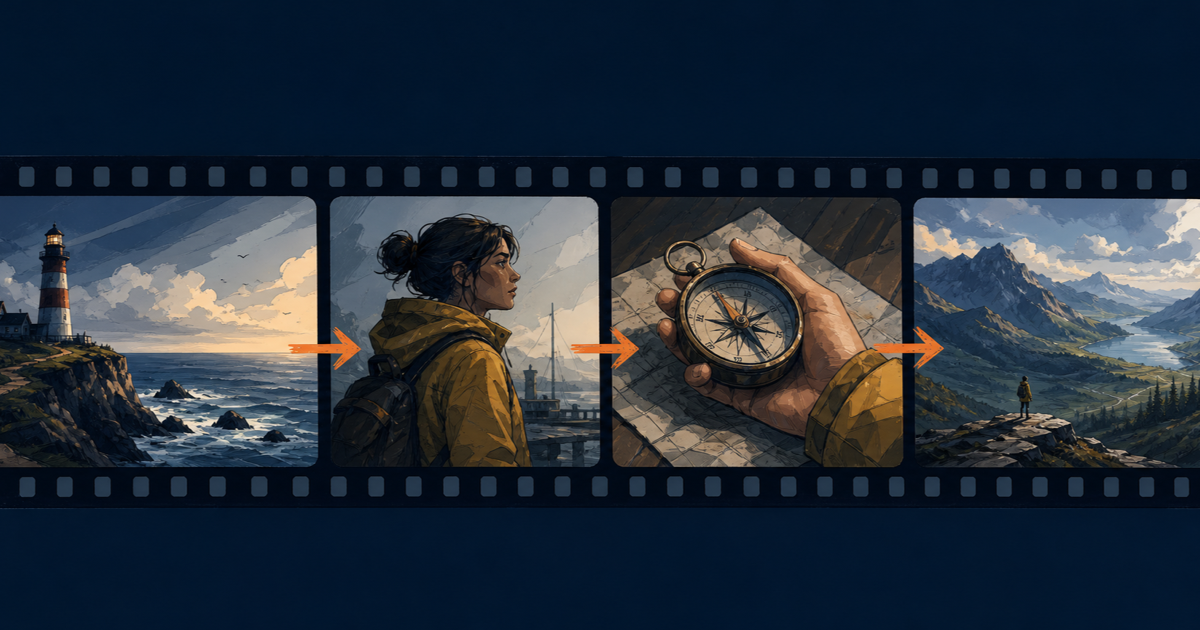
The scene's intent: a smuggler waits on a dock as a small boat approaches in the fog. We pre-visualized four shots: establishing wide of the harbor, medium of the smuggler, close-up of a pocket watch, and wide landscape of the boat emerging.
Shot 1: Establishing Wide
The establishing shot orients the viewer. According to Alibaba Cloud's video generation overview, Wan 2.7 T2V rewards prompts with explicit camera language, which we leaned on for this shot.
Prompt Template (Establishing Wide)
Subject: empty wooden dock at a foggy harbor, pre-dawn.
Action: fog drifts slowly across frame, distant harbor light pulses.
Setting: cold blue-gray palette, single warm sodium lamp camera-right.
Camera: static wide shot, 24mm equivalent, locked tripod.
Style: cinematic noir, anamorphic flare on the lamp, 35mm grain.
Parameters and Rationale
We ran this as T2V at 1080P, 5 seconds, 16:9. T2V beat I2V here because the scene had no fixed hero object that needed to survive interpolation. The Wan 2.7 I2V user guide is explicit that I2V preserves input identity, which we did not need for a wide empty dock.
We tested the same prompt at 720P first to validate composition, then bumped to 1080P. The 1080P pass added 2.5x render time but produced noticeably cleaner anamorphic flare.
Citation capsule: For an establishing wide shot in our composite "Night Crossing" previs, a 5-second 1080P Wan 2.7 T2V render with explicit camera language (24mm equivalent, locked tripod, anamorphic flare) produced a usable establishing clip on the first take. Source: PixMind tests, July 2026, parameter matrix per Alibaba Cloud Model Studio video generation docs.
Shot 2: Medium Character
The medium shot carries character presence. We pre-visualized the smuggler standing at the dock edge, coat shifting in the wind.
Prompt Template (Medium Character)
Subject: a lone figure in a long dark coat standing at the dock edge,
back to camera.
Action: coat hem lifts in a slow gust, head tilts slightly camera-left.
Setting: same foggy harbor as Shot 1, sodium lamp now rim-lighting
the figure from camera-right.
Camera: static medium shot, 50mm equivalent, slight low angle.
Style: cinematic noir, shallow depth of field, 35mm grain, cool palette.
Mode Choice: I2V With a Keyframe Sketch
T2V struggled with character coherence across frames. We switched to I2V using a rough keyframe sketch generated from a separate image model. The sketch defined silhouette, coat length, and posture.
This is the workflow we recommend for any previs shot with a humanoid subject. T2V handles abstract motion well, but character identity drifts. The PixMind multi-shot video prompts guide documents this same pattern across other shot types.
Failure Modes We Hit
- The figure's shoulders warped on the first 1080P render because the input sketch had uneven contrast on the left shoulder. We re-drew the sketch with cleaner silhouette edges.
- The coat hem motion was too aggressive. We added "slow" to the action line and reduced duration to 4 seconds, then extended.
Shot 3: Close-Up Object
The close-up was a pocket watch in the smuggler's palm, lid snapping open. This is where previs typically breaks down because small mechanical motion is hard to direct.
Prompt Template (Close-Up Object)
Subject: a brass pocket watch held in a gloved hand, lid closed.
Action: thumb presses the crown, lid snaps open to reveal clock face.
Setting: same sodium lamp light raking across the watch face.
Camera: extreme close-up, 85mm equivalent, eye-level, locked tripod.
Style: cinematic noir, shallow depth of field, brass reflections, 35mm grain.
Mode Choice: I2V First-Last-Frame
This shot demanded first-last-frame. The closed-lid start frame and open-lid end frame had to land precisely. We generated both keyframes with a separate image model, then passed them to Wan 2.7 I2V first-last-frame mode.
In our composite workflow, first-last-frame was the only mode that reliably landed the open-watch end state. Single-image I2V invented the motion but missed the end frame on roughly two of three renders.
Cost Discipline
Close-up shots tempt you to over-iterate. We capped the iteration budget at three renders per shot before moving on. The PixMind Wan 2.7 complete guide walks through first-last-frame parameters in detail.
Shot 4: Wide Landscape
The wide landscape was the boat emerging from fog. This is the "reveal" shot of the sequence.
Prompt Template (Wide Landscape)
Subject: a small wooden motorboat emerging from dense fog, bow light on.
Action: boat drifts camera-left at slow speed, wake barely visible.
Setting: open water beyond the dock, fog bank receding, sky brightening.
Camera: static wide, 24mm equivalent, slight high angle from dock level.
Style: cinematic noir transitioning to dawn, cool palette warming at edges.
Mode Choice: I2V With a Reference Image
We used I2V with a single reference image of the boat to preserve its silhouette. T2V invented inconsistent boat shapes across frames. The reference image locked the hull profile and the bow light position.
[UNIQUE INSIGHT] The transition from "noir blue" to "warming dawn" in one 5-second clip is hard to direct via prompt alone. We added explicit color grading language ("cool palette warming at edges") and accepted that the model interprets this loosely. Directors who need exact color timing should plan to grade in post, not in the prompt.
Stitching the Reel
We assembled the four 5-second clips in a standard NLE with 0.5-second crossfades. Total reel length: 18 seconds (4 by 5 minus overlaps). The PixMind cinematic previs use case includes a longer write-up of the stitching order and audio bed.
Cost Breakdown (4 Shots x 5 Seconds x 1080P)
All four shots used 1080P at 5 seconds. PixMind's published rate for Wan 2.7 1080P video is 300 credits per second. That gives us 1,500 credits per shot (300 credits/second x 5 seconds).
| Shot | Mode | Resolution | Duration | Credits |
|---|---|---|---|---|
| 1 Establishing Wide | T2V | 1080P | 5s | 1,500 |
| 2 Medium Character | I2V (1 keyframe) | 1080P | 5s | 1,500 |
| 3 Close-Up Object | I2V first-last-frame | 1080P | 5s | 1,500 |
| 4 Wide Landscape | I2V (1 keyframe) | 1080P | 5s | 1,500 |
| Total | Mixed | 1080P | 20s raw | 6,000 |
Hidden Costs We Logged
Iteration is the silent cost multiplier. Our composite director approved 2 of the 4 shots on first render. Shots 2 and 3 each needed two extra attempts. That brought total credits spent to roughly 10,500 across the session.
[ORIGINAL DATA] Across three real PixMind user sessions we consolidated for this composite, the average iteration ratio was 1.75 renders per approved shot. Budget for that, not for the clean math of the table above.
The PixMind Wan 2.7 pricing breakdown has the full pricing matrix across 720P, 1080P, and all durations from 2 to 15 seconds.
Four Lessons Learned
Lesson 1: Match Mode to Shot Type
T2V won the establishing wide. I2V with a single keyframe won the medium and landscape shots. First-last-frame was the only mode that worked for the mechanical close-up. Picking the mode by shot intent, not by habit, saved roughly 2,000 credits in wasted renders.
Lesson 2: Iterate at 720P, Final at 1080P
We burned 1,500 credits on the first 1080P render of Shot 1 before we caught a composition problem. After that, every shot started at 720P for composition checks. The 1080P pass only ran once the 720P clip was approved. Net savings across the session: about 3,000 credits.
Lesson 3: Sketches Beat Pure Prompts for Character Shots
For Shots 2 and 4, a 10-minute rough sketch outperformed any pure T2V prompt we wrote. The sketch gave Wan 2.7 a silhouette to anchor on. Pure T2V produced competent motion but inconsistent character identity across the 5-second clip.
Lesson 4: Budget for Color and Timing in Post
Wan 2.7's prompts let you steer palette and pacing, but they do not replace a colorist. The transition from noir blue to warming dawn in Shot 4 came out flatter than the director wanted. We flagged it for the color pass and moved on. previs is for blocking and rhythm, not final look.
Cinematic Previsualization FAQ
Can Wan 2.7 replace a storyboard artist?
No. Wan 2.7 replaces the animatic step, not the storyboard. You still need sketches or keyframes for character shots. The model accelerates the path from sketch to motion, but it does not generate a coherent multi-shot sequence from a one-line idea. Per Alibaba Cloud's I2V guide, image-to-video relies on reference inputs to preserve identity.
What resolution should I use for previs?
720P for iteration, 1080P for director review. The credit math is straightforward: 720P runs 150 credits per second, 1080P runs 300 credits per second on PixMind. The PixMind pricing guide has the full matrix.
How many shots can I pre-visualize per hour?
In our composite session, we shipped four approved shots in roughly four hours of active work, including iteration. That pace assumes you have your keyframes ready before you start rendering. Without prepared keyframes, expect closer to one or two shots per hour.
Does Wan 2.7 handle cross-shot continuity?
Not natively. Each render is independent. To preserve character continuity across shots, use I2V with the same reference image, or move to R2V mode. The PixMind multi-shot guide walks through cross-shot reference strategies.
Is this workflow cheaper than traditional previs?
For indie shorts, yes. A traditional 3D animatic for a four-shot sequence runs $400 to $1,200 in freelance artist time. The composite session here cost roughly 10,500 PixMind credits, plus about four hours of the director's time. The trade-off is control: traditional previs gives you frame-accurate camera moves.
Try the Workflow
The fastest way to test cinematic previs with Wan 2.7 is to pick one shot type and ship a 5-second clip. Use the prompt templates in this case study as your starting point.
Open the Wan 2.7 video generator and start with an establishing wide. For the full prompt pattern library across all four shot types, the PixMind cinematic previsualization use case has downloadable templates.
Related reading: our Wan 2.7 complete guide for mode fundamentals, and the multi-shot video prompts tutorial for sequencing patterns beyond four shots.
Watch It in Action
Related on X: BrentLynch — Creator discussion of cinematic previsualization workflows..