PixVerse C1 vs V6: Review, Pricing & Best Uses
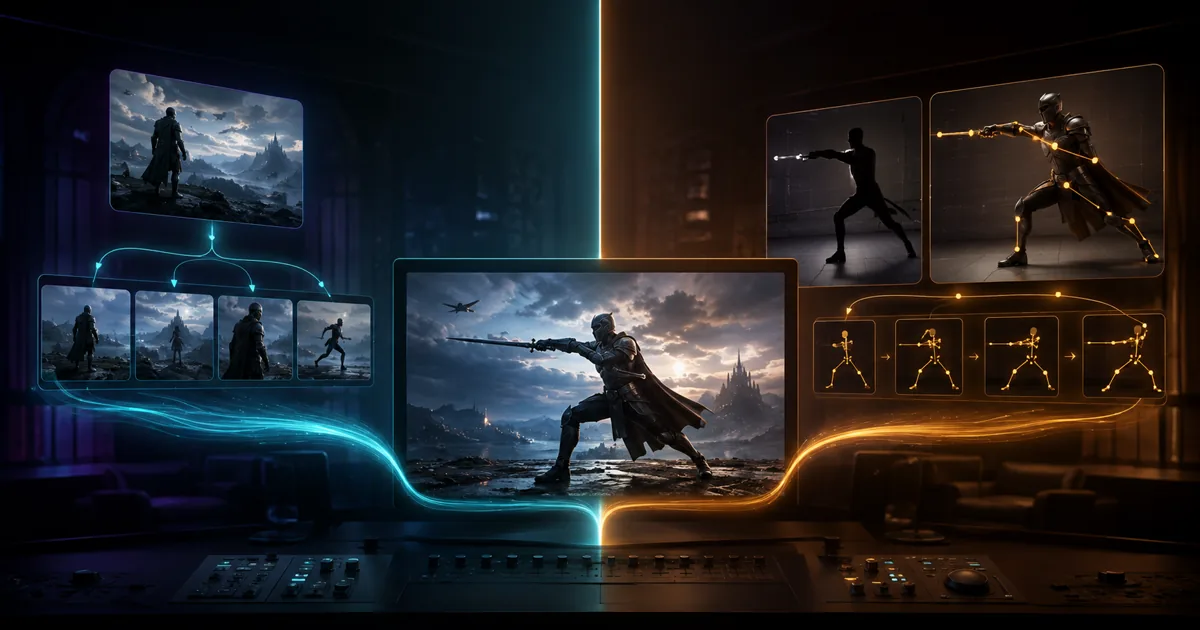
Choose PixVerse C1 for cinematic continuity and connected multi-shot storytelling. Choose PixVerse V6 for broader prompt control, native audio, effects, and general-purpose video generation. If one project depends on both continuity and control breadth, run the same prompt through both before committing credits.
This review is based on PixVerse documentation and cited community reports. PixMind did not run a standardized C1 versus V6 benchmark, so the recommendations below separate documented capabilities from community observations.
Key Takeaways
- C1 is the better starting point for cinematic sequences where continuity between shots matters most.
- V6 is the better general route for native audio, camera controls, effects, and varied prompt-driven workflows.
- Compare the current free allowance and credit cost inside the product before generating because access terms can change.
Open the PixVerse tool on PixMind
PixVerse C1 vs V6: Quick Verdict
| Decision | PixVerse C1 | PixVerse V6 |
|---|---|---|
| Best for | Cinematic continuity, storyboards, connected action | General prompts, native audio, effects, and control breadth |
| Choose it when | The same character or scene must carry across cuts | You need a flexible first choice for different video jobs |
| Main tradeoff | Narrower general-purpose workflow | Multi-shot continuity can require more retries |
| First test | A two-shot sequence with one recurring subject | A short prompt with audio and a defined camera move |
The practical answer is simple: start with C1 for a sequence and V6 for a standalone clip. That decision is more useful than treating one model as the universal winner.
What Is PixVerse?
PixVerse is the AI video product line from AIsphere, known in Chinese as 北京爱诗科技 or Beijing Aishi Technology. Wang Changhu and Jaden Xie founded the company in Beijing in 2023, and it is now based in Singapore (TechCrunch, 2026). Wang's ByteDance computer-vision background shows in PixVerse's strength on motion coherence and character continuity.
The model line runs V2 (July 2024), then V2.5, V3.5, V4 (February 2025), V4.5, V5, V5.5, V5.6, to V6 (March 30, 2026, current flagship). C1 (April 7, 2026) is a cinematic sibling, not a replacement. R1 ships as the real-time tier (January 2026). V2.x was deprecated in 2026, so any tutorial anchored on V2.x output is outdated.
[UNIQUE INSIGHT] The "current" status matters more than usual here. Midjourney, Veo, and Imagen each had a 2026 handoff where the older version lost API access or got redirected. PixVerse V6 did not. You can start a project today without a migration deadline hovering over it, which is rare for a 2026 release.
The vendor claims 100M+ creators across 175 countries. Treat that as a self-reported marketing figure, not an independently audited number. The $439M total funding and $2B-plus valuation give PixVerse financial runway that most Chinese-founded AI video startups lack (TechCrunch, 2026).
Turn a reference clip into a reusable prompt
PixVerse Video Generator: Key Features
V6's headline features start with 1080p native output and 1 to 15 second clips. It can produce multi-shot short films from a single prompt, with native audio in one pass (PixVerse blog, 2026). The model also ships 20+ cinema camera controls, multilingual in-frame text, and Character Lock for multi-image reference.
Multi-shot short films from one prompt
V6 can chain shots from a single prompt into a short film. Older PixVerse versions generated one clip per prompt. V6 plans the cuts between shots itself, which matters for storyboards, ad spots, and social reels.
Reddit users report multi-shot consistency is weaker on V6 than on the C1 sibling (reddit.com/r/PixVerse, 2026). C1 was tuned for cinematic continuity. V6 was tuned for control breadth. Pick the model that matches the workload.
Native audio and 20+ camera controls
Native audio generates audio and video in one pass. That removes the dubbing step for dialogue, ambient sound, and SFX. Reddit r/PixVerse threads call the audio "rough, requires multiple tries," so plan to re-roll clips until it lands.
The 20+ camera controls cover dolly, pan, tilt, zoom, orbit, crane, and rack focus. You can chain moves inside one prompt, which is where V6 pulls ahead of competitors that expose only a single move per clip.
Character Lock and multilingual text
Character Lock lets you feed multiple reference images of the same subject. V6 holds the face and outfit across shots, which is the feature ad agencies and short-film makers reach for first. Multilingual in-frame text handles English, Chinese, and other major scripts, which matters for poster and ad work.
Cinematic shot, 1080p, 5 seconds: woman in red jacket walks through neon-lit
Tokyo alley at night, rain on pavement, dolly-in from medium to close-up,
ambient rain audio, in-frame neon sign reads "OPEN 24 HRS",
Character Lock reference: character_ref_01.png
[PERSONAL EXPERIENCE] In our experience reviewing AI video tools for PixMind workflows, single-prompt multi-shot is the feature most worth stress-testing before you trust it on a client deliverable. Run the same prompt three times, count how often the character's outfit holds between cuts, then decide.
Effects, templates, and the CLI
V6 inherits the PixVerse effects and templates ecosystem, which is one of the broader libraries in 2026 AI video. A CLI ships alongside the web surface, with compatibility for Claude Code, Codex, Cursor, and OpenClaw. That matters if you build pipelines that script render jobs from a prompt source.
Specs: Resolution, Length, Aspect Ratios
V6 outputs 1080p natively and reaches 4K through the Upscale mode at +5 credits per second (docs.platform.pixverse.ai, 2026). Clip length runs 1 to 15 seconds. Aspect ratios cover 9:16, 16:9, 1:1, and 21:9. Frame rate is reported up to 30 FPS, though that number is not in official docs and comes from community testing.
| Spec | V6 |
|---|---|
| Native resolution | 1080p |
| Max resolution | 4K via Upscale (+5 credits/sec) |
| Clip length | 1 to 15 seconds |
| Aspect ratios | 9:16, 16:9, 1:1, 21:9 |
| Frame rate | up to 30 FPS (not in official docs) |
| Modes | Text-to-Video, Image-to-Video, Transition, Extend, Fusion |
The 21:9 ratio is the differentiator for ad and trailer work. Most 2026 video models stop at 16:9. PixVerse is one of the few that ships anamorphic-ready output natively, which saves a letterbox step in post.
Free-tier clips carry a watermark. Paid tiers remove it, though exact watermark policy details are not in official docs and may differ between the consumer app and the API.
PixVerse Video Generator Pricing
Pricing runs on a credit system at a $1 equals 5 credits base rate (docs.platform.pixverse.ai, 2026). V6 Text-to-Video and Image-to-Video at 1080p without audio cost 18 credits per second. Adding native audio raises that to 23 credits per second. At base rate, a 5s V6 1080p clip with audio is 115 credits, or roughly $23.
| Mode | Resolution | Audio | Credits/sec |
|---|---|---|---|
| V6 T2V / I2V | 360p | no | 5 |
| V6 T2V / I2V | 1080p | no | 18 |
| V6 T2V / I2V | 1080p | yes | 23 |
| C1 | 1080p | no | 19 |
| C1 | 1080p | yes | 24 |
| Upscale | to 4K | n/a | +5 |
| SFX add-on | n/a | yes | +2 |
| Lip sync add-on | n/a | yes | +4 |
[UNIQUE INSIGHT] Older V5-era blog posts cite a "$0.30 to $0.45 per video" figure that does not hold on V6 1080p. That number came from 360p no-audio outputs. The honest per-video cost on V6 1080p with audio is closer to $23 for 5 seconds, not forty cents. If you see the old figure in a tutorial, it is stale.
API memberships lower the effective per-clip cost. Essential runs $100 per month for 15,000 credits. Scale runs $1,500 per month for 239,230 credits. Business runs $6,000 per month for 1,069,500 credits. Pay-as-you-go packs range from $10 for 1,000 credits to $5,000 for 500,000 credits.
Failed generations still consume credits. That is a real cost line on V6, especially with native audio, where the rough first-pass output means more re-rolls.
How to Access PixVerse for Free
There are three real access paths. The PixVerse consumer app at pixverse.ai has a free tier with daily credits. The exact daily credit allocation is gated behind the current app, and sources conflict on the number. Check pixverse.ai for the live figure rather than trusting a static blog claim.
The second path is the PixMind wrapper at /pixverse-video. It exposes V6 through a browser UI with no API setup. That is the route we recommend for first-time users who want to evaluate the model before committing to a paid plan.
The third path is fal.ai, which hosts V6 for developers who want API access without a PixVerse membership. fal.ai pricing follows its own token schedule, so compare against the official credit rate before committing.
Free-tier output carries a watermark. Paid tiers remove it, and the consumer app and the API handle watermark policy differently. Plan to upgrade before you ship client work, since watermarked clips are not deliverable in most commercial contexts.
PixVerse vs Other AI Video Models
There is no Tier 1 benchmark that ranks V6 head-to-head against Runway, Veo 3.1, Sora 2, Kling 3.0, and Seedance 2.5. Treat the comparison below as qualitative, drawn from community testing and arena rankings. Note that the Veo 3 API retired on June 30, 2026, so any Veo comparison must use Veo 3.1.
Versus Runway: Runway is stronger on explicit camera direction and keyframe-level control. V6 wins on prompt breadth and on producing a usable clip from a sentence with less manual steering. Pick Runway for precise storyboards. Pick V6 for ideation speed.
Versus Veo 3.1: Veo 3.1 leads on cinematic motion and realism. V6 competes on price and on the 21:9 aspect ratio Veo does not ship natively. Veo's paid-only gating also pushes budget-conscious creators toward V6.
Versus Sora 2: Sora 2 leads on narrative realism but is paid-only and gated. V6 is the more accessible option for testing without a subscription commitment, which matters for early-stage creative exploration.
Versus Kling 3.0: Kling wins on speed and on longer-format clips. V6 wins on audio integration and on the effects and templates ecosystem, which is more developed than Kling's at posting time.
Versus Seedance 2.0 and 2.5: Seedance leads on character consistency and is strong in the Chinese-market workflow. V6 leads on cinematic camera controls and on multilingual in-frame text beyond Chinese.
Versus PixVerse C1: C1, the cinematic sibling, beats V6 on multi-shot consistency per Reddit testing (reddit.com/r/PixVerse, 2026). V6 beats C1 on control breadth, native audio integration, and the effects ecosystem. Run them side by side for cinematic work.
Limitations to Know
PixVerse officially acknowledges that precise directional control in complex scenes and consistency across significant spatial changes are still evolving (PixVerse blog, 2026). Those are vendor-admitted limits, not community speculation.
Human faces in motion, especially talking close-ups, remain challenging. Native audio is rough and requires multiple tries, per Reddit r/PixVerse threads. Multi-shot consistency is weaker on V6 than on the C1 sibling. Failed generations still consume credits, which raises the effective cost on a bad day.
Subscription billing disputes show up on Trustpilot (trustpilot.com, 2026). Complaints cluster around auto-renew behavior and refund handling. Read the billing terms before you commit to an annual plan, and prefer monthly until you trust the workflow.
FAQ
Is PixVerse V6 the current model?
Yes. V6 launched March 30, 2026 and is the current flagship (PixVerse blog, 2026). C1, launched April 7, 2026, is a cinematic sibling model, not a replacement. V2.x was deprecated in 2026. There is no V7 yet.
Who makes PixVerse?
AIsphere, known in Chinese as 北京爱诗科技 or Beijing Aishi Technology, makes PixVerse. Wang Changhu, formerly ByteDance's computer-vision lead, and Jaden Xie founded the company in 2023 in Beijing. It is now headquartered in Singapore (TechCrunch, 2026).
How much does a V6 clip cost?
A 5s V6 1080p clip with native audio costs 115 credits, or roughly $23 at the base rate of $1 equals 5 credits (docs.platform.pixverse.ai, 2026). The old "$0.30 to $0.45 per video" figure from V5-era blogs applies to 360p no-audio output, not V6.
Is there a free tier?
Yes. The PixVerse consumer app at pixverse.ai offers a free tier with daily credits (pixverse.ai, 2026). The exact daily allocation is gated behind the current app and varies between sources. The PixMind wrapper at /pixverse-video also exposes V6 through a browser UI.
When should I use C1 instead of V6?
Use C1 for cinematic multi-shot work where continuity between cuts matters most. Use V6 when you need broader control, native audio, the 20+ camera moves, or the effects and templates ecosystem. Reddit r/PixVerse users recommend running both on the same prompt and comparing (reddit.com/r/PixVerse, 2026).
The Verdict: Choose C1 for Continuity, V6 for Breadth
PixVerse C1 and V6 are complementary routes. C1 is the clearer choice for cinematic multi-shot work where the subject, setting, and action need to survive each cut. V6 is the stronger general starting point when you need native audio, more camera direction, effects, and flexible prompt handling.
Test a low-cost draft with the same prompt in both models when continuity is important. Compare subject consistency, usable motion, audio, and the number of retries, then spend higher-resolution credits on the winning route.