Wan 3.0 on PixMind is a multimodal video route for creating 2 to 30 second clips from text, images, first and last frames, reference media, files, or web pages. Its current stable model ID is wan3.0-video, and its available output settings include 480p, 720p, and 1080p with synchronized audio.
The main decision is not whether to write a longer prompt. It is which input mode gives the model the right kind of control. A first frame anchors where a shot begins, paired endpoints define both ends, references communicate identity or style, and a file or web page supplies source material to interpret. Those modes have different compatibility rules.
This guide was fact-checked on September 5, 2026 against the live Wan 3.0 generator and API page, PixMind implementation, Alibaba's API reference, the official repository, and Alibaba Cloud's current model release list. It verifies interfaces and limits, not speed, quality, or reliability through a paid benchmark.
About this guide: The PixMind Editorial Team documents current product behavior through live-page checks, implementation review, and primary model sources. No paid output benchmark was commissioned for this article.
Key Takeaways
- Use the current PixMind model ID
wan3.0-video; do not substitute an upstream or legacy identifier.- Choose one control strategy before adding media: endpoints for exact start and finish, references for reusable identity or style, and a file or link for source-driven planning.
- The current route supports 2 to 30 second output at 480p, 720p, or 1080p, with adaptive or fixed aspect ratios and synchronized audio.
- Reference limits are 10 images, 5 videos, and 5 audio files. Alibaba's upstream reference also limits the combined reference-video duration and combined reference-audio duration to 15 seconds each.
- When a request contains video input, Alibaba's upstream rule requires input-video duration plus requested output duration to stay within 30 seconds.
- API pricing and Studio credits are separate. For an API task, the price returned when the task is accepted is the final task-specific snapshot.
In this guide
- What Wan 3.0 is on PixMind today
- Wan 3.0 specifications at a glance
- How to choose an input mode
- Reference limits and valid combinations
- How synchronized audio fits the workflow
- Duration, resolution, aspect ratio, and API price
- Prompt templates organized by control objective
- Wan 3.0 versus Wan 2.7
- Studio versus API workflows
- Limitations, rights, and publishing checks
- Frequently asked questions
What Wan 3.0 is on PixMind today
Wan 3.0 is the current connected Wan video model family route for multimodal generation on PixMind. The live product surface identifies the stable route as wan3.0-video and exposes text, image, endpoint, reference, file, and web inputs through one generator.
That description matters because an upstream model family can contain products that a connected platform does not expose. Alibaba's documentation lists both wan3.0-video and wan3.0-video-prime, but the current PixMind API page lists only wan3.0-video. Upstream documentation can explain how the technology works, but it is not evidence that every upstream variant is available through PixMind.
The model is best understood as a set of control modes:
- Text-to-video starts from a scene description without required visual source media.
- First-frame image-to-video starts from a supplied image and asks the model to animate forward from it.
- First-and-last-frame generation anchors both endpoints of a shot.
- Reference-based generation uses images, video, audio, or a compatible combination to condition the result.
- File or web-page input supplies source material that can inform a request.
The Wan model family hub is the place to check related Wan routes, while the live generator remains the source for the controls available to a specific job.
Wan 3.0 specifications at a glance
The current PixMind route combines long clip duration, multiple reference types, and three resolution tiers, but each row below should be treated as a dated interface fact rather than a permanent service promise.
| Setting | Current PixMind surface | Planning note |
|---|---|---|
| Model ID | wan3.0-video |
Use this exact ID for the current API route |
| Duration | 2 to 30 seconds | With video input, upstream input-video duration plus output duration must not exceed 30 seconds |
| Resolution | 480p, 720p, 1080p | Higher tiers have higher per-second prices |
| Aspect ratio | Adaptive, 16:9, 4:3, 1:1, 3:4, 9:16 | Match the destination before generation |
| Audio | Synchronized audio | Describe sound and dialogue intentionally |
| Reference images | Up to 10 | Use only references that have a defined role |
| Reference videos | Up to 5 | Upstream combined-duration limit is 15 seconds |
| Reference audio | Up to 5 | Upstream combined-duration limit is 15 seconds |
| Other sources | File or web page | File and link modes are mutually exclusive upstream |
| API endpoint | POST /v1/generations |
The accepted task response provides the final task quote |
Two sources can also describe a limit at different levels. The PixMind product page says a reference video may be up to 15 seconds, while Alibaba's upstream API reference sets a 15-second combined duration for reference videos. When supplying several clips, the safer planning rule is to keep their combined duration at or below 15 seconds. Apply the same combined limit to multiple reference-audio files. A request with video input has another upstream ceiling: total input-video duration plus requested output duration must not exceed 30 seconds.
How to choose an input mode
Choose the mode that corresponds to the constraint you cannot afford to lose. More inputs do not automatically create more control, and incompatible modes can make a request invalid.
Use text-to-video for open composition
Text-only generation fits a new shot when no existing image or endpoint must be preserved. Define the subject, action, location, camera, lighting, timing, and sound around one primary event.
Use a first frame when the opening image matters
First-frame image-to-video starts from an approved composition. State what moves, what remains stable, and how the camera behaves.
Use first and last frames for endpoint control
Paired endpoints fit transitions where both the opening and finish are predetermined. Alibaba treats this as a separate mode: do not combine it with reference media, files, links, or audio input.
Use references when continuity or sound is the priority
Reference mode conditions a shot with related assets. Images can indicate appearance, video can communicate motion, and audio can supply timing or sound direction. These types can be combined within their limits.
If choosing a model and mode is the main obstacle, the AI Video Agent offers a guided route from a scene brief to current model options. Direct Wan 3.0 generation remains better suited to users who already know the input mode and settings they want to control.
Reference limits and valid combinations
Wan 3.0 supports several reference types together, but endpoint, file, and link modes create clear boundaries. Build the request around one valid combination before you start trimming prompts.
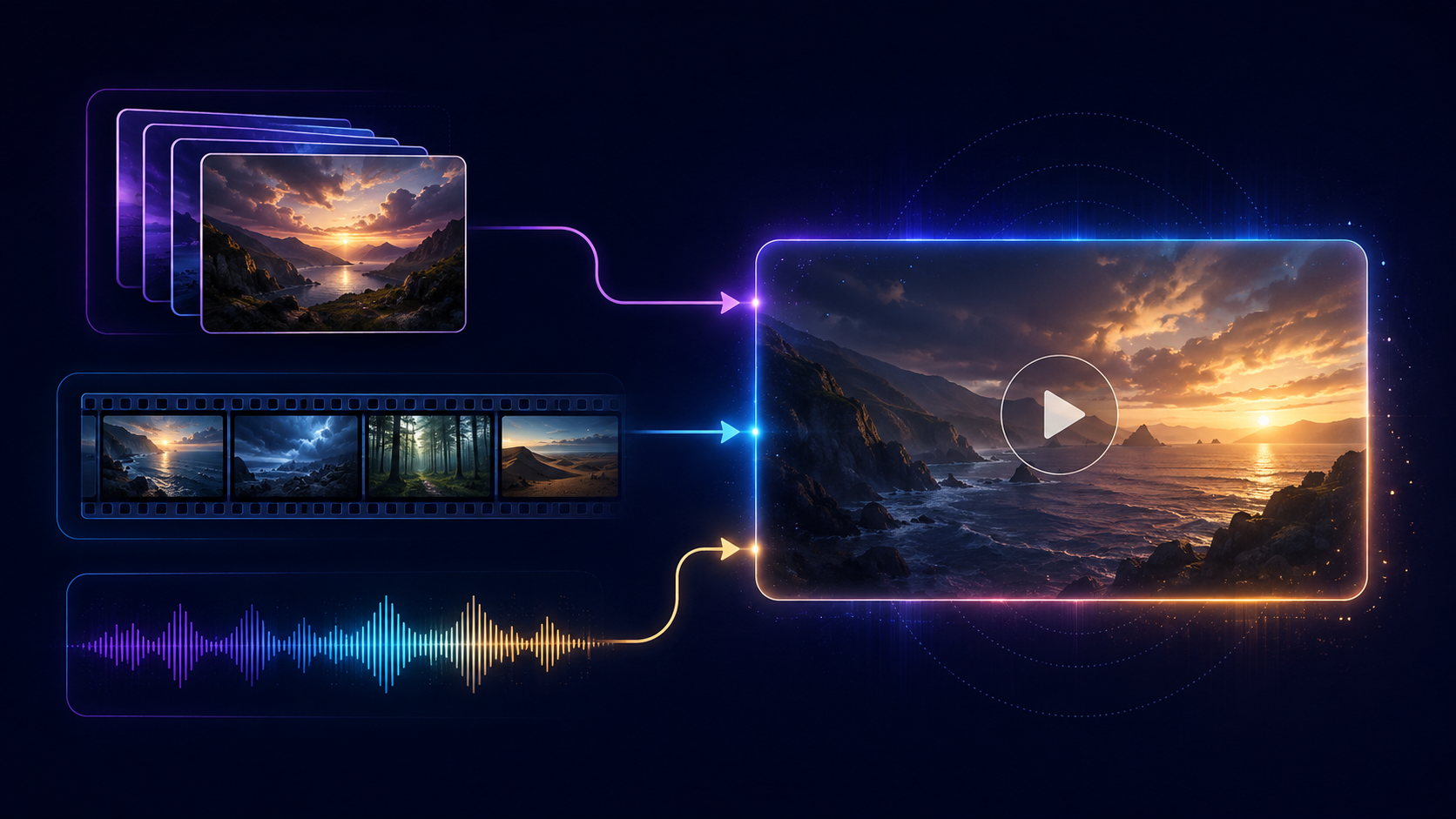
Alibaba's upstream rules can be summarized as follows:
| Input combination | Supported upstream pattern | Important constraint |
|---|---|---|
| Reference images + reference videos | Yes | Reference videos total at most 15 seconds; input-video duration plus output duration at most 30 seconds |
| Reference images + reference audio | Yes | Recommended pattern when an image and audio should drive the result |
| Reference video + reference audio | Yes | Keep each media category within its own limits |
| File + reference media | Yes | A file can accompany compatible references |
| Web link + reference media | Yes | A link can accompany compatible references |
| File + web link | No | Choose one source-document mode |
| First/last frames + reference media | No | Endpoint mode is separate |
| First/last frames + audio input | No | Use reference image + reference audio for an audio-driven alternative |
Give each asset one job, such as defining the product, background, or camera motion. For a file or page, state what to extract. Never assume every sentence, price, or disclaimer will appear accurately.

How synchronized audio fits the workflow
Synchronized audio is part of the current route, so plan ambience, effects, dialogue intent, and timing with the visual action.
For a simple scene, separate sound instructions from visual instructions:
Visual: A barista places a ceramic cup on a walnut counter as the camera makes a slow 20-degree arc.
Timing: The cup lands at 00:03 and steam becomes visible immediately after.
Audio: Quiet cafe room tone, one soft ceramic tap at 00:03, no music, no spoken dialogue.
This structure does not guarantee frame-perfect synchronization. Review dialogue timing, unintended speech, music, and voice resemblance before publishing.
Alibaba's upstream endpoint mode does not accept audio input. If audio must drive generation, use reference image plus reference audio. If endpoints matter more, add properly licensed sound later.
Voice rights require special care. Do not upload a voice reference or publish an identifiable voice likeness without the necessary permission and compliance with applicable terms.
Duration, resolution, aspect ratio, and API price
Set the delivery format before generation because duration and resolution directly change API cost, while aspect ratio affects whether the composition fits its final channel. The live API price snapshot verified on September 5, 2026 is $0.050 per second at 480p, $0.090 per second at 720p, and $0.18 per second at 1080p.
The following estimates are simple duration multiplied by the dated per-second rate:
| Duration | 480p at $0.050/sec | 720p at $0.090/sec | 1080p at $0.18/sec |
|---|---|---|---|
| 2 seconds | $0.10 | $0.18 | $0.36 |
| 5 seconds | $0.25 | $0.45 | $0.90 |
| 10 seconds | $0.50 | $0.90 | $1.80 |
| 30 seconds | $1.50 | $2.70 | $5.40 |
These are planning estimates, not a quote for a future request. Prices and account rules can change. The live Wan 3.0 API page is the current public reference, and the accepted task response is the final task-specific pricing snapshot.
The 30-second row is not available to every video-conditioned request. Under Alibaba's documented upstream rule, subtract the total input-video duration from 30 seconds to find the maximum requested output duration for a task that includes video input, then confirm the live PixMind controls before submission.
API billing is separate from Studio credits. Do not convert a Studio credit preview into an API dollar price, or assume an API balance represents Studio entitlement. Check the current pricing page for plan context, then check the actual surface you intend to use.
For channel planning, 16:9 fits horizontal delivery, 9:16 fits vertical video, and 1:1 fits square placements. Adaptive ratio can follow source material, but a fixed destination ratio reduces later cropping. Use 480p for low-cost structural tests, then raise resolution after the mode, timing, and composition are stable.
Prompt templates organized by control objective
A strong prompt defines what remains stable, what may change, and how the change unfolds. These structures do not guarantee a result.
Template 1: Create one controlled shot from text
Create a [duration]-second [aspect ratio] shot.
Subject and action: [one subject performing one clear action].
Setting: [location, time, background activity].
Camera and light: [framing, movement, light direction, palette].
Timing: [start], [midpoint], [final state].
Audio: [ambience, effects, dialogue, music].
Preserve or avoid: [essential constraints].
Template 2: Animate an approved first frame
Use the image as the opening composition.
Keep stable: [identity, product, logo, or geometry].
Animate: [motion and final action by time].
Camera: [locked, pan, dolly, or orbit].
Audio: [sound tied to visible events].
Do not introduce: [unwanted additions].
Template 3: Assign roles to multimodal references
Image 1 defines [subject]. Image 2 defines [setting or palette].
Video 1 defines [camera or action], not identity.
Audio 1 defines [tempo, timing, ambience, or dialogue cue].
Create a [duration]-second [ratio] scene with [one narrative beat].
Prioritize: [two constraints]. Allow variation in: [nonessential details].
Template 4: Turn a file or web page into a focused video brief
Use the [file or web page] as source material.
Extract only: [approved facts or section].
Audience and goal: [viewer], [explain, introduce, or summarize].
Structure: [opening], [two beats], [final message].
Do not invent: [prices, claims, quotations, or features].
Audio: [narration, ambience, effects, music].
Run the lowest-cost useful test before a long final render. If the composition is wrong, shorten the prompt rather than adding adjectives. If continuity is wrong, reduce the references and label their roles. If timing is wrong, describe fewer events with clearer timestamps.
Wan 3.0 versus Wan 2.7
Wan 3.0 is a new integration target, not a new label for a Wan 2.7 request. The current route uses wan3.0-video, extends documented output to 30 seconds, and broadens input planning to endpoints, references, files, and web pages. Revalidate parameter names, valid combinations, ratio, duration, audio, response handling, and pricing before migration.
This is an interface migration summary, not a claim that 3.0 wins every quality comparison. No controlled side-by-side generation was performed for this guide. Output preference can depend on the subject, references, shot design, and review criteria.
Keep version-specific articles identifiable instead of silently renaming the Wan 2.7 complete guide. A controlled comparison is still needed before drawing conclusions about motion, consistency, prompt adherence, sound, or value.
Studio versus API workflows
Studio and API access serve different operating needs and use separate billing systems. Studio is suited to interactive setup and visual iteration; the API is suited to applications that need repeatable submission, task tracking, and programmatic result handling.
Studio workflow
Open the Wan 3.0 generator, choose the mode, attach only compatible sources, and confirm duration, resolution, ratio, and the live credit preview. Generate after reviewing the settings, then inspect the complete video and audio before export.
API workflow
- Confirm
wan3.0-videoavailability and current API price. - Send one valid mode combination to
POST /v1/generations. - Save the task ID and accepted pricing data, then poll that same task.
- Validate the result and log parameters, source provenance, and rights approvals.
Alibaba documents asynchronous creation and polling upstream. Do not transfer its task-lifetime rules into PixMind unless PixMind states them. The PixMind API quickstart explains why saving a task ID is safer than resubmitting after a client timeout.

Limitations, rights, and publishing checks
Wan 3.0 output needs human review because multimodal control is not the same as guaranteed compliance. The documented interface tells you what inputs and settings are accepted; it does not establish accuracy, reliability, legal clearance, or fitness for a particular publication.
Use this pre-publication checklist:
- Visual and temporal accuracy: Compare the full clip with approved references and check for drift, object changes, bad text, or unintended cuts.
- Audio review: Check dialogue, voice resemblance, timing, background speech, music, and effects.
- Factual review: Verify claims derived from a document or page against the source.
- Rights review: Confirm permission for prompts, images, footage, audio, people, voices, trademarks, logos, and any other third-party material.
- Delivery review: Inspect the exported file's duration, dimensions, ratio, encoding, and playback on the destination platform.
- Record keeping: Save the accepted task details, input provenance, consent or license records, reviewer, and approval decision.
Commercial use depends on paid-plan eligibility, applicable model/provider terms, and the user's rights to prompts, references, people, voices, logos, and other third-party material. Generation does not automatically clear those rights. Review the current pricing terms and terms of service for the account and use case, and obtain professional advice when the legal stakes require it.
Frequently asked questions
Can I use audio with first-and-last-frame generation?
Not as an audio input under Alibaba's documented upstream first-and-last-frame mode. If audio should drive the result, use the official reference-image plus reference-audio pattern. If endpoints are mandatory, keep the endpoint mode and handle licensed audio in a separate workflow.
How much does Wan 3.0 API generation cost?
The September 5, 2026 snapshot is $0.050 per second at 480p, $0.090 per second at 720p, and $0.18 per second at 1080p. Treat those values as dated planning inputs. The accepted task response provides the final task-specific pricing snapshot, and API billing is separate from Studio credits.
Is wan3.0-video-prime available through PixMind?
The current PixMind model page lists wan3.0-video, not wan3.0-video-prime. Alibaba documents Prime as an upstream variant, but that does not establish availability through PixMind.
Can I use Wan 3.0 output commercially?
Commercial use is conditional, not automatic. It depends on paid-plan eligibility, applicable model and provider terms, and your rights to all prompts, references, people, voices, logos, and third-party material in the job and result.
Choose one constraint and run a controlled first task
The clearest way to start with Wan 3.0 is to choose the one constraint that matters most, then select the corresponding input mode. Use text for an open composition, a first frame for a fixed opening, paired endpoints for a defined finish, references for reusable identity or sound direction, or a file or link for source-driven planning.
Keep the first task short enough to reveal structural problems. Confirm the model ID, references, ratio, resolution, duration, audio, price, and rights before submission. Review the complete result rather than judging a thumbnail.
When those decisions are clear, open the Wan 3.0 generator for an interactive task or the Wan 3.0 API page for a programmatic workflow. Recheck the live controls and accepted task pricing at the time you generate.