Limited timeAnnual membership:30% offplus unlimited access to GPT Image, MiniMax H3, and more
Share PixMind, earn 20% recurring commission · Join the affiliate program
Upgrade now
Pixmind

VIDEO IN. IDEAS OUT.

Turn a YouTube video into a usable transcript

Paste the link to a lecture, interview or tutorial. Retrieve accessible captions or transcribe the speech, then take the words into your notes or editing workflow.

Video URL or file upload

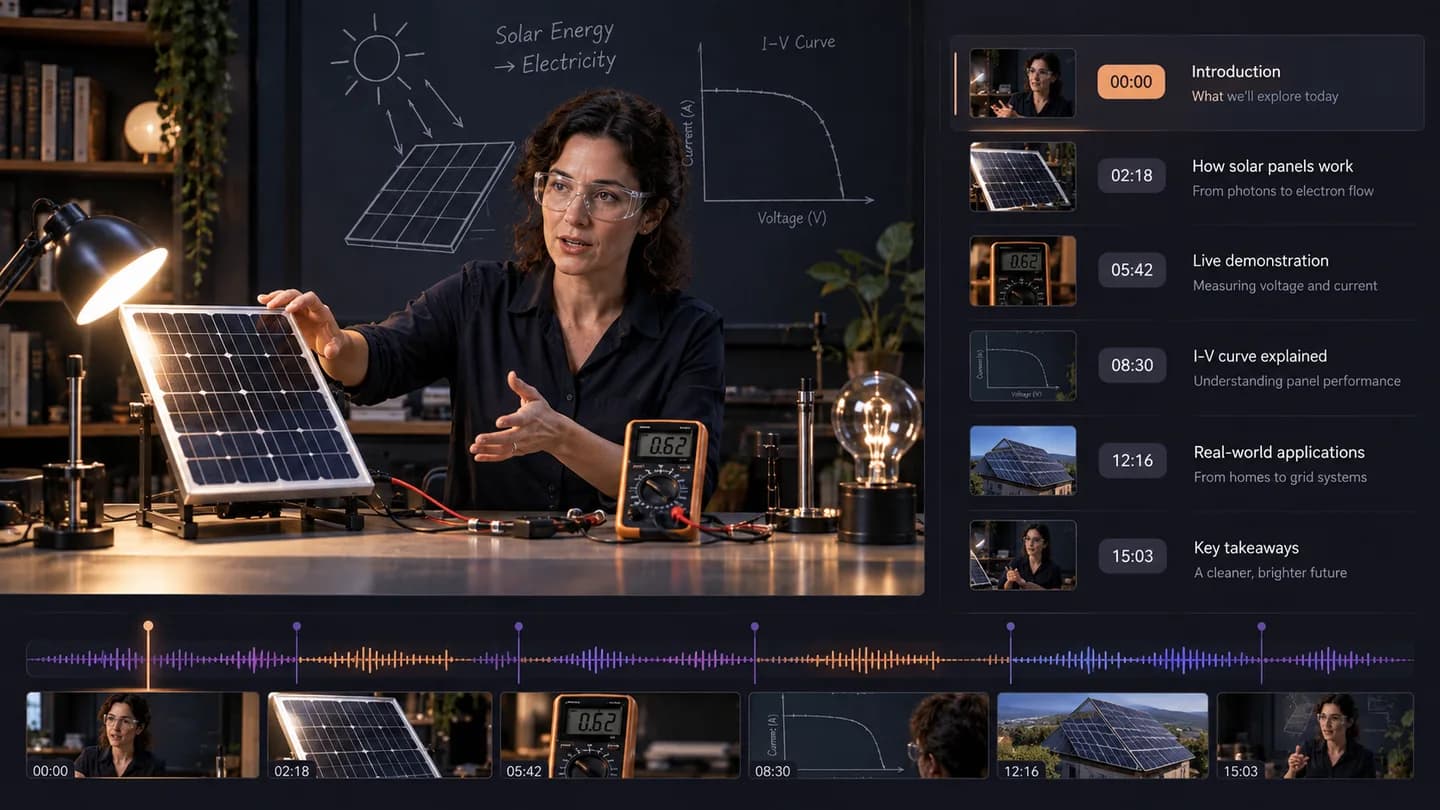
Turn a solar-panel tutorial into timed text so installation steps and explanations can be found, copied and discussed without manually writing out the recording.
Illustrative workflow example · Technical tutorial to searchable notes

Add your video

Processing your video

Technical tutorial to searchable notes

Start with captions when the source provides them

Caption extraction can avoid processing the audio again. The workflow selects an available track for the source language, supports manual and automatic captions, and falls back to speech transcription when needed.

YouTube transcript with timestamps and subtitle exports

Turn a solar-panel tutorial into timed text so installation steps and explanations can be found, copied and discussed without manually writing out the recording.

Summarize a lecture or collect a source quote

From source video to useful output

  1. 01

    Paste a link or upload

    Use a supported video URL or choose a video or audio file from your device.

  2. 02

    Choose your output

    Select the source language and the transcript, summary or visual analysis you need.

  3. 03

    Keep working with the result

    Copy or export the output, ask a follow-up question, or prepare your next creative brief.

Choose the output you need

ToolOutputYour next step
Video to Text — Transcribe Video with TimestampsTimestamped transcript and TXT/SRT/VTT exportsEdit captions, collect quotes or ask about the transcript
Video Summarizer — Key Points and Chapters OnlineOverview, key points and timestamped chaptersCheck details or turn the ideas into a new script
Video to Script — Extract a Scene-by-Scene StoryboardScene-by-scene script and visual production cuesRefine the storyboard and create your next video

Questions before you start

Which YouTube link should I paste?

Use the share link for a specific video, including a standard watch URL, a youtu.be link or a supported Shorts URL. Channel and search-result pages do not identify one recording.

Can it retrieve existing YouTube captions?

Yes, when the platform exposes a supported caption track that the service can access. The output distinguishes platform captions from speech transcription.

What if the video has no captions?

The service attempts audio transcription if it can access the recording. When the platform blocks access, you can switch to an uploaded file.

Can I export YouTube subtitles?

A completed transcript can be exported as SRT or VTT with timestamps, or TXT for notes. Generated speech transcription may differ from the platform's original caption file.

Does this bypass private or restricted videos?

No. A link must be accessible to the processing service. A private video, login wall or regional restriction can prevent processing; upload a file you are authorized to use instead.

Can I process a whole playlist?

This page processes one submitted video at a time. Paste a specific video link from the playlist rather than expecting one request to process every item.

Why select the original spoken language?

The setting helps choose captions and configure speech recognition. Use automatic detection when uncertain, or choose the known language to avoid an unsuitable track.

How do I summarize the transcript afterward?

Ask for a summary in the completed result panel, or select summary before submitting. Follow-up chat reuses the transcript and applies the selected model's normal billing rules.

Bring the source. Leave with a starting point.

Add a video link or upload a file, choose the output, and continue working with the result.

Analyze your video