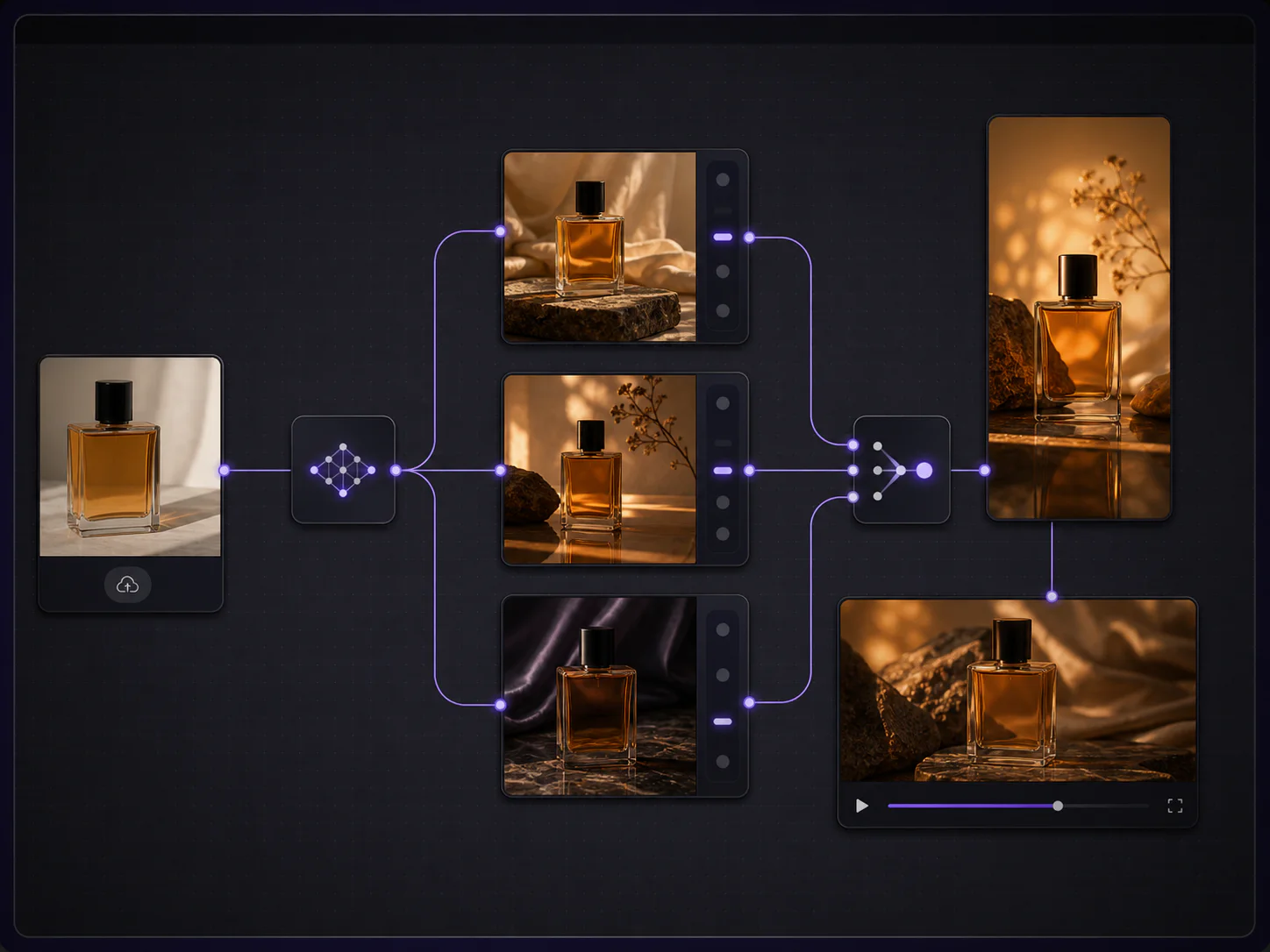
When you remake a clip that made you think "this ad really works" into an ad for your own product, the step most often skipped is deciding exactly what to borrow: the borrow-worthy part isn't its imagery, it's its structure. What action holds attention in the first two seconds, at which second the product appears, and which action the ending stops on — that arrangement is what transfers from a reference ad. PixMind's Video Remake is built for exactly this task: upload the reference ad, get a shot-by-shot breakdown of the structure, swap the subject for your product, and generate a product film with the same structure and brand-new content. Start by opening Video Remake.
The whole rewrite falls into five jobs: break down the structure, list the product information, replace the descriptions shot by shot, validate with a short version, and target the next round of adjustments. All you need is one reference ad and a clearly written product sheet — no existing product footage required.
Key takeaways
- What's worth borrowing from a reference ad is the structure: split the clip into opening hook, product showcase, and closing action, and log duration, shot size, and transitions shot by shot; noting only the visual style leaves you nothing to grab onto when rewriting.
- Product consistency comes from a clearly written brief, not automatic preservation: the exact product name, shape, color, and must-demo benefits all go into the rewritten shot descriptions.
- First make a 5-to-15-second short version within the currently supported output settings to confirm product timing and core actions, then decide whether to expand into the full plan.
- Without ad-testing experiments, compare the draft and the reference only on creative differences — don't draw conversion conclusions without real data.
Break out the structure that actually makes the reference ad work
Breaking down the structure starts by handing the reference clip to the workspace: MP4, MOV, or WEBM, up to 100MB and 60 seconds. Once analysis finishes, each shot appears as a card listing its number, reference frame, and duration, plus fields for scene, shot size, camera movement, color tone, dialogue, sound effects, and transitions. Generation hasn't started at this point — the breakdown output is nothing more than reviewable structural material.
With the breakdown in hand, sort the shots into three parts:
| Stage | The job it usually does | What to log per shot |
|---|---|---|
| Opening hook | Stop attention in the first two or three seconds | What action or close-up it uses, how many seconds the shot holds |
| Product showcase | Bring the product on and demonstrate the benefits | The second the product appears, shot size and distance, camera movement |
| Closing action | Wrap up after handing attention back to the product | What action or composition it stops on, how it transitions in and out |
Take a 15-second cosmetics ad: of six shots, the first two hold attention with texture close-ups, the middle three show the product's look and its effect in use, and the last lands on a freeze frame of a hand holding the product. After breaking it down, you should be able to answer three questions: at which second the product first appears, which shot sizes the showcase uses, and what the closing action is. Style impressions like "gentle palette, premium texture" won't help: style can be swapped, but structure is the part you're reusing.
List what must be preserved about your product
A remake won't automatically preserve any product detail from a video alone. What the product is called, looks like, and is colored in the result depends entirely on what the brief says. Before rewriting, prepare this list:
- Exact product name: the name that must appear in on-screen text or dialogue — write the full name, not an abbreviation.
- Shape and structure: identifying features like the bottle silhouette, lid button, or port placement, written as concrete nouns.
- Color: write the main color and accent colors separately, for example "matte deep-green body, white logo."
- Benefits that must be demonstrated: one or two selling points only conveyable through on-screen action, such as heat retention, waterproofing, or easy open-close.
Also separate two kinds of information: actions that should be seen in the video (unscrewing, applying, pressing, rotating) versus information added by subtitles or post-production (price, specs, promotional lines, ingredient lists). The former goes into the shot descriptions; the latter is left to post-production subtitles — don't stuff it into the generation description, because the longer the on-screen text, the harder it is to control.
Replace the original's subjects item by item in the new brief
The shot cards are read-only; the rewrite happens in the "editable video remake script" lower on the page: the system has already merged all shots into this combined script, and it's exactly what the new video generates from. The replacement rule in one sentence: keep the structure and rhythm for yourself, swap the subjects, scenes, and actions for your product.
Here is how shot-by-shot replacement reads, demoed as "cosmetics ad remade for a tumbler":
| Shot | Original description | Rewritten description |
|---|---|---|
| 1 (opening) | Close-up: fingertips dab lotion onto the back of a hand, slowly spreading the texture | Close-up: the lid unscrews, steam rises from the mouth, droplets slide down the body |
| 2 (opening) | Quick cut: a droplet splashes onto the lotion tube | Quick cut: a droplet lands on the matte deep-green body and slides down |
| 3 (showcase) | Medium shot: the product stands on a light counter, slow orbiting camera | Medium shot: the tumbler stands on a desk, slow orbiting camera, white logo facing the lens |
| 4 (showcase) | Close-up: the cream strings between fingers, showing the texture | Close-up: one hand presses the lid button, a light mist escaping as it pops open |
| 5 (closing) | Close-up: a hand holds the product toward the lens, frame freezes | Close-up: one hand holds the tumbler toward the lens, thumb resting on the button, frame freezes |
Hold to three rules while replacing: keep each shot's duration, shot size, and order exactly as-is so the rhythm stays untouched; write the full shape and color into every shot where the product appears; keep the subject reference on the same object across consecutive shots, with only one main action per description. Rewrite the original's dialogue and on-screen text for the new content, and delete any shots you don't need wholesale. The reference frames submit along with the script, providing composition reference for the whole video.
Validate the structure with a short version first
Generating the full plan directly amplifies both cost and revision cycles. In the current output settings, duration moves in 5-second steps up to 60 seconds, defaulting to the reference clip's total length; the aspect ratio auto-matches the reference — a vertical clip auto-selects a vertical ratio — and resolution follows the selected model's tiers. For structural validation, pick a short 5-to-15-second duration, compress the script to just the opening, one product shot, and the close, and after generating check three things:
- Whether the product appears at a timestamp close to the reference's.
- Whether the core actions (unscrewing, pressing, lifting) read clearly.
- Whether the ending stops on a complete action instead of being cut mid-motion.
Generation runs on this merged script as a unit: when the duration stays within the selected model's single-segment limit, one run produces a complete short film. If the first version isn't right, "Regenerate" returns to the script page with the shot plan and output settings preserved — change one thing and resubmit instead of starting over.
Target the next round of adjustments from the draft
Once you have the draft, investigate along three lines and fix only the weakest one each round:
- Product recognizability: do the name, shape, and color map to your product at a glance? If not, go back to the brief and write the identifying features more specifically — don't just switch models and retry.
- Opening continuity: does the opening establish attention as early as the reference, and can the second shot catch the first shot's action? Stiff transitions usually mean an opening shot stretched too long or a jump in shot size.
- Ending completeness: does it stop on a complete action and a clean composition? If it can't land, check whether the last shot's description contains an explicit ending action.
Without live ad experiments, describe only creative-level differences: how the draft and the reference compare on product timing, rhythm, and closing. Whether conversion changed can only be answered with real campaign data — creative similarity doesn't mean equal performance.
FAQ
I only have a reference ad and no product footage. How do I start?
You can start right away. Video Remake's only input is the reference clip: once the shot structure is broken out, the product's shape, color, and usage actions all go into the rewritten brief, the reference frames provide composition reference, and what's generated is entirely new footage. A clearly written product information sheet is more useful than ready-made product material.
How should I rewrite the original's long copy?
Split the information in two: text that must appear on screen (product name, one claim) gets rewritten into the matching shot's description and kept as short as possible; long copy, specs, prices, and promotional lines are left to post-production subtitles. Piling text requirements into the generation description makes on-screen text harder to control, not easier.
How do I make the product showcase connect with the opening rhythm?
Preserve the duration and shot-size relationship between the original's opening and its first product shot. If the original uses a two-second close-up before cutting to a product medium shot, keep the same durations and shot-size change in your rewrite — only swap the subject and action. When the connection feels off, check whether the opening shot got stretched or the shot size jumped a level.
Pick one reference idea and turn it into your product brief first
Pick one clearly structured idea from your saved references — a finished ad or any short video with a clear rhythm works. After uploading, do only the breakdown and rewrite first: keep the opening, one product shot, and the close in the first brief, make the product name, shape, and color specific, then generate the first validation version at a short duration.