Veo Video Prompt Generator: How to Write Effective Veo Prompts
This guide turns Google's current Veo prompting guidance into reusable templates for Veo 3 and Veo 3.1, covering framing, camera movement, character detail, location, action, lighting, dialogue, and sound design.
Whether you are generating a cinematic travel reel, a product commercial, or a character-driven short, the same core prompt architecture applies. By the end, you will know exactly how to structure every prompt you feed into Veo.
Google's official Veo guide recommends combining concrete scene detail with filmmaking direction. Treat the prompt as a description of one shot: what is visible, what happens, how the camera frames and moves, how the scene is lit, and what should be heard.
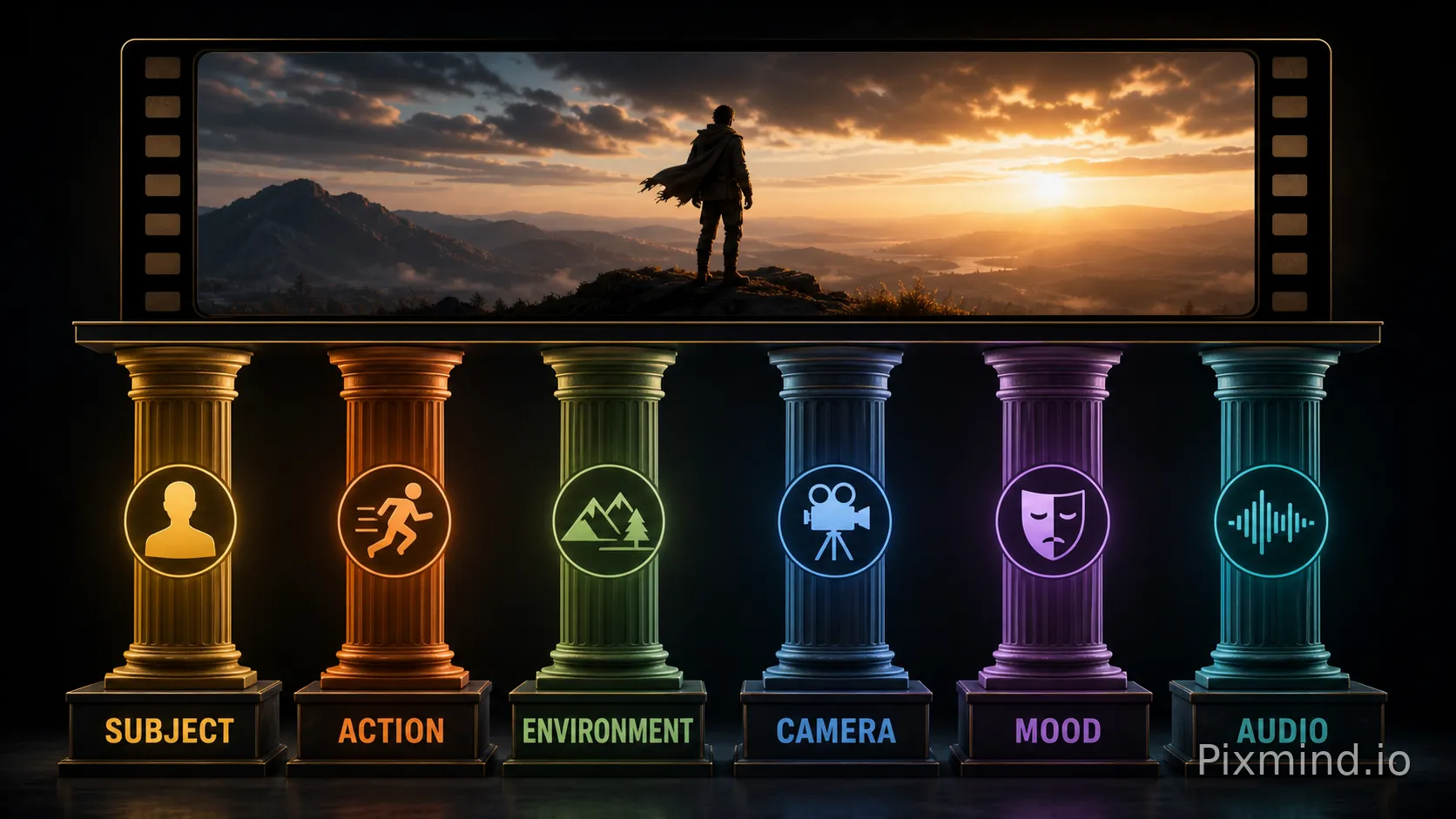
The Six Prompt Pillars
Every effective Veo prompt contains some combination of these six elements:
| Pillar | What It Controls | Example Value |
|---|---|---|
| Subject | Who or what is the visual focus | "A silver-haired botanist in her 50s" |
| Action / Motion | What is happening, how it moves | "slowly turns a glass terrarium in her hands" |
| Environment | Location, time of day, weather | "inside a sunlit greenhouse at golden hour" |
| Camera | Shot type, movement, lens feel | "close-up, shallow depth of field, handheld drift" |
| Mood / Atmosphere | Emotional tone, color palette | "warm amber tones, quiet and contemplative" |
| Audio Cue (Veo 3+) | Ambient sound, dialogue, music | "soft rain on glass, low ambient hum" |
Veo 3 and Veo 3.1 support generated audio. Add dialogue, ambience, music, or sound effects when audio is part of the creative goal; it is optional for a deliberately silent or purely visual shot.
Veo Prompt Control Checklist
| Control | What to Specify | Example |
|---|---|---|
| Shot framing | Shot size and angle | Medium shot, low angle |
| Camera movement | How the camera moves | Slow dolly in, handheld tracking |
| Style | Visual medium or texture | Film noir, stop motion, worn VHS |
| Lighting | Direction and quality | Warm side light with soft fill |
| Character and location | Specific visible details | Freckled botanist in a humid greenhouse |
| Action | What changes during the shot | Opens the case and lifts the specimen |
| Dialogue and sound | Spoken line, ambience, effects | “We found it.” Rain on glass, low room tone |
Not every prompt needs every control. Add detail where you need control and leave room for the model where variation is acceptable.
You can explore ready-made templates and community examples directly on PixMind's Veo prompts library — a useful reference before you start building your own.
The Goal
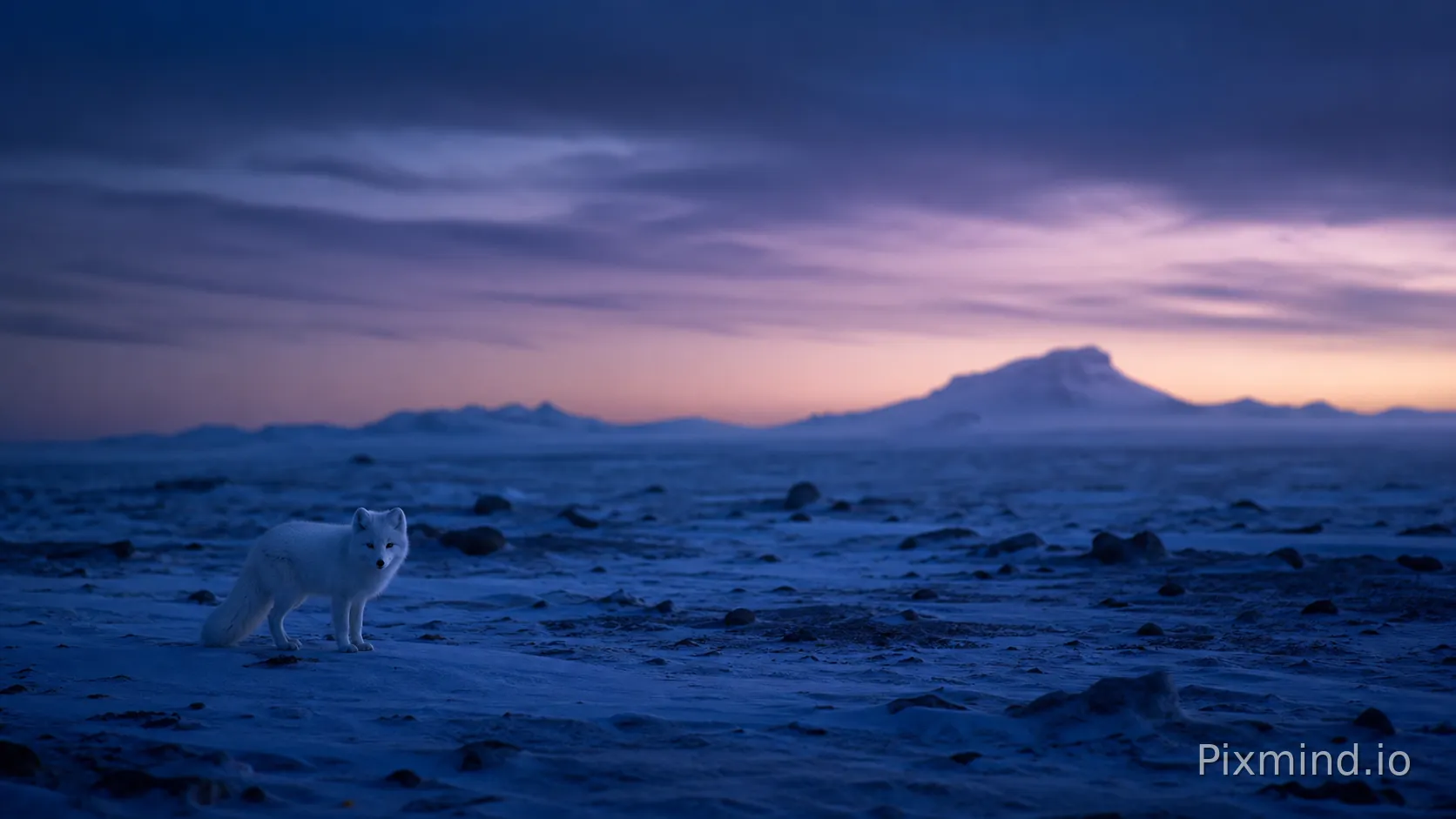
Produce a sweeping, BBC-style nature shot with a strong sense of scale and atmosphere.
✅ Example Prompt Template
A lone Arctic fox trots across a vast frozen tundra at blue hour,
its white coat catching the faint violet light of the horizon.
Camera: wide establishing shot slowly pulling back via drone,
revealing endless ice plains stretching to the edge of frame.
Mood: silent, vast, awe-inspiring.
Audio: distant wind howl, soft crunch of snow underfoot.
Cinematic color grade, 24fps film look.
Hands-On Case
A travel content creator used this structure to generate a 10-second opener for a documentary series. The key adjustment was adding "slowly pulling back via drone" — without explicit camera movement, Veo defaulted to a static wide shot, which felt flat. Adding the motion instruction immediately created the sense of scale the scene needed.
⚠️ Pitfall Warning
Do not write "beautiful scenery" as a standalone descriptor. It is too abstract for Veo to act on. Replace vague adjectives with specific visual data: light direction, color temperature, and a named camera movement. "Beautiful" means nothing; "violet light catching frost crystals at f/2.8 depth" means everything.
The Goal
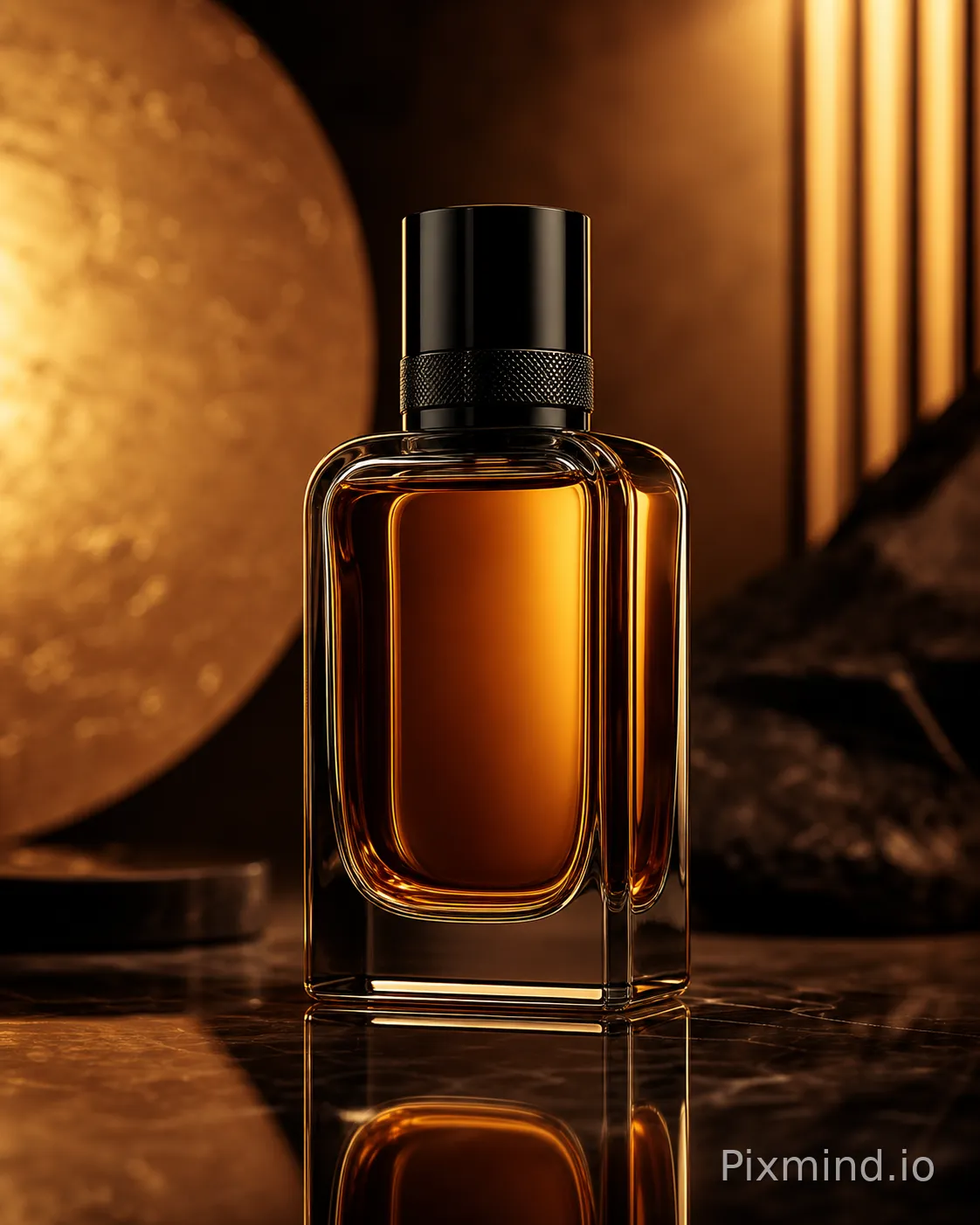
Generate a polished 8–12 second product hero shot suitable for social ads or e-commerce.
✅ Example Prompt Template
A matte black ceramic coffee mug sits on a weathered oak table
in a minimalist Scandinavian kitchen.
Steam rises slowly from the surface.
Camera: tight macro shot, slow push-in, rack focus from table grain
to the mug's rim.
Lighting: soft diffused morning light from a large window camera-left.
Mood: calm, premium, unhurried.
Audio: quiet ambient kitchen sounds, faint birdsong outside.
Color palette: warm neutrals, deep blacks, cream whites.
Hands-On Case
An e-commerce brand tested this template for a coffee subscription service. The critical detail was "rack focus from table grain to the mug's rim" — this single camera instruction told Veo to animate focus rather than just generate a static-feeling clip. The result was a 9-second clip that looked broadcast-ready without post-production.
For deeper e-commerce video use cases, PixMind's Veo use cases page has scenario-specific examples worth bookmarking.
⚠️ Pitfall Warning
Avoid placing two competing subjects in a product shot. If you write "a mug and a book and a candle on a table," Veo will attempt to feature all three and the composition becomes cluttered. Pick one hero object and treat everything else as supporting environment.
The Goal
Generate a short scene with two characters exchanging spoken lines, leveraging Veo 3's native audio generation.
✅ Example Prompt Template
Two young women sit across from each other at a small Paris café table,
afternoon light filtering through lace curtains.
Character A (brunette, 20s, wearing a yellow dress) leans forward and says:
"Do you ever feel like we're living someone else's story?"
Character B (redhead, 20s, green jacket) smiles softly and replies:
"Every single day."
Camera: over-the-shoulder two-shot, then cuts to close-up reaction.
Audio: ambient café noise, soft French accordion in background.
Mood: melancholic but warm, indie film aesthetic.
Hands-On Case
A short film creator used this structure to prototype a dialogue scene before live production. The most important discovery: dialogue lines must be written in quotation marks with speaker attribution. Without attribution, Veo sometimes merged both voices into one or generated mismatched lip movements. Explicit "Character A says:" labeling resolved this.
⚠️ Pitfall Warning
Keep dialogue to 1–2 short lines per character per clip. Veo 3's audio sync is strong for brief exchanges but degrades noticeably on longer monologues. For extended dialogue scenes, generate multiple short clips and stitch them in post.
Section V: Scenario — Action & Sports Sequence
The Goal
Create a dynamic, high-energy clip — a skateboarder, athlete, or performer in motion.
✅ Example Prompt Template
A young skateboarder in a red hoodie executes a kickflip
on a sun-drenched Los Angeles street court, mid-afternoon.
Camera: low-angle tracking shot following the board,
then a slow-motion freeze-frame at peak trick height.
Motion: fast approach, explosive jump, brief 120fps slow-motion at apex.
Mood: energetic, free, urban summer.
Audio: skateboard wheels on concrete, crowd cheer, hip-hop beat drop.
Color grade: high contrast, saturated warm tones.
Hands-On Case
A sports apparel brand used this template for an Instagram Reel campaign. The breakthrough was the "brief 120fps slow-motion at apex" instruction — it told Veo to shift the temporal rhythm mid-clip, creating a dramatic pause that highlighted the product (the hoodie) at maximum visual impact. Without this pacing cue, the clip played at uniform speed and felt unremarkable.
⚠️ Pitfall Warning
Do not ask for multiple tricks in a single clip. "A skateboarder does a kickflip, then a heelflip, then grinds a rail" will produce a confused motion sequence. One action per clip, executed cleanly, always outperforms a multi-trick prompt.
Section VI: Scenario — Abstract / Generative Art Loop
The Goal
Generate a seamless looping abstract visual — ideal for backgrounds, music visualizers, or ambient displays.
✅ Example Prompt Template
An infinite fluid simulation of deep indigo and gold ink
slowly blooming and dissolving in water.
No identifiable objects or figures.
Camera: static overhead macro view, perfectly centered.
Motion: slow, continuous, organic expansion and contraction — loop-ready.
Mood: meditative, hypnotic, timeless.
Audio: low drone, 40Hz binaural hum, no music.
Duration cue: designed to loop seamlessly at 8 seconds.
Hands-On Case
A music producer used this for a YouTube ambient channel. The essential additions were "No identifiable objects or figures" and "loop-ready" — without these, Veo introduced a human hand or a recognizable container into the fluid shot, and the clip had a hard visual cut at the end that broke the loop. Both negative guidance and the loop instruction were necessary.
⚠️ Pitfall Warning
Abstract prompts are where vague language actually matters more, not less. "Something beautiful and flowing" will produce inconsistent results across generations. Anchor your abstract prompt with specific color names, a named motion type (fluid simulation, particle drift, crystal growth), and a defined camera position.
Section VII: Scenario — Historical / Period Drama Atmosphere
The Goal
Evoke a specific historical era with authentic visual texture and mood — no dialogue required.
✅ Example Prompt Template
A Victorian-era London street at dusk, 1880s.
Gas lamps flicker to life along a cobblestone lane
as a horse-drawn carriage passes through light fog.
Camera: medium wide shot, static, slightly elevated angle as if from a second-floor window.
Mood: atmospheric, melancholic, Dickensian.
Lighting: warm amber gas lamp glow against cold blue dusk sky.
Audio: horse hooves on cobblestones, distant church bell, light rain.
Film grain texture, desaturated with amber highlights.
Hands-On Case
A historical fiction author used this to create a book trailer atmosphere reel. The phrase "as if from a second-floor window" was the key camera instruction — it gave Veo a specific observer position that grounded the shot and prevented the camera from drifting to street level, which would have removed the sense of cinematic distance the scene required.
⚠️ Pitfall Warning
Do not mix era references. Writing "Victorian London with neon signs" or "1880s street with modern cars in background" produces anachronistic results that are hard to fix in a single prompt. If you want intentional anachronism, make it explicit: "steampunk alternate-history London where Victorian architecture coexists with glowing electric billboards."
Section VIII: General Prompt Framework & Pitfall Checklist
The Universal Veo Prompt Formula
Use this structure as your default starting point for any Veo generation:
[SUBJECT + DEFINING DETAIL]
[ACTION / MOTION DESCRIPTION]
[ENVIRONMENT: location, time of day, weather]
[CAMERA: shot type + movement]
[LIGHTING: source, direction, color temperature]
[MOOD / COLOR PALETTE]
[AUDIO: ambient sound + music + dialogue if any]
[TECHNICAL NOTE: fps, grain, aspect ratio if needed]
Not every field is mandatory for every clip — but the more fields you fill, the more control you retain over the output.
Where to Spend Prompt Detail
| Clip Type | Highest-Priority Details |
|---|---|
| Abstract loop | Motion pattern, camera behavior, visual texture |
| Product hero shot | Product appearance, action, lighting, framing |
| Nature or landscape | Location, weather, camera path, ambience |
| Character scene | Appearance, action, framing, voice, dialogue |
| Action or sports | Exact play-by-play, camera position, environmental motion |
| Period drama | Period-specific character, location, props, lighting, sound |
Use as much detail as the shot requires; there is no universal word-count target in Google's prompt guide.
Master Pitfall Checklist
Run every prompt through this list before generating:
- [ ] No vague adjectives standing alone — replace "beautiful," "amazing," "stunning" with specific visual data
- [ ] One primary subject per clip — avoid competing heroes in the frame
- [ ] Camera movement is named — "dolly in," "arc right," "static," not just "moving camera"
- [ ] Audio is specified when it matters — attribute dialogue and name ambience or effects when sound is part of the shot
- [ ] No more than one action beat per clip — multi-action prompts produce confused motion
- [ ] Era or style references are internally consistent — no accidental anachronisms
- [ ] Dialogue is attributed and in quotes — "Character A says: 'line here'"
- [ ] Loop intent is explicit — if you need a seamless loop, say "loop-ready" or "designed to loop"
- [ ] Details are internally consistent — remove instructions that compete on action, camera direction, era, or tone
When to Use a Prompt Generator Tool
Writing prompts from scratch every time is slow. A dedicated Veo prompt generator can turn a scene concept into a structured first draft. If your starting point is a reference clip, first use Video to Prompt to extract its shots, then rewrite the selected shot with Veo-specific framing, action, dialogue, and sound.
This is especially useful when:
- You are new to Veo and unsure which camera terms it responds to
- You need to batch-generate multiple scene variations quickly
- You are adapting an image prompt into a video prompt and need to add motion, camera, and audio layers
PixMind's Veo prompts library includes curated community prompts organized by use case — a fast way to calibrate your own prompt style against proven examples.
For a full walkthrough of Veo 3.1's capabilities and generation settings, the Veo 3.1 complete guide covers model-specific nuances that affect how prompts are interpreted. And if you want to compare Veo against other leading video models before committing to a workflow, the Veo 3 video generator guide is a solid technical reference.
Section IX: Wrapping Up
Effective Veo prompting is not about writing more — it is about writing with precision across the right pillars. Subject, action, environment, camera, mood, and audio: fill these six fields deliberately, keep your prompt internally consistent, and avoid the common pitfalls above.
The difference between a generic AI video and a broadcast-quality clip usually comes down to two or three specific words: the camera movement name, the light direction, the audio texture. Those details cost nothing to add and change everything about the output.
Start with the universal formula, test one scenario at a time, and use PixMind's Veo use cases as a reference library as your prompt vocabulary grows. The more precisely you describe the world you want to see, the more reliably Veo will build it.
Official references