
Videoanalyseresultat
Upload en video for at generere en prompt
Videobeskrivelse
A fast-paced, close-up cooking video showcasing the preparation of gourmet beef and mushroom crostini, ending with a cute dog looking at the finished dish. The visual style is moody and cinematic with dark backgrounds and warm lighting.
Videoresume
A step-by-step culinary video demonstrating how to make beef crostini with a creamy mushroom sauce, toasted baguette, and burrata cheese, featuring a dog at the end.
Genereret Video-prompt
Fuld Storyboard Prompt
【Nr. 1 | Varighed: 1s】
Optagelsestype: Close-up
Scene: Kitchen
Kamera: Static close-up
Farvetone: Dark, warm, moody
Visuelt: A person in black gloves sprinkles salt onto a raw piece of beef on a wooden board.
Lydeffekt: Soft music playing
Overgang: Cut
Prompt: Close-up of gloved hands seasoning a raw beef tenderloin with salt on a wooden cutting board, dark background, warm lighting.

【Nr. 2 | Varighed: 1s】
Optagelsestype: Close-up
Scene: Kitchen
Kamera: Static close-up
Farvetone: Dark, warm, moody
Visuelt: Gloved hands flip the seasoned beef, showing pepper and spices on the other side.
Lydeffekt: Sizzling sound
Overgang: Cut
Prompt: Close-up of hands flipping a seasoned piece of beef on a wooden board, showing spices.

【Nr. 3 | Varighed: 1s】
Optagelsestype: Close-up
Scene: Kitchen
Kamera: Macro shot
Farvetone: Warm, golden
Visuelt: A pat of butter is dropped into a hot pan next to the searing beef.
Lydeffekt: Loud sizzling
Overgang: Cut
Prompt: Macro shot of a block of butter falling into a hot stainless steel pan next to searing meat.

【Nr. 4 | Varighed: 2s】
Optagelsestype: Close-up
Scene: Kitchen
Kamera: Close-up, slight pan
Farvetone: Warm, golden
Visuelt: Using tongs, the chef sears the sides of the beef in the pan with herbs.
Lydeffekt: Sizzling
Overgang: Cut
Prompt: Close-up of tongs holding a thick piece of beef, searing it on its side in a pan with butter and rosemary.

【Nr. 5 | Varighed: 1s】
Optagelsestype: Close-up
Scene: Kitchen
Kamera: Static close-up
Farvetone: Dark, moody
Visuelt: Whole brown mushrooms are dropped into a food processor bowl.
Lydeffekt: Thudding of mushrooms
Overgang: Cut
Prompt: Close-up of whole brown mushrooms falling into a clear food processor container.

【Nr. 6 | Varighed: 1s】
Optagelsestype: Close-up
Scene: Kitchen
Kamera: Static close-up
Farvetone: Warm, bright
Visuelt: A pat of butter melts and foams in a hot pan.
Lydeffekt: Sizzling butter
Overgang: Cut
Prompt: Close-up of butter melting and bubbling in a hot stainless steel pan.

【Nr. 7 | Varighed: 1s】
Optagelsestype: Close-up
Scene: Kitchen
Kamera: Static close-up
Farvetone: Warm, dark
Visuelt: Finely chopped mushrooms are sautéed in a pan with a spatula.
Lydeffekt: Sizzling
Overgang: Cut
Prompt: Close-up of minced mushrooms being stirred and sautéed in a pan.

【Nr. 8 | Varighed: 1s】
Optagelsestype: Macro
Scene: Kitchen
Kamera: Macro shot
Farvetone: Dark, high contrast
Visuelt: Minced garlic is pressed through a garlic press.
Lydeffekt: Squeezing sound
Overgang: Cut
Prompt: Macro shot of garlic being squeezed through a metal garlic press.

【Nr. 9 | Varighed: 1s】
Optagelsestype: Close-up
Scene: Kitchen
Kamera: Static close-up
Farvetone: Warm, creamy
Visuelt: Heavy cream is poured from a small pitcher into the sautéed mushrooms.
Lydeffekt: Pouring liquid
Overgang: Cut
Prompt: Close-up of white cream being poured into a pan of cooked mushrooms, steam rising.

【Nr. 10 | Varighed: 1s】
Optagelsestype: Close-up
Scene: Kitchen
Kamera: Static close-up
Farvetone: Warm, golden
Visuelt: Cheese is grated over the bubbling cream and mushroom sauce.
Lydeffekt: Grating sound
Overgang: Cut
Prompt: Close-up of hard cheese being grated over a simmering, bubbling white sauce in a pan.

【Nr. 11 | Varighed: 1s】
Optagelsestype: Close-up
Scene: Kitchen
Kamera: Static close-up
Farvetone: Warm, vibrant
Visuelt: Fresh green herbs are sprinkled into the simmering sauce.
Lydeffekt: Bubbling
Overgang: Cut
Prompt: Close-up of fingers sprinkling green herbs into a bubbling creamy sauce.

【Nr. 12 | Varighed: 1s】
Optagelsestype: Medium close-up
Scene: Kitchen
Kamera: Static medium close-up
Farvetone: Warm, rustic
Visuelt: A fresh baguette is pulled out of a brown paper bag onto a wooden board.
Lydeffekt: Paper rustling
Overgang: Cut
Prompt: Medium close-up of a sesame baguette being pulled out of a paper sleeve onto a wooden table.

【Nr. 13 | Varighed: 1s】
Optagelsestype: Close-up
Scene: Kitchen
Kamera: Static close-up
Farvetone: Warm, rustic
Visuelt: A slice of baguette is cut on a wooden cutting board.
Lydeffekt: Crunchy bread cutting
Overgang: Cut
Prompt: Close-up of a knife slicing a crusty sesame baguette on a wooden board.

【Nr. 14 | Varighed: 1s】
Optagelsestype: Close-up
Scene: Kitchen
Kamera: Static close-up
Farvetone: Warm, golden
Visuelt: Olive oil is drizzled over several slices of baguette.
Lydeffekt: Drizzling oil
Overgang: Cut
Prompt: Close-up of olive oil being drizzled over neat rows of sliced baguette.

【Nr. 15 | Varighed: 1s】
Optagelsestype: Close-up
Scene: Kitchen
Kamera: Static close-up
Farvetone: Dark, warm
Visuelt: The cooked beef is sliced on a wooden board with a sharp knife.
Lydeffekt: Slicing meat
Overgang: Cut
Prompt: Close-up of a gloved hand slicing a cooked beef roast on a wooden board.

【Nr. 16 | Varighed: 1s】
Optagelsestype: Close-up
Scene: Kitchen
Kamera: Static close-up
Farvetone: Vibrant pink, warm
Visuelt: The sliced beef is opened to reveal a perfect medium-rare pink center.
Lydeffekt: Soft music
Overgang: Cut
Prompt: Close-up of a juicy medium-rare beef slice being separated to show the pink interior.

【Nr. 17 | Varighed: 1s】
Optagelsestype: Close-up
Scene: Kitchen
Kamera: Static close-up
Farvetone: Bright white, warm
Visuelt: A fresh ball of burrata cheese is torn open, releasing creamy filling.
Lydeffekt: Squishing sound
Overgang: Cut
Prompt: Close-up of hands tearing open a fresh burrata cheese ball, cream dripping down.

【Nr. 18 | Varighed: 1s】
Optagelsestype: Medium close-up
Scene: Kitchen
Kamera: Static medium close-up
Farvetone: Warm, glowing oven light
Visuelt: A tray of baguette slices is placed into a hot oven.
Lydeffekt: Oven door closing
Overgang: Cut
Prompt: Medium close-up of putting a baking sheet of bread slices into a glowing oven.

【Nr. 19 | Varighed: 1s】
Optagelsestype: Close-up
Scene: Kitchen
Kamera: Static close-up
Farvetone: Warm, rustic
Visuelt: A spoonful of creamy cheese mixture is spread onto a toasted baguette slice.
Lydeffekt: Spreading sound
Overgang: Cut
Prompt: Close-up of spreading a thick, creamy cheese mixture onto a toasted baguette slice.

【Nr. 20 | Varighed: 1s】
Optagelsestype: Close-up
Scene: Kitchen
Kamera: Static close-up
Farvetone: Warm, rich
Visuelt: A slice of medium-rare beef is placed on top of the cheese-spread baguette.
Lydeffekt: Soft music
Overgang: Cut
Prompt: Close-up of a gloved hand placing a tender slice of pink beef onto the prepared crostini.

【Nr. 21 | Varighed: 1s】
Optagelsestype: Close-up
Scene: Kitchen
Kamera: Static close-up
Farvetone: Warm, detailed
Visuelt: The crostini are topped with mushroom sauce and garnished with chopped chives.
Lydeffekt: Soft music
Overgang: Cut
Prompt: Close-up of garnishing beef crostini with creamy mushroom sauce and fresh green chives.

【Nr. 22 | Varighed: 2s】
Optagelsestype: Close-up
Scene: Kitchen
Kamera: Static close-up
Farvetone: Dark, moody, smoky
Visuelt: A hand picks up one finished crostini from a platter with dramatic smoke rising around it.
Lydeffekt: Whoosh sound
Overgang: Cut
Prompt: Close-up of a hand lifting a gourmet beef crostini from a plate surrounded by swirling white smoke.

【Nr. 23 | Varighed: 2s】
Optagelsestype: Medium close-up
Scene: Kitchen
Kamera: Static medium close-up
Farvetone: Dark, warm
Visuelt: A brown and white Basenji dog looks up eagerly at the food with its paw on the table edge.
Lydeffekt: Soft music fades
Overgang: Fade out
Prompt: Medium close-up of a cute brown and white dog looking up expectantly at the camera, dark background.
| Nr. | Reference | Varighed | Optagelsestype | Manuskript | Scene | Video Prompt |
|---|---|---|---|---|---|---|
| 1 | 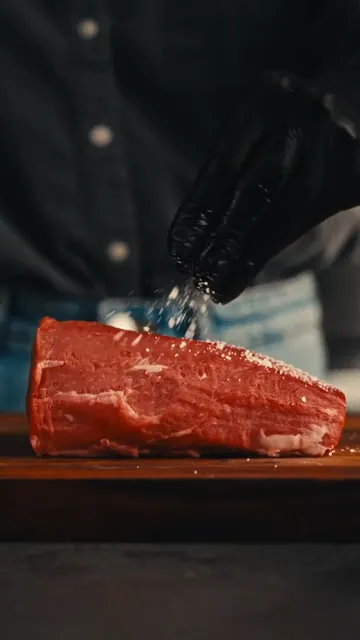 | 1s | Close-up Kitchen | A person in black gloves sprinkles salt onto a raw piece of beef on a wooden board. | Close-up of gloved hands seasoning a raw beef tenderloin with salt on a wooden cutting board, dark background, warm lighting. | |
| 2 | 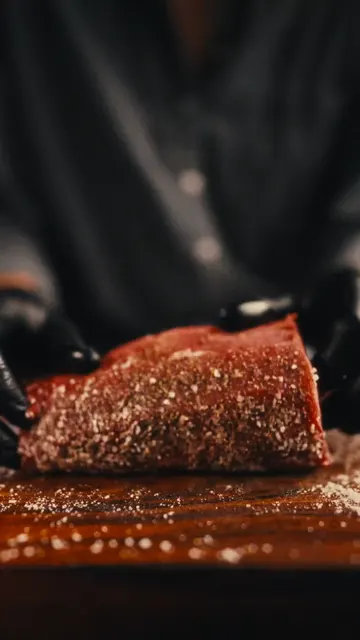 | 1s | Close-up Kitchen | Gloved hands flip the seasoned beef, showing pepper and spices on the other side. | Close-up of hands flipping a seasoned piece of beef on a wooden board, showing spices. | |
| 3 | 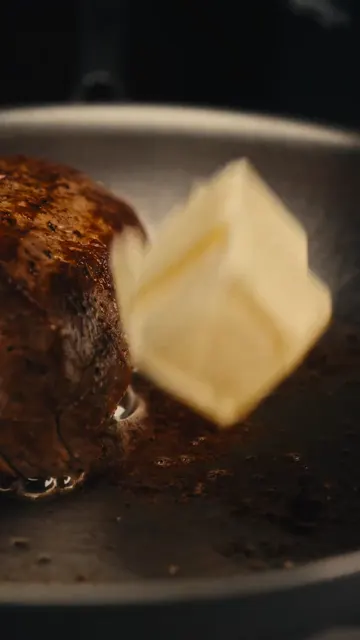 | 1s | Close-up Kitchen | A pat of butter is dropped into a hot pan next to the searing beef. | Macro shot of a block of butter falling into a hot stainless steel pan next to searing meat. | |
| 4 | 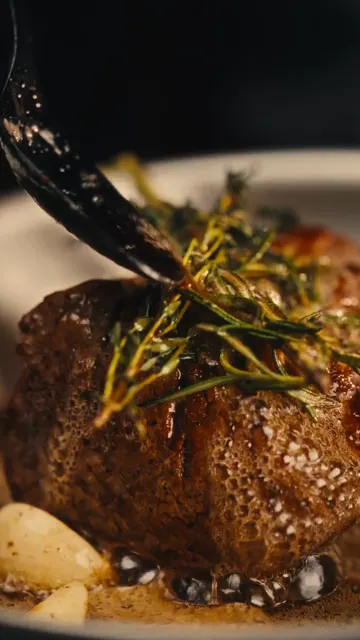 | 2s | Close-up Kitchen | Using tongs, the chef sears the sides of the beef in the pan with herbs. | Close-up of tongs holding a thick piece of beef, searing it on its side in a pan with butter and rosemary. | |
| 5 | 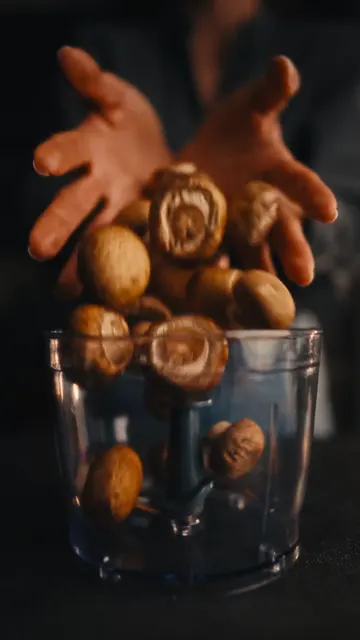 | 1s | Close-up Kitchen | Whole brown mushrooms are dropped into a food processor bowl. | Close-up of whole brown mushrooms falling into a clear food processor container. | |
| 6 | 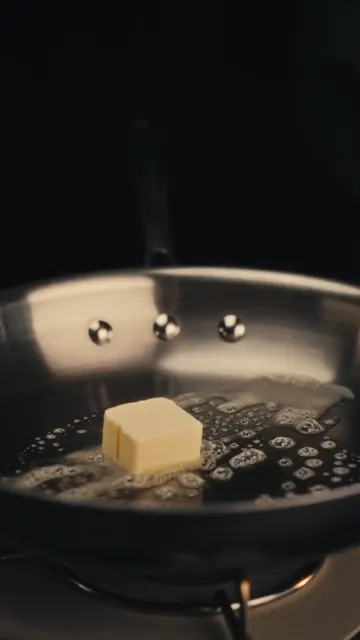 | 1s | Close-up Kitchen | A pat of butter melts and foams in a hot pan. | Close-up of butter melting and bubbling in a hot stainless steel pan. | |
| 7 | 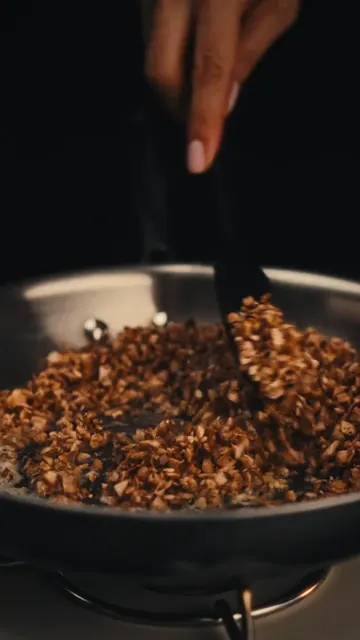 | 1s | Close-up Kitchen | Finely chopped mushrooms are sautéed in a pan with a spatula. | Close-up of minced mushrooms being stirred and sautéed in a pan. | |
| 8 | 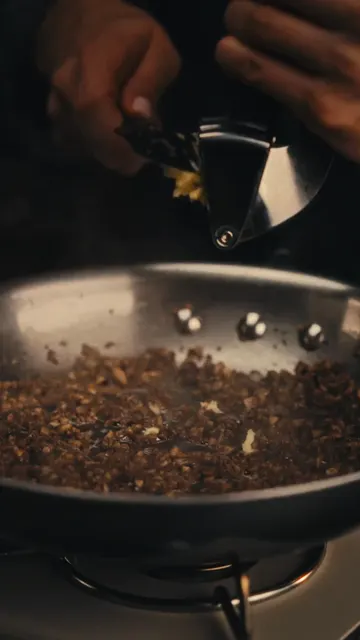 | 1s | Macro Kitchen | Minced garlic is pressed through a garlic press. | Macro shot of garlic being squeezed through a metal garlic press. | |
| 9 | 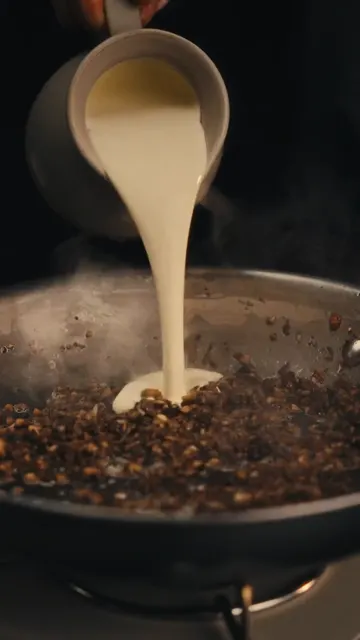 | 1s | Close-up Kitchen | Heavy cream is poured from a small pitcher into the sautéed mushrooms. | Close-up of white cream being poured into a pan of cooked mushrooms, steam rising. | |
| 10 | 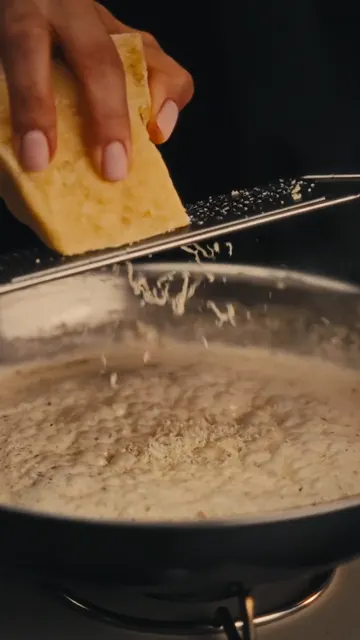 | 1s | Close-up Kitchen | Cheese is grated over the bubbling cream and mushroom sauce. | Close-up of hard cheese being grated over a simmering, bubbling white sauce in a pan. | |
| 11 | 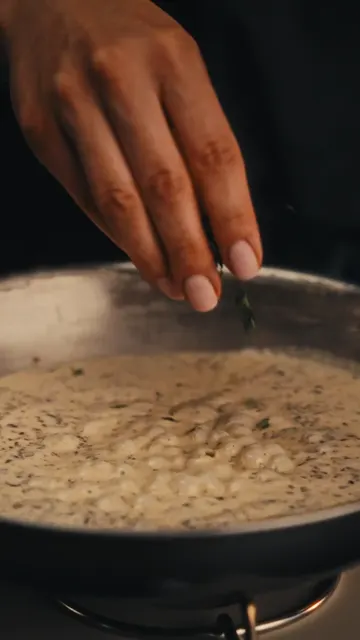 | 1s | Close-up Kitchen | Fresh green herbs are sprinkled into the simmering sauce. | Close-up of fingers sprinkling green herbs into a bubbling creamy sauce. | |
| 12 | 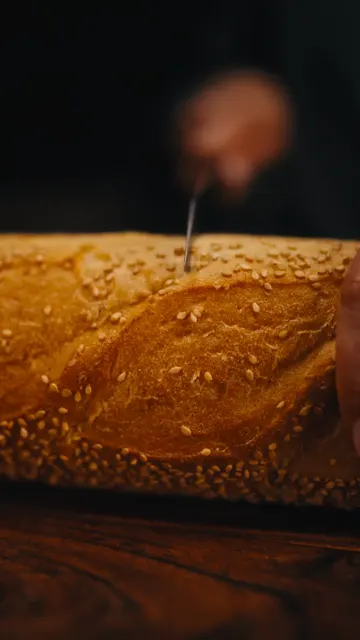 | 1s | Medium close-up Kitchen | A fresh baguette is pulled out of a brown paper bag onto a wooden board. | Medium close-up of a sesame baguette being pulled out of a paper sleeve onto a wooden table. | |
| 13 | 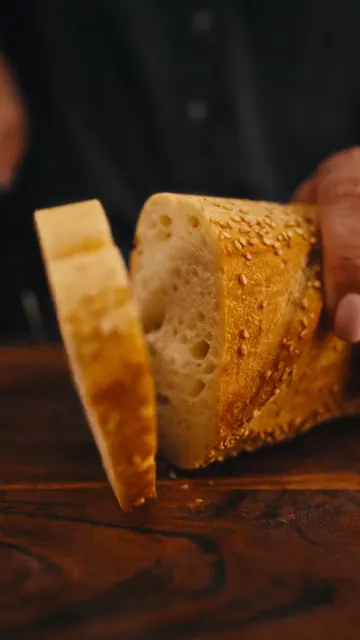 | 1s | Close-up Kitchen | A slice of baguette is cut on a wooden cutting board. | Close-up of a knife slicing a crusty sesame baguette on a wooden board. | |
| 14 | 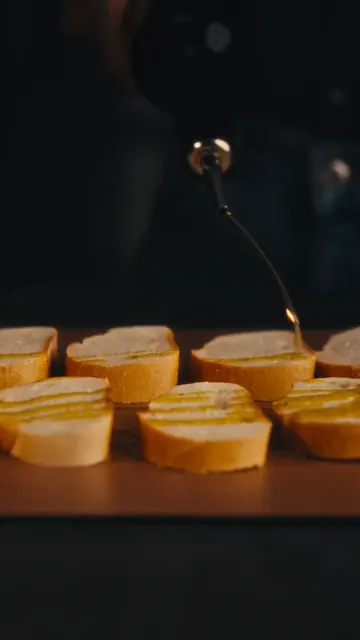 | 1s | Close-up Kitchen | Olive oil is drizzled over several slices of baguette. | Close-up of olive oil being drizzled over neat rows of sliced baguette. | |
| 15 | 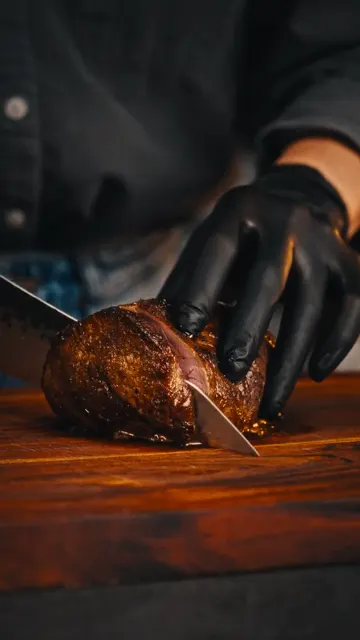 | 1s | Close-up Kitchen | The cooked beef is sliced on a wooden board with a sharp knife. | Close-up of a gloved hand slicing a cooked beef roast on a wooden board. | |
| 16 | 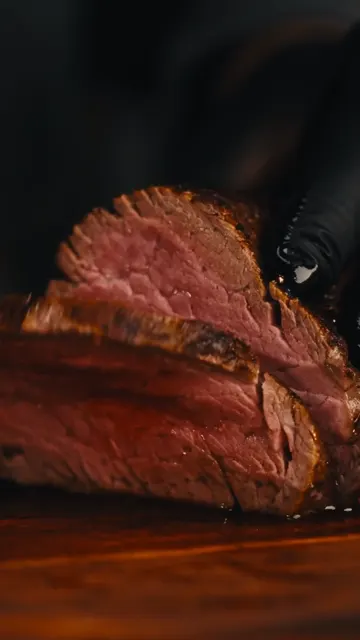 | 1s | Close-up Kitchen | The sliced beef is opened to reveal a perfect medium-rare pink center. | Close-up of a juicy medium-rare beef slice being separated to show the pink interior. | |
| 17 |  | 1s | Close-up Kitchen | A fresh ball of burrata cheese is torn open, releasing creamy filling. | Close-up of hands tearing open a fresh burrata cheese ball, cream dripping down. | |
| 18 | 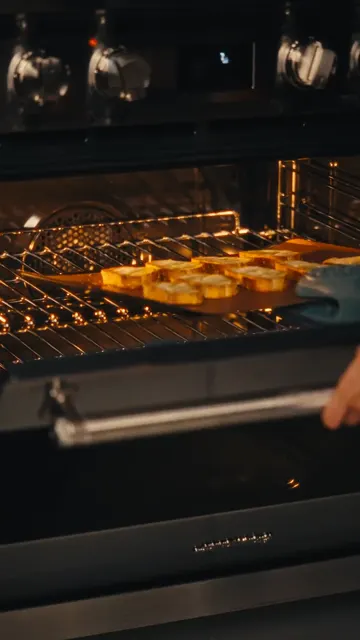 | 1s | Medium close-up Kitchen | A tray of baguette slices is placed into a hot oven. | Medium close-up of putting a baking sheet of bread slices into a glowing oven. | |
| 19 | 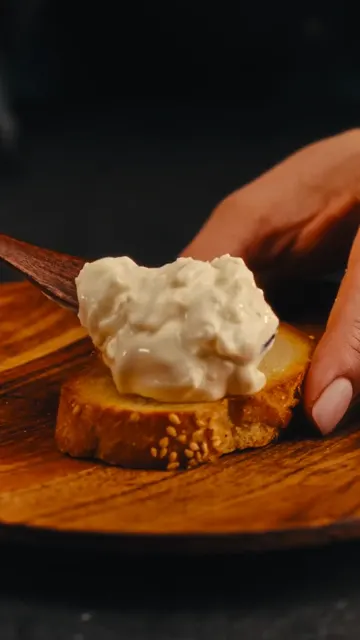 | 1s | Close-up Kitchen | A spoonful of creamy cheese mixture is spread onto a toasted baguette slice. | Close-up of spreading a thick, creamy cheese mixture onto a toasted baguette slice. | |
| 20 | 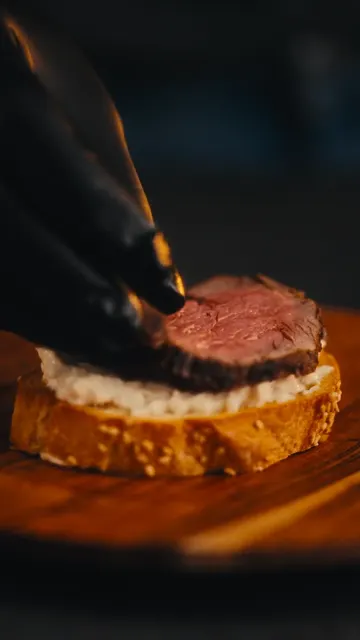 | 1s | Close-up Kitchen | A slice of medium-rare beef is placed on top of the cheese-spread baguette. | Close-up of a gloved hand placing a tender slice of pink beef onto the prepared crostini. | |
| 21 | 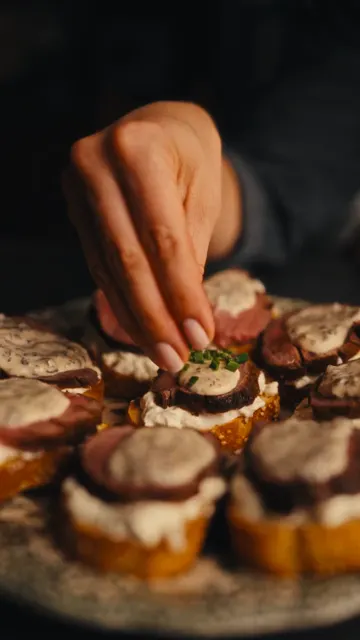 | 1s | Close-up Kitchen | The crostini are topped with mushroom sauce and garnished with chopped chives. | Close-up of garnishing beef crostini with creamy mushroom sauce and fresh green chives. | |
| 22 | 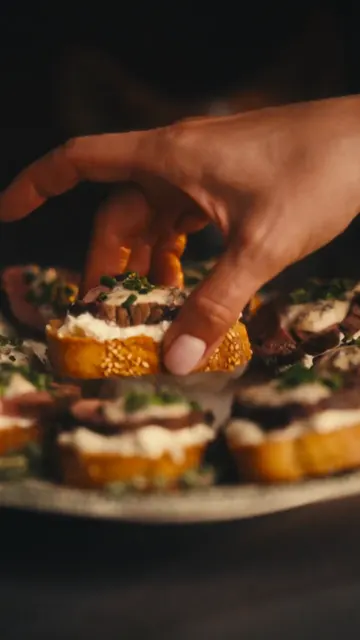 | 2s | Close-up Kitchen | A hand picks up one finished crostini from a platter with dramatic smoke rising around it. | Close-up of a hand lifting a gourmet beef crostini from a plate surrounded by swirling white smoke. | |
| 23 | 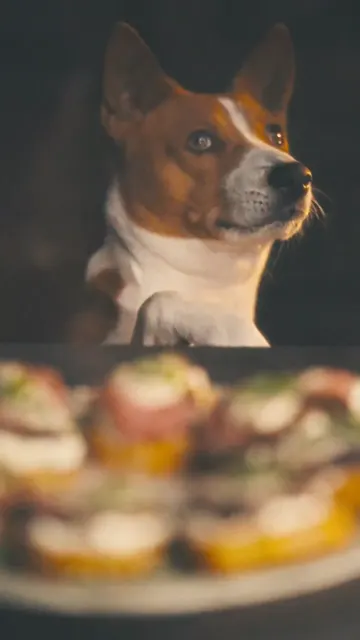 | 2s | Medium close-up Kitchen | A brown and white Basenji dog looks up eagerly at the food with its paw on the table edge. | Medium close-up of a cute brown and white dog looking up expectantly at the camera, dark background. |
Built-in Use Cases
Choose one scene type below and generate reusable prompts for editing and rerendering.
Prompt Starters
Paste these templates into your workflow to get better first drafts.
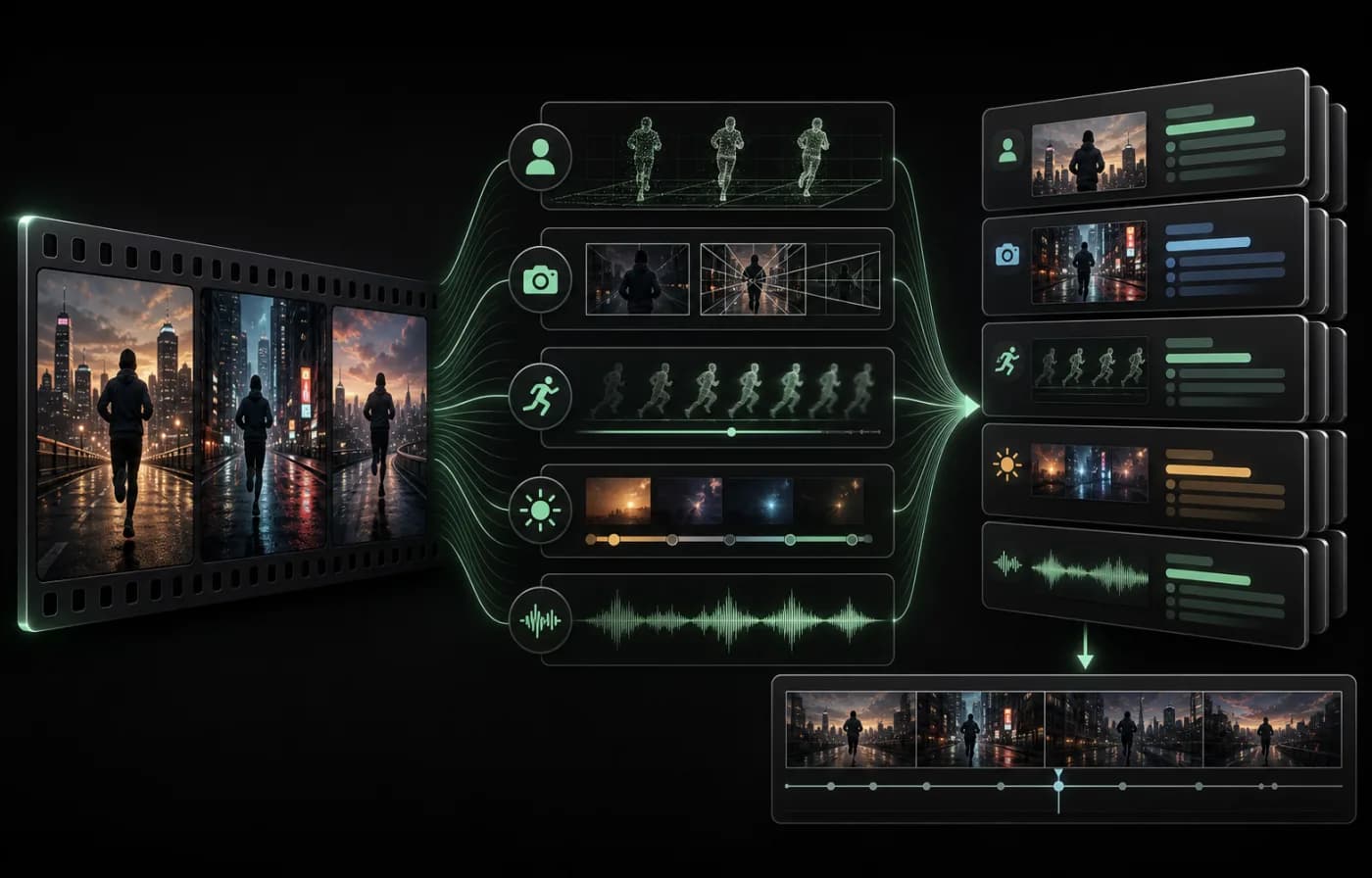
Start with scene, then add character, action, and target model style.
Describe camera behavior: shot size, movement path, lens, and transition style.
Specify pacing and audio cues: beat frequency, ambience, and music energy.
Add text on screen plan, subtitles, and key framing for every scene.
Finalize with a safety pass: legality, watermark-free requirement, and brand consistency.
Platform tutorial workflows
If you work with a specific platform, open the matching tutorial workflow directly.
TikTok video to prompt
Extract pacing and scene structure from TikTok clips for Veo, Runway, and Kling workflows.
YouTube Shorts to prompt
Turn Shorts timing, narration, and edits into structured storyboard prompts.
Douyin video to prompt
Convert vertical short-form motion, hooks, and transitions from Douyin to model-ready prompts.
Xiaohongshu video to prompt
Rewrite lifestyle and shopping clips into editable, platform-agnostic prompts.
PixMind vs. Manuel vs. Generisk AI
Hvorfor skabere vælger PixMind Video til Prompt
Bygget til Enhver Skaber
Betroet af skabere, marketingfolk, undervisere og sælgere over hele verden
Break strong clips into reusable storyboard prompts and recreate the camera language faster.
Extract competitor video structure, selling rhythm, visual style, and transition patterns.
Turn lessons, walkthroughs, and training videos into clear scripts and shot notes.
Use it for research, archiving, inspiration capture, and cross-platform content adaptation.
Spar Timer Hver Uge
10×PixMind forvandler en hel video til strukturerede storyboard prompts på cirka 30 sekunder — en opgave der let tager 5+ minutter manuelt.
Hvorfor Bruge Dette Værktøj
Ekstraher AI-prompts fra Facebook Reels-videoer
Analysér Facebook Reels-videoer og generér optimerede AI-prompts til videogenskabelse
Sådan Fungerer Det
Upload Facebook Reels-video
Upload enhver Facebook Reels-videofil (MP4, MOV, WEBM).
AI Analyserer Indhold
Vores AI nedbryder videoen i scener, kamerabevægelser og visuelle elementer.
Få Optimerede Prompts
Modtag detaljerede prompts formateret til Kling, Sora, Runway og andre AI-videoværktøjer.
Ofte Stillede Spørgsmål
Upload en Facebook Reels-video, vores AI analyserer det visuelle indhold inklusiv scener, kamerabevægelser og stil, og genererer derefter detaljerede prompts du kan bruge til at genskabe lignende videoer med AI-værktøjer.
Vi understøtter MP4, MOV og WEBM-formater. Gratis brugere kan uploade videoer op til 10MB og 2 minutter, VIP-brugere op til 100MB og 10 minutter.
Ja! Vores værktøj analyserer de visuelle elementer, kamerateknikker og stil for at generere prompts der hjælper dig med at skabe lignende indhold med AI-videogeneratorer.
De genererede prompts er formateret til Kling, Sora, Runway, Veo, Jimeng og andre store AI-videogenereringsplatforme.
Videoer behandles i real-time og gemmes ikke permanent. Dit indholds privatliv er fuldt beskyttet.