Seedance 2.5: The Ultimate Guide to ByteDance's 30-Second AI Video Model
AI video generation just crossed a new threshold. ByteDance's Seedance 2.5, announced at the Beijing FORCE event on June 23, 2026 and rolling out through July, is the first commercial video model to generate a native 30-second clip in a single pass, accept up to 50 multimodal reference inputs, and offer region-level editing that preserves everything outside the edited area. For creators and developers who have been stitching 5-15 second clips into longer narratives, that changes the workflow entirely.
This guide covers what Seedance 2.5 is, its verified capabilities, real workflow examples for each one, how it compares to Seedance 2.0, what independent reviewers are saying, the current API availability, and how to try it on PixMind. All model facts below are verified as of 2026-07-31 against ByteDance's official announcement and the BytePlus Seedance 2.5 resource guide; pricing is not yet published and is explicitly marked where relevant.
Key Takeaways
- Seedance 2.5 generates up to 30 seconds of continuous video in one shot, double the 15-second ceiling of Seedance 2.0 and beyond any peer commercial model (BytePlus Seedance 2.5 guide, retrieved 2026-07-31).
- Up to 50 multimodal references (image, video, text, audio) can guide a single generation, the highest reference limit among commercial video models, up from 9 in Seedance 2.0.
- New region-level editing lets you change one area of a clip while the rest keeps its motion, lighting, and identity.
- Native 4K output is delivered as real 4K, not an upscale from 1080p.
- Official pricing is not yet published; treat any per-second number you see elsewhere as an estimate until the live generator confirms it.
- On PixMind, the Seedance 2.5 landing page is live and API access is coming soon.
AI video generation pillar
What Is Seedance 2.5?
Seedance 2.5 is ByteDance's next-generation AI video generation model, part of the Doubao (豆包) model family and the successor to Seedance 2.0. It was unveiled at ByteDance's FORCE conference in Beijing on June 23, 2026, with broader availability rolling out through July.
The model is positioned as a production-grade video tool rather than a short-clip toy. Where earlier Seedance versions excelled at 5-15 second reference-guided shots, Seedance 2.5 extends three things at once: how long a single generation can run, how many references it can reconcile, and how precisely you can edit a finished clip without regenerating it from scratch.
These are not incremental spec bumps. Together they move AI video from "generate a short clip" to "direct a short scene", closer to how a marketer, filmmaker, or product team actually works.
Seedance 2.5 model page
Watch: Seedance 2.5 in Action
The fastest way to understand what the 2.5 upgrade means in practice is to watch the official demo footage and a community analysis. This walkthrough covers the 30-second native generation, 4K output, region-level editing, and the 50-reference workflow:
noscript fallback: Seedance 2.5 demo on YouTube - covers 30-second native clips, region-level edit, and 50 multimodal references.
For a deeper editorial discussion of what the workflow upgrades mean for AI feature films, the "Seedance 2.5 Changes Everything" analysis is worth watching alongside the official reel:
noscript fallback: Seedance 2.5 Changes Everything on YouTube.
The 5 Capabilities That Define Seedance 2.5
1. Native 30-second single-shot video
Seedance 2.5 can produce a continuous, coherent video of up to 30 seconds in a single generation, no stitching, no sequence breaks. Most competing commercial models still top out at 15-20 seconds per generation, which means longer pieces have to be assembled from multiple clips with the continuity problems that implies.
In practice, this lets you direct a full beat in one pass: a character entering, noticing something, reacting, and exiting, instead of planning three 10-second shots and hoping they cut together.

Workflow example: a 30-second product hero film. Plan one continuous take with three internal beats: a slow orbit around the product (seconds 0-10), an environmental interaction such as light catching a brushed-metal surface (seconds 10-20), and a final hero composition with the brand wordmark (seconds 20-30). Lock the camera language, references, and palette up front. Seedance 2.5 returns the full 30 seconds as one clip, so color, identity, and lighting stay continuous across beats. You then trim or grade in post without fixing stitching seams between cuts.
Our finding: The 30-second ceiling is the right place to use the full duration budget, not to pad. A 22-second take with a clean exit beats a 30-second take that drifts in the last 5 seconds. Watch the tail of every long generation before accepting it.
2. Up to 50 multimodal references
A single Seedance 2.5 request can accept up to 50 reference inputs across image, video, text, and audio simultaneously, the highest reference limit among commercial video models today. Seedance 2.0 supported up to 9 references.
The practical value is precise, multi-channel control: one image can lock a character's identity, another can fix a product's geometry, a video can drive body motion, an audio file can set rhythm, and text can describe the camera path, all in the same generation. The model reconciles them into one coherent shot instead of forcing you to choose which single reference matters most.

Workflow example: allocating a 50-reference budget for a branded spot. A 50-slot budget is large, but it is not infinite, and references that compete for the same property degrade output. A working allocation for a 25-second brand film looks like this: 2 slots for hero identity (one front-facing headshot, one three-quarter), 4 for product geometry (front, back, two details), 8 for wardrobe and props, 6 for location and palette reference, 4 short video clips for body-motion style, 4 for camera language (push-in, lateral track, crane, locked), 2 audio files for rhythm and score style, and the remaining 20 slots held in reserve for client-requested iterations. Every asset gets one explicit role, for example @Image 1 for identity and @Video 3 for camera motion. If two assets fight for the same job, drop the weaker one before generating.
Our finding: Reference count does not equal reference quality. A clean 12-reference cut with one role per asset usually outperforms a noisy 40-reference pile where three images compete to define the same character.
3. Native 4K output
Seedance 2.5 outputs native 4K video, not 4K-upscaled from a lower resolution. That matters for delivery: large displays, product films, and high-DPI social formats all benefit from real 4K detail rather than the softening that upscaling introduces.
Workflow example: 4K delivery for a trade-show wall. A brand-film master destined for a 4K LED wall at a trade show has no headroom for an upscale. Run the generation at native 4K, then check the delivered file before publishing. Confirm the resolution metadata reads 3840x2160 (or the chosen 4K variant), inspect a freeze-frame at 100% for fine detail in hair, fabric, and text edges, and compare a small region against a 1080p export of the same clip to confirm the extra detail is real, not interpolated. If any of those checks fail, treat the 4K listing as unverified for that route and fall back to 1080p until the live UI accepts the submission and the file checks out.
Our finding: Native 4K is a delivery quality lever, not a creativity lever. It does not make a bad shot better, but it does make a good shot usable in formats where 1080p would look soft.
4. Region-level editing
This is the capability most likely to change day-to-day workflows. Seedance 2.5 supports region-level video editing: you can change a specific area of a clip (swap a product on a shelf, replace a background element, update a prop) while the rest of the video preserves its motion, lighting, and identity.
Before this, "editing" an AI-generated clip usually meant regenerating the whole thing and hoping the new version stayed consistent. Region-level editing turns that into a surgical operation.
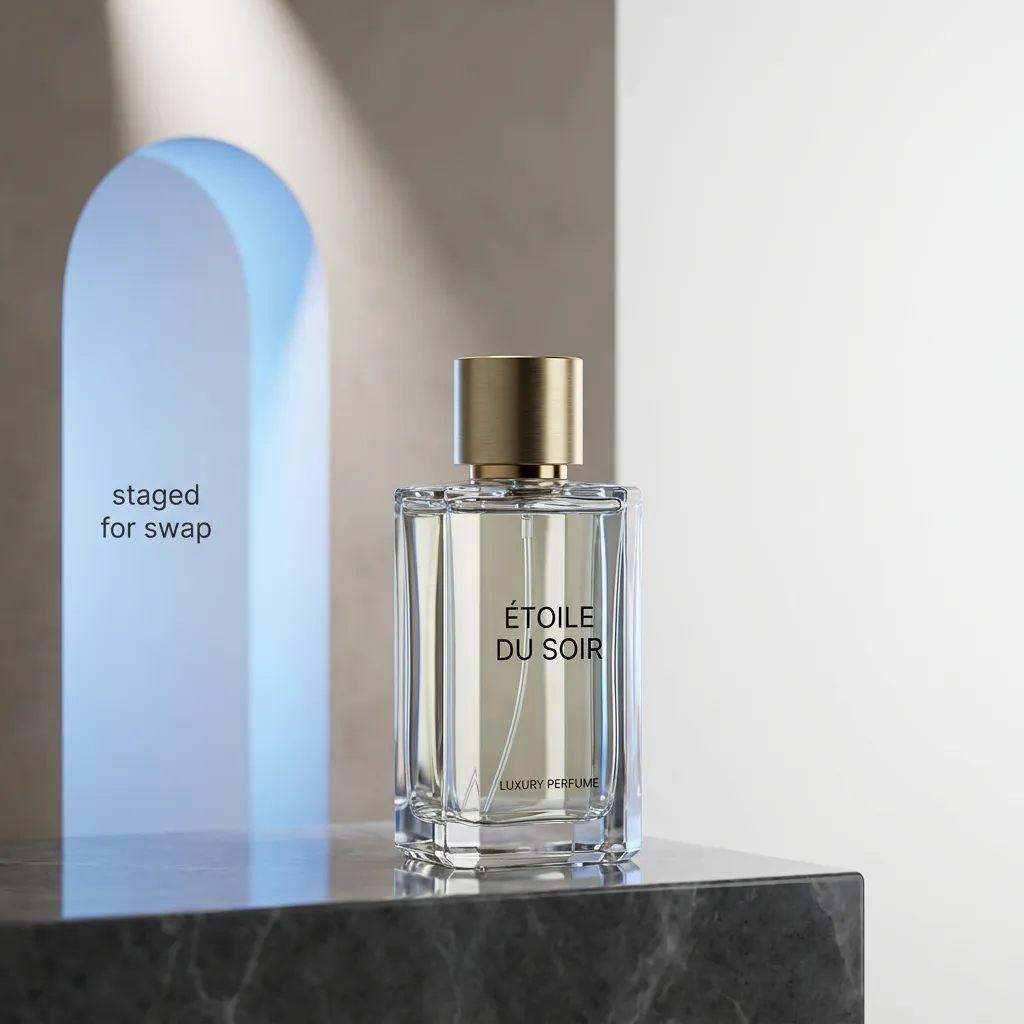
Workflow example: swapping a product in a near-final clip. A 28-second hero film is approved, but the client wants to replace the energy-drink can on the right shelf with a new SKU. Mark just that region, supply the new product reference, and regenerate only that area. Everything outside the region, including the actor's hand movement, the lighting on the wall, and the camera move, is preserved. Edit one region per pass, review the full 28 seconds each time, and stop the moment the change reads cleanly. Trying to swap three regions in one pass usually produces visible conflicts at the boundaries between edited and unedited areas.
Our finding: Region-level editing pays off most in the last 10% of a project, when the client wants one small change and a full regeneration would risk the take that already works. Use it surgically, not as a first-pass tool.
5. Multimodal audio-video joint generation
Seedance 2.5 uses a unified architecture that ingests text, image, audio, and video together and emits synchronized audio-visual output in a single task. When the selected mode supports audio, the soundtrack is generated alongside the picture, timed to the visible action, rather than added as a separate step.
Workflow example: dialogue and sound design in one pass. A 15-second product reveal needs three audio elements: a voiceover line, a diegetic click as a lid opens, and a low bed of ambient music. Supply the voiceover reference and the ambient bed as audio inputs, describe the click timing inside the text prompt tied to the visible action at second 7, and let the joint generation produce picture and sound together. That removes an entire post-production pass. As always, review the output: model capability does not guarantee publish-ready audio, so check speech clarity, lip movement, source matching, distortion, and timing before shipping.
Our finding: Joint audio is good enough to lock cut timing against, but dialogue still benefits from a separate ADR or cleanup pass for hero spots. Treat the model's audio as a high-quality scratch track and you will not be disappointed.
Seedance 2.5 Release Date and API Availability
Seedance 2.5 was announced at ByteDance's FORCE event in Beijing on June 23, 2026, with general availability and API access rolling out through July. BytePlus (ByteDance's international cloud arm) published the official Seedance 2.5 resource guide describing the model's capabilities and recommended workflows.
For developers: official API pricing has not yet been published as of this writing. Third-party platforms have floated estimates (roughly $0.04-0.353 per second, or from about $0.50 per run), but these are predictions, not confirmed rates. Treat any specific number as an estimate until the live generator or the official pricing page confirms it.
On PixMind, the Seedance 2.5 model page is already live with the full capability breakdown, FAQ, and a route comparison table. API access through PixMind's platform is in progress: the model is currently listed as Coming Soon in the model selector, and the /api-platform/models/seedance-2-5 route is staged with endpoint documentation and request examples for when access opens.
API platform pillar
What Independent Reviewers Say
Independent coverage of Seedance 2.5 largely converges on the same workflow claims this guide makes, with useful nuance worth reading directly:
- ByteDance's own Seedance 2.5 resource page (retrieved 2026-07-31) frames 2.5 around advertising video generation and product demos, the long-form, reference-heavy, editable use cases highlighted above.
- A Topview/Medium analysis (retrieved 2026-07-31) emphasizes the jump from 2.0 to 2.5 in 4K-ready quality and the 50-reference budget, and notes the model is designed for higher-consistency, longer-form production rather than short social hooks.
- Pixo's FORCE coverage (retrieved 2026-07-31) and a ToSea complete guide (retrieved 2026-07-31) both frame 2.5 as a summer-2026 launch built around the 30-second native clip and 50 reference inputs.
- MakeFun AI's demo recreation guide (retrieved 2026-07-31) walks through recreating BytePlus ModelArk's reference-heavy demo workflows, useful if you want to reproduce the official look.
The consensus across independent reviews: 2.5 is a genuine workflow upgrade for long-form and reference-heavy work, but reviewers consistently flag that live pricing and real-world consistency over the full 30 seconds are the open variables. That matches the verification posture in this guide.
Seedance 2.5 vs Seedance 2.0: What Actually Changed
If you already use Seedance 2.0, here is the concrete difference, verified against the connected Seedance routes and the official Seedance 2.5 guide:
| Capability | Seedance 2.0 | Seedance 2.5 |
|---|---|---|
| Max single-shot duration | 5, 10, or 15 seconds | Up to 30 seconds |
| Reference inputs | Up to 9 | Up to 50, multimodal |
| Reference types | Image, video, text | Image, video, text, audio |
| Editing | Regenerate the whole clip | Region-level, preserves the rest |
| Resolution | Up to 1080p (4K listed but unverified) | Native 4K |
| Audio | Supported, joint generation | Supported, unified architecture with audio inputs |
| Typical workflow role | Reference-guided short shots | Longer single-take scenes plus region editing |
The upgrade is not "better quality of the same thing." It is a workflow shift: Seedance 2.0 is for generating a good 10-second clip; Seedance 2.5 is for directing a 30-second scene and then refining one part of it without starting over.
A simple decision rule: stay on 2.0 for proven, short, reference-led shots; move to 2.5 when the shot needs longer continuous duration, more than nine references, or surgical edits after generation.
ByteDance Seedance family comparison
How to Use Seedance 2.5 on PixMind
There are two ways to access Seedance 2.5 through PixMind, depending on whether you want a visual workspace or programmatic control.
Option 1: The web generator. The Seedance 2.5 landing page hosts a generator pinned to the exact connected model ID. You get the current controls (duration, resolution, references) and live pricing directly from the route, with no setup. This is the fastest way to test a prompt or produce a one-off clip.
Option 2: The API (coming soon). For automated or production workflows, the /api-platform/models/seedance-2-5 route documents the endpoint, authentication, request parameters, and a curl example. API access is being finalized; the model is marked Coming Soon in the platform model selector, and the route is ready to accept requests the moment the backend connection opens.
If you want to be notified when API access goes live, create an API key in the dashboard now so you are ready to call the endpoint as soon as it is enabled.
Create an API key
Who Should Use Seedance 2.5?
- Marketing and product teams who need a single 30-second hero clip for a campaign, not a stitched-together sequence.
- Filmmakers and concept artists who want longer continuous takes and the ability to edit one region without regenerating.
- E-commerce and social creators running vertical hooks at 4K, where reference consistency across many inputs matters.
- Developers building video into products who need a single endpoint that handles long generation, multimodal references, and audio together.
- Agencies and post-production houses moving from AI scratch clips to AI-directed scenes, where the region edit matters as much as the first generation.
If your shot is 10 seconds or shorter, has fewer than nine references, and needs no post-generation edit, Seedance 2.0 Pro remains the more appropriate route, and there is no reason to migrate.
Limitations and Review Checklist Before You Publish
Like every generative video model, Seedance 2.5 output is probabilistic and must be reviewed before publishing. Run this checklist on every clip before it ships:
- Review identity, faces, and hands frame by frame across the full 30 seconds, not just the first 5. The tail is where drift shows up first.
- Check product geometry, text, and logos, especially during motion. Generative models still distort these at the edges of frames and during fast camera moves.
- Verify audio when the output ships with sound: speech clarity, lip sync, source matching, distortion, and timing against the visible action.
- Watch for continuity drift at the tail of long takes. The first 15 seconds are typically stronger than seconds 25-30; check the end before accepting.
- Inspect region edits at the boundaries. The edited region should match lighting, grain, and motion of the surrounding area. If a seam is visible, regenerate the region rather than trying to hide it in post.
- Confirm rights for every uploaded person, brand, voice, image, video, and audio reference. Model capability does not grant usage rights.
- Confirm 4K delivery by checking the file metadata and a 100% zoom on a freeze-frame, not by trusting the live UI label alone.
- Treat pricing as unconfirmed until you see it in the live generator, and record the credits shown at submit time for every run.
Seedance 2.5 FAQ
When was Seedance 2.5 released?
Seedance 2.5 was announced at ByteDance's FORCE conference in Beijing on June 23, 2026, with general and API availability rolling out through July 2026 (BytePlus Seedance 2.5 guide, retrieved 2026-07-31).
How is Seedance 2.5 different from Seedance 2.0?
Seedance 2.0 generates 5-15 second clips with up to 9 references. Seedance 2.5 extends single-shot duration to 30 seconds, raises the reference limit to 50 multimodal inputs (adding audio), adds native 4K, and introduces region-level editing that lets you change one area of a clip without regenerating the whole thing.
What does "30-second native single-shot video" mean?
It means the model produces a continuous, coherent 30-second clip in one generation, not a sequence of shorter clips stitched together. That eliminates the continuity breaks (identity drift, lighting shifts, jump cuts) that stitching introduces.
How do the 50 multimodal references work?
A single request can include up to 50 inputs across image, video, text, and audio. Give each input one explicit role (identity, product shape, motion, palette, rhythm) and remove assets that compete for the same property. The model reconciles all of them into one coherent shot.
Can I edit part of a Seedance 2.5 video without regenerating it?
Yes. Region-level editing lets you change a specific area, such as a product, a prop, or a background element, while the rest of the clip preserves its motion, lighting, and identity. Edit one region per pass and review the full clip each time.
Does Seedance 2.5 generate audio, and is the quality shippable?
Yes. Seedance 2.5 uses a unified audio-video architecture that generates synchronized audio in the same task when the selected mode supports it. For social cuts, scratch films, and internal reviews the audio is often shippable as generated. For hero commercials, broadcast, or theatrical work, plan on a separate ADR or cleanup pass for dialogue. Always review speech clarity, lip movement, source matching, distortion, and timing before publishing.
How consistent is Seedance 2.5 over the full 30 seconds?
The model is designed for higher-consistency, longer-form output than Seedance 2.0, and the joint architecture helps identity, lighting, and palette stay continuous across the take. That said, the tail of a 30-second clip (roughly seconds 25-30) is the most likely place for drift. Watch the full duration before accepting, and trim the tail if it weakens.
Who should use Seedance 2.5, and should I migrate from 2.0?
Use 2.5 for 20-30 second hero scenes, reference-heavy product films, and any clip that needs a region edit after generation. Migrate shot-by-shot, not wholesale. Run a fair A/B first: same source references, same shot objective, same duration and aspect ratio, changing only the route. Keep 2.0 for shots where the existing workflow already delivers; move to 2.5 only when the shot needs the longer duration, larger reference budget, or region editing.
How much does Seedance 2.5 cost?
Official pricing has not yet been published as of July 31, 2026. Third-party estimates range widely (roughly $0.04-0.353 per second), but these are predictions, not confirmed rates. Read the live generator for the current credits at your chosen duration and resolution before submitting, and treat any earlier number as an estimate.
Is Seedance 2.5 available on PixMind, and what should I check before publishing?
The Seedance 2.5 model page is live with the full generator, FAQ, and route comparison. API access through PixMind's api-platform is in progress: the model is marked Coming Soon, and the API route is documented and ready to accept requests once access opens. Before publishing any clip, review identity, faces, hands, product geometry, text, logos, continuity (especially at the tail), dialogue, and audio timing frame by frame, and confirm rights for every uploaded reference.
Start Directing with Seedance 2.5
Seedance 2.5 is the first commercial video model that lets you generate a real 30-second scene, control it with up to 50 multimodal references, and then edit one part of it without starting over. Whether you want to try it in a visual workspace or call it from your own code, PixMind has both paths ready.
→ Open the Seedance 2.5 generator to direct your first shot, read the Seedance 2.5 API route details to prepare your integration, or compare it against the other ByteDance Seedance routes to pick the right tool per shot.
Sources: ByteDance FORCE 2026 announcement; BytePlus Seedance 2.5 resource guide (retrieved 2026-07-31); ByteDance Seedance 2.5 product page (retrieved 2026-07-31); Topview/Medium analysis (retrieved 2026-07-31); Pixo FORCE coverage (retrieved 2026-07-31); ToSea complete guide (retrieved 2026-07-31); X/Twitter launch coverage (@deedydas, @testingcatalog). Facts verified 2026-07-31. Pricing is unpublished and explicitly marked as estimate-only.