Bytedance Seedance: porównanie wszystkich wersji (1.5 / 2.0 / 2.5). Profesjonalny przewodnik po wyborze właściwego wariantu
Linia Seedance firmy ByteDance to już nie pojedynczy model, lecz rodzina pięciu odrębnych wariantów wideo, z których każdy został zaprojektowany pod inny etap procesu produkcyjnego. Mamy w niej wariant legacy image-to-video (1.5 Pro), trzy warianty 2.0 (Pro, Fast, Mini) oraz nowy 2.5. Nie jest to drabina typu „nowszy znaczy lepszy”: Seedance 2.0 Fast to wciąż właściwe narzędzie do szybkiego testu A/B kamery, mimo że istnieje już 2.5, a 1.5 Pro nadal wygrywa dla sprawdzonych promptów opartych na obrazie, które już działają.
To porównanie klasy profesjonalnej, przygotowane dla zespołów, które muszą dobrać właściwy wariant do każdego ujęcia, a nie do całego projektu. Wykracza ono poza tabele ze specyfikacją i obejmuje przykłady realnych workflow, strukturę decyzyjną migracji, opinie niezależnych recenzentów oraz materiały wideo z przypadków, dzięki czemu możesz pewnie dopasować wariant do typu ujęcia. Wszystkie specyfikacje wersji zostały zweryfikowane względem podłączonych wariantów PixMind oraz oficjalnej dokumentacji ByteDance/BytePlus na dzień 2026-07-31.
Najważniejsze wnioski
- Seedance 2.5 to wariant długometrażowy i edytowalny: do 30 s natywnie, 50 odniesień multimodalnych, edycja na poziomie obszarów. Do reżyserowania całych scen.
- Seedance 2.0 Pro to wariant jakościowy dla finałowych kandydatów 5–15 s sterowanych odniesieniami.
- Seedance 2.0 Fast to wariant iteracyjny do kontrolowanych testów A/B kamery i hooków przy 480p/720p.
- Seedance 2.0 Mini to wariant do walidacji koncepcji: znajduj konflikty i upraszczaj prompt, zanim zaangażujesz budżet.
- Seedance 1.5 Pro to wariant legacy image-to-video: ciągłość workflow i punkt odniesienia dla migracji.
- Rodzina to zestaw narzędzi produkcyjnych, a nie ranking. Jeden krótkometrażowy film może zasadnie korzystać z czterech z nich.
Rodzina Seedance w pigułce
Zanim przejdziemy do szczegółów, oto zweryfikowana macierz specyfikacji. Każde pole pochodzi z podłączonego wariantu PixMind lub z oficjalnej dokumentacji, weryfikacja na dzień 2026-07-31.
| Wersja | Rola produkcyjna | Maks. czas pojedynczego ujęcia | Rozdzielczość | Wejścia odniesień | Audio | Indeksowalny |
|---|---|---|---|---|---|---|
| Seedance 2.5 | Długometrażowy + edycja | Do 30 s | Do natywnego 4K | Do 50, multimodalnie (obraz/wideo/tekst/audio) | Ujednolicona generacja łączona | Tak |
| Seedance 2.0 Pro | Jakość | 5 / 10 / 15 s | 480p / 720p / 1080p | Do 9 | Obsługiwane | Tak |
| Seedance 2.0 Fast | Iteracja | 5 / 10 / 15 s | 480p / 720p | Do 9 | Obsługiwane | Tak |
| Seedance 2.0 Mini | Walidacja koncepcji | 5 / 10 / 15 s | 480p / 720p | Do 9 | Obsługiwane | Nie |
| Seedance 1.5 Pro | Legacy image-to-video | Finalne według generatora na żywo (konflikty snapshotu) | 480p / 720p / 1080p | Tekst + do 2 obrazów | Obsługiwane | Tak |
Uwaga o weryfikacji: Snapshot endpointu Seedance 1.5 Pro raportuje sprzeczne pola czasu trwania (jedno pole mówi o maks. 12 s, konfiguracja kończy się na 10 s). Traktuj generator na żywo jako źródło ostateczne i zapisuj opcję faktycznie przesłaną.
Zobacz: Seedance 2.5 w akcji
Najszybsza droga do zrozumienia, co w praktyce oznacza upgrade do 2.5, to obejrzenie oficjalnego dema i analiz społeczności. Ten walkthrough obejmuje 30-sekundową generację natywną, wyjście 4K, edycję lokalną i workflow z 50 odniesieniami:
Wersja alternatywna noscript: Demo Seedance 2.5 na YouTube — obejmuje 30-sekundowe klipy natywne, edycję lokalną i 50 multimodalnych odniesień.
Aby uzyskać głębszą, redakcyjną dyskusję o tym, co ulepszenia workflow oznaczają dla pełnometrażowych filmów AI, warto obejrzeć analizę „Seedance 2.5 Changes Everything" obok oficjalnej rolki:
Wersja alternatywna noscript: Seedance 2.5 Changes Everything na YouTube.
Seedance 2.5: wariant długometrażowy, edytowalny
Seedance 2.5, zapowiedziany na wydarzeniu FORCE ByteDance w Pekinie 23 czerwca 2026 r. i wdrażany przez lipiec, to wariant, który zmienia sposób planowania ujęcia. Trzy ulepszenia mają znaczenie wspólnie:
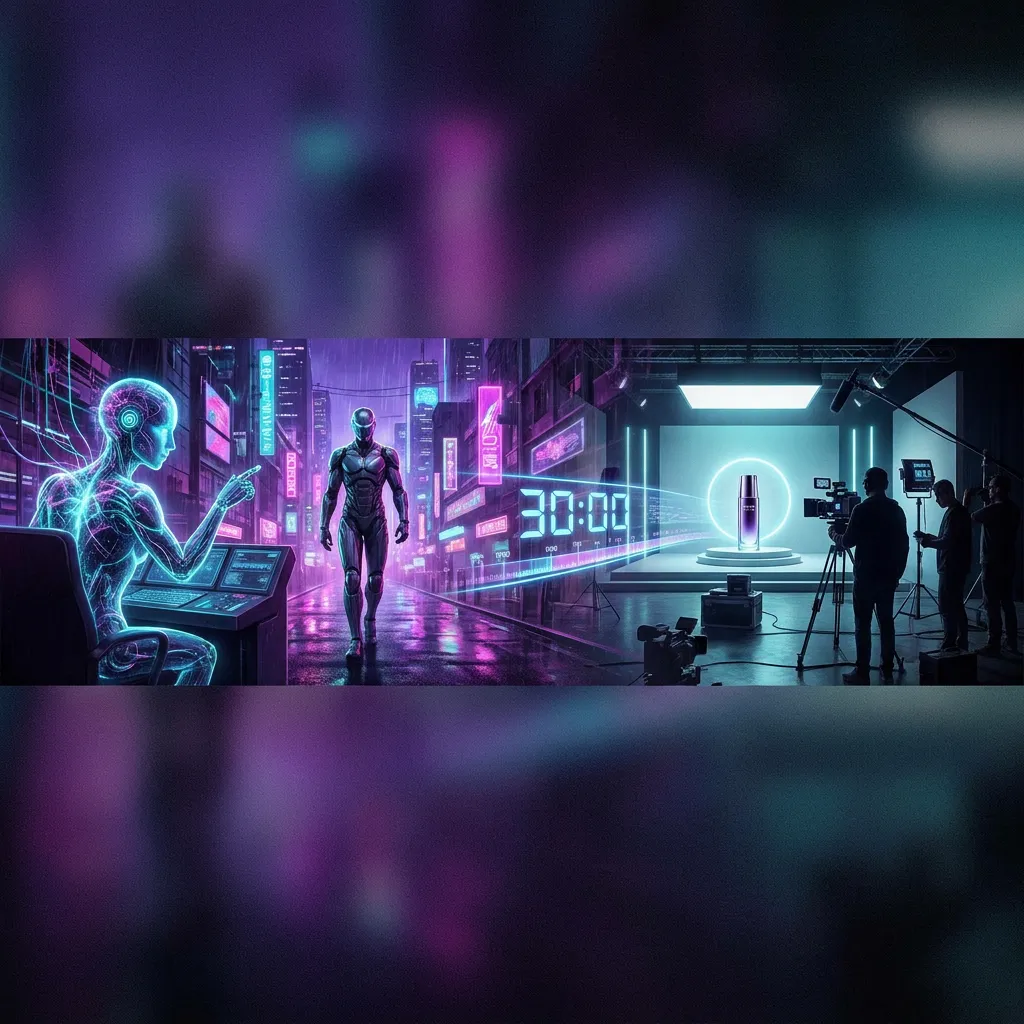
- Do 30 sekund natywnego wideo z jednego ujęcia (zamiast 15 s w 2.0). Jedna generacja, bez sklejania, bez dryfu ciągłości między klipami.
- Do 50 multimodalnych odniesień (zamiast 9 w 2.0). Możesz w tym samym żądaniu podać tożsamość postaci, geometrię produktu, styl, wideo ruchu i rytm audio.
- Edycja na poziomie obszarów. Zmień jeden obszar gotowego klipu: wymień produkt, podmień element tła, podczas gdy reszta zachowuje swój ruch, oświetlenie i tożsamość.
Przykład workflow: 25-sekundowy film produktowy hero
Zamiast planować trzy sklejone klipy, realizujesz jedno ciągłe 25-sekundowe ujęcie: powolna orbita wokół produktu, interakcja ze środowiskiem w punkcie środkowym i finałowa kompozycja hero. Odniesienia przypisujesz wprost: @Image 1 dla kształtu produktu, @Image 2 dla palety studia, @Video 1 dla ruchu kamery, @Audio 1 dla rytmu. Po pierwszej generacji klient prosi o wymianę produktu w tle na prawej półce. Dzięki edycji na poziomie obszarów celujesz w ten region i regenerujesz tylko go, zachowując wszystko inne.

To wariant, po który sięgnij, gdy ujęcie jest sceną, a nie klipem. Otwarte pytania, czyli realna spójność przez pełne 30 sekund, jakość audio na dużą skalę i wciąż nieopublikowana cena, to powody, dla których zespół może chcieć zatrzymać 2.0 Pro obok 2.5 zamiast migrować w całości.
Strona modelu Seedance 2.5
Seedance 2.0 Pro: wariant jakościowy dla finałowych kandydatów
Seedance 2.0 Pro pozostaje wariantem jakościowym dla ujęć 5–15 sekundowych sterowanych odniesieniami. Udostępnia tryby obrazu, pierwszej/ostatniej klatki oraz odniesień multimodalnych z liczbą do 9 odniesień, w rozdzielczościach 480p/720p/1080p.
Przykład workflow: wybrane finałowe ujęcie
Kierunek kreatywny jest ustalony. Masz po jednej jednoznacznej roli dla każdego odniesienia: jeden obraz dla tożsamości, jeden dla kształtu produktu, jedno wideo dla ruchu, a zadaniem jest wyprodukowanie finałowego kandydata w najwyższej jakości, jaką wariant obsługuje. Taka jest rola 2.0 Pro. Wiele istniejących promptów i workflow produkcyjnych jest już dostrojonych do tego wariantu, a dla ujęć, które nie potrzebują 30 sekund ani edycji obszarowej, nie ma powodu do migracji.
Obserwacja z pierwszej ręki: Najczęstszym błędem na 2.0 Pro jest przeciążenie odniesień konkurującymi rolami. Nadaj każdemu zasobowi jedną jednoznaczną rolę i usuń wszystko, co walczy o tę samą właściwość; ta jedna dyscyplina poprawia wynik bardziej niż jakiekolwiek dostrajanie promptu.
Seedance 2.0 Fast: wariant iteracyjny
Seedance 2.0 Fast to wariant do kontrolowanego testowania kierunku: beaty storyboardu, porównania A/B kamery, warianty hooków pod social media. Działa w 480p/720p z tymi samymi typami odniesień co Pro.
Przykład workflow: test A/B kamery
Zablokuj punkt odniesienia: obiekt, akcję, odniesienia, proporcje obrazu, czas trwania i kompozycję końcową. Następnie zmień dokładnie jedną zmienną na przebieg: zablokowana klatka vs jazda boczna vs najazd. Każdy wynik odpowiada na jedno pytanie produkcyjne. Promuj zwycięzcę do Pro (lub 2.5) dla przebiegu finałowego.
Fast to wariant iteracyjny, a nie obietnica stałej prędkości. Kolejki u dostawcy nadal wpływają na czas oczekiwania, dlatego zapisuj zmierzone czasy, zamiast zakładać gwarantowany termin realizacji. Jego wartością jest izolacja zmiennych, a nie surowa prędkość.
Seedance 2.0 Mini: wariant do walidacji koncepcji
Seedance 2.0 Mini to wariant do znajdowania konfliktów, zanim wydasz na render jakościowy. Używaj go, by sprawdzić, czy odniesienia są kompatybilne, kompozycja się czyta, dany ruch działa, a prompt jest jasny, a następnie uprość całość, zanim dodasz detale.
Przykład workflow: diagnoza konfliktów promptu
Szczegółowy prompt ciągle zawodzi. Zamiast wszystko przepisywać, zjedź do Mini, usuń akcje poboczne i konfliktujące odniesienia, zredukuj brief do: jeden obiekt + jedna akcja + jedna instrukcja kamery, i uruchom ponownie tę samą kompozycję. Gdy koncepcja zadziała, przekaż czysty brief do Pro lub 2.5.
Ta strona nie twierdzi, że Mini jest najtańszym czy najszybszym wariantem; jest wariantem do walidacji koncepcji. Sprawdź w generatorze na żywie bieżące zużycie kredytów i testuj zmierzoną prędkość przy tych samych warunkach kolejki.
Seedance 1.5 Pro: wariant do migracji legacy
Seedance 1.5 Pro jest utrzymywany dla ustalonych workflow image-to-video: sprawdzonych promptów z pojedynczym obrazem, szerokich formatów dostawy oraz kontrolowanych testów migracji. Udostępnia jeden tryb oparty na obrazie z kierunkiem tekstowym i maksymalnie dwoma obrazami; nie oferuje trybów odniesień multimodalnych znanych z wariantów 2.0/2.5.
Przykład workflow: punkt odniesienia migracji
Masz prompt 1.5 Pro, który już daje rezultaty. Zanim zdecydujesz się przenieść ujęcie do 2.0 Pro, przeprowadź uczciwe porównanie: ten sam obraz źródłowy, ten sam cel ujęcia, ten sam czas trwania i proporcje, zmiana tylko składni specyficznej dla wariantu. Porównaj tożsamość, ruch, wymagania audio, kontrolki, kredyty, czas oczekiwania i użyteczne klatki. Zachowaj 1.5 Pro, gdy istniejący workflow spełnia wymagania dostawy; migruj, gdy ujęcie potrzebuje tego, co oferują nowsze warianty.
Traktuj 1.5 Pro jako dojrzały wariant historyczny, a nie najnowszy model. Jego wartością jest ciągłość i stabilny punkt odniesienia; cenny właśnie dlatego, że nowsze warianty wciąż budują swoją reputację w realnych warunkach.
Struktura decyzyjna migracji: jaki wariant i kiedy
Struktura decyzyjna w zależności od tego, czego wymaga ujęcie:
Potrzeba 30 s ciągłości LUB >9 odniesień LUB edycji obszarowej?
  → TAK → Seedance 2.5
  → NIE ↓

Potrzeba finałowego kandydata 5–15 s sterowanego odniesieniami w jakości finalnej?
  → TAK → Seedance 2.0 Pro
  → NIE ↓

Testowanie wariantów kamery, hooka lub inscenizacji (jedna zmienna naraz)?
  → TAK → Seedance 2.0 Fast
  → NIE ↓

Diagnozowanie konfliktów odniesień lub jasności promptu przed zaangażowaniem budżetu?
  → TAK → Seedance 2.0 Mini
  → NIE ↓

Sprawdzony workflow z pojedynczym obrazem, który już spełnia wymagania dostawy?
  → TAK → Seedance 1.5 Pro
Struktura ta obowiązuje ujęcie po ujęciu. Realistyczna produkcja korzysta z kilku z nich po kolei: Mini do diagnozy, Fast do testowania wariantów, Pro dla wybranego kandydata, 2.5 dla długiego ujęcia hero.
Co mówią niezależni recenzenci
Niezależne publikacje w dużej mierze pokrywają się z rolami wariantów opisanymi powyżej, z pożytecznymi niuansami:
- Oficjalna strona zasobów Seedance 2.5 firmy ByteDance opisuje 2.5 wokół generowania wideo reklamowego i demon produktów, czyli długometrażowych, obfitujących w odniesienia, edytowalnych przypadków użycia, które podkreśla ten przewodnik.
- Analiza Topview/Medium podkreśla skok z 2.0 do 2.5 w jakości gotowej na 4K oraz budżet 50 odniesień i zauważa, że model jest projektowany pod dłuższą, bardziej spójną produkcję.
- Relacja Pixo z FORCE oraz kompletny przewodnik ToSea obie prezentują 2.5 jako start w lecie 2026 r., zbudowany wokół 30-sekundowego klipu natywnego i 50 wejść odniesień.
- Przewodnik odtwarzania dema MakeFun AI przeprowadza przez odtwarzanie workflow demo bogatych w odniesienia z BytePlus ModelArk, co jest przydatne, gdy chcesz powielić oficjalny wygląd.
Konsensus w niezależnych recenzjach: 2.5 to realny upgrade workflow dla pracy długometrażowej i obfitej w odniesienia, ale recenzenci konsekwentnie sygnalizują, że cena na żywo i realna spójność przez 30 sekund to otwarte zmienne. Pokrywa się to z postawą weryfikacyjną przyjętą w tym przewodniku.
Porównanie bok w bok: który wariant radzi sobie z którą pracą
| Praca | Najlepszy wariant | Dlaczego |
|---|---|---|
| 20–30 s ciągła scena | Seedance 2.5 | Jedyny wariant z natywnym 30 s |
| Reżyseria bogata w odniesienia (tożsamość + produkt + ruch + audio) | Seedance 2.5 | Budżet 50 odniesień |
| Edycja obszarowa na prawie gotowym klipie | Seedance 2.5 | Jedyny wariant z edycją na poziomie obszarów |
| Finałowy kandydat 10–15 s sterowany odniesieniami | Seedance 2.0 Pro | Wariant jakościowy, sprawdzone prompty |
| Test A/B kamery/hooka (jedna zmienna) | Seedance 2.0 Fast | Wariant iteracyjny, izolacja zmiennych |
| Diagnoza konfliktów promptu/odniesień | Seedance 2.0 Mini | Walidacja koncepcji, uprość przed skalowaniem |
| Ustalony workflow z pojedynczym obrazem | Seedance 1.5 Pro | Ciągłość + punkt odniesienia migracji |
Ograniczenia i lista kontrolna recenzji (wszystkie warianty)
Niezależnie od wariantu, każda generacja Seedance jest probabilistyczna i musi zostać poddana recenzji przed publikacją:
- Przejrzyj tożsamość, twarze i dłonie klatka po klatce przez cały klip.
- Sprawdź geometrię produktu, teksty i logotypy; ruch nadal je zniekształca.
- Zweryfikuj audio (mowę, synchronizację ust, dopasowanie źródeł, zniekształcenia, timing) na każdym klipie publikowanym z dźwiękiem.
- Potwierdź prawa do każdej przesłanej osoby, marki, głosu, obrazu, wideo i odniesienia audio. Możliwości modelu nie przyznają praw do użytku.
- Traktuj pozycje 4K jako niezweryfikowane, dopóki interfejs na żywo nie przyjmie zgłoszenia, a dostarczony plik nie zostanie sprawdzony.
- Traktuj ceny jako niepotwierdzone, dopóki nie zobaczysz ich w generatorze na żywo.
FAQ rodziny Bytedance Seedance
Która wersja Seedance jest najnowsza?
Seedance 2.5, zapowiedziany na wydarzeniu FORCE ByteDance w Pekinie 23 czerwca 2026 r., z dostępnością wdrażaną przez lipiec. Dodaje natywną 30-sekundową generację, do 50 multimodalnych odniesień, natywne 4K oraz edycję na poziomie obszarów.
Czy Seedance 2.5 jest lepszy od Seedance 2.0?
Nowszy, ale nie uniwersalnie „lepszy". 2.5 to narzędzie do długich ujęć, bogatych odniesień i edycji. 2.0 Pro pozostaje silny dla sprawdzonych ujęć sterowanych odniesieniami 5–15 s; Fast i Mini nadal mają odrębne role iteracyjne i walidacyjne. To role w workflow, a nie ranking.
Czym Seedance 2.5 różni się od 2.0?
2.0 generuje klipy 5–15 s z maksymalnie 9 odniesieniami. 2.5 wydłuża czas pojedynczego ujęcia do 30 sekund, podnosi limit odniesień do 50 wejść multimodalnych, dodaje natywne 4K i wprowadza edycję na poziomie obszarów, która zachowuje wszystko poza edytowanym obszarem.
Jaka jest różnica między Seedance 2.0 Pro, Fast i Mini?
Pro to wariant jakościowy dla finałowych kandydatów. Fast to wariant iteracyjny do kontrolowanych testów A/B. Mini to wariant do walidacji koncepcji, do sprawdzania odniesień, kompozycji i konfliktów promptu. To role produkcyjne, a nie poziomy prędkości czy kosztu.
Czy powinienem migrować z Seedance 2.0 do 2.5?
Migruj ujęcie po ujęciu, nie w całości. Przejdź do 2.5, gdy ujęcie wymaga 30 sekund, więcej niż 9 odniesień lub edycji na poziomie obszarów. Zachowaj 2.0 dla ujęć, gdzie istniejący workflow już daje rezultaty. Przeprowadź uczciwy test A/B (to samo źródło, ten sam cel, zmień tylko składnię wariantu) przed podjęciem decyzji.
Ile odniesień obsługuje każda wersja Seedance?
Seedance 2.5 obsługuje do 50 multimodalnych wejść (obraz, wideo, tekst, audio). Seedance 2.0 Pro/Fast/Mini obsługują do 9. Seedance 1.5 Pro używa jednego trybu opartego na obrazie z kierunkiem tekstowym i maksymalnie 2 obrazami.
Czy każda wersja Seedance obsługuje audio?
Wszystkie podłączone warianty Seedance raportują możliwość audio, a warianty 2.0/2.5 akceptują audio w trybie odniesień multimodalnych. Możliwość wariantu nie gwarantuje dźwięku gotowego do publikacji: sprawdź mowę, ruch ust, źródła dźwięku, zniekształcenia i timing na każdym klipie przeznaczonym do publikacji z audio.
Czy warto nadal używać Seedance 1.5 Pro?
Tak, dla ustalonych workflow image-to-video i jako punktu odniesienia migracji. To dojrzały wariant historyczny, a nie najnowszy model. Zachowaj go, gdy sprawdzony workflow z pojedynczym obrazem już spełnia wymagania dostawy.
Czy mogę polegać na 4K lub stałej cenie kredytowej między wariantami?
Nie. 4K pojawia się w odpowiedziach wariantu, ale wymaga weryfikacji przez interfejs na żywo i dostarczony plik. Cena Seedance 2.5 jest nieopublikowana; 1.5 Pro raportuje snapshot 40 punktów, który musi zostać potwierdzony na żywo; Pro, Fast i Mini nie ujawniają stabilnego pola kredytowego w zweryfikowanym snapshocie. Zawsze sprawdzaj generator na żywo przed wysłaniem.
Gdzie mogę wypróbować każdą wersję Seedance?
Wszystkie podłączone warianty Seedance są dostępne na PixMind. Zacznij od strony modelu Seedance 2.5 dla najnowszego wariantu, porównaj wszystkie warianty w selektorze modeli wideo lub przeczytaj dokumentację API Seedance 2.5.
Wybierz wariant, nie numer wersji
Rodzina Seedance jest projektowana do wspólnego użytku. Dopasuj każde ujęcie do wariantu stworzonego dla jego roli produkcyjnej: reżyseria długometrażowa (2.5), jakość finalna (2.0 Pro), iteracja (2.0 Fast), walidacja (2.0 Mini), legacy oparty na obrazie (1.5 Pro), a otrzymasz lepsze rezultaty niż goniąc najnowszą wersję dla każdego ujęcia. Profesjonaliści, którzy wyciągają z Seedance najwięcej, to ci, którzy traktują go jako zestaw narzędzi i wybierają właściwe narzędzie do każdej pracy.
→ Poznaj stronę modelu Seedance 2.5, porównaj wszystkie warianty w selektorze modeli wideo PixMind lub przeczytaj dokumentację API wariantu Seedance 2.5, aby zaplanować integrację.
Wszystkie specyfikacje wersji zweryfikowane względem podłączonych wariantów PixMind i dokumentacji ByteDance/BytePlus, 2026-07-31. Źródła niezależnych recenzji zacytowano w treści. Cena Seedance 2.5 jest nieopublikowana i oznaczona jako wyłącznie szacunkowa; traktuj każdą wartość za sekundę jako niepotwierdzoną.