MiniMax H3 Ücretsiz: 2026'da Ödemeden Kullanabileceğiniz Her Yol
MiniMax H3, 2026'da en çok aratılan "ücretsiz yapay zeka video" seçeneklerinden biri haline geldi. Cazibenin nedeni açık: 2560x1440 çözünürlükte doğal 2K çıktı, görüntüyle aynı geçişte üretilen senkronize stereo ses ve tek bir üretimde 12'ye kadar multimodal referans. Ücretsiz erişim gerçekten var, ancak her ücretsiz yol ödeme yapılmamasının karşılığında bir şey talep eder. Watermark'lar, kredi süreleri, kuyruk önceliği ve güvenilirlik, üretimi nerede yaptığınıza göre değişir.
Bu rehber, MiniMax H3'i ödemeden kullanmanın her pratik yolunu karşılaştırır ve ücretsiz yolun ne zaman değer olmaktan çıktığı konusunda dürüsttür. Dört seçeneği ele alıyoruz: resmi promosyon kredileri, MiniMax H3 erişimini yeniden paketleyen üçüncü taraf agregatör platformları, yeni hesaplar için PixMind başlangıç kredileri ve ücretsiz seviyeleri aşan geliştiriciler için saniyede $0.13 tutarındaki API yolu. Sonunda hangi seçeneğin kullanım senaryonuza uygun olduğunu ve her birinin zaman ve sürtünme açısından gerçek maliyetini öğrenmiş olacaksınız. PixMind MiniMax H3 video aracını aç
Önemli Çıkarımlar
- MiniMax H3'ü denemek gerçekten ücretsizdir, ancak her ücretsiz yol en azından şu unsurlardan birini ekler: watermark, kuyruk, kredi süre dolması veya hacim sınırları.
- Resmi promosyon kredileri sınırlıdır, genellikle yalnızca birkaç gün geçerlidir ve tipik olarak watermark ve daha düşük kuyruk önceliğiyle render edilir.
- Üçüncü taraf agregatörler genellikle MiniMax H3 erişimini kayıt veya görevlerle kazanılan ücretsiz kredi paketleriyle yeniden paketler, bazen watermark olmadan, ancak güvenilirlik ve kullanılabilirlik sık değişir.
- PixMind, MiniMax H3'ü yapay zeka video aracı ve API platformu üzerinden sunar; yeni hesaplar için başlangıç kredileri ve çıktıda watermark bulunmaz. Tam miktar için mevcut planı kontrol edin.
- Herhangi bir gerçek üretim hacmi için, saniyede $0.13 (2K) veya saniyede $0.09 (768P) ücretli kullanım, süre dolan ücretsiz kredilerin peşinden koşmanın zaman maliyetinden daha ucuzdur.
MiniMax H3 viral video rehberi
MiniMax H3 İçin "Ücretsiz" Gerçekte Ne Demek?
Sınırların ötesindeki bir video modeline ücretsiz erişim hiçbir zaman tamamen ücretsiz değildir. Modeli çalıştırmak yine de gerçek hesaplama maliyeti gerektirir, bu yüzden üretimi barındıran sağlayıcı bu maliyeti bir şekilde geri kazanmak zorundadır. Sağlayıcıların çektiği dört kaldıracı anlamak, herhangi bir "ücretsiz MiniMax H3" teklifini saniyeler içinde okumanızı sağlar ve projenin ortasında yakayı ele vermenizi engeller.
Krediler. Neredeyse her ücretsiz yol, sınırsız üretim yerine kredi dağıtır. Krediler çıktı saniyesi, üretim veya puan cinsinden ifade edilir ve tükenir. Resmi krediler genellikle yalnızca birkaç gün geçerli birkaç yüz birimdir. Agregatör platformlar genellikle kayıtlar, günlük girişler veya görev tamamlama karşılığında kredi dağıtır ve paketler sizin takviminizde değil sağlayıcının takviminde yenilenir.
Watermark'lar. Ücretsiz seviyeler genellikle çıktıya bir logo veya marka damgası yakar. Watermark, sağlayıcının reklamıdır ve seviyenin sıfır maliyetle var olabilmesinin nedenidir. İşaret genellikle temiz olarak kaldırılmasının zor olması için konumlandırılır ve bitmiş bir klipten çıkarmak en iyi durumda hizmet şartları açısından gri bir alandır.
Kuyruklar. Ücretsiz kullanıcılar tipik olarak render kuyruğunda ücretli kullanıcıların arkasında yer alır. Yoğun saatlerde bir dakikalık hesaplama gerektiren 5 saniyelik bir klip, on ya da yirmi dakika bekleme süresi alabilir. Tek seferlik bir test için bu iyidir. Son teslim tarihli bir müşteri işi için ise bir proje riskidir.
Süre Dolması. Kredilerin süresi dolar. Resmi promosyon kredilerinin yaygın olarak verilme tarihinden itibaren yalnızca birkaç gün geçerli olduğu bildirilmektedir. Agregatör kredilerinin genellikle benzer veya daha kısa pencereleri vardır. Bir kredi paketi talep edip gelecek hafta sonu geri gelirseniz, çoktan gitmiş olabilirler.
Dürüst özet: ücretsiz MiniMax H3 ilk test, portföy çalışması veya hobi seansı için doğru araçtır. Kaçırılan bir son teslim tarihi, müşteri işinde bir watermark veya proje ortasında kredi süre dolması, ücretli klibin maliyetinden daha pahalıya mal olacak herhangi bir iş için yanlış araçtır. Bu rehberin geri kalanı her bir seçeneği ele alır ve sonra ne zaman geçiş yapmanız gerektiğine dair net bir kural verir.
MiniMax H3 Aksiyonda: Gerçek Ücretsiz Kredi Örnekleri
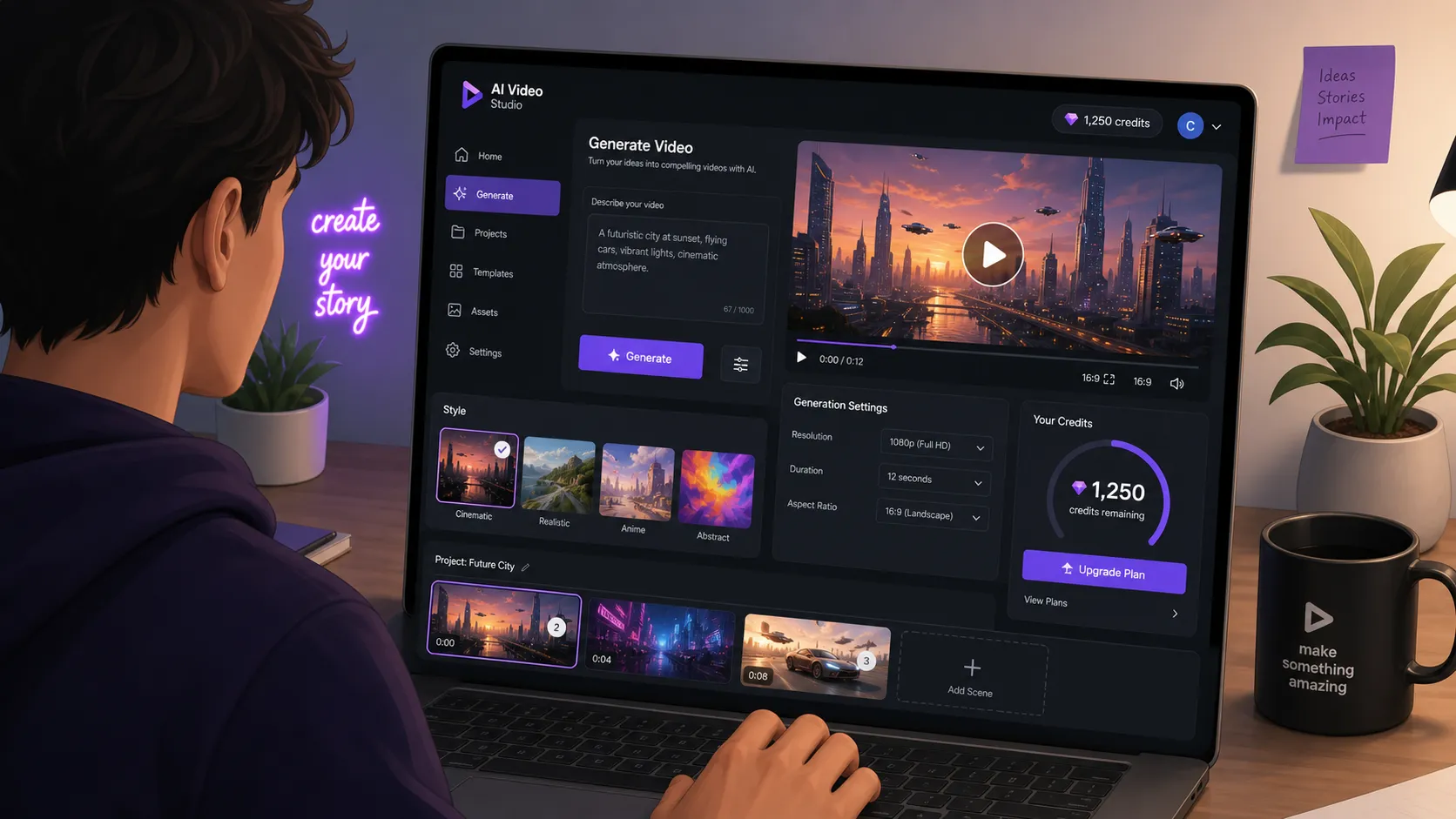
Seçeneklerden önce, ücretsiz kredi yığınının gerçekte neyi açtığını izleyin. Aşağıdaki video, MiniMax H3 için tam bir ücretsiz erişim iş akışını ele alır ve promosyon kredileri ile başlangıç tekliflerini modeli uçtan uca test etmek için yeterli render bütçesine dönüştürmeyi gösterir.
Seçenek 1: Resmi Promosyon Kredileri
En doğrudan ücretsiz yol, MiniMax'in yeni ve bazen geri dönen kullanıcılara promosyon kredileri verdiği resmi üründür. Bu, ödeme yapmadan kanonik modeli, kanonik altyapı üzerinde elde edebileceğiniz en yakın seçenektir.
Mekanizma basittir. Resmi ürüne kaydolursunuz, karşılama kredi tahsisini talep eder ve üretirsiniz. Model yüzeyi tam MiniMax H3'tür, bu yüzden doğal 2K çıktı, senkronize stereo ses ve ücretli kullanıcıların çalıştırdığı aynı kontrol noktasında 12 referanslı multimodal giriş bütçesi alırsınız. Modelin kendisi hakkında hiçbir şey düşürülmemiştir.
Sorun, kredilerin bilinçli olarak küçük ve kısa ömürlü olmasıdır. Topluluk raporları tutarlı bir şekilde karşılama tahsisini verilme tarihinden itibaren yalnızca birkaç gün geçerli birkaç yüz kredi olarak tanımlar. Ücretsiz seviye render'ları da tipik olarak watermark taşır ve ücretli kullanıcıların arkasında daha düşük öncelikli bir kuyrukta yer alır. Bunların hiçbiri gizli değildir, ancak kayıt akışında gözden kaçırmak kolaydır.
Resmi kredileri aşağıdakilerden herhangi birini yapmak istediğinizde kullanın:
- Modelin gerçekten ihtiyacınız olan türden çekimi üretebileceğini, herhangiğine ödeme yapmadan önce doğrulamak için.
- Özdeş prompt'lar üzerinde başka bir modelle yan yana karşılaştırma yapmak için.
- Watermark'ın kabul edilebilir olduğu tek bir portföy veya test klibi üretmek için.
Temiz çıktıya, kesin bir son teslim tarihine veya birkaç klipten fazlasına ihtiyacınız olduğunda resmi kredileri kullanmayın. Watermark, müşteri işleri için onu eler ve kısa süre penceresi birden fazla seansa yayılan herhangi bir şey için onu güvenilmez kılar. MiniMax H3 karakter tutarlılığı rehberi
Seçenek 2: Üçüncü Taraf Agregatör Platformları
İkinci ücretsiz yol, MiniMax H3 erişimini diğer video modelleriyle birlikte yeniden paketleyen üçüncü taraf agregatör platformlarından geçer. Bu hizmetler MiniMax'tan veya bir ağ geçidinden API kapasitesi satın alır ve kendi markaları altında yeniden satar; genellikle ücretsiz bir seviyeyi reklamlar, kayıtlar veya görev tamamlama üzerinden finanse eder.
Cazibenin iki yönü vardır. Birincisi, ücretsiz kredi paketleri genellikle resmi karşılama tahsisinden daha büyük ve daha uzun ömürlüdür, çünkü agregatörün iş modeli yeni kullanıcıların istikrarlı bir hunisine bağlıdır. İkincisi, agregatörün çıktısı bazen watermark'sızdır veya daha az müdahaleci bir işaret taşır, çünkü reklamı yapılan marka MiniMax'ın değil, agregatöründür.
Agregatör derlemeleri genellikle MiniMax H3'ü Kling, Pika, Luma ve PixVerse gibi karşılaştırılabilir ücretsiz seviye seçeneklerinin yanında listeler. Modelleri değerlendiren bir içerik üreticisi için bu gerçekten yararlıdır: tek bir hesap size birkaç sınırların ötesindeki video modelinin ücretsiz bir tadına olanak tanır ve giriş bilgilerini yönetmeden bunları aynı prompt üzerinde karşılıklı olarak karşılaştırmanızı sağlar.
Uyarılar gerçektir ve açıkça adlandırılmayı hak eder.
Güvenilirlik değişir. Agregatörler kontrol etmedikleri yukarı akış API kotalarına bağlıdır. MiniMax veya bir ağ geçidi hız sınırlarını sıkılaştırdığında, agregatörün ücretsiz seviyesi ilk bozulan şeydir. Pazartesi çalışan bir iş akışı Cuma günü uyarısız bozulabilir.
Kullanılabilirlik değişir. Ücretsiz kredi paketleri sürekli olarak duraklatılır, yeniden fiyatlandırılır veya yeniden yapılandırılır. Çevrimiçi okuduğunuz herhangi bir özel teklifi, bu makale dahil, bir garanti yerine bir anlık görüntü olarak ele alın ve bir seansı onların etrafına kurmadan önce agregatörün kendi sitesinde mevcut koşulları doğrulayın.
Şartlar ve sahiplik. İnce baskıyı okuyun. Bazı agregatörler ücretsiz seviye çıktısının ticari kullanımını kısıtlar, üretilen klipler üzerinde lisans talep eder veya watermark kaldırılmasını yasaklar. Videoyu yayınlamayı veya para kazandırmayı planlıyorsanız, render etmeden önce gerçekte neye sahip olduğunuzu bilmeniz gerekir.
Birkaç modeli ucuz şekilde test etmek, resmi kredilerin süresi dolduğunda veya ticari olmayan bir test için watermark'ı hafif bir seçenek gerektiğinde agregatörleri kullanın. Güvenilirlik veya lisans netliğinin klibe göre tasarruftan daha önemli olduğu herhangi bir iş için onlardan kaçının.
Seçenek 3: PixMind Başlangıç Kredileri ve Ücretli Yol
PixMind, MiniMax H3'ü iki yüzeyden sunar: /ai-video/minimax-h3 konumundaki yapay zeka video aracı ve PixMind API platformu. İkisi de aynı MiniMax H3 kontrol noktasını çalıştırır, bu yüzden çıktı kalitesi kanonik modelle eşleşir. Yukarıdaki ücretsiz yollardan farkı, PixMind'in kredi süre oyunları oynamaması veya çıktınıza bir sağlayıcı watermark'ı yakmamasıdır.
Yeni hesaplar, birkaç test üretimi çalıştırmaya ve herhangi bir harcama yapmadan önce model hakkında gerçek bir fikir edinmeye yetecek başlangıç kredileri alır. Tam miktar zamanla değişir, bu yüzden bir rehberde basılı bir rakama güvenmek yerine mevcut planı kontrol edin. PixMind MiniMax H3 video aracını aç
Başlangıç kredileri tükendikten sonra, ileriye doğru yol watermark veya süre tiyatrosu olmayan, anlaşılır kullanım tabanlı fiyatlama:
- Tam multimodal giriş yüzeyiyle kodsuz üretim için
/ai-video/minimax-h3kullanıcı arayüzü üzerinden render edin. - Programatik erişim, toplu üretim veya boru hattı entegrasyonu için PixMind API platformunu çağırın.
- Standart MiniMax H3 tarifelerinde yalnızca ürettiğiniz için ödeme yapın.
Ücretsiz bir yoldan PixMind'a geçişin gerekçesi gerçekten klibe göre fiyatla ilgili değildir. MiniMax H3, 2K'da saniyede $0.13 ile meşru herhangi bir yolda sert bir zemindir, çünkü modelin çalışma maliyeti budur. Gerekçe, kaybetmeyi bıraktığınız şey hakkındadır:
- Ücretsiz veya ücretli herhangi bir çıktıda watermark yok. Müşteri işleri temiz gönderilir.
- Ödediğiniz kredilerde süre oyunu yok. Bu çeyrek bütçele, sonraki çeyrek kullan.
- Kuyrukta öncelik kaybı yok. Render'lar planınızın belirttiği öncelikte çalışır.
- Ticari kullanımda hizmet şartları gri alanı yok. Ödediğiniz çıktı PixMind'in şartları altında size aittir.
Ücretsiz seviyeleri aşan içerik üreticileri için bu, klibe göre maliyeti piyasa tarifesi üzerine çıkarmadan sürtünmeyi kaldıran yoldur. PixMind fiyatlandırmasını görün
Seçenek 4: Geliştiriciler için API Kullandıkça Öde
Bir boru hattı kuruyorsanız, ücretsiz yollar bir oyalanmadır ve doğru soru MiniMax H3'ün API'de gerçekte ne kadara mal olduğudur. Model kimliği standart ağ geçitlerinde minimax/hailuo-3'tür ve fiyatlandırma 2K'da çıktı saniyesi başına $0.13 ve 768P'de saniye başına $0.09 olacak şekilde tamamen kullanım tabanlıdır.
Matematik doğrusaldır ve bütçelemesi kolaydır. Doğal 2K'da 15 saniyelik bir klip 15 çarpı $0.13, yani $1.95'tir. Aynı klip 768P'de $1.35'tir. Aşağıdaki tablo bunu yaygın klip uzunluklarına genişletir.
| Çözünürlük | Tarife | 5 saniyelik klip | 10 saniyelik klip | 15 saniyelik klip |
|---|---|---|---|---|
| Doğal 2K (2560x1440) | $0.13/sn | $0.65 | $1.30 | $1.95 |
| 768P | $0.09/sn | $0.45 | $0.90 | $1.35 |
Üç alışkanlık API maliyetini öngörülebilir tutar. Yineleme ve önizlemeler için varsayılan olarak 768P'yi kullanın ve son render için 2K'yı reserve edin, çünkü 2K primi 768P'ye göre saniyede yaklaşık yüzde 44'tür. Süreyi kullanım senaryosunun ihtiyaç duyduğu en kısa uzunlukta sınırlayın, çünkü her ek saniye doğrusal bir maliyet artışıdır. API'yi kullanıcı başına veya proje başına bir kota arkasına sarın, çünkü sınırsız bir istemci döngüsü bir öğleden sonra aylık bütçeyi harcayabilir.
Bu yol, MiniMax H3'ün modelleri olduğuna karar vermiş ve yalnızca giriş ücretini bilmek isteyen geliştiriciler için doğru varsayılandır. Burada ücretsiz seviye yoktur ve olmasına da gerek yoktur: saniye başına tarife şeffaftır, model kanonik kontrol noktasıdır ve yönetilecek watermark veya süre yoktur. Async gönderme, yoklama ve indirme döngüsü dahil tam entegrasyon deseni için MiniMax H3 API eğitimine bakın.
PixMind fiyatlandırmasını görün
Watermark Kaldırma: Hangi Yollar Gerçekte Temiz
"MiniMax H3 watermark'sız" aramaları üç niyet etrafında kümeleşir ve bunlar ayrı yanıtları hak eder.
Ücretsiz seviye render'ından watermark'ı kaldırabilir miyim? Teknik olarak mümkün, pratikte kötü bir fikir. Watermark'ı kırpmak, bulanıklaştırmak veya inpaint etmek hareket içeren herhangi bir görüntüde görünür bir artefakt üretir ve bir sağlayıcının işaretini kaldırmak ücretsiz çıktıda bile hizmet şartlarını ihlal edebilir. Temiz görüntüye ihtiyacınız varsa, işareti sonradan soymak yerine temiz bir yoldan üretin.
Hangi ücretsiz yollar watermark'sız? Agregatör platformlarının bir alt kümesi, bir farklılaştırıcı olarak watermark'sız MiniMax H3 çıktısını tanıtır. Şartlar sık değişir ve "watermark'sız" tanımı değişir. Bazıları logoyu kaldırır ama bir intro veya outro kartı tutar ve bazıları yalnızca belirli çözünürlüklerde temizdir. Bir teslimat için güvenmeden önce belirli platformdaki mevcut şartları okuyun.
Hangi ücretli yollar watermark'sız? PixMind ve doğrudan API'nin kazandığı yer burasıdır. PixMind video aracı, PixMind API platformu veya resmi MiniMax API üzerinden üretilen çıktıda sağlayıcı watermark'ı bulunmaz. Kullanım senaryonuz ticari veya müşteriye yönelikse, bu, güvenilir bir şekilde temiz olarak ele almanız gereken tek kategoridir.
Dürüst kural: Son klipte bir watermark sizi müşteriden veya post-prodüksiyon işinden edecekse, ücretsiz bir yol üzerine kumar oynamayın. En temiz ücretsiz yol hâlâ en ucuz ücretli yoldan daha az güvenilmezdir.
Karar Rehberi: Hangi Ücretsiz Yol Kullanım Senaryonuza Uyar
Doğru seçenek, klibin render edildikten sonra başına ne geldiğine bağlıdır. Bunu bir sıralama yerine bir triyaj olarak kullanın.
Yalnızca modeli test etmek. Resmi promosyon kredilerini kullanın. Kanonik altyapı üzerinde kanonik modeli elde edersiniz, watermark önemli değildir ve süre penceresi tek bir seans için iyidir. Burada durun ve fazla düşünmeyin.
MiniMax H3'ü diğer modellerle karşılaştırma. MiniMax H3'ü Kling, Pika, Luma veya PixVerse ile paketleyen bir agregatör platformu kullanın. Tek hesap, tek prompt, birkaç model, yan yana karşılaştırma. Herhangi bir ücretsiz krediyi bir iş akışı yerine bir bonus olarak ele alın.
Sosyal içerik üreticisi, hobi hacmi. Resmi kredilerle bir veya iki güvenilir agregatör arasında geçiş yapın. Taslaklarda watermark'ı kabul edin ve yayınlamayı düşündüğünüz her klip için PixMind'a geçin. Başlangıç kredileri geçişi kapsar.
Ticari veya müşteri işi. Ücretsiz yolları tamamen atlayın. Çıktının watermark'sız olduğu, ödediğiniz kredilerin süresi dolmayan ve render kuyruğunun öngörülebilir olduğu PixMind'in video aracını veya API platformunu kullanın. 2K'da saniyede $0.13 ile temiz 15 saniyelik bir müşteri klibinin maliyeti iki doların altındadır.
Boru hattı kuran geliştirici. API'yi doğrudan kullanın. Herhangi bir sarmalayıcının ücretsiz seviyesi, üretimde güvenmek için yanlış şeydir, çünkü sarmalayıcılar şartları uyarısız değiştirir. API üzerinden minimax/hailuo-3 çağırın, saniye başına bütçele ve gönderin.
Beşinin ortasındaki desen: test için ücretsiz, teslimat için ücretli. Yanan içerik üreticiler, ikinci iş için ücretsiz bir yol kullanmaya çalışanlardır.
Kaçınılması Gereken Yaygın Tuzaklar
Ücretsiz MiniMax H3 erişimiyle ilgili çoğu kötü deneyim, aynı kısa hata listesinden gelir.
Proje ortasında süresi dolan krediler. Pazartesi kredi talep eder, Salı çekimi planlarsınız ve Çarşamba paket boştur. Çözüm, kredileri yalnızca render'a hazır olduğunuzda talep etmek ve çok seanslı bir projeyi asla promosyon paketleri üzerine kurmamaktır.
Watermark'lı müşteri işi. Ücretsiz seviye render'ı editörde iyi görünür, sonra watermark dışa aktarılan MP4'te görünür hale gelir ve klipti yine de ücretli bir yolda yeniden yapmak zorunda kalırsınız. Makinenizden ayrılacak herhangi bir şeyi üretmeden önce watermark politikasını her zaman doğrulayın.
Ücretsiz seviyelerde kuyruk zaman aşımları. Ücretsiz kuyruklar yoğun saatlerde durabilir ve beş dakika beklediğiniz bir klip otuz dakika sürebilir. Son teslim tarihi olan herhangi bir şey için ya çok önceden üretin ya da öncelikli kuyruğa sahip ücretli bir yol kullanın.
Şüpheli sarmalayıcılar. İsimsiz bir agregatör kart bilgileri, ücretli bir "doğrulama" ücreti veya video üretimiyle hiç ilgisi olmayan izinler isterse sekmeyi kapatın. Doğrulayabileceğiniz platformlarla devam edin ve asla bir "ücretsiz" seviyenin kilidini açmak için ödeme bilgileri vermeyin.
Topluluk tarafından bildirilen şartları garanti olarak ele alma. Kredi miktarları, süre pencereleri ve watermark politikaları sürekli değişir. Bir seansı onlara bağlamadan önce sağlayıcının kendi sitesinde mevcut şartları doğrulayın.
MiniMax H3 Ücretsiz Erişim SSS
MiniMax H3 gerçekten ücretsiz mi?
Evet, koşullarla. Resmi ürün ödemeden üretim yapmanıza olanak tanıyan promosyon kredileri dağıtır ve birkaç üçüncü taraf agregatör MiniMax H3 erişimini ücretsiz bir seviye altında yeniden paketler. Her ücretsiz yol en az bir sınırlama ekler: watermark, kuyruk, kredi süre penceresi veya hacim sınırı. Gerçekten sınırsız, temiz, öncelikli kuyruğa sahip MiniMax H3 ücretsiz olarak mevcut değildir.
Watermark'ı nasıl kaldırırım?
Watermark'sız MiniMax H3 çıktısı elde etmenin güvenilir yolu, onu eklemeyen bir yoldan üretmektir: PixMind video aracı, PixMind API platformu veya resmi MiniMax API. Halihazırda render edilmiş ücretsiz seviye klibinden watermark'ı soymak görünür artefaktlar üretir ve sağlayıcının hizmet şartlarını ihlal edebilir.
MiniMax H3 ücretsiz kredileri ne kadar süre dayanır?
Resmi promosyon kredilerinin yaygın olarak verilme tarihinden itibaren yalnızca birkaç gün geçerli olduğu bildiriliyor. Agregatör ücretsiz kredileri platforma göre değişir ve tek bir günden birkaç haftaya kadar uzanabilir. Herhangi bir özel rakamı bir anlık görüntü olarak ele alın, kredileri yalnızca render'a hazır olduğunuzda talep edin ve sağlayıcının sitesinde mevcut şartları kontrol edin.
MiniMax H3 için en ucuz ücretli seçenek nedir?
MiniMax H3, standart yollarda 2K'da saniye başına $0.13 ve 768P'de saniye başına $0.09 olacak şekilde kullanım tabanlıdır. 5 saniyelik bir 768P klip yaklaşık $0.45'tir, bu da ücretli MiniMax H3 çıktısının en ucuz anlamlı birimidir. Bu tarifeye uyan yollar PixMind video aracı, PixMind API platformu ve resmi MiniMax API'yi içerir. Aynı kontrol noktası için bunlardan belirgin şekilde fazla ücret talep eden yollardan kaçının.
PixMind ücretsiz mi?
PixMind, yeni hesaplar için birkaç test üretimi çalıştırmaya ve modelin iş akışınıza uyup uymadığına karar vermeye yetecek başlangıç kredileri sunar. Bunlar kullanıldıktan sonra üretim standart MiniMax H3 tarifesi üzerinden kullanım tabanlıdır. Tam başlangıç miktarı zamanla değişir, bu yüzden kaydolduğunuzda yürürlükte olan rakam için mevcut planı kontrol edin. PixMind fiyatlandırmasını görün
Ücretsiz MiniMax H3 çıktısını ticari olarak kullanabilir miyim?
Yola bağlıdır. Resmi ücretsiz seviye ve çoğu agregatör ticari kullanımı kısıtlayan, atıf gerektiren veya watermark kaldırılmasını yasaklayan şartlar ekler. Ücretli PixMind üretimi, PixMind API platformu veya resmi MiniMax API'den çıktı, sağlayıcının şartları altında ticari kullanım için lisanslıdır. Şüpheniz olduğunda, gerçekte kullandığınız yoldaki şartları okuyun ve herhangi bir müşteri işi için ücretli bir yola varsayın.
Ücretsiz seviye doğal 2K ve ses içeriyor mu?
Çoğu durumda evet, çünkü ücretsiz seviye ücretli seviye ile aynı MiniMax H3 kontrol noktasını çalıştırır. Hâlâ 2560x1440'da doğal 2K çıktı, senkronize stereo ses ve 12 referanslı multimodal giriş bütçesi alırsınız. Değişen şey modelin etrafındaki sarmalayıcıdır: watermark'lar, kuyruk önceliği, kredi süreleri ve bazı agregatörlerde çözünürlük sınırları. Belirli bir yeteneği doğrulamanız gerekirse, önce kısa bir test klibi çalıştırın.
Nereden Başlamalı
Ücretsiz MiniMax H3 modelle tanışmanın doğru yoludur. Ücretli MiniMax H3 onunla gönder yapmanın doğru yoludur. Bu rehberdeki dört yol, bütçe, son teslim tarihi ve lisans ihtiyacının her gerçekçi kombinasyonunu kapsar ve yukarıdaki karar rehberi hangisinin şu anda kullanım senaryonuza uygun olduğunu söyler.
MiniMax H3'ü henüz denemediyseniz, resmi promosyon kredileriyle veya doğrulayabileceğiniz bir agregatörle başlayın, kısa bir test klibi çalıştırın ve model hakkında kendi fikrinizi oluşturun. Öngörülebilir bir takvimde temiz, watermark'sız çıktı üretmeye hazır olduğunuzda, PixMind video aracı ve API platformu yeni hesaplar için başlangıç kredileriyle ve sonrasında anlaşılır kullanım tabanlı fiyatlandırmayla aynı modeli çalıştırır. PixMind MiniMax H3 video aracını aç PixMind fiyatlandırmasını görün
Model geçişe değer. Ücretsiz yollar bunu doğrulama şeklinizdir.
Bu rehberdeki fiyatlandırma ve yetenekler, doğal 2K için saniyede $0.13 ve 768P için saniyede $0.09 MiniMax H3 yayımlanan tarifelere karşı 2026-08-01'de doğrulandı. Ücretsiz seviye şartları tüm sağlayıcılarda sık değişir. Bir seansı onun etrafına kurmadan önce kullanmayı düşündüğünüz yoldaki mevcut teklifi her zaman doğrulayın.