MiniMax H3 viralvideo: Slik lager du AI-kortfilmer som stopper scrollen med MiniMax H3
Oppskriften på et viralt kortform-klipp i 2026 er et mønsterbrudd på ett sekund, én tydelig idé og et lydspor som treffer før seeren sveiper videre. MiniMax H3, modellen bak generatoren, er bygget for akkurat det formatet fordi den leverer nativt 2K-bilde, synkronisert stereolyd og godtar opptil 12 multimodale referanser i én asynkron jobb. Det betyr at en skaper kan holde en karakters ansikt, bevegelsesspråk og stemme konsistent gjennom en hel uke med 15-sekunders innlegg uten å forlate én genereringspipeline.
Denne guiden gjør disse mulighetene om til en arbeidsklar arbeidsflyt for Reels, TikTok, Shorts og 15-sekunders fortellerklipp. Du får den sekstrinns virale loopen, syv strukturerte prompt-maler, hook-formler som virker i de tre første sekundene, spesifikasjoner for vertikalt format, samspillmønstre for MiniMax Audio, en plan for å gjøre ett klipp om til seks, og feilene som i stillhet dreper AI-klipp før de blir publisert. For å bruke generatoren kan du åpne PixMind MiniMax H3-videoverktøyet. MiniMax H3-onlinegenerator
Hovedpunkter
- MiniMax H3 (modell-id
minimax/hailuo-3) leverer nativ 2K-video med synkronisert stereolyd og godtar opptil 12 multimodale referanser per jobb, noe som er spesifikasjonen kortformsskapere trenger for konsistens i karakter, bevegelse og stemme.- Den virale arbeidsflyten består av seks trinn: hook, manus, referanselåsing, generering, MiniMax Audio-fortelling, teksting og publisering, og deretter loop.
- Vertikalt 9:16 er det dominerende kortformatet; MiniMax H3 støtter også 1:1, 3:4, 4:3, 16:9 og 21:9 for gjenbruk på tvers av plattformer.
- Prisingen er brukbasert med $0,13 per sekund ved 2K og $0,09 per sekund ved 768P, slik at et 15-sekunders klipp havner på rundt $1,95 ved 2K eller $1,35 ved 768P.
- Hooks avgjør de tre første sekundene; konkrete hook-formler slår generiske åpninger, og modellens lyd i pipelinen er det som gjør stramme audiovisuelle hooks mulige.
Hvorfor MiniMax H3 er bygget for virale kortform-videoer
Kortform-plattformer belønner tre ting som eldre videomodeller ikke kan levere i én gjennomkjøring. Det første er detaljer ved leveransestørrelse, der vertikale telefonskjermer forsterker uklarhet. Det andre er innebygd lyd, fordi stillhet dreper fullføringsraten. Det tredje er referansekontroll, fordi en viral karakter må se ut som samme person i hvert eneste klipp i en serie.
MiniMax H3 løser alle tre. Den rendrer nativ 2K-video, genererer synkronisert stereolyd i samme gjennomkjøring som bildet, og godtar opptil 12 multimodale referanser per generering, delt inn i opptil 9 bilder, 3 videoer og 3 lydklipp i tillegg til tekstprompten.
Den native 2K-forskjellen betyr mer på Reels og TikTok enn den gjør på langform YouTube. Vertikale telefonskjermer er tette pikselrutenett, og plattformkomprimering straffer uklart kildemateriale. En 2K-render som finnes før komprimering, gir kodeket mer å jobbe med enn en 1080p-oppskalering, noe som er grunnen til at MiniMax H3-klipp pleier å beholde detaljer i den endelige feeden selv etter plattformens omkoding. Hold deg til 2K, ikke de uverifiserte «4K 60fps»-påstandene som sirkulerer i markedsføringsmateriell; den verifiserte spesifikasjonen stopper ved nativ 2K.
Den native lyden er den andre kraftmultiplikatoren. Eldre videomodeller leverer stille utdata, noe som tvinger frem et eget stemme- og foley-trinn. MiniMax H3 genererer dialog, omgivelseslyd og effekter i samme gjennomkjøring som bildeutsnittene, slik at et 15-sekunders klipp kan forlate generatoren med et ferdig lydspor og publiseres uten en omvei gjennom postproduksjon.
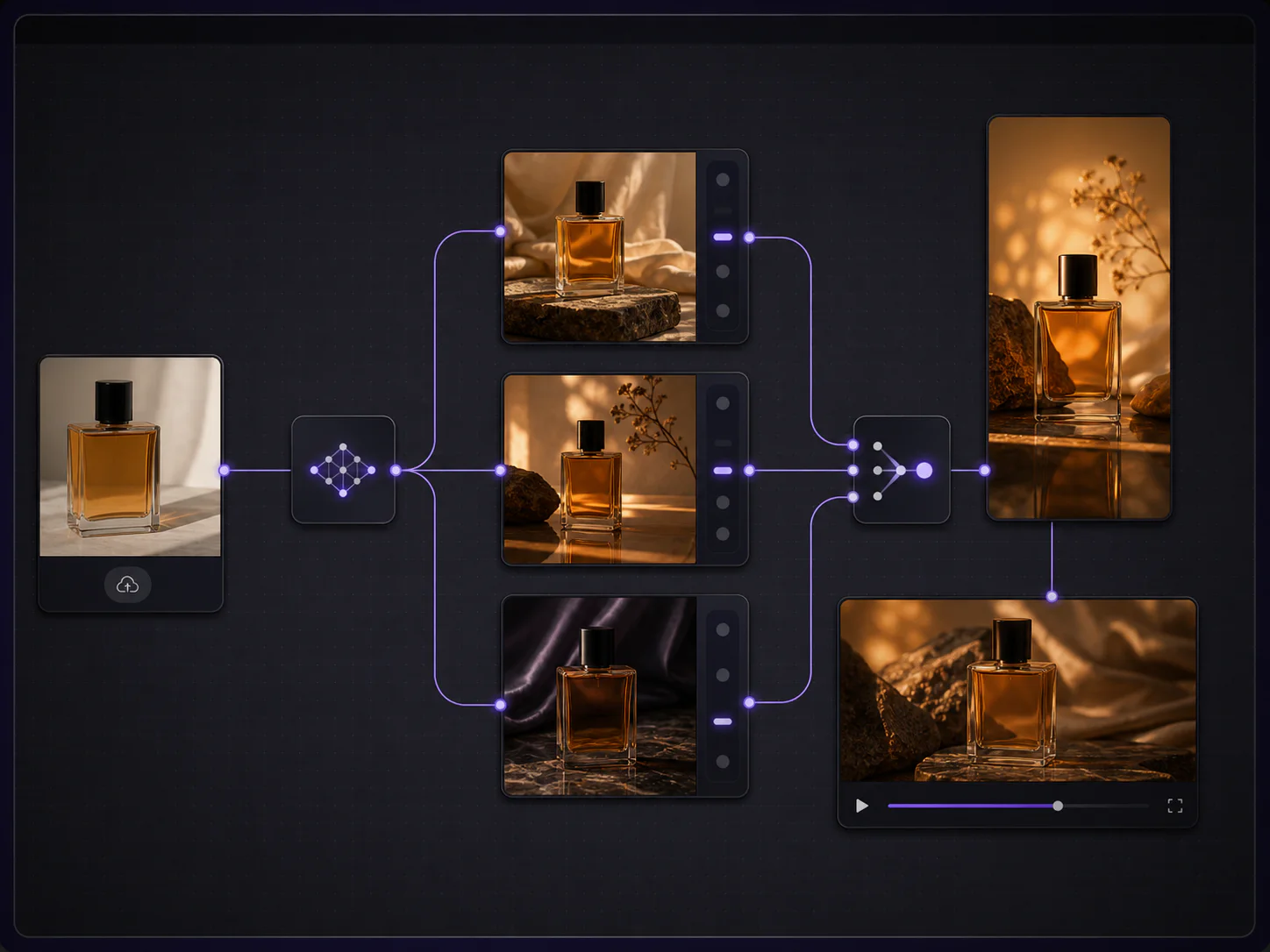
Det tredje virkemiddelet er multimodal referanse. En skaper kan levere et referansebilde for karakteren, en referanse for antrekk, en kort referansevideo for bevegelse og en lydklipp for stemme, og modellen setter dem sammen i én asynkron jobb. Den sammensetningen er det som gjør seriearbeid mulig: samme karakter i samme antrekk gjennom syv innlegg i uken, med samme stemme. Fellesskapsveiledninger som går gjennom «lag en viral fortellervideo på rundt 17 minutter», trekker jevnlig hundretusenvis av visninger, og TikTok-skapere bryter jevnlig ned sine MiniMax H3-eksempelgenereringer takt for takt, noe som er et sterkt signal om at formatet har reell etterspørsel, ikke bare nyhetsverdi.
Guide for karakterkonsistens med MiniMax H3
MiniMax H3 i aksjon: Ekte eksempler på virale videoer
Før arbeidsflyten, se hva pipelinen faktisk produserer. Videoen under er en ekte, heldekkende MiniMax H3-kortform-produksjon fra en skaper som gjør én enkelt prompt om til et viralt klipp på omtrent 17 minutter, og som parer genererte opptak med MiniMax Audio.
MiniMax H3 rangerer også først på Artificial Analysis sine videoredigerings-benchmarks og i topp tre i både tekst-til-video og bilde-til-video, noe som er det uavhengige signalet om at formatet har reelt momentum snarere enn nyhetsverdi.
MiniMax H3 rangerer #1 i videoredigering på Artificial Analysis
Den sekstrinns virale arbeidsflyten for MiniMax H3
Et viralt kort klipp er ikke utdata fra én enkelt prompt. Det er utdata fra en repeterbar loop. De seks trinnene under er de som faktisk flytter et klipp fra idé til render som er klar for feeden.
Trinn 1: Lås hooken først
Skriv hooken før du skriver noe annet. Bestem hvilken av de fire beviste kortform-hooksene du bruker, dekket i detalj senere: cold open, mønsterbrudd, den dristige påstanden eller den visuelle motsetningen. Hooken bestemmer det første sekundet av klippet, som bestemmer om de neste fjorten sekundene i det hele tatt blir sett.
En fungerende hook har tre egenskaper. Den er visuell, ikke bare snakket. Den reiser et spørsmål seeren vil ha svar på. Den kan uttrykkes i ett bilde. Hvis hooken bare fungerer som tekst på svart skjerm, er det ikke en MiniMax H3-hook, det er et lysbilde.
Trinn 2: Skriv de 15 sekundene som takter
Et 15-sekunders klipp rommer omtrent fire takter når du lar det være rom for tempo: hook (0-3s), oppsett (3-6s), utfall (6-12s) og avslutning (12-15s). Skriv hver takt som én linje, ikke et avsnitt. Hver takt blir én bildeinstruks i prompten.
Ikke prøv å presse en 60-sekunders historie inn i 15 sekunder. Både modellen og seeren vil ha travelt. Hvis du har mer historie enn 15 sekunder rommer, har du en serie, ikke et klipp, og seksjonen om gjenbruk forklarer hvordan du deler den opp.
Trinn 3: Lås karakter og identitet med referanser
Dette er trinnet de fleste skapere hopper over. Før du skriver en eneste prosa-prompt, bestem hva som ikke må endre seg gjennom klippet: karakterens ansikt, antrekk, produkt, fargepalett, miljø. Tildel deretter én referanse til hver invariant. MiniMax H3 sin multimodale budsjettkapasitet lar deg dele opp referanser etter jobb: ett bilde for identitet, ett for antrekk, ett for produkt, en video for bevegelse og en lydklipp for stemme.
Trinn 4: Generer, og iterer deretter etter variabel
Send inn jobben og la den asynkrone oppgaven kjøre. MiniMax H3 bruker et asynkront mønster: du sender inn, poller, og laster deretter ned. Når den første renderen er klar, endre én variabel av gangen per iterasjon, aldri fem. Hvis bevegelsen er feil, endre bevegelsesbeskrivelsen. Hvis belysningen er feil, endre belysningen. Hvis identiteten har endret seg, fiks referansen, ikke promptteksten.
Dette er også riktig sted å velge en 768P-render for iterasjon og spare 2K til det endelige klippet. Med $0,09 per sekund ved 768P koster iterasjoner omtrent en tredjedel mindre enn 2K, og det visuelle gapet er lite nok på en telefonskjerm til at du kan validere komposisjon, bevegelse og hook før du bruker penger på hovedrenderen.
Trinn 5: Par med MiniMax Audio for fortelling og leppesynk
Hvis klippet trenger en stemme, bruk MiniMax Audio sammen med MiniMax H3 for å produsere fortelling og leppesynkronisert dialog. Generer stemmelinjen først, og send deretter lydklippet tilbake som en referanse, slik at den visuelle leppebevegelsen stemmer med den talte linjen. Dette er loopen som gjør en stille render om til et klipp med en snakkende karakter uten manuelt foley-arbeid.
For bakgrunnsscoring, hold lydreferansen generisk og kort. Modellen komponerer mot referansen; en 15-sekunders referanseklipp er mer enn nok til å sette tempo eller stemning uten å overdøve dialogen.
Å pare MiniMax H3-video med MiniMax Audio
Trinn 6: Tekst, format og publiser for loopen
Legg til tekster på det eksporterte klippet, lås det vertikale 9:16-sideforholdet, og eksporter ved plattformens anbefalte bitrate. Tekster betyr mer enn de fleste skapere tror: en stor andel av kortform-visningene skjer på dempet autoplay før en seer trykker for lyd, og tekst på skjermen er det som bærer hooken gjennom det vinduet. Etter publisering, se på de første 30 minuttene av retensjonen for å finne punktet hvor seerne sveiper videre, og flytt deretter den takten tidligere i neste klipp.
De seks trinnene er loopen. Kjør dem én gang per klipp og to ganger per serie.
Skrive MiniMax H3-prompts som stopper scrollen
MiniMax H3-prompten er en bilde-liste, ikke en beskrivelse. Modellen belønner skapere som regisserer den og straffer skapere som forteller. En prompt som stopper scrollen, deler inn bildet i seks navngitte deler: bildestørrelse, kamerabevegelse, belysning, bevegelse, subjekt og miljø. Hver del får én linje.
Det seksdelte promptskjelettet
- Bilde: innramming og linsspråk (nærbilde, medium, vidvinkel, ovenfra, over-skulderen).
- Kamera: bevegelsen (låst, langsom push-in, dolly, håndholdt, orbit).
- Belysning: stemning og retning (varmt vinduslys, hard neon, myk hovedlys, gyllen time).
- Bevegelse: subjektets handling som skaper den visuelle ideen (én hovedhandling).
- Subjekt: hvem eller hva som er på skjermen, forankret av et referansebilde når det er mulig.
- Miljø: omgivelsene i én frase, ikke et avsnitt.
Skriv hver del i den rekkefølgen. Rekkefølgen betyr noe fordi modellen vekter tidlige tokens tyngre når den må avveie mellom motstridende instruksjoner. Avslutt hver prompt med en eksplisitt «må ikke endres»-linje som navngir invariantene, fordi den ene linjen er det som bærer identitet og antrekk på tvers av flere renders i en serie.
Syv prompt-maler som er klare til bruk
Dette er startmaler for formatene som fungerer på kortform-plattformer. Erstatt feltene i klammer med dine egne variabler, og behold invariant-linjen på slutten.
1. Cold open-produktavsløring (9:16, 15s)
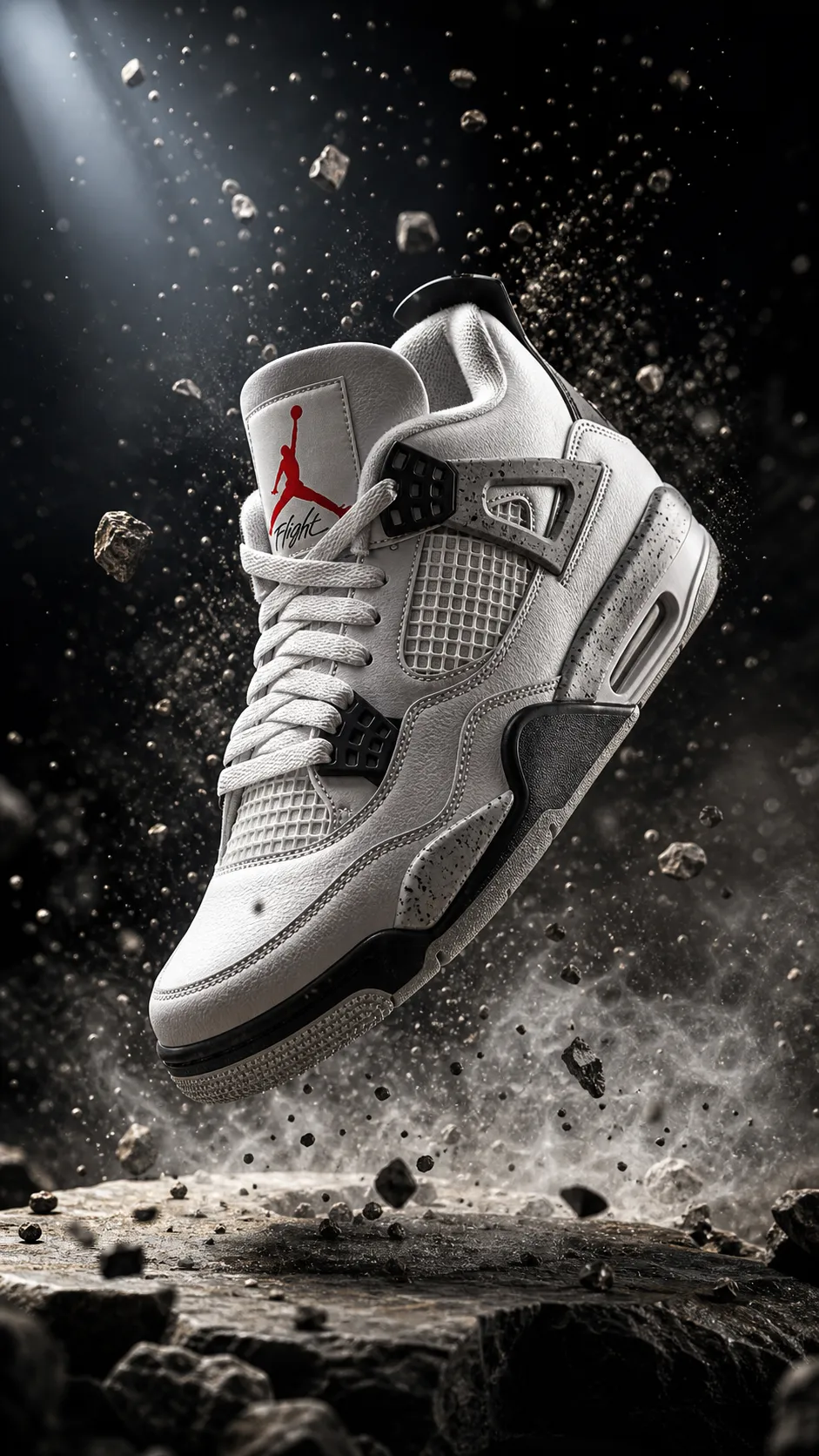
"Vertikal 9:16. Nærbilde på [produkt] som hviler på [overflate], hardt lys fra oven, dyp skygge. Kameraet gjør en langsom push-in over 3 sekunder, deretter en låst holdning. Bevegelse: væske [helles eller spruter] rundt produktet. Subjekt: [produktbeskrivelse, geometri, etikett]. Miljø: minimalistisk strukturert bakgrunn i [palett]. Lyd: subtil [tekstur], ingen musikk, ingen voiceover. Avslutt på et rent hovedbilde. Må ikke endres: produktgeometri, etikettplassering, palett."
2. Fortellerklipp med snakkende hode (9:16, 15s)
"Vertikal 9:16. Medium nærbilde av [karakter] som ser mot kamera, mykt vindus-hovedlys, nøytral vegg. Kamera låst med subtil håndholdt pust. Bevegelse: karakteren sier én linje, deretter en liten reaksjon. Subjekt: [karakterbeskrivelse, forankret til referansebilde 1]. Miljø: enkelt interiør, grunn skarphetsdybde. Lyd: dialog «[kort linje]», naturlig romklang, realistisk leppesynk til referanselyd 1. Må ikke endres: karakteridentitet, antrekk."
3. Transformasjon med mønsterbrudd (9:16, 8s)
"Vertikal 9:16. Totalbilde av [scene A], deretter et hardt klipp til [scene B] ved 2-sekundersmerket. Kamera låst i begge tilstander. Belysningen skifter fra [kjølig flat] til [varm dramatisk]. Bevegelse: ett objekt [transformeres, forsvinner eller repliseres] over klippet. Subjekt: [subjektbeskrivelse]. Miljø: ett miljø, som har fått ny stil mellom tilstandene. Lyd: lav tone under scene A, skarpt treff ved klippet, ambient lydbunn under scene B. Må ikke endres: subjektidentitet, miljøgeometri."
4. Historie fra første til siste bilde (9:16, 10s)
"Vertikal 9:16. Beveg deg naturlig fra det oppgitte første bildet til det oppgitte siste bildet. Kameraet følger en enkelt [bane] i [tempo]. Belysning: [konsistent stemning]. Bevegelse: subjektet [én hovedhandling] gjennom overgangen. Subjekt: [karakter forankret til referansebilde 1]. Miljø: [miljø]. Lyd: ambient [tekstur], ingen dialog. Må ikke endres: identitet, antrekk, palett, komposisjon."
5. Filmatisk B-roll-loop (9:16, 6s)
"Vertikal 9:16. Sakte sporbilde av [subjekt] i [miljø]. Kamera: dolly i konstant fart, ingen klipp. Belysning: gyllen time baklyset. Bevegelse: subjektet holdes i bildet, subtil [naturlig bevegelse]. Subjekt: [subjektbeskrivelse]. Miljø: [omgivelser, vær, tid på dagen]. Lyd: ambient omgivelseslyd, ingen musikk. Avslutt på et bilde som matcher åpningen for å tillate en sømløs loop. Må ikke endres: subjekt, miljø, belysning."
6. Hook med visuell motsetning (9:16, 12s)
"Vertikal 9:16. Nærbilde på [vanlig objekt], avslør deretter [uventet kontekst] ved 4 sekunder. Kamera låst på subjekt, langsom push for å avsløre. Belysning: [nøytral som skifter til dramatisk]. Bevegelse: subjektet [utfører vanlig handling], avslør [uventet hendelse]. Subjekt: [subjektbeskrivelse]. Miljø: ett miljø, satt opp på nytt ved avsløringen. Lyd: ambient [tekstur] som stiger inn i et skarpt cue ved avsløringen. Må ikke endres: subjektidentitet, miljøgeometri."
7. Multimodal karakterserie-bilde (9:16, 15s)
"Vertikal 9:16. Mediumbilde av [karakter] i [lokasjon], som leverer én linje til kamera. Kamera: langsom orbit. Belysning: [stemning]. Bevegelse: karakteren snakker, forlater deretter bildet til venstre. Bruk referansebilde 1 for karakteridentitet, referansebilde 2 for antrekk og referansevideo 1 for tempo og kroppsspråk. Lydreferanse 1 setter stemme og linjelevering. Subjekt: [karakterbeskrivelse]. Miljø: [lokasjon]. Må ikke endres: identitet, antrekk, stemme."
MiniMax H3-promptgalleri og startpunkter
De første 3 sekundene: Hooks som stopper scrollen
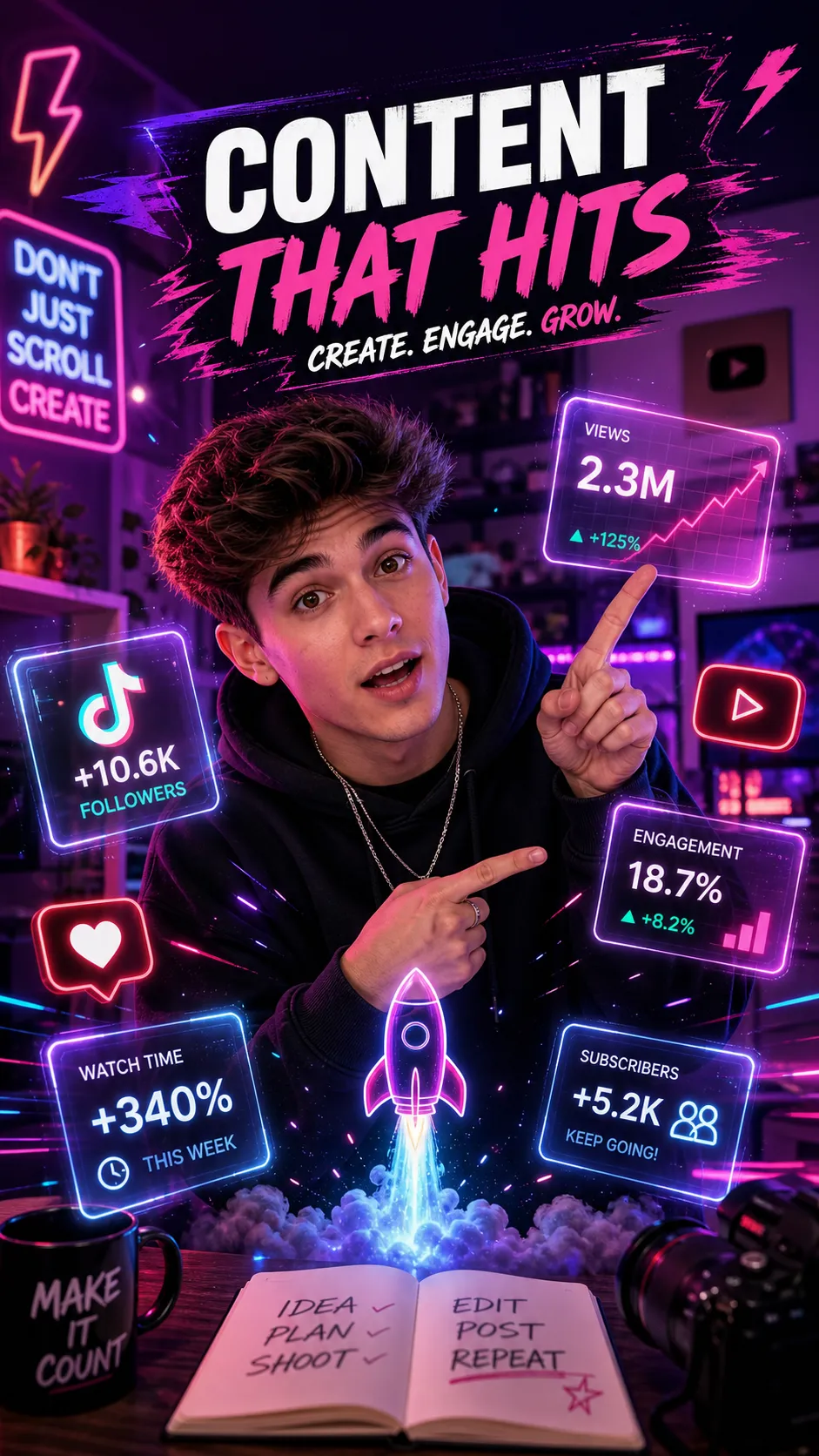
Et kortform-klipp avgjøres i de første tre sekundene. Enhver retensjonskurve på Reels, TikTok og Shorts viser samme form: et bratt fall i de første én til tre sekundene, deretter en saktere hale. Hooken er det som flater ut det innledende fallet. MiniMax H3 sin evne til å rendre en visuell hook i ett enkelt bilde, med synkronisert lyd, får det første sekundet til å jobbe hardere enn det kan i en tekst-på-svart-intro.
Fire hook-formler som virker
Cold open starter midt i en handling. Ingen oppsett, ingen kontekst, ingen tittelkort. Seeren faller rett inn i midten av et øyeblikk og må fortsette å se for å finne ut hva som skjer. For MiniMax H3 betyr dette en prompt som åpner på toppen av en handling med lydcuen allerede i spill.
Mønsterbruddet setter to inkompatible visuelle elementer ved siden av hverandre: et rolig objekt i et fiendtlig miljø, eller et kjent objekt som gjør en ukjent ting. Modellen håndterer dette godt hvis du holder subjektet konstant og kun endrer miljøet eller bevegelsen over et hardt klipp.
Den dristige påstanden åpner med én enkelt linje på skjermen som lover et utfall. Det fungerer best når det visuelle allerede bekrefter påstanden i samme bilde. Unngå å kjøre en påstand som tekst over generisk b-roll, som oppfattes som fyllmasse og blir sveipet videre.
Den visuelle motsetningen viser én ting som skjer mens lyden impliserer noe annet. En karakter som snakker rolig mens miljøet endrer seg bak dem, eller et objekt som virker stabilt, men som er i bevegelse. MiniMax H3 sin lyd i pipelinen er det som gjør dette formatet levedyktig, fordi motsetningen avhenger av stramt audiovisuelt synk som en stille modell pluss en postproduksjons-voiceover ikke kan oppnå.
Hook-konstruksjon: Tre regler
For det første, gjør hooken visuell. Seeren har ikke skrudd på lyden ennå i det første halve sekundet. Bildet må gjøre jobben.
For det andre, reis et spørsmål. Hooken bør få seeren til å ville ha svaret som kommer i neste takt. Informasjon uten et spørsmål er bare beskrivelse, og beskrivelse stopper ikke en scroll.
For det tredje, ikke lever utfallet av hooken i de første tre sekundene. Utfallet er det de ser de neste tolv sekundene for. Løs spenningen umiddelbart, og det er ingen grunn til å fortsette å se.
Vertikalt format og plattformspesifikasjoner
Kortform-plattformer konvergerer på vertikal 9:16, men de spesifikke spesifikasjonene betyr fortsatt noe for eksport. MiniMax H3 støtter 9:16, 1:1, 3:4, 4:3, 16:9 og 21:9, noe som dekker alle kortform- og mellomform-flater. For nativ kortform er 9:16 standarden.
| Plattform | Sideforhold | Trygg varighet | Anbefalt lengde | Notater |
|---|---|---|---|---|
| TikTok | 9:16, 1:1, 16:9 | 7-15s sweet spot | Opptil 10 min | Autoplay med lyd; tekster anbefales |
| Instagram Reels | 9:16 | 7-15s sweet spot | Opptil 90s | Kun 9:16 for full utfylling; cover beskjæres |
| YouTube Shorts | 9:16 | Opptil 60s | 15-30s | Må være 60s eller mindre for å telle som en Short |
| Stories (IG, FB) | 9:16 | 15s per segment | 15s per segment | Lengre klipp deles inn i 15s-kapitler |
| Innlegg i feed | 9:16, 1:1, 4:5 | 5-30s | 15s | Kvadratisk og 4:5 bevarer detaljer i gridvisning |
Render i 2K inne i MiniMax H3 og la plattformen komprimere derfra. Den native 2K-masteren gir hvert nedstrøms kodek mer detaljer å beholde, noe som betyr noe på TikTok og Reels, der aggressiv omkomprimering kan gjøre en myk kilde til grøt. Nativ 2K er riktig standard for klipp som er beregnet på betalt forsterkning, der detaljer må holde seg under gjentatt leveranse og omkoding.
For klipp som skal klippes sammen i post, rendrer du hvert bilde i samme sideforhold og bildefrekvens. Å blande 9:16- og 16:9-opptak i én enkelt kortfilm tvinger frem letterboxing eller omrammings-triks, som begge forringer det endelige resultatet og spiser opp det vertikale sikkerhetsområdet der teksten ligger.
Guide for eksport av AI-video på tvers av plattformer
Å pare MiniMax H3-video med MiniMax Audio
MiniMax H3 genererer synkronisert stereolyd i samme gjennomkjøring som bildet, men for skapere som trenger separat fortelling, musikk eller leppesynkronisert dialog, parer MiniMax Audio med MiniMax H3 som en komplementær stemme- og musikkmodell. Den tomodells-stakken dekker tilfellene som én enkelt gjennomkjøring ikke kan.
Arbeidsflyt for fortelling
Generer fortellingslinjen i MiniMax Audio først, og send deretter lydklippet tilbake inn i MiniMax H3-forespørselen som en referanse. Dette produserer et klipp der den talte linjen driver leppebevegelsen og tempoet til karakteren på skjermen. Det er riktig loop for fortellerklipp med snakkende hode, forklar-formater og dialogledede serier.
Hold manuset stramt. Et 15-sekunders klipp rommer omtrent 30 til 35 talte ord i samtalestempo. Alt som er strammere enn det, frelser leveransen; alt som er lengre, tvinger frem klipp som bryter den enkeltskudds-logikken modellen er best på.
Leppesynk og stemmekonsistens
For seriearbeid, gjenbruk den samme lydreferanseklippen på tvers av flere MiniMax H3-genereringer. Stemmekonsistens er det som får en tilbakevendende karakter til å føles kontinuerlig på tvers av innlegg. Behandle stemmereferansen på samme måte som du behandler identitetsbildet: én jobb, låst på tvers av serien. Å bytte stemmereferanser mellom innlegg bryter kontinuiteten hardere enn nesten alle andre variabelendringer.
Scoring og lyddesign
For bakgrunnsscoring, hold lydreferansen kort og generisk. Modellen komponerer mot referansen, så en 15-sekunders referanse er nok til å sette en stemning eller et tempo uten å overdøve dialogen. For lydeffekter, beskriv lyden inne i prompten ved siden av handlingen som produserer den. MiniMax H3 genererer foley i samme gjennomkjøring, slik at et glass som treffer et bord kan rendres med sin treff-lyd festet til, heller enn dubbet inn etterpå.
Gjenbruk: Ett 15-sekunders klipp til en uke med innlegg
Et enkelt MiniMax H3-klipp er sjelden bare ett innlegg. Den samme genereringen kan så en hel uke med plattform-nativt innhold hvis du planlegger for det før du renderer.
Gjenbruks-trekket som konsekvent fungerer, er å designe masterklippet med innebygget gjenbruk. Render masteren i 9:16 2K, men hold subjektet sentrert slik at det samme klippet kan beskjæres til 1:1 eller 4:5 for innlegg i feeden uten å miste handlingen. Eksporter masteren, og klipp deretter derivater: et 15-sekunders fullklipp for TikTok og Reels, et 6-sekunders hook-only-klipp for Stories og et 30-sekunders utvidet klipp som parer masteren med b-roll fra samme render for Shorts.
Samme karakter og antrekk låst i trinn 3 i arbeidsflyten er det som lar deg skyte et andre og tredje klipp senere i uken som føles som samme serie. Sikt etter ett hovedkonsept, tre derivater og to ledsagende klipp per uke. Det er seks innlegg fra omtrent to genereringer hvis referansene er låst.
For betalt forsterkning, kjør 15-sekunders-masteren som den primære ressursen og 6-sekunders hook-klippet som retargeting-ressursen. Hook-klippet fungerer som en teaser for seere som allerede har sett masteren og trenger en ny berøring. Spor hvilket derivat som gir lavest kost per visning, og flytt budsjettet mot det klippet for neste kampanje.
Guide for gjenbruk av AI-videoinnhold
Vanlige feil som dreper MiniMax H3-klipp
De fleste underpresterende AI-kortklipp feiler av samme korte liste med grunner. Kjør denne listen før du publiserer.
Horisontal utdata på en vertikal feed. Å rendere i 16:9 fordi det ser filmatisk ut, for så å beskjære til 9:16, kaster bort det meste av bildet og posisjonerer subjektet uforutsigbart. Standard til 9:16 fra den første renderen. MiniMax H3 støtter vertikalt nativt, så det er ingen kvalitetskostnad ved å starte vertikalt.
Vage prompter. En prompt som «lag en kul video av en person som går», gir modellen ingenting å optimalisere mot. Bruk det seksdelte skjelettet. Spesifiser bilde, kamera, belysning, bevegelse, subjekt og miljø i navngitte linjer.
Å ignorere hooken. Å bruke nitti prosent av innsatsen på det visuelle og null på det første sekundet garanterer at klippet dør ved første sveip. Skriv hooken før du skriver noe annet, som trinn 1 i arbeidsflyten krever.
Standardestetikk. MiniMax H3 har en gjenkjennelig standard-look når prompten er tynn. Lene deg inn i spesifikk belysning, spesifikke paletter og spesifikke miljøer. Modellen belønner regissører mer enn beskrivere.
Å overbelaste det multimodale budsjettet. Å mate inn ni bilder med motstridende identiteter forårsaker flimmer og drift. Tildel hver referanse én enkelt jobb og hold plassene ortogonale.
Å hoppe over iterasjon. Å publisere den første renderen er sjelden riktig valg. Iterer én variabel av gangen, og spar 2K-master-renderen til det klippet du faktisk kommer til å publisere.
Å behandle lyd som et ettertanke. Et stille eller dårlig scoret klipp mister retensjon på plattformer som autoplay med lyd. Bruk enten MiniMax H3 sin lyd i pipelinen eller par med MiniMax Audio bevisst. Lyd er ikke et post-trinn.
MiniMax H3 viralvideo FAQ
Hvor langt kan et enkelt MiniMax H3-klipp være?
MiniMax H3 genererer klipp i kortform-området som matcher Reels, TikTok og Shorts. For viral bruk planlegger du rundt 15 sekunder som arbeidslengde og kutter ned til 6 til 12 sekunder for Stories og hook-klipp. For lengre fortellinger genererer du flere bilder og redigerer dem sammen, heller enn å tvinge en lang historie inn i én enkelt generering.
Kan MiniMax H3 levere vertikal video?
Ja. MiniMax H3 støtter 9:16, 1:1, 3:4, 4:3, 16:9 og 21:9. For nativ kortform-leveranse på TikTok, Reels og Shorts, bruk 9:16 fra den første renderen, heller enn å beskjære fra en bredere master.
Er det lyd i MiniMax H3-utdataen?
Ja. MiniMax H3 genererer synkronisert stereolyd i samme gjennomkjøring som bildet, inkludert dialog, omgivelseslyd og effekter. For skapere som trenger separat fortelling, musikk eller leppesynkronisert dialog, parer MiniMax Audio med MiniMax H3 som en komplementær stemme- og musikkmodell.
Hvordan beholder jeg samme karakter på tvers av flere klipp?
Lås karakteridentitet med et referansebilde og gjenbruk den samme referansen på tvers av hver generering i serien. Tildel hver referanse én jobb: ett bilde for identitet, ett annet for antrekk, en video for bevegelse og en lydklipp for stemme. Den fulle metoden er i vår gjennomgang av karakterkonsistens. Guide for karakterkonsistens med MiniMax H3
Hvor mye koster et viralt MiniMax H3-klipp?
Prisingen er brukbasert og per sekund utdata. Ved nativ 2K er satsen $0,13 per sekund, slik at et 15-sekunders klipp er omtrent $1,95. Ved 768P er satsen $0,09 per sekund, slik at et 15-sekunders klipp er omtrent $1,35. Å iterere ved 768P og spare 2K til den endelige masteren er standardmønsteret for kostnadskontroll.
Finnes det gratis eller startalternativer for MiniMax H3?
Den raskeste no-code-løsningen er PixMind MiniMax H3-generatoren, som har et startnivå. Vår guide for gratis kreditter dekker hvordan du krever og stabler dem, slik at du kan validere arbeidsflyten før du forplikter betalt budsjett. Guide for gratis MiniMax H3-kreditter
Kan jeg bruke MiniMax H3-klipp kommersielt på sosiale plattformer?
MiniMax H3-utdata er passende for det meste av kommersielt kortform-arbeid, men ansikter, merkelogoer, produktgeometri, tekst på skjermen og lisensierte karakterer krever endelig rettighets- og nøyaktighetsgjennomgang før publisering. Sørg for at du har rettighetene til alle ekte personer eller tredjeparts referanse-ressurser som du mater inn i modellen.
Konklusjon: Publiser loopen, og deretter finjuster den
Skaperne som gjør MiniMax H3 om til virale klipp, er ikke de som skriver de lengste promptene. De er de som kjører en stram sekstrinns-loop: en hook bestemt før noe annet, et 15-sekunders taktmanus, referanser låst etter jobb, en iterert render, en MiniMax Audio-parering for fortelling og stemme, og en tekstet vertikal eksport rettet mot loopen. Kjør den loopen én gang, og du har et klipp; kjør den ukentlig med låste referanser, og du har en serie.
Neste steg er å åpne PixMind MiniMax H3-generatoren, velge én av de syv promptmalene over, låse én karakterreferanse og rendere ditt første 15-sekunders klipp i dag. Kjør deretter de samme referansene igjen i morgen. Åpne MiniMax H3-videogeneratoren Bla gjennom alle tilkoblede AI-videomodeller
Spesifikasjoner, prising og muligheter i denne guiden ble verifisert 1. august 2026 mot den offisielle MiniMax-plattformen og MiniMax H3-modellkortet. Fellesskaps- og skaper-trendreferanser er attribuert generisk; modellkort og prislister endres raskt, så bekreft de live verdiene i ditt oppsett før du produserer.